Giới thiệu
This manual provides essential information for the installation, operation, and maintenance of your Scanstrut SC-Multi-F1 Flip Pro Multi - Dual USB-C with 12V Power Socket. Please read these instructions carefully before use to ensure proper function and longevity of the product.
The Scanstrut Flip Pro Multi is designed to provide convenient power access with dual USB-C ports and a 12V power socket. Its robust, waterproof design makes it suitable for marine and outdoor environments, ensuring reliable charging for your devices.
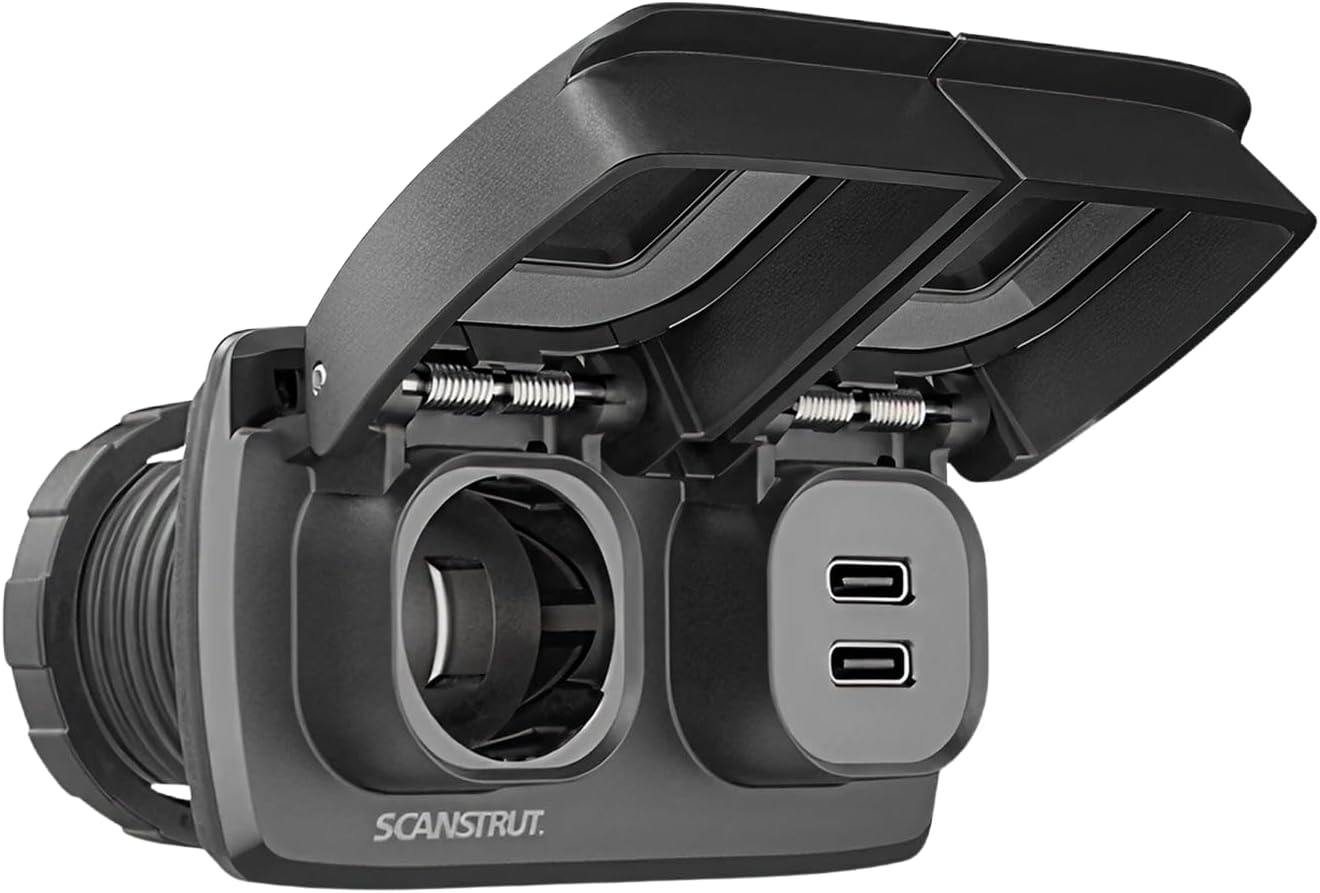
Image: The Scanstrut SC-Multi-F1 Flip Pro Multi unit with its protective covers closed, showcasing the compact and durable design. The unit features a 12V power socket and dual USB-C ports, each with its own flip-up cover for protection against the elements.

Hình ảnh: Từ trên xuống view of the Scanstrut SC-Multi-F1 Flip Pro Multi, with its protective covers closed. Clearly visible are the icons indicating the 12V power socket and the dual USB-C charging ports, along with the "MAX 10A" rating for the 12V socket.
Có gì trong hộp
Xác minh rằng tất cả các thành phần đều có sẵn trước khi bắt đầu cài đặt:
- Scanstrut SC-MULTI-F1 Flip Pro Multi - Dual USB-C with 12V Power Socket
- Mounting hardware (screws, bezel, locking rings)

Image: The Scanstrut SC-Multi-F1 Flip Pro Multi unit displayed alongside its packaging and included accessories. This includes the main unit, mounting screws, a front-fit bezel, and two locking rings, illustrating all components necessary for installation.
Thiết lập và cài đặt
Proper installation is crucial for the performance and safety of your Scanstrut Flip Pro Multi. If you are unsure about any step, consult a qualified professional.
Công cụ cần thiết:
- Máy khoan
- Hole saw (approximately 30.2mm / 1.19 inches diameter)
- Tua vít
- Dụng cụ tuốt dây / máy uốn tóc
- Appropriate electrical connectors (6.3x0.8mm spade connectors recommended)
Các bước cài đặt:
- Chọn vị trí lắp đặt: Select a flat surface with sufficient clearance behind for wiring. Ensure the panel thickness is between 3mm (0.11 inches) and 25mm (1 inch).
- Chuẩn bị lỗ lắp: Using a 30.2mm (1.19 inches) hole saw, carefully cut a circular hole in the chosen mounting surface. Refer to the dimensional drawing for precise measurements.
- Dây điện: Connect the positive (+) and negative (-) wires from your 12V power source to the corresponding terminals on the back of the Flip Pro Multi. Ensure secure connections, preferably using 6.3x0.8mm spade connectors. Observe proper polarity to prevent damage.
- Chèn đơn vị: Feed the wired Flip Pro Multi unit through the prepared hole from the front.
- Đơn vị an toàn: From the rear of the panel, thread the locking ring onto the unit and tighten it securely to hold the unit in place. If using the front-fit bezel, install it before securing the unit.
- Chức năng kiểm tra: Once installed, apply power and test both the USB-C ports and the 12V socket to ensure they are functioning correctly.

Image: A detailed dimensional drawing of the Scanstrut SC-Multi-F1 Flip Pro Multi, providing precise measurements in both millimeters and inches for installation. It illustrates the required panel cutout diameter (30.2mm / 1.19 inches) and acceptable panel thickness (3mm to 25mm), along with the overall dimensions of the unit.
Hướng dẫn sử dụng
The Scanstrut Flip Pro Multi is designed for straightforward operation.
Using the USB-C Ports:
- Gently lift the protective cover over the USB-C ports.
- Insert your USB-C charging cable into one of the available ports.
- Connect the other end of the cable to your device to begin charging.
- When not in use, close the protective cover to maintain waterproofing and protect the ports from debris.
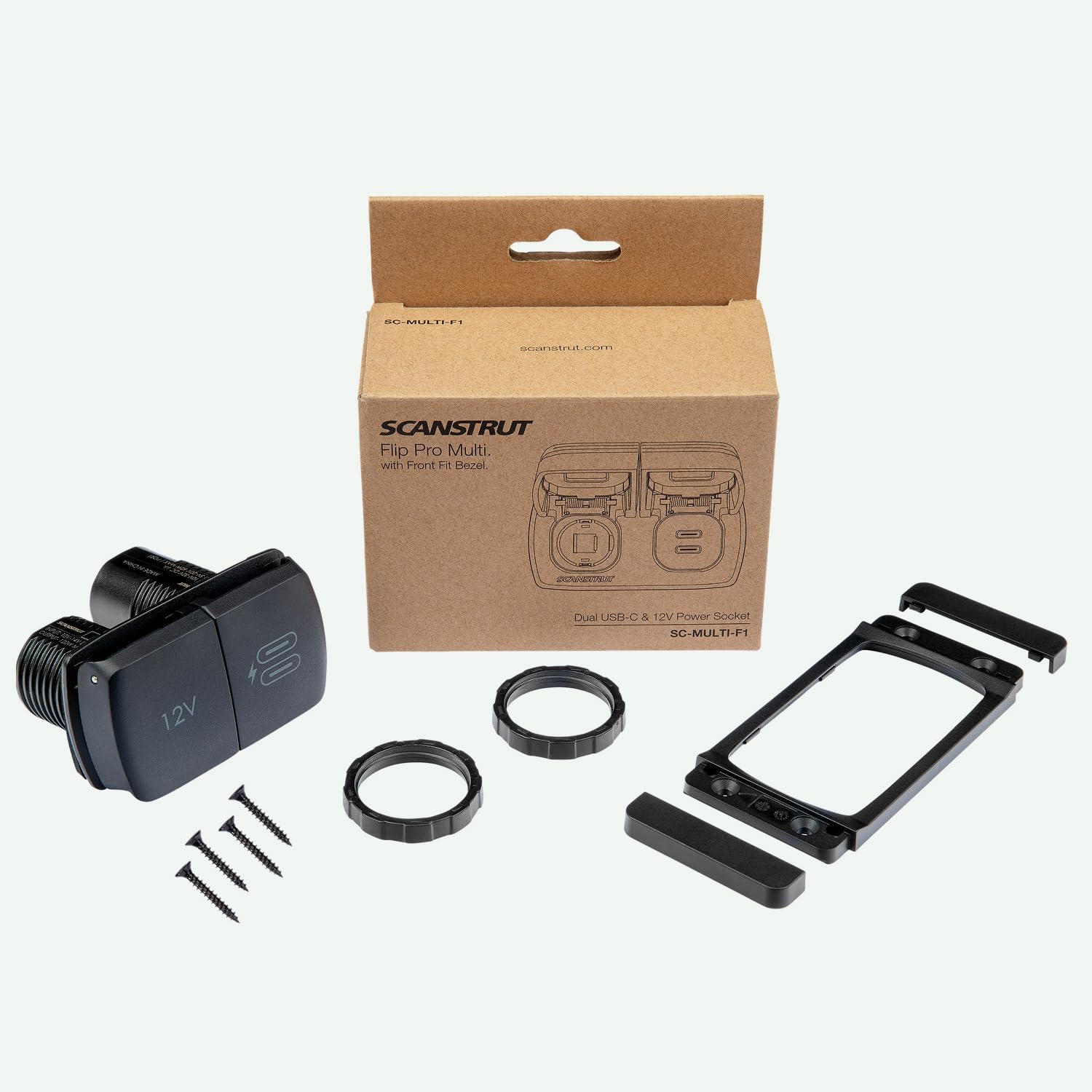
Image: A person is shown connecting a USB-C cable to the Scanstrut Flip Pro Multi, which is installed on a boat. The protective cover for the USB-C ports is open, and the user is actively charging a device, demonstrating the ease of access and use in an outdoor setting.

Image: A child is shown interacting with the Scanstrut Flip Pro Multi, connecting a charging cable to one of the USB-C ports. The unit is flush-mounted on a surface, highlighting its integrated appearance and accessibility for various users.
Using the 12V Power Socket:
- Gently lift the protective cover over the 12V power socket.
- Insert your 12V compatible plug into the socket.
- When not in use, close the protective cover to maintain waterproofing and protect the socket from debris.

Image: The Scanstrut Flip Pro Multi is shown installed in the interior of a vehicle, likely an off-road or utility vehicle, demonstrating its robust integration into a demanding environment. Both the 12V socket and USB-C ports are visible with their covers closed, indicating readiness for use while protected.
BẢO TRÌ
To ensure optimal performance and longevity of your Scanstrut Flip Pro Multi, follow these simple maintenance guidelines:
- Vệ sinh: Periodically wipe the unit with a damp cloth to remove dirt, salt, or grime. Avoid using abrasive cleaners or solvents.
- Inspect Covers: Regularly check the protective flip covers for any signs of damage or wear. Ensure they close securely to maintain the waterproof seal.
- Kiểm tra kết nối: Occasionally inspect the wiring connections at the back of the unit to ensure they remain tight and free from corrosion.
- Bảo vệ môi trường: While designed for harsh environments, prolonged exposure to extreme conditions without proper care can affect performance. Ensure covers are closed when not in use, especially in wet or dusty conditions.
Xử lý sự cố
If you encounter issues with your Scanstrut Flip Pro Multi, refer to the following common troubleshooting steps:
- Không có công suất đầu ra:
- Check the main power supply to the unit. Ensure the 12V source is active.
- Verify all wiring connections are secure and correctly polarized (+ to +, - to -).
- Inspect any inline fuses in the power circuit and replace if blown.
- Thiết bị không sạc được qua cổng USB-C:
- Ensure your device and cable are compatible with USB-C charging.
- Try a different USB-C cable or device to rule out cable/device issues.
- Confirm the unit is receiving power as described above.
- 12V Socket Not Functioning:
- Ensure the 12V plug is fully inserted and making good contact.
- Test the 12V accessory in another socket to confirm it is functional.
- Hãy xác nhận thiết bị đang nhận nguồn điện.
If problems persist after following these steps, contact Scanstrut customer support for further assistance.
Thông số kỹ thuật
| Tính năng | Chi tiết |
|---|---|
| Thương hiệu | Quét |
| Người mẫu | SC-ĐA-F1 |
| Trọng lượng sản phẩm | 4.6 ounce |
| Kích thước sản phẩm | 3.62 x 3.42 x 2.28 inch |
| Đầu vào Voltage | 12V DC (nominal) |
| 12V Socket Output | Tối đa 10A |
| Đầu ra USB-C | Dual USB-C ports (specific output not detailed, assumes standard charging) |
| Panel Thickness (Min) | 3mm (0.11 inch) |
| Panel Thickness (Max) | 25mm (1 inch) |
| Loại đầu nối | 6.3x0.8mm Spade connector |
Lưu ý: Thông số kỹ thuật có thể thay đổi mà không cần báo trước. Để có thông tin cập nhật nhất, vui lòng tham khảo tài liệu chính thức của nhà sản xuất. webđịa điểm.
Bảo hành và Hỗ trợ
Scanstrut products are manufactured to high standards and come with a manufacturer's warranty against defects in materials and workmanship. The specific terms and duration of the warranty may vary by region and product.
For detailed warranty information, product support, or to register your product, please visit the official Scanstrut webtrang web hoặc liên hệ trực tiếp với bộ phận dịch vụ khách hàng của họ.
Trang web chính thức của Scanstrut Webđịa điểm: www.scanstrut.com


