1. Giới thiệu
Thank you for choosing the Xtorm Fuel Series 5 Powerbank. This manual provides essential information for the safe and efficient use of your new portable charger. Please read this manual thoroughly before using the device and keep it for future reference.
2. Sản phẩm hếtview
The Xtorm Fuel Series 5 Powerbank is a high-capacity portable charger designed to keep your devices powered on the go. It features a robust 10,000 mAh battery, multiple fast-charging ports, and a durable design made from GRS certified recycled plastic.

This image displays the Xtorm Fuel Series 5 Powerbank in its elegant dusk white color, highlighting its compact design, the integrated digital percentage display, and the various charging ports located at the bottom.
Các tính năng chính:
- Dung lượng 10,000 mAh: Cung cấp nhiều chế độ sạc cho điện thoại thông minh và các thiết bị nhỏ khác.
- Sạc nhanh: Equipped with a 20W USB-C Power Delivery (PD) port for rapid charging.
- Nhiều cổng: Includes two USB-C ports (20W PD, 18W) and one USB-A port (18W) for simultaneous charging of up to three devices.
- Màn hình kỹ thuật số: Phần trăm thời gian thựctage display for remaining battery life and fast charge indication.
- Vật liệu bền vững: Constructed using GRS certified recycled plastic.

Một chi tiết view of the power bank's charging interface, featuring two USB-C ports and one USB-A port, indicating their respective power outputs.
3. Thiết lập
Có gì trong hộp:
- Xtorm Fuel Series 5 Powerbank
- Cáp sạc USB-C
- Hướng dẫn sử dụng (tài liệu này)
Mức phí ban đầu:
Before first use, it is recommended to fully charge your Xtorm Fuel Series 5 Powerbank. Connect the included USB-C cable to the power bank's input USB-C port and plug the other end into a compatible USB wall charger (not included). The digital display will show the charging progress. A full charge takes approximately 2.5 hours.
4. Hướng dẫn vận hành
Sạc pin dự phòng:
- Locate the USB-C input port on the power bank.
- Connect one end of the USB-C cable to this port.
- Connect the other end of the USB-C cable to a USB wall adapter or a computer's USB port.
- The digital display will illuminate, showing the current charge percentage and indicating that the power bank is charging.
Sạc thiết bị của bạn:
The power bank can charge smartphones, tablets, and other USB-powered devices. It features two USB-C ports and one USB-A port.
- Kết nối cáp sạc của thiết bị vào cổng thích hợp trên pin dự phòng (USB-C hoặc USB-A).
- Kết nối đầu kia của cáp với thiết bị của bạn.
- Pin dự phòng sẽ tự động bắt đầu sạc thiết bị của bạn. Màn hình kỹ thuật số sẽ hiển thị dung lượng pin còn lại.
- You can charge multiple devices simultaneously using the available ports.
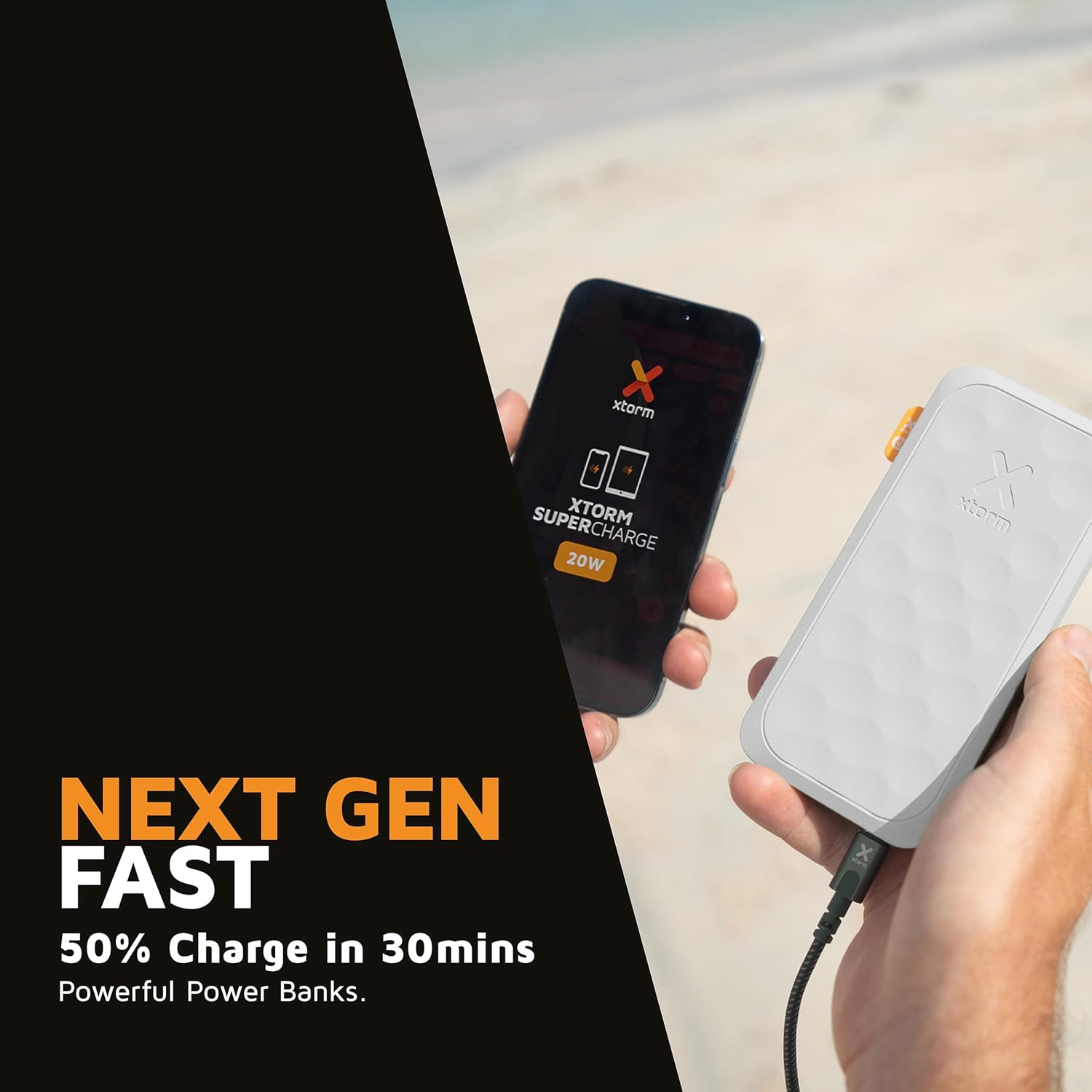
This image shows the Xtorm Fuel Series 5 Powerbank actively charging a smartphone, demonstrating its portable use case for on-the-go power.

This diagram provides a clear breakdown of the power bank's ports, showing the 20W USB-C PD output, an 18W USB-C output, and an 18W USB-A output, along with the 20W USB-C PD input.
5. Bảo trì và chăm sóc
- Vệ sinh: Hãy dùng khăn mềm, khô để lau sạch sạc dự phòng. Không sử dụng hóa chất mạnh hoặc vật liệu mài mòn.
- Kho: Bảo quản sạc dự phòng ở nơi khô ráo, thoáng mát, tránh ánh nắng trực tiếp và nhiệt độ cao.
- Tuổi thọ pin: Để kéo dài tuổi thọ pin, hãy sạc đầy và xả hết pin dự phòng ít nhất ba tháng một lần nếu không sử dụng thường xuyên.
- Tránh rơi: While designed to be robust, avoid dropping the power bank or subjecting it to strong impacts.
KHAI THÁC. Xử lý sự cố
Các vấn đề thường gặp và giải pháp:
- Sạc dự phòng không sạc được:
- Hãy đảm bảo cáp sạc được kết nối chắc chắn với cả pin dự phòng và nguồn điện.
- Hãy thử bộ chuyển đổi USB hoặc cổng USB khác.
- Kiểm tra xem cáp sạc có bị hư hỏng không.
- Thiết bị không sạc được từ pin dự phòng:
- Hãy đảm bảo pin dự phòng có đủ điện (kiểm tra màn hình hiển thị kỹ thuật số).
- Hãy thử sử dụng một loại cáp sạc khác cho thiết bị của bạn.
- Try connecting your device to a different port on the power bank. Note that one of the USB-C ports is specifically for fast charging (20W PD); if your device is older or not compatible with PD, try the other USB-C port or the USB-A port.
- Khởi động lại thiết bị của bạn.
- Sạc chậm:
- Hãy đảm bảo bạn đang sử dụng cáp tương thích với sạc nhanh và thiết bị của bạn hỗ trợ sạc nhanh.
- When charging multiple devices simultaneously, the output power per port may be reduced.
7. Thông số kỹ thuật
| Tên mẫu | FS5100 |
| Dung lượng pin | 10,000 mAh (Milliamptrước giờ) |
| Thành phần pin | Lithium-polymer |
| Đầu vào (USB-C) | Công suất 20W qua cổng USB-C Power Delivery (PD) |
| Đầu ra 1 (USB-C) | Công suất 20W qua cổng USB-C Power Delivery (PD) |
| Đầu ra 2 (USB-C) | 18W USB-C |
| Đầu ra 3 (USB-A) | USB-A 18W |
| Tổng Voltage | 20 vôn |
| Loại đầu nối | USB Loại A, USB Loại C |
| Tính năng đặc biệt | Digital Display, Fast Charge, Portable |
| Sử dụng được khuyến nghị | Điện thoại thông minh, Máy tính bảng |
8. Thông tin an toàn
Your Xtorm Fuel Series 5 Powerbank is designed with multiple safety features to ensure reliable operation. Please adhere to the following safety guidelines:
- Không để pin dự phòng tiếp xúc với nhiệt độ quá cao hoặc quá thấp (trên 45°C hoặc dưới 0°C).
- Không tháo rời, sửa đổi hoặc cố gắng sửa chữa thiết bị.
- Tránh xa nước, hơi ẩm và vật liệu dễ cháy.
- Không sử dụng nếu pin dự phòng bị hư hỏng hoặc phồng rộp rõ rệt.
- Hãy thải bỏ pin dự phòng một cách có trách nhiệm theo quy định của địa phương.
- The power bank features a 6-layered safety check including temperature control, short circuit protection, overload protection, and high-efficiency components. It is also designed to be airport-proof.

An infographic detailing the comprehensive safety mechanisms built into the power bank, including temperature control, short circuit protection, overload protection, A-Class components, secured power management, and high efficiency, ensuring safe and reliable operation.
9. Bảo hành và Hỗ trợ
For warranty information and customer support, please refer to the Xtorm official webTruy cập trang web hoặc liên hệ với nhà bán lẻ địa phương của bạn. Giữ lại bằng chứng mua hàng để sử dụng cho các yêu cầu bảo hành.
For further assistance or technical inquiries, please visit www.xtorm.eu.


