1. Sản phẩm hếtview
The SOVMIKU 3CG6 is a 2K wireless outdoor security camera designed for reliable surveillance. It features solar power capabilities, PIR motion detection, two-way audio, and color night vision. The camera operates on 2.4GHz Wi-Fi and supports local storage via an SD card slot, as well as cloud storage options.
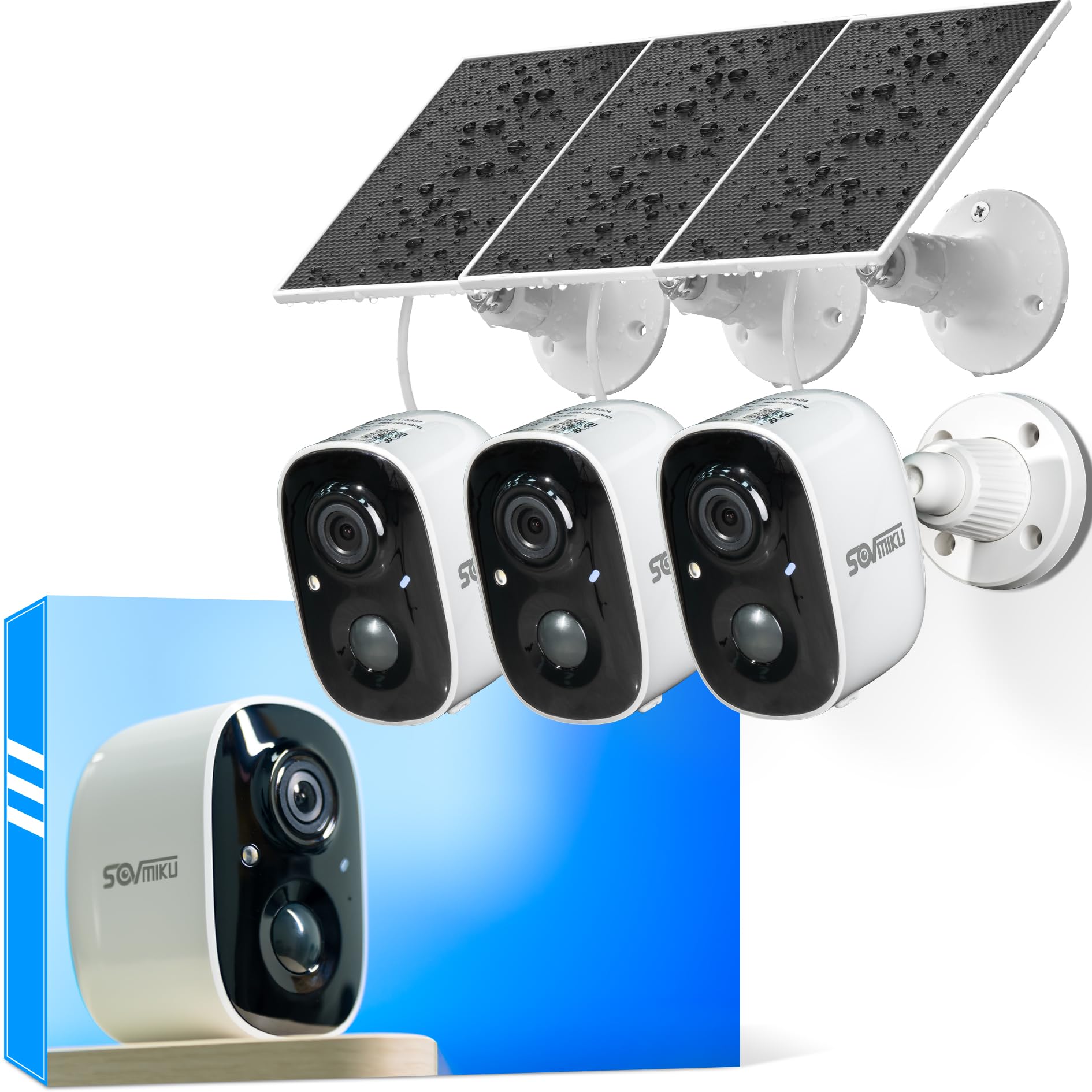
Figure 1: SOVMIKU 3CG6 2K Solar Security Camera with solar panel.
Các tính năng chính:
- Độ phân giải video 2K: Captures clear 3-megapixel images, providing detailed footage.
- Năng lượng mặt trời: Equipped with monocrystalline silicon solar panels for continuous charging, extending battery life up to 50 days on a full charge.
- Phát hiện chuyển động PIR: Passive Infrared Sensor detects warm bodies (humans, animals) to trigger recording and alerts.
- Âm thanh hai chiều: Cho phép giao tiếp thời gian thực thông qua camera.
- Audible & Flashlight Siren: Activates a siren and flashlight upon motion detection for deterrence.
- Màu sắc nhìn ban đêm: Provides enhanced visibility in low-light conditions.
- Khả năng chống chịu thời tiết IP65: Designed to withstand splashes, water, and dust for outdoor installation.
- Lưu trữ cục bộ và đám mây: Supports microSD cards up to 128GB and offers optional cloud storage services.
- Vicohome App Integration: Manages camera settings, live view, and notifications via the Vicohome application.
2. Nội dung gói hàng
Xác minh rằng tất cả các thành phần đều có trong gói:
- SOVMIKU 3CG6 Security Camera
- Tấm pin mặt trời
- Lắp khung
- Vít lắp và neo tường
- Cáp sạc USB
- Hướng dẫn sử dụng (tài liệu này)
3. Hướng dẫn cài đặt
3.1 Sạc ban đầu
Before installation, fully charge the camera using the provided USB cable. This ensures the internal battery is ready for operation, especially if solar charging is initially limited.
3.2 Cài đặt ứng dụng và tạo tài khoản
- Download the "Vicohome" app from your smartphone's app store (iOS or Android).
- Mở ứng dụng và tạo tài khoản mới hoặc đăng nhập nếu bạn đã có tài khoản.
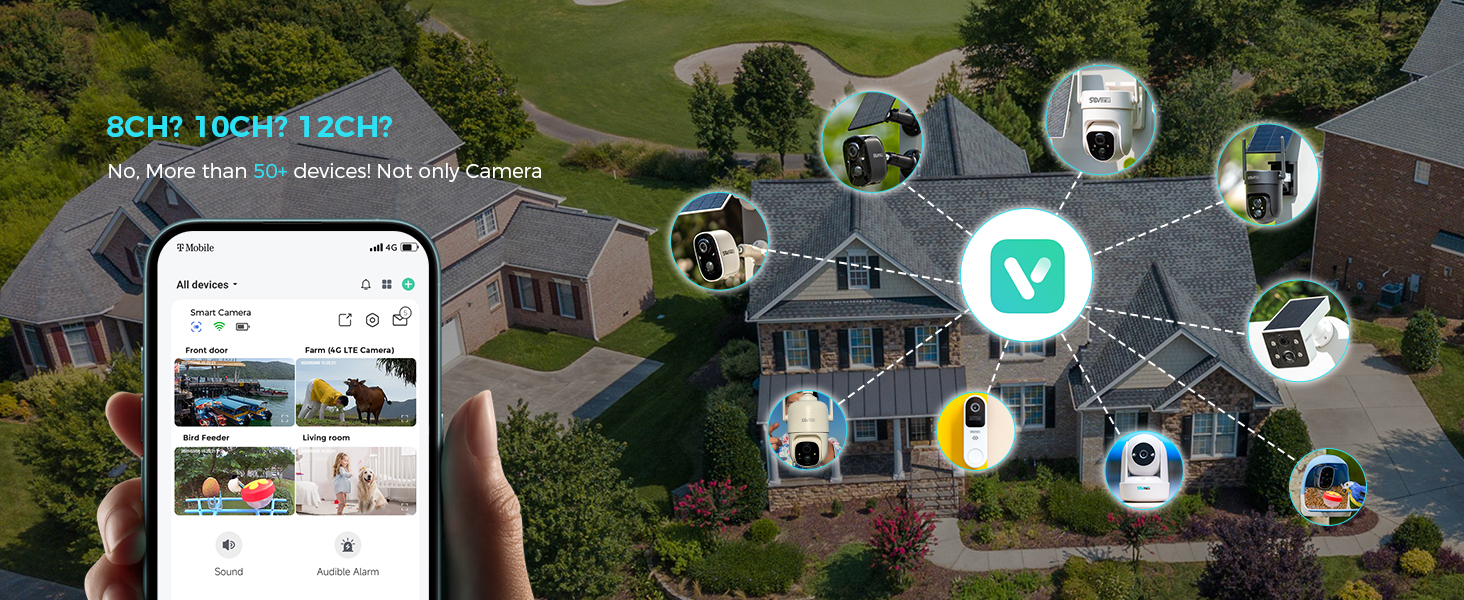
Figure 2: The Vicohome app allows management of multiple devices and simultaneous viewHỗ trợ tối đa bốn camera.
3.3 Ghép nối máy ảnh
- In the Vicohome app, tap the "+" icon to add a new device.
- Follow the on-screen instructions to connect the camera to your 2.4GHz Wi-Fi network. Ensure your router is within range.
- The camera supports 2.4GHz Wi-Fi only for optimal range and stability.
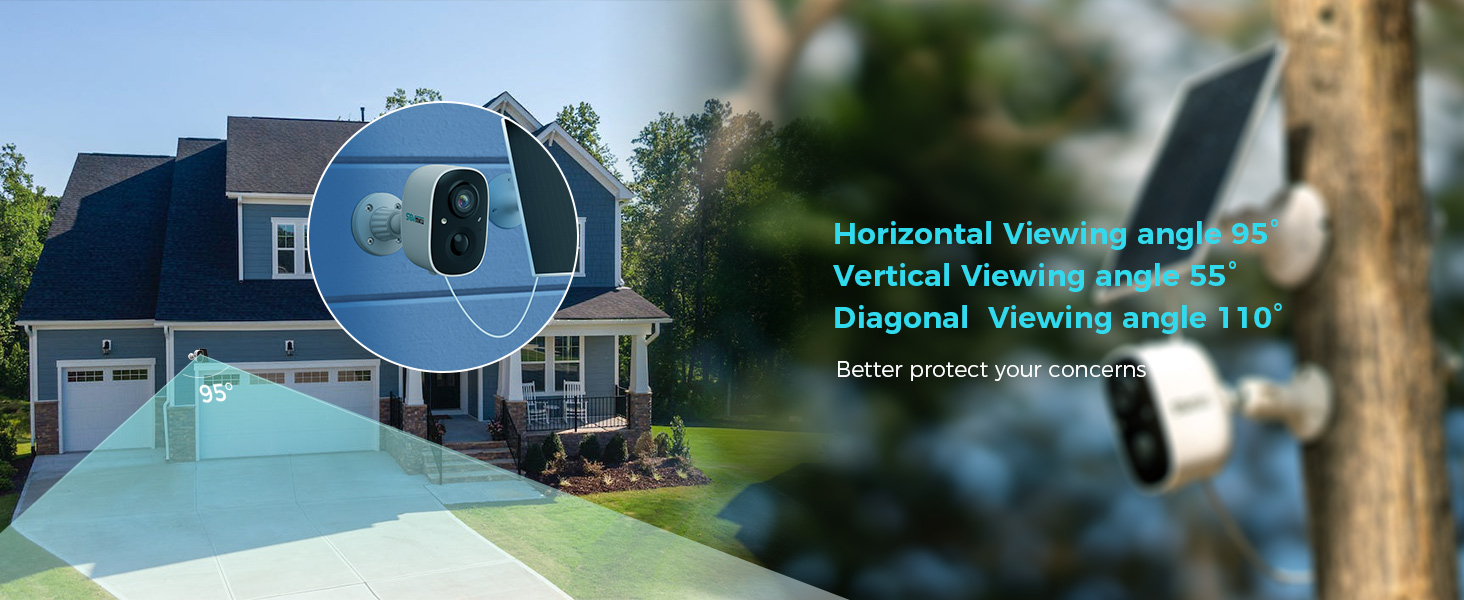
Figure 3: Illustration of 2.4GHz Wi-Fi coverage, suitable for security cameras due to its larger range.
3.4 Lắp đặt thẻ MicroSD (Tùy chọn)
To enable local recording, install a microSD card (up to 128GB, not included) into the designated slot on the camera. Ensure the camera is powered off before inserting or removing the card.
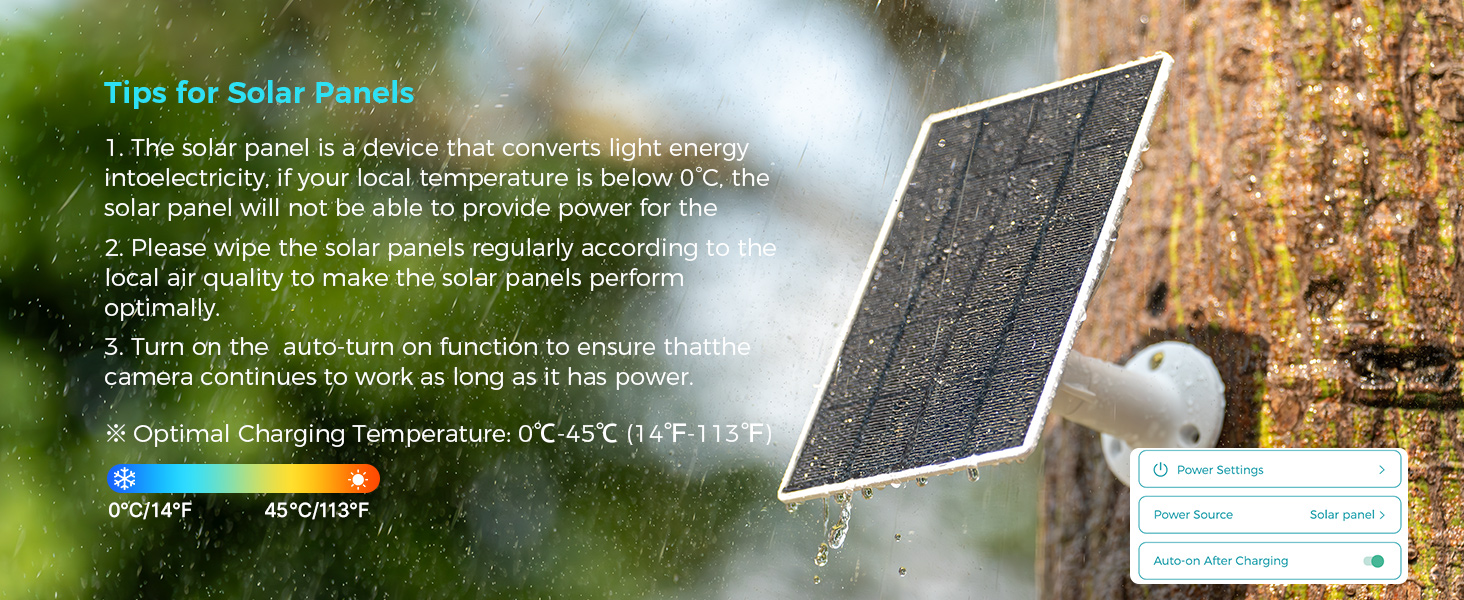
Figure 4: Inserting a microSD card into the camera's slot for local storage.
3.5 Lắp đặt Camera và Tấm pin mặt trời
Chọn một vị trí có tầm nhìn rõ ràng. view của khu vực bạn muốn giám sát và nhận được ampánh sáng mặt trời cho tấm pin mặt trời.
- Gắn giá đỡ vào bề mặt mong muốn bằng các vít và neo tường được cung cấp.
- Cố định máy ảnh vào giá đỡ.
- Mount the solar panel in a location that receives direct sunlight for most of the day.
- Connect the solar panel cable to the camera's charging port. Ensure the silicone waterproof protective plug is securely in place.

Figure 5: Step-by-step guide for connecting the solar panel to the camera.
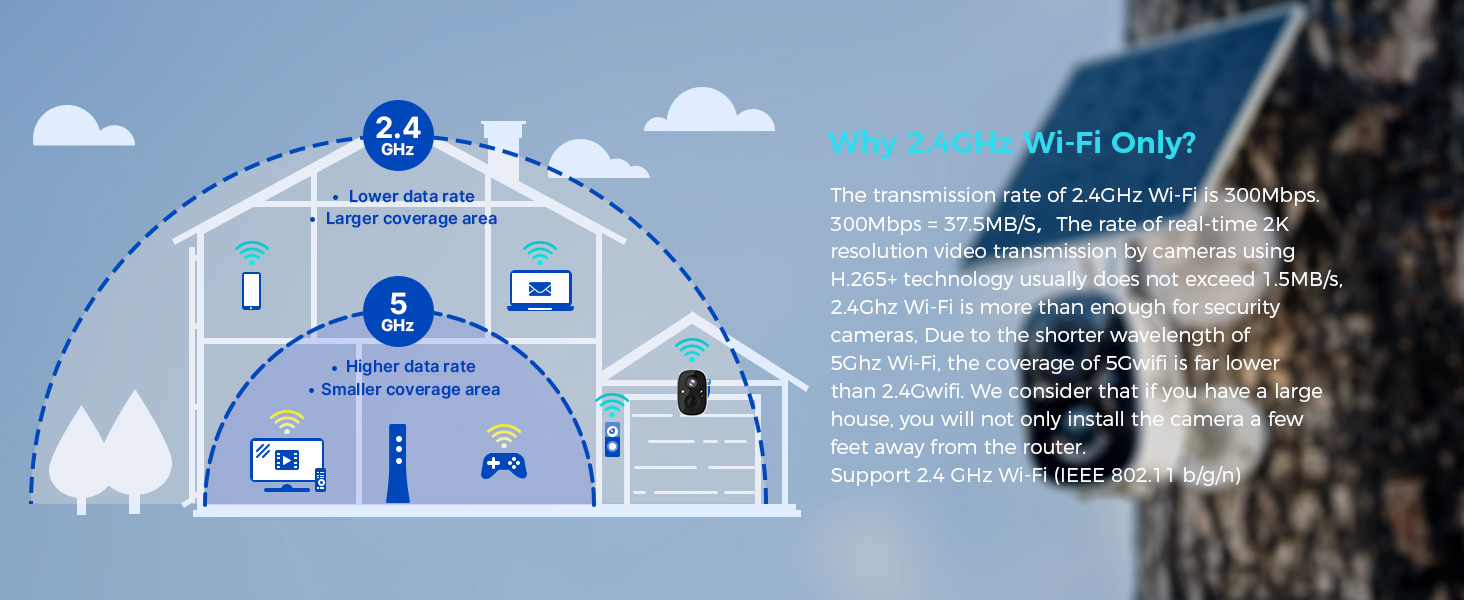
Figure 6: Visual guide for optimal solar panel placement to maximize sunlight exposure.
4. Hướng dẫn vận hành
4.1 Trực tiếp View và Ghi âm
Access the Vicohome app to view foo trực tiếptagTừ camera của bạn. Bạn có thể tự quay video hoặc chụp ảnh màn hình trực tiếp từ màn hình. view giao diện.
4.2 Phát hiện chuyển động và cảnh báo
The camera utilizes a Passive Infrared (PIR) sensor for motion detection. When a warm body is detected, the camera activates and begins recording. You will receive push notifications on your smartphone or connected smartwatch.
- Cảm biến PIR: Always active, triggers camera recording within milliseconds of detecting a warm body.
- Độ nhạy có thể điều chỉnh: Motion detection sensitivity can be adjusted in the app settings.
- Tính năng báo động: Enable the Flashlight Alarm and Audible Siren in the app to deter intruders upon motion detection.

Hình 7: Ví dụample of a motion detection alert displayed on a smartwatch.

Figure 8: The camera's flashlight and audible siren activating upon detecting an intruder.
4.3 Âm thanh hai chiều
Use the two-way audio feature in the Vicohome app to speak through the camera and hear audio from its vicinity.
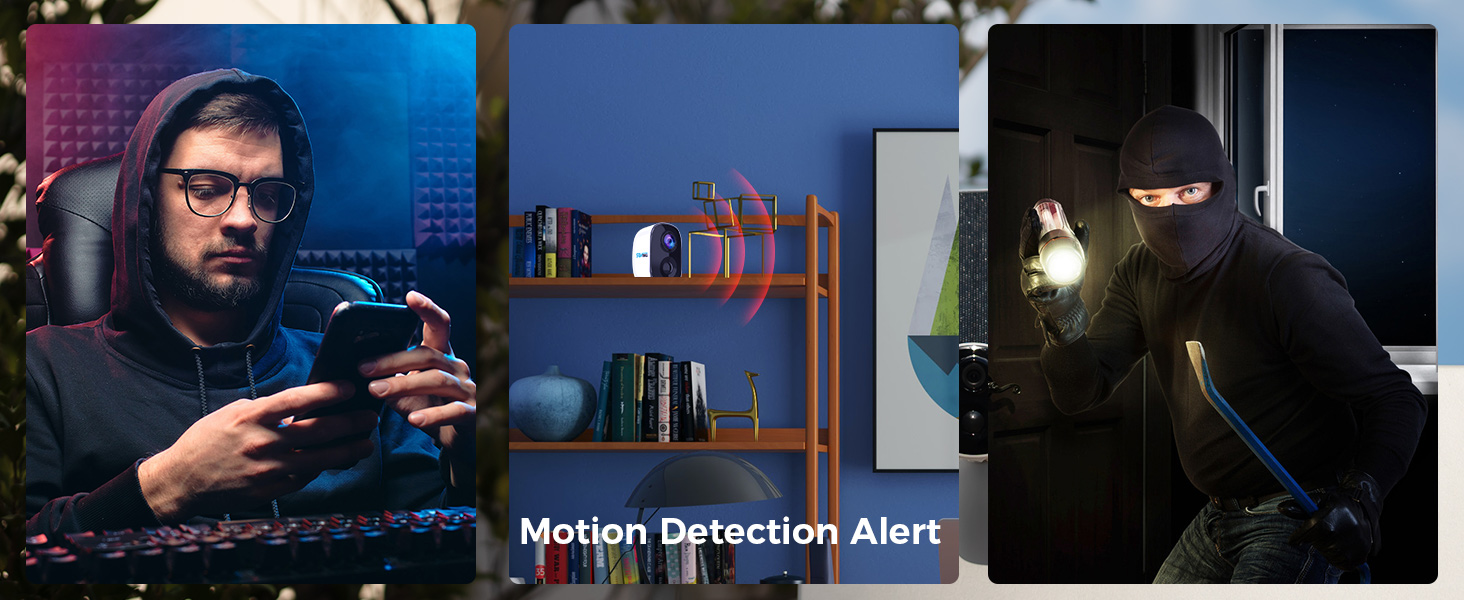
Figure 9: Demonstrating two-way audio communication through the camera.
4.4 Tầm nhìn ban đêm
The camera features color night vision, providing clearer and more detailed images in low-light conditions compared to traditional black and white night vision.
4.5 Multi-Device and Multi-User Support
The Vicohome app supports connecting up to 50 cameras simultaneously. You can also share camera access with up to 10 different users, with support for three accounts viewing concurrently.

Figure 10: The Vicohome app supports multiple cameras for comprehensive coverage.

Figure 11: Sharing camera access with family members through the app.
5. Bảo trì
5.1 Chăm sóc tấm pin mặt trời
To ensure optimal performance and charging efficiency, regularly wipe the solar panels clean. Dust, dirt, and debris can reduce energy conversion. If your local temperature is below 0°C, the solar panel may not provide power effectively.
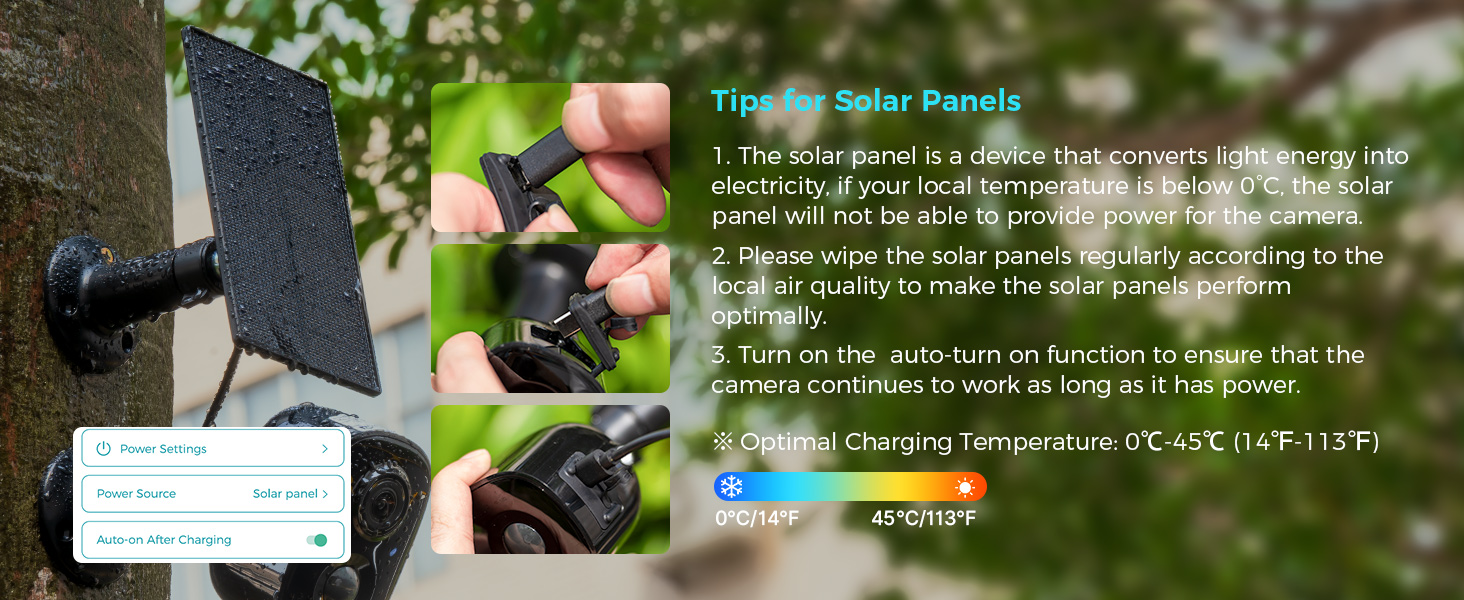
Figure 12: Important tips for maintaining your solar panel's efficiency.
5.2 Khả năng chống chịu thời tiết
The SOVMIKU 3CG6 camera is rated IP65 for splash, water, and dust resistance. While designed for outdoor use, resistance may decrease over time due to normal wear. Ensure the charging interface's silicone protective plug is always sealed when not charging to maintain water resistance.
KHAI THÁC. Xử lý sự cố
- Camera không kết nối được với Wi-Fi:
- Hãy đảm bảo mạng Wi-Fi của bạn là 2.4GHz. Camera không hỗ trợ Wi-Fi 5GHz.
- Hãy kiểm tra xem camera có nằm trong phạm vi phủ sóng của bộ định tuyến Wi-Fi hay không.
- Hãy kiểm tra xem mật khẩu Wi-Fi bạn nhập trong ứng dụng có chính xác hay không.
- Restart your router and the camera, then attempt pairing again.
- Chất lượng video kém:
- Hãy kiểm tra cường độ tín hiệu Wi-Fi tại vị trí đặt camera. Tín hiệu yếu có thể ảnh hưởng đến chất lượng phát trực tuyến.
- Hãy đảm bảo ống kính máy ảnh sạch sẽ và không bị vật cản.
- In the app settings, verify the recording resolution is set to 2K if available.
- Battery not charging via solar panel:
- Ensure the solar panel is positioned to receive direct sunlight for several hours daily.
- Clean the surface of the solar panel to remove any dirt or debris.
- Check the connection cable between the solar panel and the camera for damage or loose connections.
- Note that solar charging efficiency decreases significantly in temperatures below 0°C (32°F).
- Chức năng cảm biến chuyển động không hoạt động hoặc quá nhạy:
- Adjust the motion detection sensitivity in the Vicohome app settings.
- Ensure there are no objects (e.g., tree branches, flags) that might cause false alarms due to movement in the detection zone.
- Kiểm tra xem cảm biến PIR có bị che khuất không.
7. Thông số kỹ thuật
| Tính năng | Chi tiết |
|---|---|
| Tên mẫu | 3CG6 |
| Độ phân giải quay video | 2K (3 Megapixel) |
| Công nghệ kết nối | Không dây (Wi-Fi 2.4GHz) |
| Nguồn điện | Năng lượng mặt trời, Pin (5200 mAh) |
| Sử dụng trong nhà/ngoài trời | Ngoài trời |
| Tính năng đặc biệt | 2-Way Audio, PIR Motion Detection, Audible Flashlight Siren, Color Night Vision |
| Bảo vệ quốc tế Rating | IP65 |
| Kho | Thẻ MicroSD (tối đa 128GB), Lưu trữ đám mây (tùy chọn) |
| Tốc độ khung hình | 25 khung hình mỗi giây |
| Kích thước (D x R x C) | 3.14 x 2.3 x 2 inch |
| Trọng lượng sản phẩm | 4 pound (1.82 kg) |
| Nhiệt độ hoạt động | -20°C đến 50°C (-4°F đến 122°F) |
8. Bảo hành và Hỗ trợ
SOVMIKU is committed to providing excellent customer service. If you encounter any issues or have questions regarding your 3CG6 security camera, please contact us.
- Hỗ trợ khách hàng: You can reach us by telephone or email. We aim to respond to all email inquiries within 12 hours.
- Chính sách đổi trả: We offer a 180-day exchange policy. If you are not satisfied with your product, you may submit a request for an exchange within 180 days of purchase.
Figure 13: Information regarding the 180-day exchange policy.


