1. Giới thiệu
The BOTSLAB W302 Outdoor Dual-Lens Security Camera is designed to provide comprehensive surveillance for your home or business. Featuring advanced dual-lens technology, it offers a 170° super-wide viewing angle and crystal-clear 4MP resolution. This manual provides detailed instructions for setting up, operating, and maintaining your security camera to ensure optimal performance.
2. Nội dung gói hàng
Vui lòng kiểm tra xem tất cả các mặt hàng được liệt kê dưới đây có trong gói hàng của bạn hay không. Nếu có bất kỳ mặt hàng nào bị thiếu hoặc hư hỏng, vui lòng liên hệ với bộ phận hỗ trợ khách hàng.
- Đơn vị máy ảnh x 1
- Giá đỡ x 1
- Miếng dán định vị x 1
- Warning sticker x 1
- Hướng dẫn bắt đầu nhanh x 1
- Bộ đổi nguồn x 1
- Gói vít x 1

Figure 2.1: All components included in the BOTSLAB W302 camera package.
3. Tính năng sản phẩm
- Dual-Lens Vision: Captures a wide 170° super-wide viewing angle with 4MP (2MP+2MP) resolution for seamless panoramic images without blind spots.
- Màu sắc nhìn ban đêm: Provides continuous color views 24/7, even in low light, thanks to automatic light adaptation (ColorGuard) and up to 100ft night vision range.
- Smart Security & Precise Alerts: Detects people and vehicles with motion detection, sending precise alerts. Features a customizable siren and light alarm for enhanced security.
- AI-Powered Tracking: Intelligently focuses on humans, offering close-up views and dual live views (wide panorama and close-up) simultaneously via the Botslab app.
- Kết nối liền mạch: Supports faster and more stable dual-band Wi-Fi (2.4GHz/5GHz).
- Âm thanh hai chiều: Stay connected and communicate with visitors or deter intruders.
- Thiết Kế chống chịu thời tiết: IP66 rated, ensuring reliable performance in temperatures from -20°C to 60°C.
- Tích hợp nhà thông minh: Seamlessly integrates with Amazon Alexa and Google Assistant for voice control.

Figure 3.1: Dual-Lens Vision with 170° Super-Wide Angle.

Figure 3.2: Non-Stop Color Night Vision.

Figure 3.3: Smart Security with Person, Vehicle, and Motion Detection.
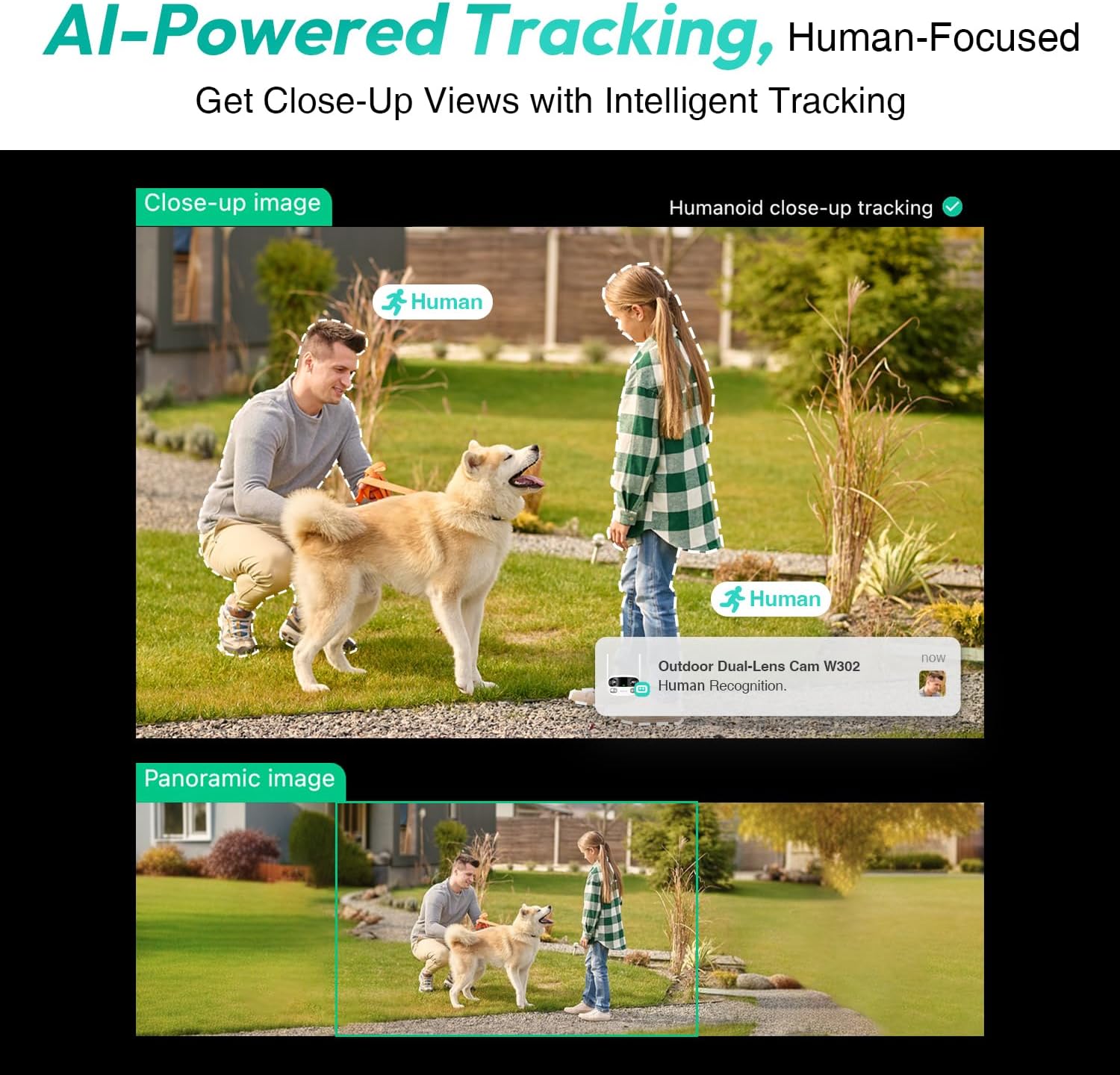
Figure 3.4: AI-Powered Human Tracking with Dual Live Views.
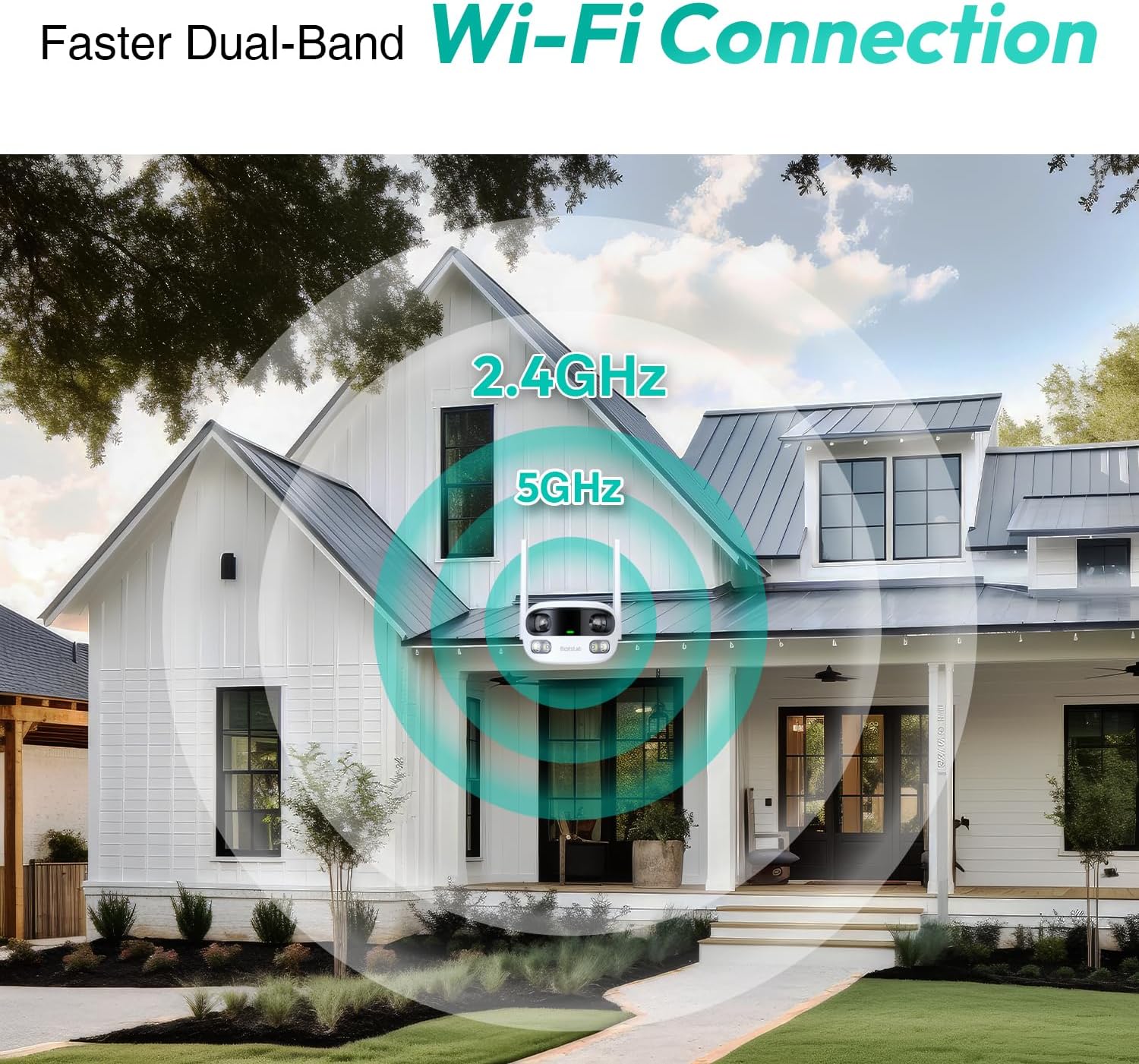
Figure 3.5: Faster Dual-Band Wi-Fi Connection.

Hình 3.6: Giao tiếp âm thanh hai chiều.

Hình 3.7: Thiết kế chống chịu thời tiết IP66.

Figure 3.8: Alexa & Google Assistant Integration.
4. Thiết lập và Cài đặt
Follow these steps to properly install your BOTSLAB W302 camera.
- Chọn vị trí: Chọn một địa điểm ngoài trời có tầm nhìn thoáng đãng. view of the area you wish to monitor. Ensure it's within Wi-Fi range and near a power outlet.
- Gắn giá đỡ: Use the provided positioning sticker to mark drill holes on the wall or ceiling. Drill the holes, insert expansion tubes, and securely fasten the bracket with screws.
- Gắn máy ảnh: Rotate the camera body and screw it onto the bracket. Adjust the camera's position and tighten the bracket.
- Kết nối nguồn: Plug the power adapter into the camera and then into a power outlet. The indicator light will turn green and start flashing when ready for pairing.

Figure 4.1: Versatile Installation Options (Wall and Ceiling).
Video 4.1: Một kết thúcview of the Botslab Security Camera Outdoor, including its features and installation process. This video is provided by Botslab Security.
5. Cấu hình ứng dụng
The Botslab app is essential for controlling and monitoring your camera. Download and install the app on your smartphone (available on App Store and Google Play).
- Đăng ký/Đăng nhập: Open the Botslab app and register a new account or log in with an existing one.
- Thêm thiết bị: Tap 'Add Device' or the '+' icon in the app.
- Quét mã QR: Quét mã QR nằm ở cuối máy ảnh của bạn.
- Kết nối với Wi-Fi: Follow the in-app instructions to connect the camera to your 2.4GHz or 5GHz Wi-Fi network. Ensure your phone is near the camera during this process.
- Ràng buộc thiết bị: The app will bind the device to your account. Once connected, the indicator light on the camera will turn solid blue.
Video 5.1: Một bản re chi tiếtview of the Botslab W302 Outdoor Dual Lens Security Camera, including app setup and features. This video is provided by Galaxy Tech Review.
6. Hướng dẫn vận hành
Once configured, you can access and control your camera through the Botslab app.
- Sống View: Access the live feed from both lenses. You can switch between close-up and panoramic views, or use the left/right mode for individual lens feeds.
- Xoay/Thu phóng: In panoramic mode, slide the bottom image to pan left or right. Pinch to zoom on the close-up image.
- Âm thanh hai chiều: Tap the phone icon to speak through the camera's speaker. Tap the mute icon to silence audio from the camera's microphone.
- Siren & Light Alarm: Activate the siren and floodlights manually from the app to deter intruders.
- Motion/Vehicle/Person Detection: Enable these features in the app settings to receive precise alerts.
- Vùng riêng tư: Thiết lập các khu vực cụ thể bên trong camera. view that will not be monitored for privacy.
- Tầm nhìn ban đêm: The camera automatically adapts to low light. You can choose between full-color night vision (using floodlights) or infrared night vision.

Figure 6.1: Dual Live Views on the Botslab App.

Figure 6.2: Siren & Light Alarm for Instant Deterrence.

Figure 6.3: Configuring Privacy Zones.

Figure 6.4: Smart Security with Precise Alerts.
7. Tùy chọn lưu trữ
The BOTSLAB W302 offers flexible storage solutions for your recorded footage.
- Botslab Cloud Storage: Includes a one-year trial with 7-day storage for motion-detected clips at 5-minute intervals.
- Lưu trữ cục bộ: Supports up to 256GB MicroSD cards (not included). The MicroSD card slot is located under a protective cover at the bottom of the camera.

Figure 7.1: Cloud and Local Storage Options.
8. Thông số kỹ thuật
| Tính năng | Đặc điểm kỹ thuật |
|---|---|
| Độ phân giải quay video | 4MP |
| Viewgóc ing | 170 Độ |
| Công nghệ kết nối | Wi-Fi 2.4 GHz/5 GHz |
| Bảo vệ quốc tế Rating | IP66 |
| Nhiệt độ hoạt động | -20°C đến 60°C |
| Khả năng tương thích của nhà thông minh | Amazon Alexa, Trợ lý Google |
| Lưu trữ cục bộ | Up to 256GB MicroSD (Not Included) |
| Nguồn điện | Wired (AC power cord included) |
| Màu sắc | White Pro |
| Trọng lượng sản phẩm | 1.63 pound |
9. Bảo trì
- Vệ sinh: Thường xuyên lau ống kính máy ảnh và thân máy bằng khăn mềm,amp Dùng khăn mềm để lau bụi bẩn. Không sử dụng hóa chất mạnh.
- Cập nhật chương trình cơ sở: Check the Botslab app periodically for firmware updates to ensure optimal performance and security.
- Nguồn điện: Ensure the camera is connected to a stable power source. Avoid using unofficial power adapters.
- Quản lý thẻ SD: If using local storage, regularly back up important footage and format the MicroSD card to maintain performance.
KHAI THÁC. Xử lý sự cố
- Máy ảnh ngoại tuyến: Check Wi-Fi connection and power supply. Try restarting the camera and your router.
- Chất lượng video kém: Ensure the lens is clean. Check your Wi-Fi signal strength. Adjust camera placement if necessary.
- Vấn đề phát hiện chuyển động: Verify detection zones are correctly set in the app. Adjust sensitivity settings.
- Các vấn đề về âm thanh hai chiều: Check microphone and speaker settings in the app. Ensure volume levels are adequate.
- Thẻ SD không ghi dữ liệu: Ensure the MicroSD card is inserted correctly and is not full. Format the card if issues persist.
11. Bảo hành và Hỗ trợ
BOTSLAB is committed to providing high-quality products and excellent customer service.
- Đảm bảo chất lượng: Enjoy a 365-day quality guarantee.
- Trợ giúp Kỹ thuật: Có sẵn hỗ trợ kỹ thuật trọn đời.
- Trả về: 30-day free returns.
- Fast Support: Expect support within 48 hours.
Để được hỗ trợ thêm, vui lòng truy cập global.botslab.com hoặc liên hệ dịch vụ@botslab.com.


