Giới thiệu
Thank you for choosing Kinganda Bluetooth Headphones. This user manual provides detailed instructions on how to set up, operate, and maintain your new headphones. Please read this manual thoroughly before use to ensure optimal performance and longevity of your device.
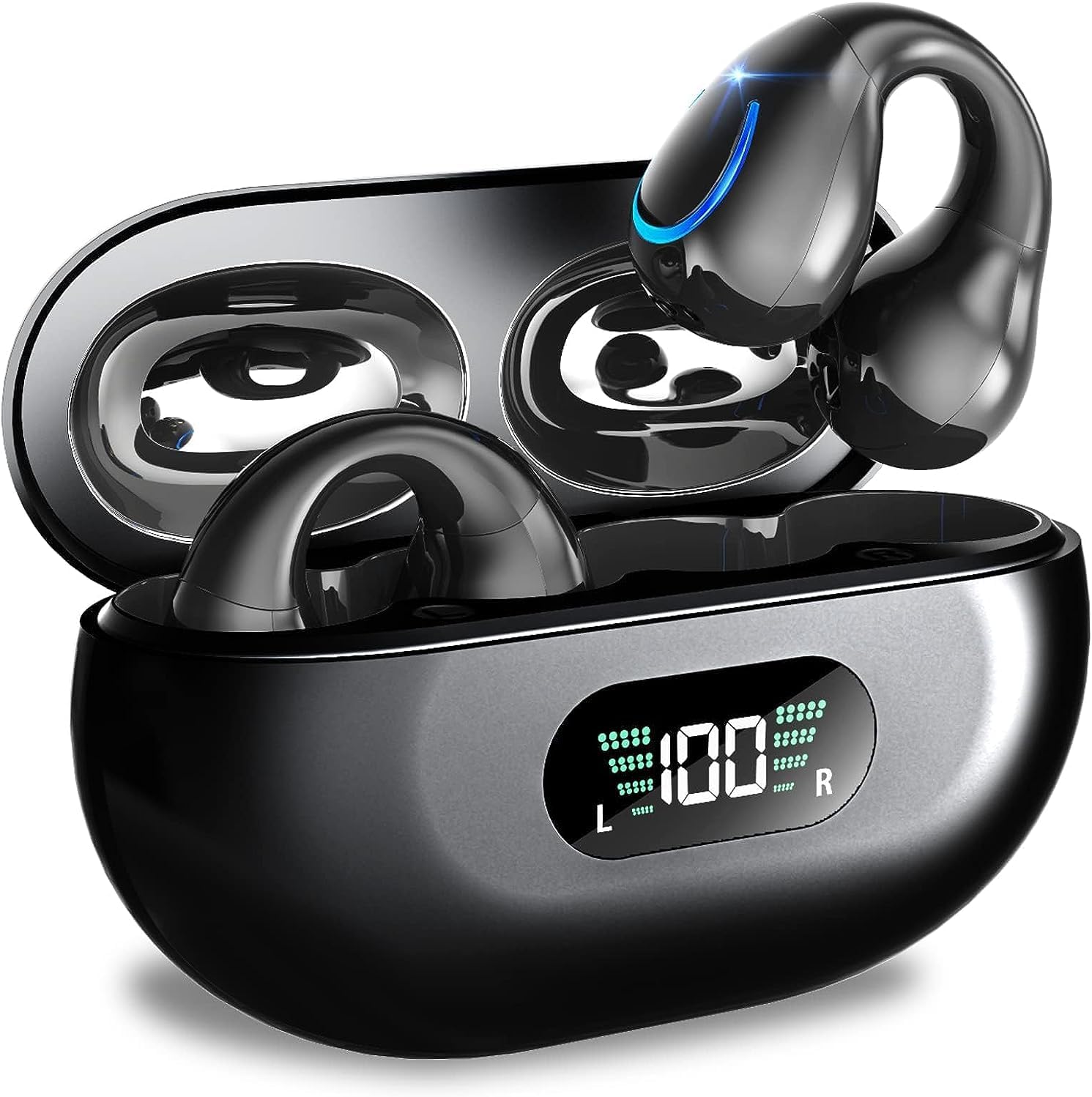
Image: Kinganda Bluetooth Headphones (Model Q71) in their charging case, showcasinThiết kế đẹp mắt và màn hình LED.
Có gì trong hộp
Vui lòng kiểm tra nội dung gói hàng để đảm bảo có đầy đủ tất cả các mục:
- Wireless Headphones (Left and Right)
- Vỏ sạc không dây
- Cáp sạc USB-C
- Hướng dẫn sử dụng

Image: An illustration showing the Kinganda headphones, charging case, USB-C cable, and user manual, representing the package contents.
Thông tin an toàn
To ensure safe operation and prevent damage to your headphones, please observe the following safety guidelines:
- Do not swim underwater or take hot baths with the headphones. Exposure to high temperatures or prolonged submersion can cause damage to the internal components.
- Keep the headphones and charging case away from extreme temperatures, direct sunlight, and high humidity.
- Tránh làm rơi hoặc để thiết bị chịu tác động mạnh.
- Do not attempt to disassemble, repair, or modify the headphones yourself. Contact qualified service personnel for any repairs.
- Để xa tầm tay trẻ em và vật nuôi.
Sản phẩm trênview và Tính năng
The Kinganda Q71 headphones are designed for comfort and high-quality audio, featuring advanced technology for an enhanced listening experience.
Các tính năng chính:
- Công nghệ Bluetooth 5.3 tiên tiến: Ensures a stable, low-latency connection with lower power consumption and faster transmission.
- Comfortable Open Ear Clip Design: Ergonomically designed to fit the contours of the ear, providing a secure and comfortable fit without entering the ear canal. This design allows you to remain aware of your surroundings.
- Thời gian chơi 36 giờ: Enjoy up to 6 hours of continuous playback on a single charge, with an additional 30 hours provided by the compact magnetic charging case.
- Màn hình kỹ thuật số LED: The charging case features an LED screen that clearly shows the remaining power of both the headphones and the charging case.
- Đánh giá chống nước IPX7: Designed to withstand sweat and light rain, making them suitable for various activities.
- Trình điều khiển 10mm: Deliver deep bass and stereo sound for a rich audio experience.
- Built-in ENC Mic: Enhanced Noise Cancellation microphone for clear calls.
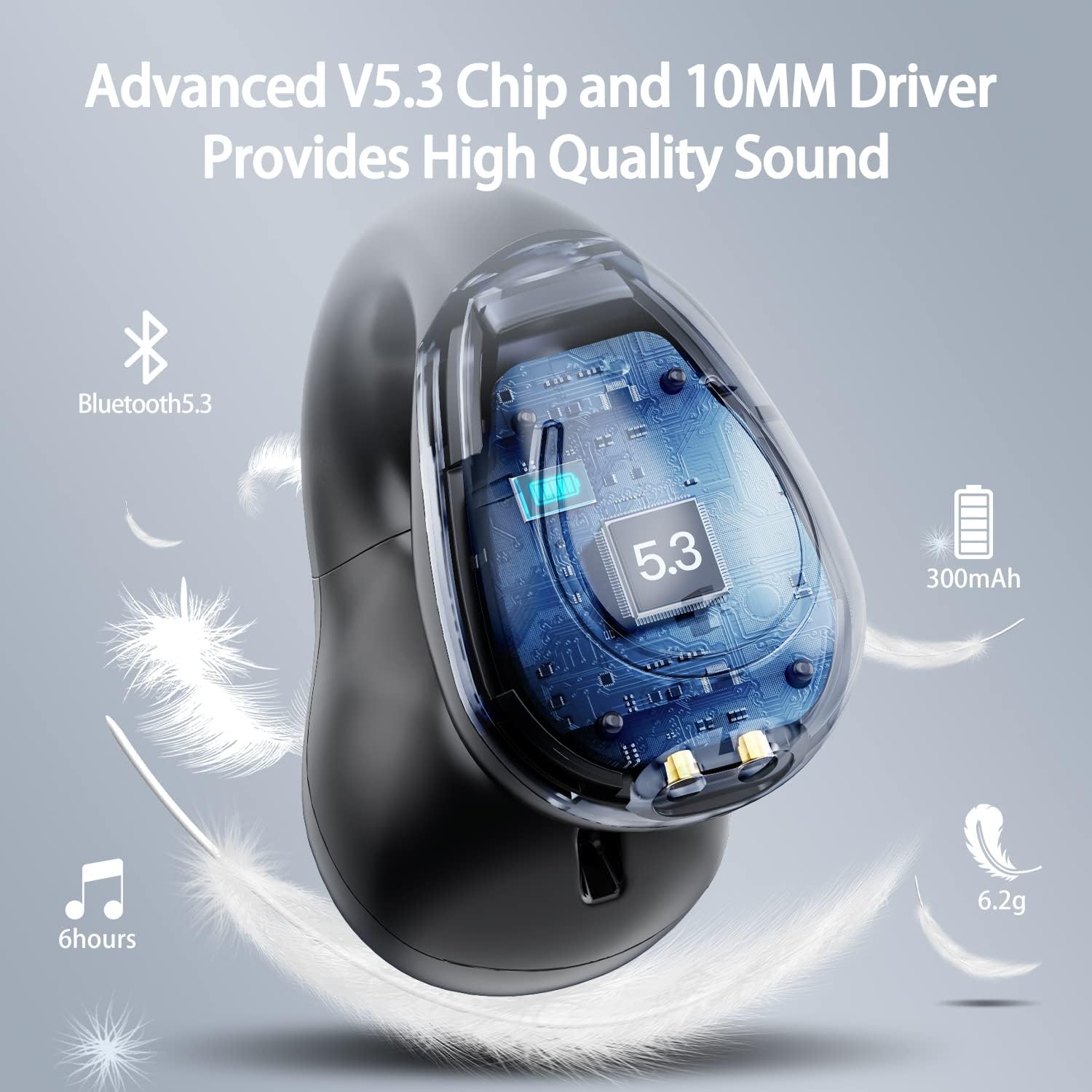
Hình ảnh: Một hình cắt view of the Kinganda earbud, highlighting the advanced V5.3 chip and 10mm driver for high-quality sound.

Image: A person wearing the Kinganda Q71 headphones, demonstrating the comfortable and secure open-ear clip design.
Cài đặt
Pairing Your Headphones:
- Sạc tai nghe: Before first use, ensure both the headphones and the charging case are fully charged. Place the earbuds into the charging case and connect the USB-C cable to a power source. The LED display on the case will indicate charging status.
- Bật nguồn: Mở hộp sạc. Tai nghe sẽ tự động bật nguồn và vào chế độ ghép nối.
- Kích hoạt Bluetooth: On your device (smartphone, tablet, laptop, etc.), go to the Bluetooth settings and turn on Bluetooth.
- Chọn thiết bị: In the list of available Bluetooth devices, look for "YYK-Q71" and select it to connect.
- Xác nhận: Once connected, you will hear an audio prompt from the headphones, and the device will show "YYK-Q71" as connected.
The headphones are widely compatible with iOS, Android, and Windows devices.

Image: An illustration demonstrating the simple one-step pairing process and wide compatibility of the Kinganda Q71 headphones with various devices.
Hướng dẫn sử dụng
Sạc tai nghe và hộp đựng:
- Sạc tai nghe: Place the earbuds back into the charging case. They will automatically begin charging. The LED display on the case will show the charging status of each earbud.
- Sạc trường hợp: Connect the provided USB-C cable to the charging port on the case and the other end to a USB power adapter (not included). The LED display will show the battery percentage của vụ việc.
- A full charge of the earbuds provides approximately 6 hours of playtime. The charging case provides an additional 30 hours of battery life, allowing for multiple recharges on the go.
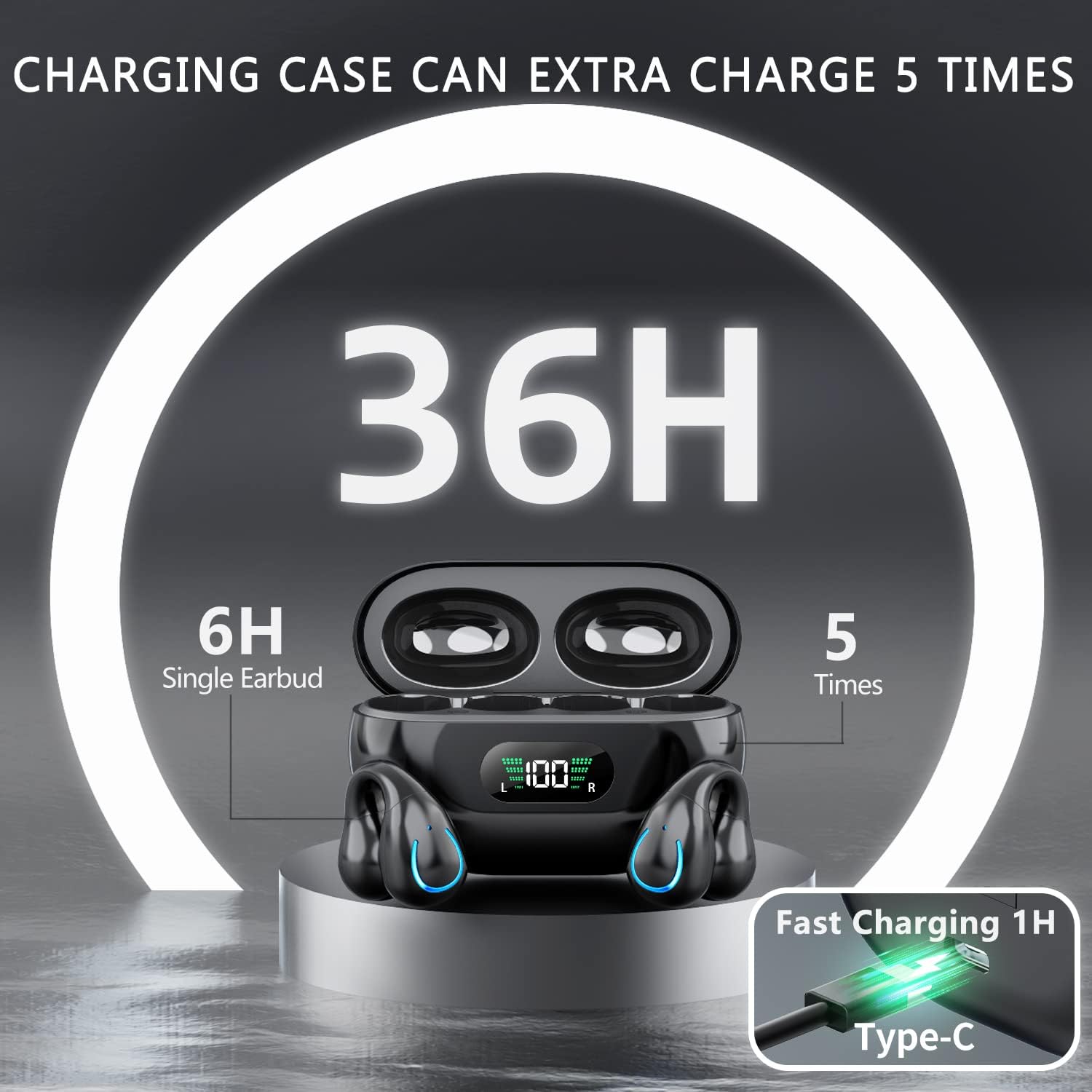
Image: The Kinganda charging case displaying "36H" total playtime, indicating 6 hours from a single earbud charge and 5 additional charges from the case.
Điều khiển cảm ứng:
The Kinganda Q71 headphones feature physical buttons for precise control, preventing accidental touches.
| Hoạt động | Điều khiển |
|---|---|
| Bật/Tắt nguồn | Automatically On/Off when taken out/put into case. |
| Trả lời/Kết thúc cuộc gọi | Click 1 time (either earbud) |
| Từ chối cuộc gọi | Nhấn và giữ (bất kỳ tai nghe nào) |
| Phát/Tạm dừng nhạc | Click 1 time (either earbud) |
| Bài hát tiếp theo | Click Right earbud 2 times |
| Bài hát trước | Click Left earbud 2 times |
| Kích hoạt Trợ lý giọng nói (Siri, Trợ lý Google) | Click 3 times (either earbud) |

Image: Diagram illustrating the one-button physical controls for the Kinganda headphones, including call management, music playback, and voice assistant activation.
BẢO TRÌ
Proper maintenance will extend the life of your Kinganda headphones:
- Vệ sinh: Use a soft, dry, lint-free cloth to clean the earbuds and charging case. Do not use harsh chemicals, cleaning solvents, or strong detergents.
- Kho: Khi không sử dụng, hãy cất tai nghe vào hộp sạc để bảo vệ chúng khỏi bụi bẩn và hư hỏng. Bảo quản ở nơi khô ráo, thoáng mát.
- Khả năng chống nước: While the headphones are IPX7 waterproof (resistant to sweat and light rain), they are not designed for swimming or submersion in water. Avoid exposure to hot water or steam.
- Chăm sóc pin: To preserve battery life, charge the headphones regularly, even if not used for extended periods. Avoid fully draining the battery frequently.
Xử lý sự cố
Nếu bạn gặp bất kỳ sự cố nào với tai nghe, vui lòng tham khảo các vấn đề và giải pháp thường gặp sau đây:
Tai nghe không kết nối được:
- Đảm bảo cả hai tai nghe đều được sạc đầy.
- Đảm bảo Bluetooth đã được bật trên thiết bị của bạn.
- Place the earbuds back into the charging case, close the lid, wait a few seconds, then open the lid again to re-enter pairing mode.
- Forget "YYK-Q71" from your device's Bluetooth list and try pairing again.
- Ensure the headphones are within the effective Bluetooth range (typically 10 meters/33 feet) of your device.
Chỉ có một bên tai nghe hoạt động:
- Place both earbuds back into the charging case and ensure they are charging correctly.
- Take both earbuds out simultaneously. They should automatically connect to each other.
- If the issue persists, try resetting the headphones (refer to the manufacturer's website or contact support for specific reset instructions if not detailed here).
Chất lượng âm thanh kém hoặc bị ngắt quãng:
- Đảm bảo không có vật cản nào giữa thiết bị và tai nghe.
- Hãy di chuyển đến gần thiết bị hơn để giảm nhiễu.
- Kiểm tra xem tai nghe có sạch sẽ và không bị bám bụi bẩn không.
- Hãy thử phát âm thanh từ một nguồn hoặc ứng dụng khác.
Tai nghe không sạc được:
- Ensure the USB-C charging cable is securely connected to both the case and the power source.
- Hãy thử sử dụng cáp USB-C hoặc bộ đổi nguồn khác.
- Dùng tăm bông khô lau sạch các điểm tiếp xúc sạc trên cả hai tai nghe và bên trong hộp sạc.
Thông số kỹ thuật
| Tính năng | Chi tiết |
|---|---|
| Số hiệu mẫu | Q71 (YYK-Q71) |
| Thương hiệu | Kinganda |
| Công nghệ kết nối | Không dây (Bluetooth 5.3) |
| Vị trí tai | Tai mở |
| Yếu tố hình thức | Clip trên |
| Kiểm soát tiếng ồn | Sound Isolation (via ENC Mic) |
| Kích thước sản phẩm | 3 x 3 x 3 cm; 6.2 g (per earbud) |
| Pin | 2 pin Lithium Polymer (bao gồm) |
| Các thành phần bao gồm | Wireless Headphones, User Manual, USB-C Charging Cable, Wireless Charging Case |
| Màu sắc | Đen |
| Nhà sản xuất | Kinganda |
Bảo hành và Hỗ trợ
Kinganda products are manufactured to the highest quality standards. For any warranty claims or technical support, please contact your original retailer or the manufacturer directly. Please retain your proof of purchase for warranty service.
For further assistance, please refer to the contact information provided with your purchase or visit the official Kinganda webđịa điểm.


