Giới thiệu
Thank you for choosing the Agunto AGU-OC1 Outdoor Security Camera. This manual provides detailed instructions for setting up, operating, and maintaining your camera to ensure optimal performance and security for your property. The AGU-OC1 is designed for outdoor surveillance, featuring 1080p video resolution, advanced night vision, motion and sound detection, and seamless integration with smart home systems like Google Assistant.

Hình 1: Mặt trước view of the Agunto AGU-OC1 Outdoor Security Camera.
Thông tin an toàn
- Ensure the camera is installed in a location where it is protected from direct tamper.
- Use only the provided USB-C cable and power adapter.
- Không nên để máy ảnh tiếp xúc với nhiệt độ quá cao hoặc quá thấp so với phạm vi hoạt động của nó.
- Tránh đặt máy ảnh gần các trường điện từ mạnh.
- Ngắt nguồn điện trước khi vệ sinh hoặc bảo trì.
Nội dung gói
Vui lòng kiểm tra gói hàng để biết các mục sau:
- Agunto AGU-OC1 Outdoor Security Camera
- USB-C Power Cable (3 meters)
- Vít lắp và phích cắm tường
- Hướng dẫn sử dụng (tài liệu này)
Cài đặt
1. Gắn máy ảnh
The Agunto AGU-OC1 is designed for wall mounting. Choose a location that provides the desired viewgóc nghiêng và nằm trong tầm với của ổ cắm điện.
- Mark the drilling points on the wall using the camera's mounting base as a template.
- Drill holes at the marked points. Insert the wall plugs if necessary.
- Cố định đế gắn vào tường bằng các vít được cung cấp.
- Attach the camera to the mounted base and adjust the angle as needed. The camera features a 180-degree rotatable function for optimal positioning.

Hình 2: Góc cạnh view of the Agunto AGU-OC1, showing its mounting bracket.

Figure 3: The camera installed outdoors, demonstrating its weather resistance.
2. Kết nối nguồn điện
Connect the provided 3-meter USB-C cable to the camera's USB-C port and plug the other end into a suitable power adapter (not always included, but implied by "Elektrisch met snoer" and "USB-C").

Figure 4: USB-C power connection for the Agunto AGU-OC1 camera.
3. Cài đặt và ghép nối ứng dụng
Để kiểm soát và view your camera, you will need to install the dedicated Agunto app on your smartphone or tablet. The app is available for both iOS and Android devices.
- Download the "Agunto Smart" app from the App Store (iOS) or Google Play Store (Android).
- Mở ứng dụng và tạo tài khoản mới hoặc đăng nhập nếu bạn đã có tài khoản.
- Follow the in-app instructions to add your new AGU-OC1 camera. This typically involves scanning a QR code on the camera or entering a device ID.
- Ensure your smartphone is connected to a 2.4GHz Wi-Fi network during the pairing process, as the camera uses Wi-Fi connectivity.
Vận hành máy ảnh
Sống View và Ghi âm
Once paired, you can access the live video feed from your camera through the Agunto Smart app. From the live view Trên màn hình, bạn có thể:
- View foo thời gian thựctage.
- Manually record video clips or capture screenshots.
- Access recorded events stored on a microSD card (if installed) or cloud storage (if subscribed).
Tầm nhìn ban đêm
The AGU-OC1 features advanced night vision capabilities, providing clear images even in low-light conditions. It supports color night vision for enhanced detail up to 10 meters.
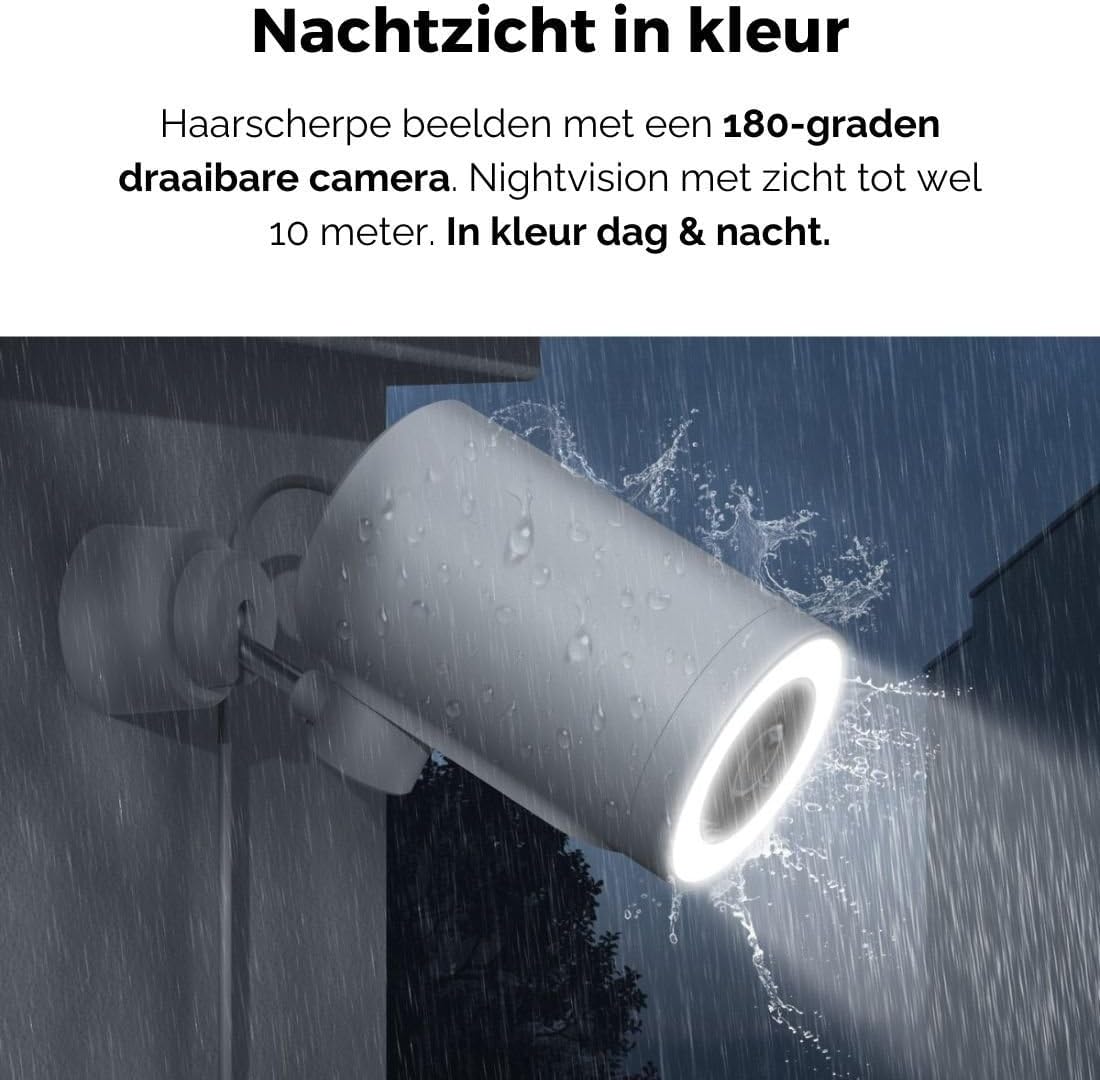
Figure 5: The camera's color night vision in action, providing clear images in the dark.
Phát hiện chuyển động và âm thanh
The camera is equipped with intelligent motion and sound detection. When activity is detected, you will receive instant notifications on your smartphone or tablet, allowing you to monitor your property effectively.
You can customize detection zones and sensitivity settings within the app to minimize false alarms.
Tích hợp Google Assistant
The Agunto AGU-OC1 seamlessly integrates with Google Assistant. You can link your camera to Google Home and stream live footage to compatible devices such as Google Nest Hub or Chromecast-enabled displays by voice command.
Exampcâu lệnh: "Hey Google, show me the backyard camera."
BẢO TRÌ
- Vệ sinh: Dùng khăn mềm, khô lau nhẹ ống kính và thân máy ảnh. Không sử dụng hóa chất mạnh hoặc chất tẩy rửa có tính mài mòn.
- Cập nhật phần mềm: Regularly check the Agunto Smart app for firmware updates. Keeping your camera's software up-to-date ensures optimal performance, security, and access to new features.
- Kiểm tra cáp: Periodically inspect the USB-C cable for any signs of wear or damage, especially if exposed to outdoor elements.
Xử lý sự cố
| Vấn đề | Giải pháp khả thi |
|---|---|
| Camera không bật được. | Check the USB-C cable connection and ensure the power adapter is plugged into a working outlet. Try a different outlet or adapter if available. |
| Không thể kết nối với Wi-Fi. | Ensure your Wi-Fi network is 2.4GHz. Check Wi-Fi signal strength at the camera's location. Restart your router and the camera. Re-attempt pairing through the app. |
| Chất lượng video kém. | Clean the camera lens. Ensure adequate lighting. Check your internet connection speed. |
| Phát hiện chuyển động không hoạt động. | Verify motion detection is enabled in the app settings. Adjust sensitivity and detection zones. Ensure there are no obstructions blocking the camera's view. |
| Không nhận được thông báo. | Check app notification settings on your phone. Ensure the app has permission to send notifications. Verify your phone has an active internet connection. |
Thông số kỹ thuật
| Tính năng | Chi tiết |
|---|---|
| Số hiệu mẫu | AGU-OC1 |
| Độ phân giải video hiệu quả | 1080 điểm ảnh |
| Vật liệu | Nhựa |
| Cái gì?tage | 4 watt |
| Kích thước sản phẩm (L x W x H) | 10 x 4.4 x 7.3 cm |
| Trọng lượng sản phẩm | 78 gam |
| Công nghệ kết nối | Wireless, Wired (USB-C) |
| Tính năng đặc biệt | Night Vision (Color), Motion Detection, Sound Detection, 180-degree rotatable |
| Môi trường sử dụng | Ngoài trời |
| Thiết bị tương thích | Smartphone (via Agunto Smart app), Google Assistant devices |
| Nguồn điện | Sạc điện có dây (USB-C) |
| Kiểu lắp đặt | Treo tường |
Bảo hành và Hỗ trợ
Agunto products are designed for reliability and performance. For information regarding warranty coverage, technical support, or service, please refer to the warranty card included with your product or visit the official Agunto website. You can also contact Agunto customer support through the contact information provided on their website or within the Agunto Smart app.
Để biết thông tin mới nhất và các câu hỏi thường gặp, vui lòng truy cập: Agunto Official Store


