Giới thiệu
Thank you for choosing the Cosmic Byte ARES Wireless Controller. This manual provides essential information for setting up, operating, maintaining, and troubleshooting your new controller. Please read this manual carefully before use to ensure optimal performance and longevity of your device.
The Cosmic Byte ARES Wireless Controller is designed for PC gaming, offering a reliable wireless connection, ergonomic design, and responsive controls for an enhanced gaming experience. It features pressure-sensitive analog triggers, LED-backlit buttons, and supports both Xinput and D Input modes.
Hướng dẫn thiết lập
1. Nội dung gói hàng
- Cosmic Byte ARES Wireless Controller
- USB không dây Dongle
- Cáp sạc USB
- Hướng dẫn sử dụng
2. Sạc bộ điều khiển
Before initial use, fully charge the controller. Connect the supplied USB charging cable to the USB port on the top of the controller and plug the other end into a powered USB port (e.g., PC, USB wall adapter). The LED indicator on the controller will show charging status and turn off or change color when fully charged.

Đứng đầu view of the Cosmic Byte ARES Wireless Controller showing the USB port for charging and connection, along with the V LED and ABXY button backlighting.
3. Kết nối với PC
- Insert the USB wireless dongle into an available USB port on your PC.
- Turn on the Cosmic Byte ARES Wireless Controller by pressing the central 'Home' button.
- The controller will automatically pair with the dongle. The LED indicator on the controller will stabilize once connected.
- Your PC should automatically detect and install the necessary drivers. If not, refer to the troubleshooting section.
The controller offers a wireless range of 8-10 meters, providing flexibility during gameplay.

The Cosmic Byte ARES Wireless Controller highlighting its reliable wireless connection and 700mAh battery, providing up to 12 hours of continuous gaming.
Hướng dẫn sử dụng
1. Điều khiển cơ bản
Bộ điều khiển này có các nút và cần điều khiển tiêu chuẩn của gamepad:
- Cần điều khiển analog bên trái: Di chuyển và định hướng.
- Cần điều khiển Analog bên phải: Điều khiển và ngắm máy ảnh.
- D-Pad: Nhập liệu theo hướng, điều hướng menu.
- Nút ABXY: Action buttons, typically for jumping, interacting, attacking, etc. These buttons are LED-backlit.
- Nút vai (L1/R1): Hành động nhanh chóng.
- Nút kích hoạt (L2/R2): Pressure-sensitive analog triggers for precise input, such as acceleration or shooting.
- Các nút BẮT ĐẦU/QUAY LẠI: Menu access, map, inventory, etc.
- Nút Home: Bật/tắt bộ điều khiển, truy cập menu hệ thống.
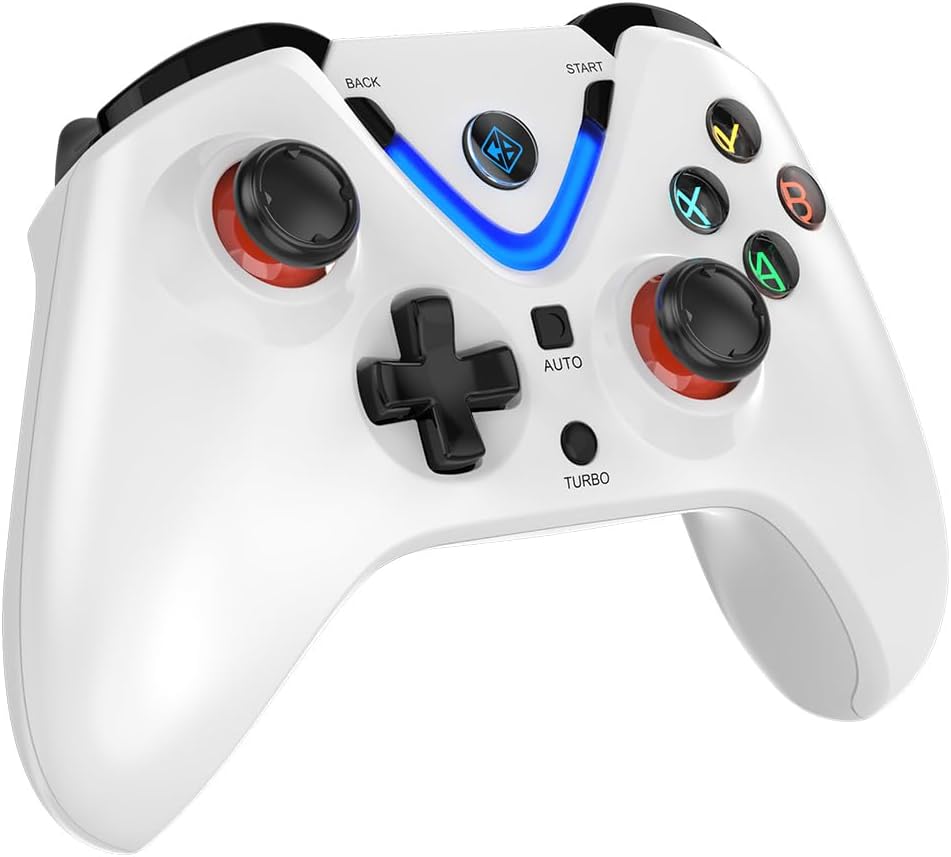
Đằng trước view of the Cosmic Byte ARES Wireless Controller, showcasing the button layout, joysticks, D-pad, and central LED indicator.
2. Tính năng đặc biệt
- Xinput and D Input Support: The controller automatically detects and supports both Xinput and D Input modes, ensuring compatibility with a wide range of PC games.
- Phản hồi rung: Experience immersive gameplay with the built-in vibration feature, providing tactile feedback for in-game events.
- Chức năng Turbo: The 'TURBO' button allows for rapid, repeated input of a selected action button. To activate, press and hold the 'TURBO' button, then press the desired action button (e.g., A, B, X, Y). To deactivate, repeat the process.
- Chức năng tự động: The 'AUTO' button enables continuous, automatic input of a selected action button without holding it down. To activate, press and hold the 'AUTO' button, then press the desired action button. To deactivate, repeat the process.
- Các yếu tố kích hoạt hiệu ứng Hall: The controller is equipped with Hall Effect Triggers, providing precise and durable input for enhanced control.
- Thiết kế công thái học: The controller features ergonomic, rubberized textured sticks for improved grip and comfort during extended gaming sessions.
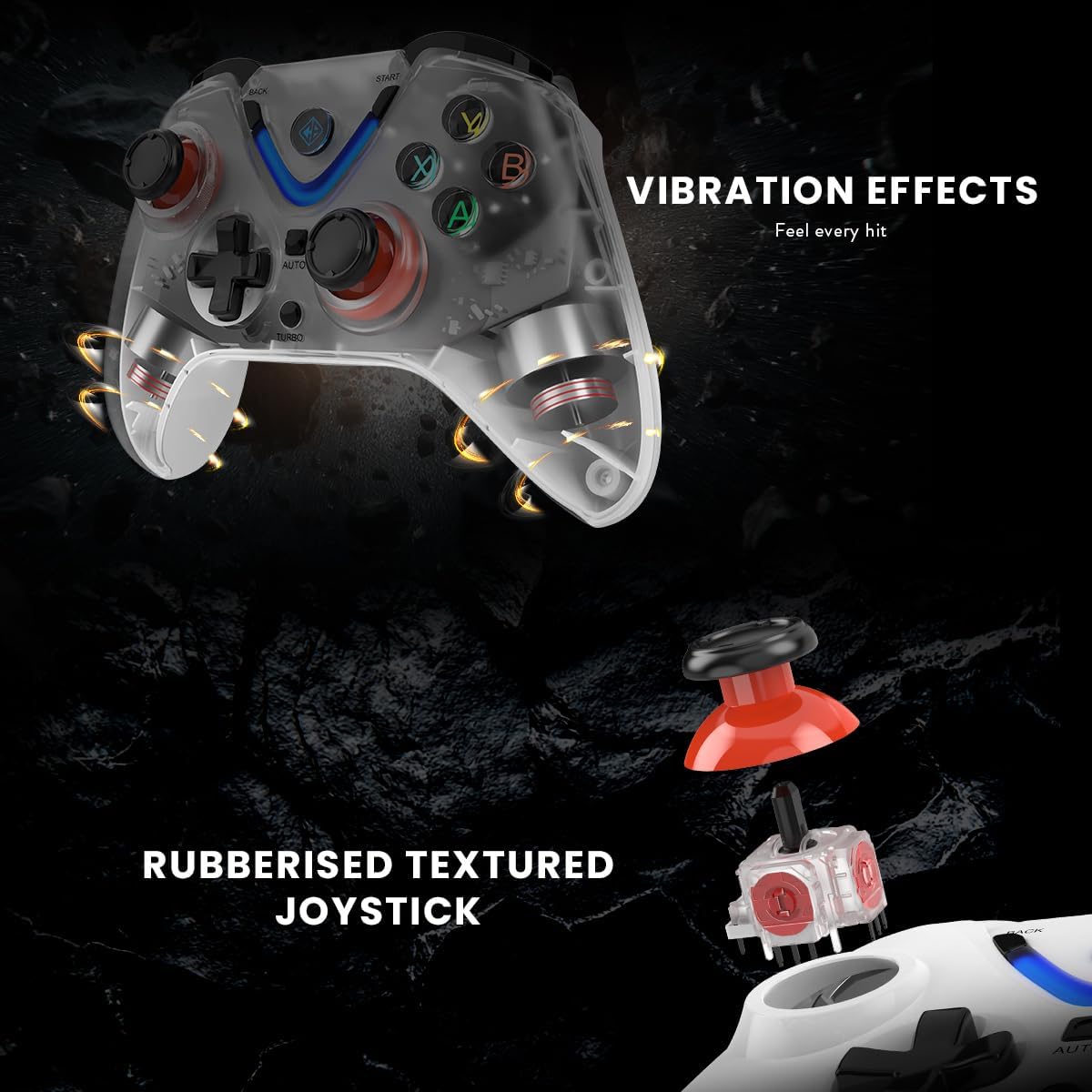
Illustration of the Cosmic Byte ARES Wireless Controller's vibration feedback feature and the design of its rubberized textured joysticks for enhanced grip.

Detail of the Cosmic Byte ARES Wireless Controller's Turbo and Auto function buttons, alongside an illustration of its Hall Effect Triggers for precise input.
BẢO TRÌ
1. Vệ sinh
Để vệ sinh bộ điều khiển, hãy sử dụng vải mềm, khô. Đối với vết bẩn cứng đầu, hãy lau nhẹ.ampen the cloth with water. Do not use harsh chemicals, solvents, or abrasive cleaners, as these can damage the controller's surface and internal components.
2. Chăm sóc pin
- Tránh để bộ điều khiển tiếp xúc với nhiệt độ quá cao hoặc quá thấp.
- Do not leave the controller uncharged for extended periods. Charge it periodically if not in use.
- Không nên tự ý thay thế pin bên trong. Hãy liên hệ bộ phận hỗ trợ nếu gặp sự cố về pin.
Xử lý sự cố
1. Bộ điều khiển không kết nối
- Ensure the USB wireless dongle is securely plugged into a working USB port on your PC.
- Make sure the controller is powered on and has sufficient battery charge.
- Try plugging the dongle into a different USB port on your PC.
- Restart your PC and try connecting again.
- If the issue persists, try re-pairing the controller by pressing the reset button (if available, usually a small pinhole on the back) on the controller and then the pairing button on the dongle (if applicable).
2. Buttons/Joysticks Unresponsive
- Check if the controller is properly connected to your PC.
- Hãy đảm bảo trò chơi bạn đang chơi hỗ trợ điều khiển bằng tay cầm.
- Test the controller with another game or a gamepad testing tool on your PC to rule out game-specific issues.
- Restart the controller and your PC.
3. Pin không sạc được
- Verify that the USB charging cable is correctly connected to both the controller and a powered USB port.
- Try using a different USB charging cable or a different USB port/power adapter.
- Hãy đảm bảo cổng sạc trên bộ điều khiển không bị tắc nghẽn.
Thông số kỹ thuật
| Tính năng | Chi tiết |
|---|---|
| Số hiệu mẫu | ARES Wireless White |
| Kết nối | Không dây (USB Dongle) |
| Wireless Dải | 8-10 mét |
| Ắc quy | 1 Lithium-polymer (included), 700mAh |
| Tuổi thọ pin | Up to 12 hours of continuous gaming |
| Khả năng tương thích | PC (Xinput & D Input) |
| Kích thước sản phẩm (D x R x C) | 6 x 10 x 4cm |
| Cân nặng | 200 gram |
| Vật liệu bên ngoài | Plastic and paper |
| Mức độ chống nước | Chống nước |
| Nhà sản xuất | Byte vũ trụ |
Thông tin bảo hành
The Cosmic Byte ARES Wireless Controller comes with a standard manufacturer's warranty. Please refer to the warranty card included in your product packaging or visit the official Cosmic Byte webVui lòng truy cập trang web để xem các điều khoản và điều kiện bảo hành chi tiết. Giữ lại hóa đơn mua hàng làm bằng chứng mua hàng cho bất kỳ yêu cầu bảo hành nào.
Hỗ trợ khách hàng
For technical assistance, troubleshooting not covered in this manual, or warranty inquiries, please contact Cosmic Byte customer support. Contact details can typically be found on the official Cosmic Byte webtrên trang web hoặc trên bao bì sản phẩm.


