Sản phẩm trênview
The DEPOW Black Surge Protector Power Strip (Model: QT560-CU) is designed to provide power and protection for multiple electronic devices. It features 5 grounded AC outlets and 4 USB ports (2 USB-A, 2 USB-C) to charge up to 9 devices simultaneously. The ultra-thin flat plug and 5-foot extension cord offer flexible placement options, while its 1700 Joules surge protection safeguards your electronics from power fluctuations.
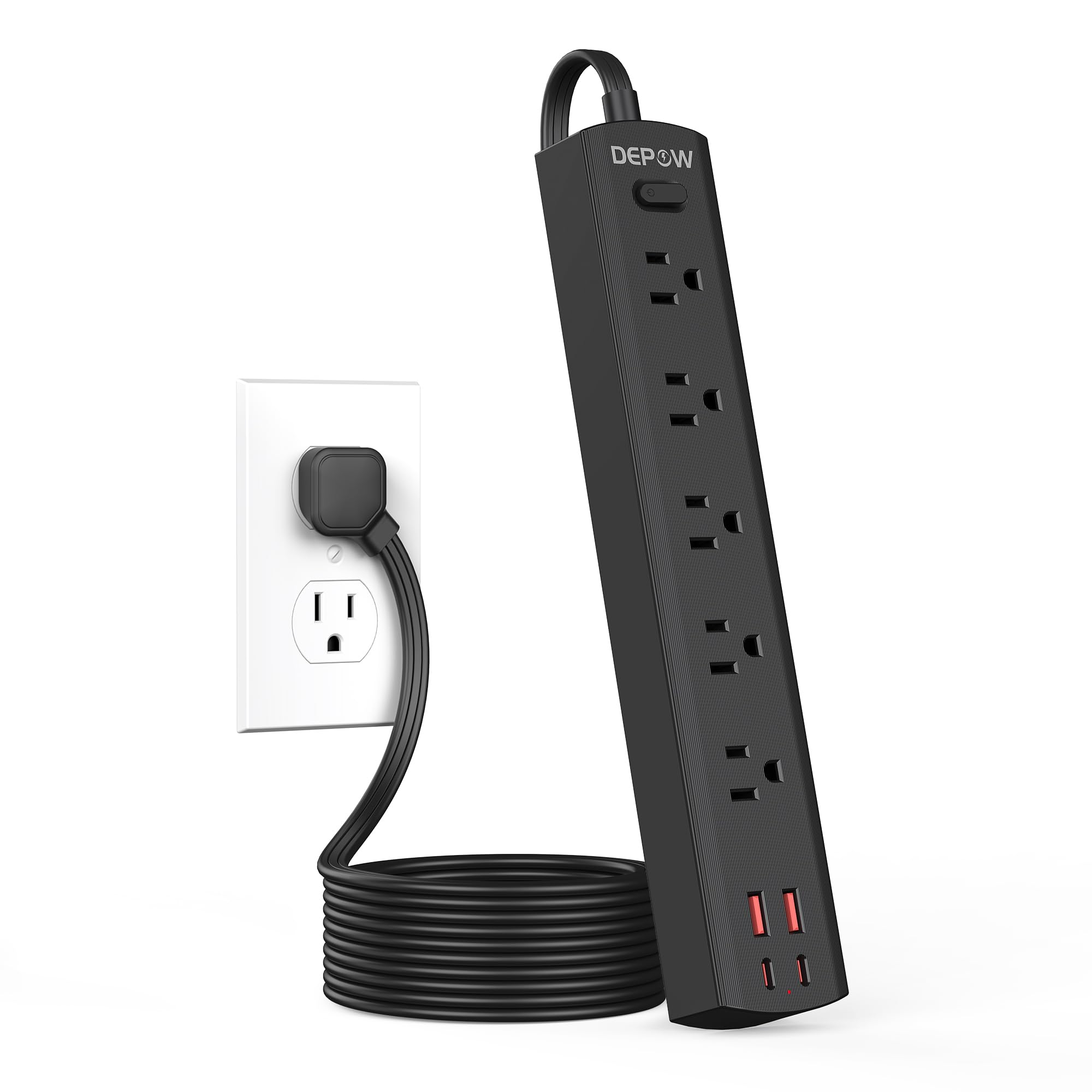
Image: The DEPOW Black Surge Protector Power Strip, showcasing its 5 AC outlets and 4 USB ports (2 USB-A, 2 USB-C) on a flat surface.
Các tính năng chính:
- Giải pháp nguồn điện 9 trong 1: 5 AC outlets and 4 USB ports (2 USB-A, 2 USB-C) for simultaneous charging.
- Bảo vệ sốc điện nâng cao: 1700 Joules rating protects devices from power surges and spikes.
- Thiết kế tiết kiệm không gian: Ultra-thin flat plug (0.33-inch profile) with a 45° right-angle design allows placement behind furniture without blocking other outlets.
- Vị trí linh hoạt: 5-foot flat extension cord and wall-mountable design with 2 mounting holes.
- Smart USB Charging: USB ports deliver optimized charging (Max 3.4A/17W Shared) for smartphones, tablets, and other USB-powered devices.
- An toàn toàn diện: Features overload, short-circuit, grounded, USB over-voltage, USB over-current, USB over-heat, and flame retardant protection.
Hướng dẫn thiết lập
Follow these steps to set up your DEPOW Surge Protector Power Strip:
1. Mở gói và kiểm tra:
- Cẩn thận lấy ổ cắm điện ra khỏi bao bì.
- Kiểm tra thiết bị xem có dấu hiệu hư hỏng nào không. Không sử dụng nếu bị hư hỏng.
- Ensure all components are present: power strip, mounting screws (if applicable).

Image: The underside of the DEPOW power strip, highlighting the two mounting holes and product dimensions (10.83in length, 1.97in width).
2. Choosing a Location:
- Select a dry indoor location away from water sources and heat.
- Consider using the wall-mount feature for a tidy setup, especially in offices or behind furniture.
3. Kết nối nguồn:
- Plug the power strip's flat plug into a standard 125V AC wall outlet. The 45° right-angle design ensures it doesn't block adjacent outlets.
- Đèn báo nguồn trên dải đèn sẽ sáng lên, xác nhận rằng đèn đang nhận được điện.

Image: A visual comparison demonstrating how the ultra-thin flat plug (0.33 inches) of the DEPOW power strip fits flush against a wall, unlike a thicker standard plug (2.04 inches).
4. Wall Mounting (Optional):
- Identify the two mounting holes on the back of the power strip.
- Mark the desired screw locations on the wall, ensuring they align with the mounting holes.
- Drill pilot holes if necessary and insert the provided screws, leaving them slightly protruding.
- Align the power strip's mounting holes with the screws and slide the strip down to secure it.
Hướng dẫn sử dụng
This section details how to use your DEPOW Surge Protector Power Strip effectively.
1. Bật/Tắt nguồn:
- The power strip features an On/Off switch. Press the switch to toggle power to all connected devices.
- The switch also acts as an overload protection reset button. If the strip experiences an overload (exceeding 1625W), it will automatically shut off. Press the switch to reset after reducing the load.
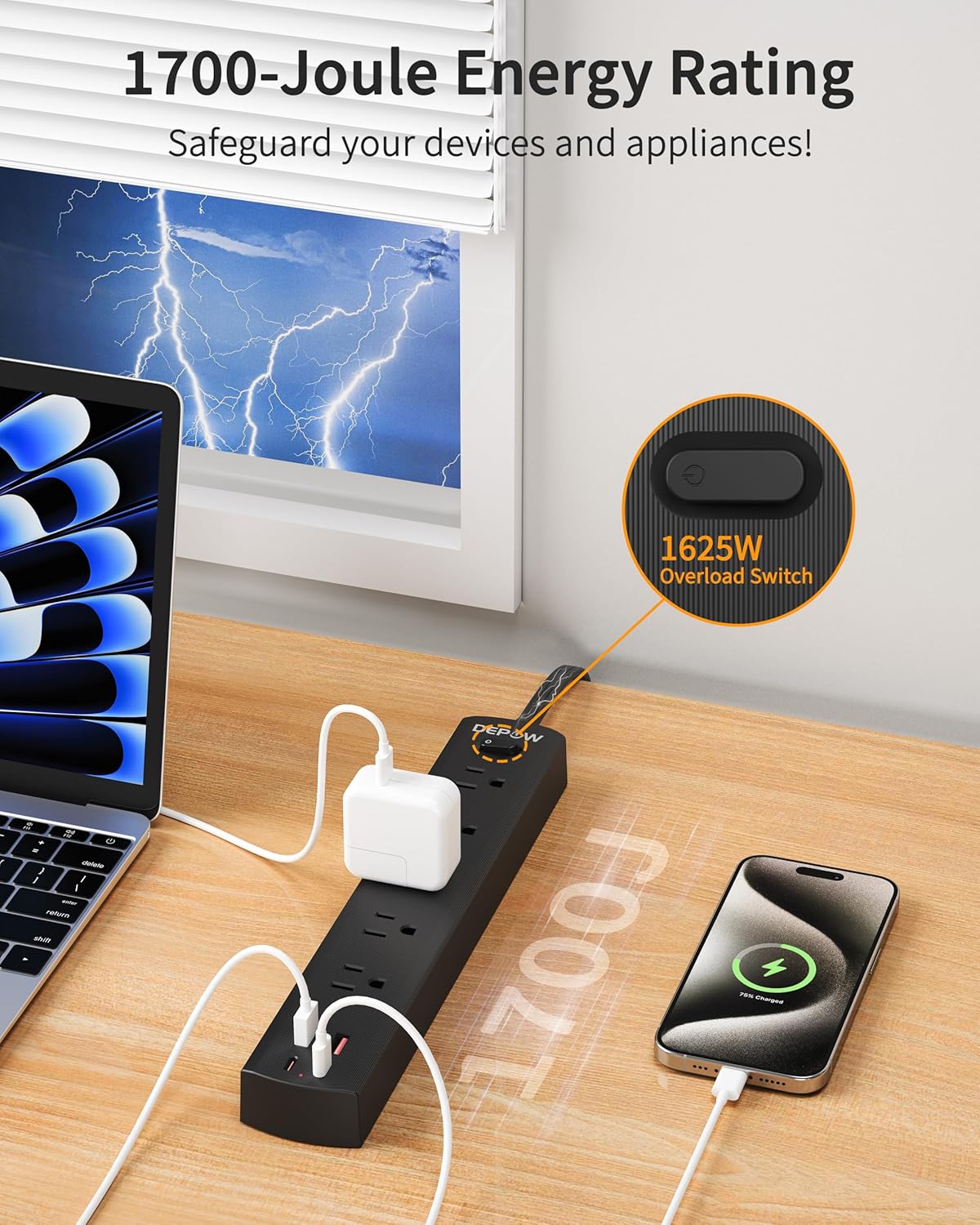
Image: The DEPOW power strip in use, highlighting the 1625W overload switch and indicating 1700 Joules of surge protection.
2. Connecting AC Devices:
- Plug your AC-powered devices into any of the 5 grounded AC outlets.
- The widely spaced outlets accommodate larger power adapters without blocking adjacent ports.
- Ensure the total power consumption of all connected AC devices does not exceed 1625W (13A at 125V).

Image: The DEPOW power strip on a desk, with various devices like laptops, phones, and chargers plugged into its AC and USB ports, demonstrating its multi-device charging capability.
3. Using USB Charging Ports:
- Connect your USB-powered devices (smartphones, tablets, smartwatches, etc.) to the 2 USB-A or 2 USB-C ports.
- The USB ports provide optimized charging with a maximum shared output of 3.4A/17W.

Image: A close-up of the DEPOW power strip's USB ports, illustrating the charging capabilities for USB-A (12W Max) and USB-C (15W Max) with a total shared output of 17W.
4. Video minh họa:
Video: An official DEPOW video demonstrating the features and usage of the power strip, including its multiple outlets and USB ports. Note: This video title mentions "10 Ft" but the product is "5 Ft". The video content is generally applicable to the product's features.
BẢO TRÌ
Proper maintenance ensures the longevity and safe operation of your power strip.
- Vệ sinh: Trước khi vệ sinh, hãy rút phích cắm của ổ cắm điện ra khỏi ổ điện trên tường. Dùng khăn mềm, khô để lau bề mặt. Không sử dụng chất tẩy rửa dạng lỏng hoặc dạng xịt.
- Kho: Khi không sử dụng trong thời gian dài, hãy bảo quản ổ cắm điện ở nơi khô ráo, thoáng mát.
- Kiểm tra thường xuyên: Periodically check the power cord and the unit for any signs of damage, such as frayed wires, cracks, or loose connections. If any damage is found, discontinue use immediately.
- Tránh quá tải: Always ensure the total wattage of connected devices does not exceed the maximum rating of 1625W to prevent tripping the overload protection.
Xử lý sự cố
If you encounter issues with your DEPOW Surge Protector Power Strip, refer to the following common problems and solutions:
| Vấn đề | Nguyên nhân có thể | Giải pháp |
|---|---|---|
| Không có điện cho các thiết bị. |
|
|
| Thiết bị không sạc qua USB. |
|
|
| Dây điện có cảm giác ấm. |
|
|
Thông số kỹ thuật
| Tính năng | Chi tiết |
|---|---|
| Số hiệu mẫu | QT560-CU |
| Cửa hàng AC | 5 ổ cắm nối đất |
| Cổng USB | 2 USB-A, 2 USB-C |
| Đầu ra USB | Max 3.4A/17W Shared |
| Đầu vào / Đầu ra AC | 125V~, 60Hz, 13A, 1625W Max |
| Bảo vệ chống sét lan truyền | 1700 Joule |
| Chiều dài dây | 5 Feet (Flat Plug) |
| Kích thước (D x R x C) | 10.83 x 1.97 x 0.1 inch |
| Trọng lượng sản phẩm | 10.8 ounce |
| Tính năng an toàn | Overload, Short-circuit, Grounded, USB Over-voltage, USB Over-current, USB Over-heat, Flame Retardant Protection |
Bảo hành và Hỗ trợ
Thông tin bảo hành:
DEPOW products are designed for reliability and performance. This product comes with a standard manufacturer's warranty. Please refer to the product packaging or the official DEPOW webtrang web để biết các điều khoản và điều kiện bảo hành cụ thể.
Hỗ trợ khách hàng:
For technical assistance, troubleshooting, or warranty claims, please contact DEPOW customer support through the following channels:
- Trực tuyến: Visit the official DEPOW webtrang web dành cho các câu hỏi thường gặp và tài nguyên hỗ trợ.
- E-mail: Refer to your product packaging for the customer service email address.
- Điện thoại: Contact details may be available on the DEPOW webtrang web hoặc tài liệu sản phẩm.
Please have your model number (QT560-CU) and purchase information ready when contacting support.


