1. Giới thiệu
This manual provides essential information for the safe installation, operation, and maintenance of your CREATE WIND CLEAR Ceiling Fan. Please read these instructions thoroughly before installation and retain them for future reference.
The CREATE WIND CLEAR Ceiling Fan is a quiet ceiling fan featuring a 40W DC brushless motor and a winter-summer reversal function. Its compact and versatile design includes retractable blades. It is suitable for small to medium-sized rooms and bedrooms, offering a built-in LED light with three adjustable color temperatures. The fan body is constructed from steel, and the blades are made of ABS. It provides 6 speed settings and a programmable timer up to 8 hours, all controllable via the included remote control and WiFi connectivity.
2. Hướng dẫn an toàn
- Luôn ngắt nguồn điện tại cầu dao chính trước khi lắp đặt, bảo trì hoặc vệ sinh.
- Việc lắp đặt phải được thực hiện bởi thợ điện có trình độ theo đúng mọi quy định về điện của địa phương và quốc gia.
- Hãy đảm bảo kết cấu lắp đặt có thể chịu được trọng lượng của quạt (tham khảo thông số kỹ thuật để biết trọng lượng tối đa).
- Không được đưa vật gì vào đường đi của cánh quạt.
- Đảm bảo tất cả các kết nối đều an toàn và cách điện đúng cách.
- Thiết bị này không dành cho những người (bao gồm trẻ em) có khả năng thể chất, giác quan hoặc tinh thần hạn chế, hoặc thiếu kinh nghiệm và kiến thức, trừ khi họ được người chịu trách nhiệm về sự an toàn của họ giám sát hoặc hướng dẫn sử dụng thiết bị.
3. Các thành phần đi kèm
Xác minh rằng tất cả các thành phần đều có sẵn trước khi bắt đầu cài đặt:
- CREATE WIND CLEAR Ceiling Fan Unit
- Điều khiển từ xa
- Pin cho điều khiển từ xa
- Mounting Hardware (screws, brackets, etc. - specific items may vary)
- Hướng dẫn sử dụng
For a visual reference of the product and its components, please see the image below:

4. Thiết lập và Cài đặt
Professional installation is highly recommended for this ceiling fan. Ensure the power supply is disconnected before starting any installation work.
4.1 Cài đặt vật lý
- Lắp khung: Securely attach the mounting bracket to a ceiling joist or a suitable electrical junction box rated for fan support.
- Dây điện: Connect the fan's electrical wires to the household wiring according to the wiring diagram provided in the full installation guide (not included in this summary). Ensure proper grounding.
- Tổ hợp những người hâm mộ: Carefully lift and attach the fan motor assembly to the mounting bracket.
- Cài đặt lưỡi dao: The fan features retractable blades that deploy automatically when the fan operates. No manual blade installation is typically required after the main unit is mounted.
- Lắp đặt bộ đèn: Attach the LED light kit to the fan housing as per the detailed instructions.
Refer to the following images for visual guidance on the fan's appearance and dimensions:


4.2 Thiết lập WiFi
The fan supports WiFi connectivity for control via a smartphone application. Refer to the specific instructions provided with the fan for pairing the device with your home WiFi network and the CREATE smart home app.
5. Hướng dẫn vận hành
Your CREATE WIND CLEAR Ceiling Fan can be operated using the included remote control or via the dedicated smartphone application.
5.1 Chức năng điều khiển từ xa
- Bật/Tắt nguồn: Nhấn nút nguồn để bật hoặc tắt quạt và đèn.
- Tốc độ quạt: Adjust between 6 fan speeds using the designated speed buttons.
- Kiểm soát ánh sáng: Turn the LED light on/off and cycle through three adjustable color temperatures (warm, neutral, cold).
- Bộ đếm thời gian: Cài đặt để quạt tự động tắt sau 1, 2, 4 hoặc 8 giờ.
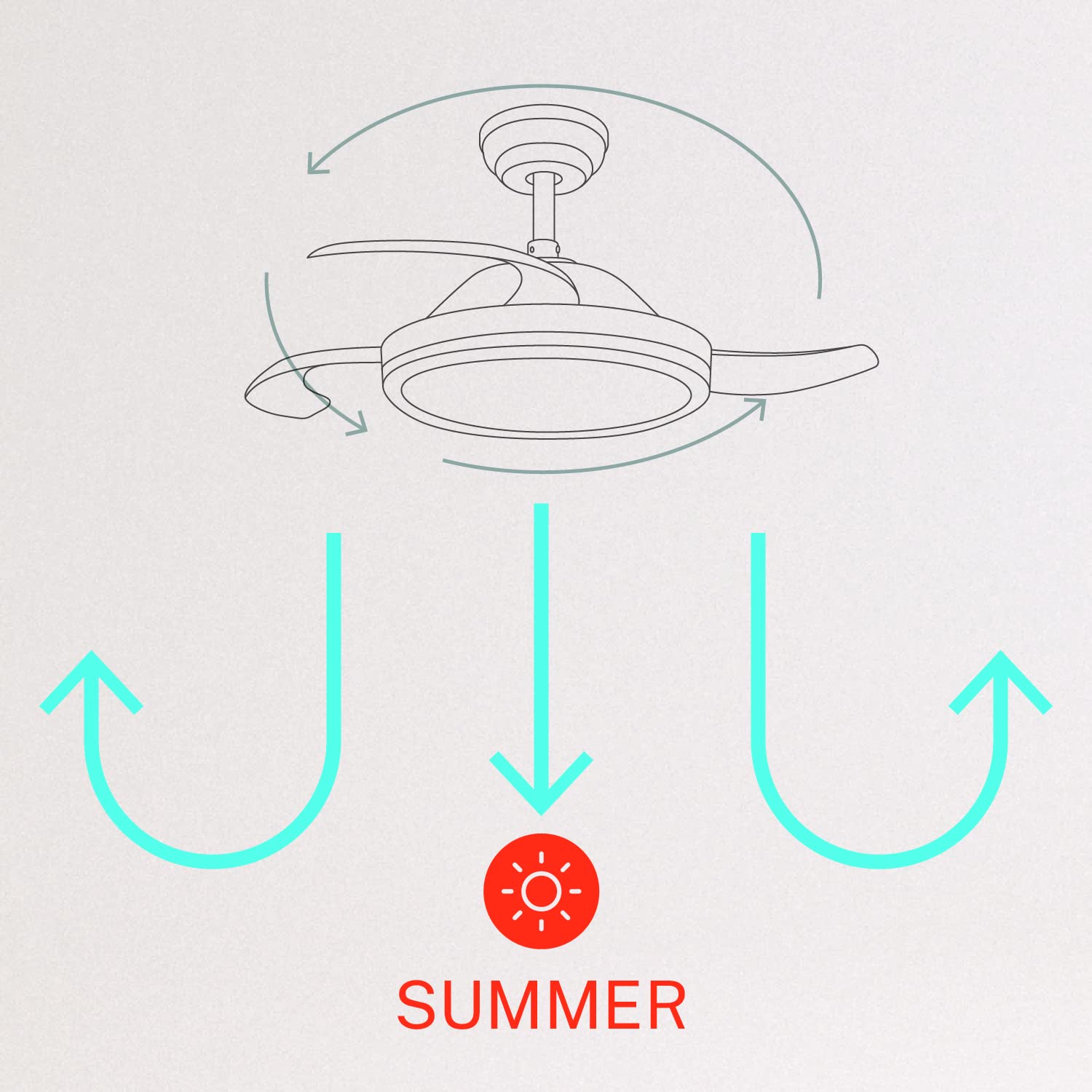
- Chế độ mùa đông/mùa hè: Switch between forward (summer) and reverse (winter) rotation modes.

5.2 Chế độ mùa đông và mùa hè
Quạt được trang bị động cơ đảo chiều để tối ưu hóa lưu thông không khí cho các mùa khác nhau:
- Chế độ mùa hè (Xoay ngược chiều kim đồng hồ): The fan blades rotate counter-clockwise, pushing air downwards to create a cooling breeze.
- Chế độ mùa đông (Xoay theo chiều kim đồng hồ): The fan blades rotate clockwise, drawing air upwards to circulate warm air trapped near the ceiling, helping to distribute heat more evenly.

6. Bảo trì
Bảo trì thường xuyên sẽ đảm bảo hiệu suất tối ưu và tuổi thọ của quạt trần.
- Vệ sinh: Thường xuyên vệ sinh cánh quạt và vỏ động cơ bằng khăn mềm.amp vải. Không sử dụng chất tẩy rửa hoặc dung môi có tính ăn mòn. Đảm bảo quạt đã tắt và ngắt nguồn điện trước khi vệ sinh.
- Vít siết chặt: Check all mounting screws and blade attachment screws annually to ensure they are properly tightened.
- Nguồn sáng: The LED light source is integrated. If it requires service, contact qualified personnel.
KHAI THÁC. Xử lý sự cố
Nếu bạn gặp sự cố với quạt, hãy tham khảo các sự cố và giải pháp phổ biến sau đây:
| Vấn đề | Nguyên nhân có thể | Giải pháp |
|---|---|---|
| Quạt không khởi động | No power supply; Loose wiring; Remote control battery depleted | Check circuit breaker; Verify all wiring connections; Replace remote control battery. |
| Quạt chao đảo | Loose mounting screws; Unbalanced blades | Ensure mounting bracket and fan assembly screws are tight; Check for any obstructions to blade movement. |
| Ánh sáng không hoạt động | Loose wiring; LED module fault | Check light kit wiring connections; Contact customer support if LED module is faulty. |
| Điều khiển từ xa không hoạt động | Depleted battery; Remote not paired | Replace remote control battery; Refer to pairing instructions in the full manual. |
| WiFi control issues | Poor WiFi signal; Incorrect app setup | Ensure strong WiFi signal; Reconfigure WiFi connection in the app. |
8. Thông số kỹ thuật
| Tính năng | Chi tiết |
|---|---|
| Thương hiệu | TẠO NÊN |
| Số hiệu mẫu | 120760_254772 |
| Màu sắc | Trắng |
| Thiết kế quạt điện | Quạt trần |
| Nguồn điện | Điện có dây |
| Phong cách | With WiFi |
| Kích thước sản phẩm | 107D x 107W x 39H Centimet |
| Loại phòng | Phòng ngủ |
| Tính năng đặc biệt | Bộ đếm thời gian |
| Sử dụng được đề xuất | Thông gió |
| Cái gì?tage | 40 Watt |
| Các thành phần bao gồm | Điều khiển từ xa, Pin |
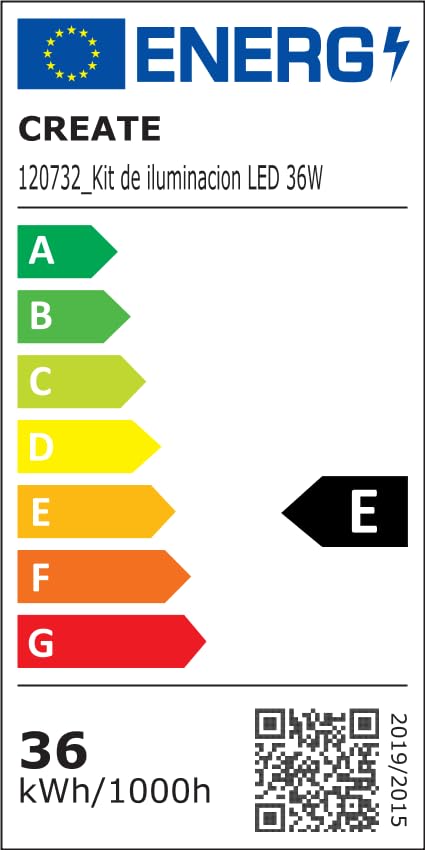
For detailed product data and energy efficiency information, please refer to the following documents:

9. Bảo hành và Hỗ trợ
For warranty information, technical support, or service inquiries, please contact CREATE customer service or refer to the official CREATE webtrang web. Giữ lại biên lai mua hàng làm bằng chứng mua hàng.


