1. Giới thiệu
This manual provides detailed instructions for the installation, operation, and maintenance of your Lorex 4K Spotlight Indoor/Outdoor Wi-Fi 6 Security Camera, Model W881AADB-E. This camera is designed to enhance your security with advanced features such as 4K Ultra HD resolution, smart security lighting, and intelligent detection capabilities for persons, vehicles, animals, and packages. Please read this manual thoroughly before using the product to ensure proper setup and functionality.
2. Nội dung gói hàng
Xác minh rằng tất cả các thành phần đều có trong gói của bạn:
- Lorex 4K Spotlight Indoor/Outdoor Wi-Fi 6 Security Camera (Model W881AADB-E)
- Bộ đổi nguồn
- Bộ dụng cụ lắp đặt (ốc vít, neo)
- Hướng dẫn bắt đầu nhanh
- 32GB Micro SD Card (may be pre-installed)

Image: Lorex 4K Spotlight Wi-Fi 6 Security Camera, its retail box, and a 32GB Micro SD card. The camera is black with two white spotlights and a green LED band. The box highlights 4K video recording, Wi-Fi 6, smart security lighting, and motion detection.
3. Thiết lập và Cài đặt
3.1 Trước khi bạn bắt đầu
- Ensure your Wi-Fi router supports Wi-Fi 6 technology for optimal performance.
- Download the Lorex Home app from your smartphone's app store.
- Identify a suitable mounting location (indoor or outdoor) with a clear view và có ổ cắm điện.
3.2 Camera Installation Steps
- Cài đặt máy ảnh: Securely mount the camera to your chosen surface using the provided mounting kit. Ensure the camera is positioned to cover the desired area.
- Kết nối với nguồn điện AC: Kết nối máy ảnh với nguồn điện bằng bộ đổi nguồn đi kèm.
- View on the App: Open the Lorex Home app, create an account if you haven't already, and follow the in-app instructions to add your new camera. This typically involves scanning a QR code on the camera or manually entering its details.
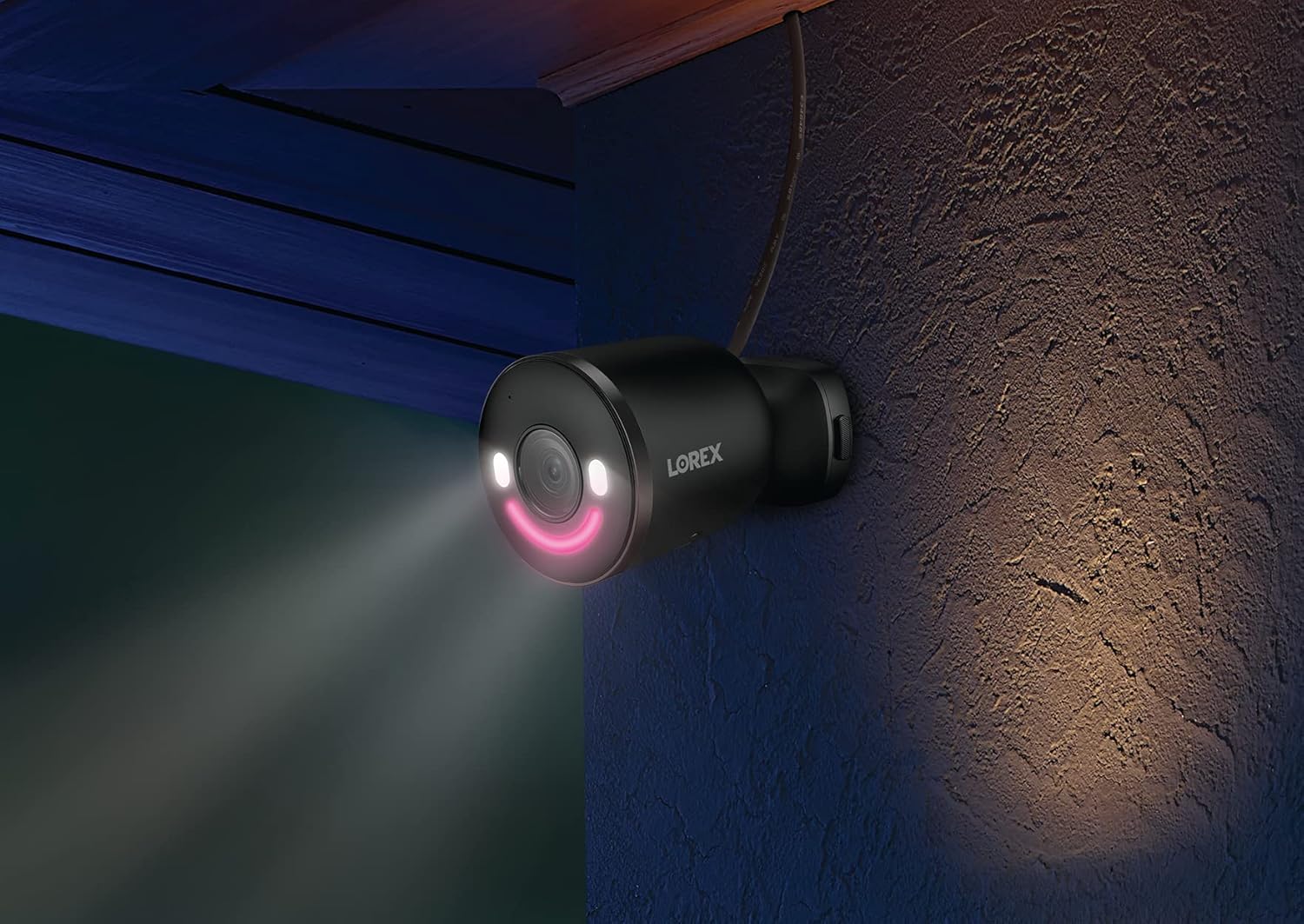
Image: A graphic illustrating three quick installation steps: 1. Install Camera (wrench icon), 2. Connect to AC Power (plug icon), 3. View on the App (smartphone icon). The image shows the camera mounted on a wall.

Image: A Lorex security camera, black with a green LED smile, mounted on a light-colored exterior wall, indicating outdoor installation.
4. Vận hành máy ảnh của bạn
4.1 Trực tiếp View và Phát lại
Truy cập nguồn cấp dữ liệu video trực tiếp và xem lại.view ghi lại thức ăntage through the Lorex Home app. The 4K Ultra HD resolution provides clear and detailed images for effective monitoring.

Image: A split image demonstrating 4K Ultra HD video quality. The left side shows a child playing with a toy in a garden from a distance, while the right side shows a digitally zoomed-in, clear view of the child's hands and the toy, highlighting the detail retention of 4K resolution.
4.2 Smart Security Lighting
The camera features an LED band that can be customized in color. This lighting can be used for deterrence or as a welcome light. Adjust settings via the Lorex Home app.

Image: A Lorex camera with its LED band illuminated, alongside a smartphone screen displaying a color wheel for selecting the LED light color within the Lorex Home app. This illustrates the Smart Security Lighting feature.

Image: A Lorex security camera mounted on a wall at night, with its smart security lighting emitting a pink glow, illuminating the immediate area. This demonstrates the camera's lighting capabilities in low-light conditions.
4.3 Phát hiện chuyển động thông minh
The camera utilizes advanced motion detection to identify specific objects. You can configure alerts for:
- Phát hiện người
- Phát hiện xe
- Phát hiện động vật
- Phát hiện gói
Note: When Person, Vehicle, and/or Animal Detection are enabled, Package Detection cannot be simultaneously enabled. To use Package Detection, you must disable the other detection types.

Image: A hand holding a smartphone displaying the Lorex Home app. The app shows a notification: "Someone was detected by Front Door Doorbell" with a live view thumbnail, illustrating the smart motion detection alert feature.
4.4 Trao đổi hai chiều
Use the built-in microphone and speaker to communicate with visitors or deter unwanted guests directly through the Lorex Home app.
4.5 Lorex Fusion Integration
This camera can be integrated wirelessly with compatible Lorex Fusion security camera systems, allowing you to combine wired and Wi-Fi cameras for expanded coverage and centralized management.

Image: A diagram illustrating the Lorex Fusion system. A central recorder unit is shown with Wi-Fi signals connecting to various Lorex cameras (bullet, dome, doorbell, spotlight) around a house, demonstrating the ability to combine different camera types into one system.
4.6 Lưu trữ cục bộ
The camera supports local storage via a Micro SD card (32GB included), ensuring your video footage is kept private and accessible without monthly fees.

Image: A Micro SD card and an open hard drive, symbolizing local storage for video footage, emphasizing that no monthly fees are required for recording.
5. Bảo trì
- Vệ sinh: Thường xuyên lau sạch ống kính máy ảnh bằng khăn mềm.amp vải để đảm bảo chất lượng hình ảnh rõ nét. Tránh sử dụng chất tẩy rửa có tính mài mòn.
- Cập nhật chương trình cơ sở: Regularly check the Lorex Home app for available firmware updates to ensure your camera has the latest features and security enhancements.
- Kết nối nguồn điện: Ensure the power connection remains secure and free from damage, especially for outdoor installations.
- Thẻ micro SD: If using local storage, periodically check the Micro SD card for proper function and sufficient storage space. Replace if necessary.
KHAI THÁC. Xử lý sự cố
| Vấn đề | Nguyên nhân có thể | Giải pháp |
|---|---|---|
| Máy ảnh không kết nối được với Wi-Fi | Incorrect Wi-Fi password, camera too far from router, router not Wi-Fi 6 compatible, network interference. |
|
| Chất lượng video kém | Dirty lens, low Wi-Fi signal strength, insufficient bandwidth. |
|
| Motion detection alerts are inaccurate | Incorrect sensitivity settings, detection zones not optimized, conflicting detection types enabled. |
|
| No video recording to Micro SD card | SD card full, corrupted, or not properly inserted; recording settings incorrect. |
|
7. Thông số kỹ thuật
| Tính năng | Chi tiết |
|---|---|
| Số hiệu mẫu | W881AADB-E |
| Độ phân giải quay video | Độ phân giải siêu nét 4K |
| Công nghệ kết nối | Không dây (Wi-Fi 6) |
| Sử dụng trong nhà/ngoài trời | Ngoài trời |
| Nguồn điện | Điện có dây (12 watt) |
| Lĩnh vực View | 140 Độ |
| Tính năng đặc biệt | Motion Sensor, Night Vision (Night Color), Smart Security Lighting, 2-Way Talk |
| Các loại phát hiện | Person, Vehicle, Animal, Package |
| Kho | Micro SD (up to 256GB, 32GB included) |
| Bảo vệ quốc tế Rating | IP65 |
| Nhiệt độ hoạt động | Lên đến 55 độ C |
| Kích thước (D x R x C) | 307 x 344 x 307 inch (Note: This dimension appears to be a data entry error. Please refer to product packaging for accurate physical dimensions.) |
| Trọng lượng sản phẩm | 1.72 pound |
| Thiết bị tương thích | Smartphone (Lorex Home App), Amazon Alexa |
8. Bảo hành và Hỗ trợ
For warranty information, technical support, and additional resources, please visit the official Lorex website or contact Lorex customer service. Keep your purchase receipt for warranty claims.
Tài nguyên trực tuyến: www.lorex.com
9. Thông tin an toàn quan trọng
- Chỉ sử dụng bộ chuyển đổi nguồn được cung cấp kèm theo máy ảnh.
- Do not expose the camera to extreme temperatures outside its operating range (up to 55°C).
- Ensure all cables are properly secured and protected, especially in outdoor environments.
- Không được tự ý tháo rời hoặc sửa đổi máy ảnh. Việc này sẽ làm mất hiệu lực bảo hành.
- Comply with all local laws and regulations regarding surveillance camera usage.


