1. Giới thiệu
The Baseus AcmeJoy 4-Port Type-C HUB Adapter is designed to expand the connectivity of your USB-C enabled devices. It provides multiple ports for efficient data transfer, power delivery, and peripheral connections, enhancing your productivity and device versatility.
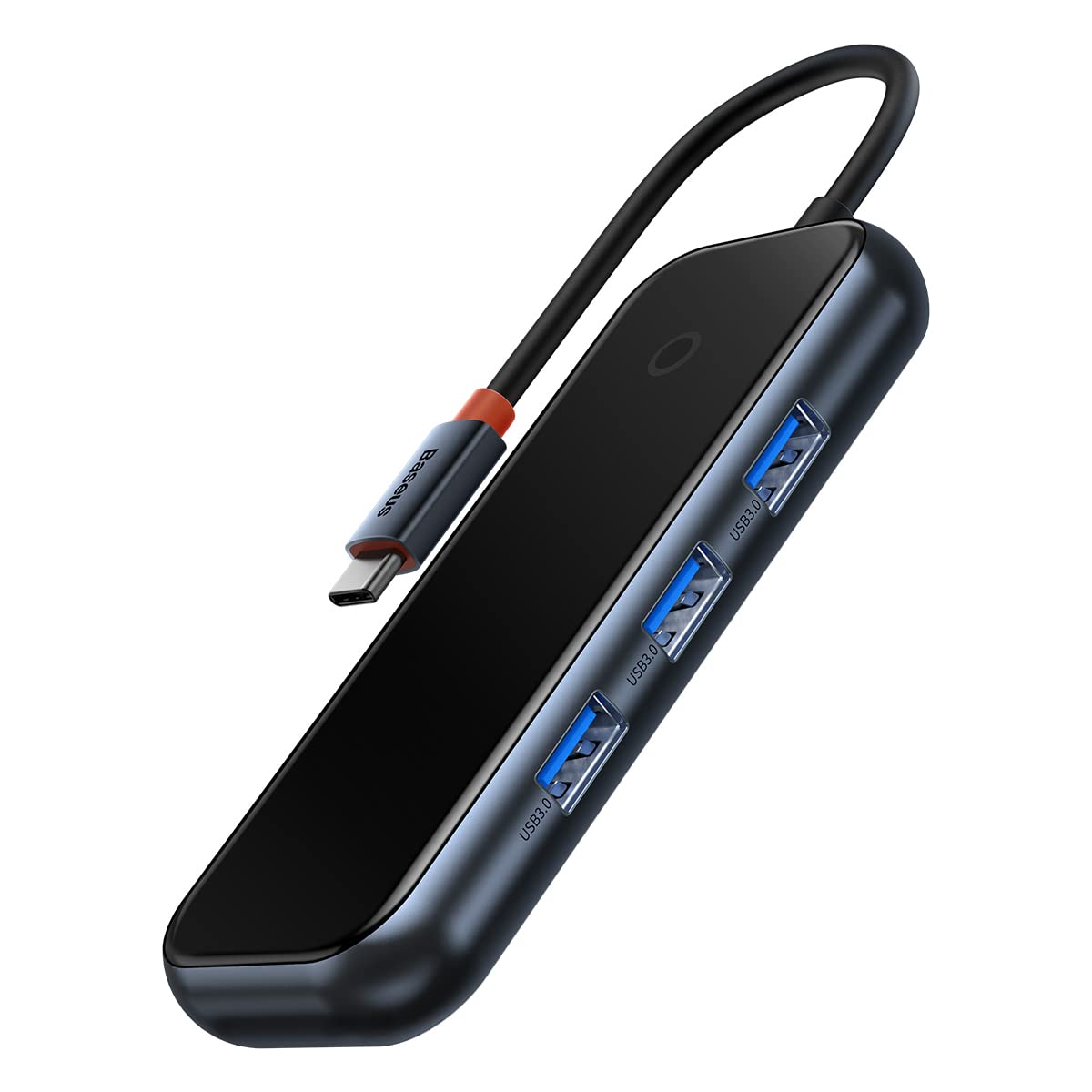
Image: The Baseus AcmeJoy 4-Port Type-C HUB Adapter, showcasing its compact design and integrated Type-C cable.
2. Sản phẩm hếtview
This hub features a robust design with essential ports for modern computing needs. It offers a plug-and-play experience, requiring no additional drivers for most operating systems.
- 3 cổng USB 3.0: For connecting various USB peripherals such as flash drives, keyboards, mice, and external hard drives.
- 1x Type-C PD & Data Port: A versatile port supporting both Power Delivery (PD) for charging your host device and high-speed data transfer.

Hình ảnh: A view of the Baseus AcmeJoy hub highlighting its three USB 3.0 ports and one Type-C PD & Data port, emphasizing its plug-and-play functionality.

Image: An illustration depicting the internal circuit protections of the Baseus AcmeJoy hub, ensuring safe and stable operation for connected devices.
3. Hướng dẫn thiết lập
- Kết nối Trung tâm: Insert the integrated Type-C connector of the Baseus AcmeJoy hub into an available USB-C port on your laptop, tablet, or smartphone.
- Kết nối thiết bị ngoại vi: Plug your USB devices (e.g., USB flash drives, external hard drives, mouse, keyboard) into the three USB 3.0 ports on the hub.
- Power and Data (Optional): If your host device requires charging or you need additional data transfer capabilities, connect a compatible Type-C power adapter and/or data cable to the Type-C PD & Data port on the hub. This port supports up to 100W Power Delivery.
The hub is designed for plug-and-play operation, meaning it should be recognized automatically by your device without the need for driver installation.
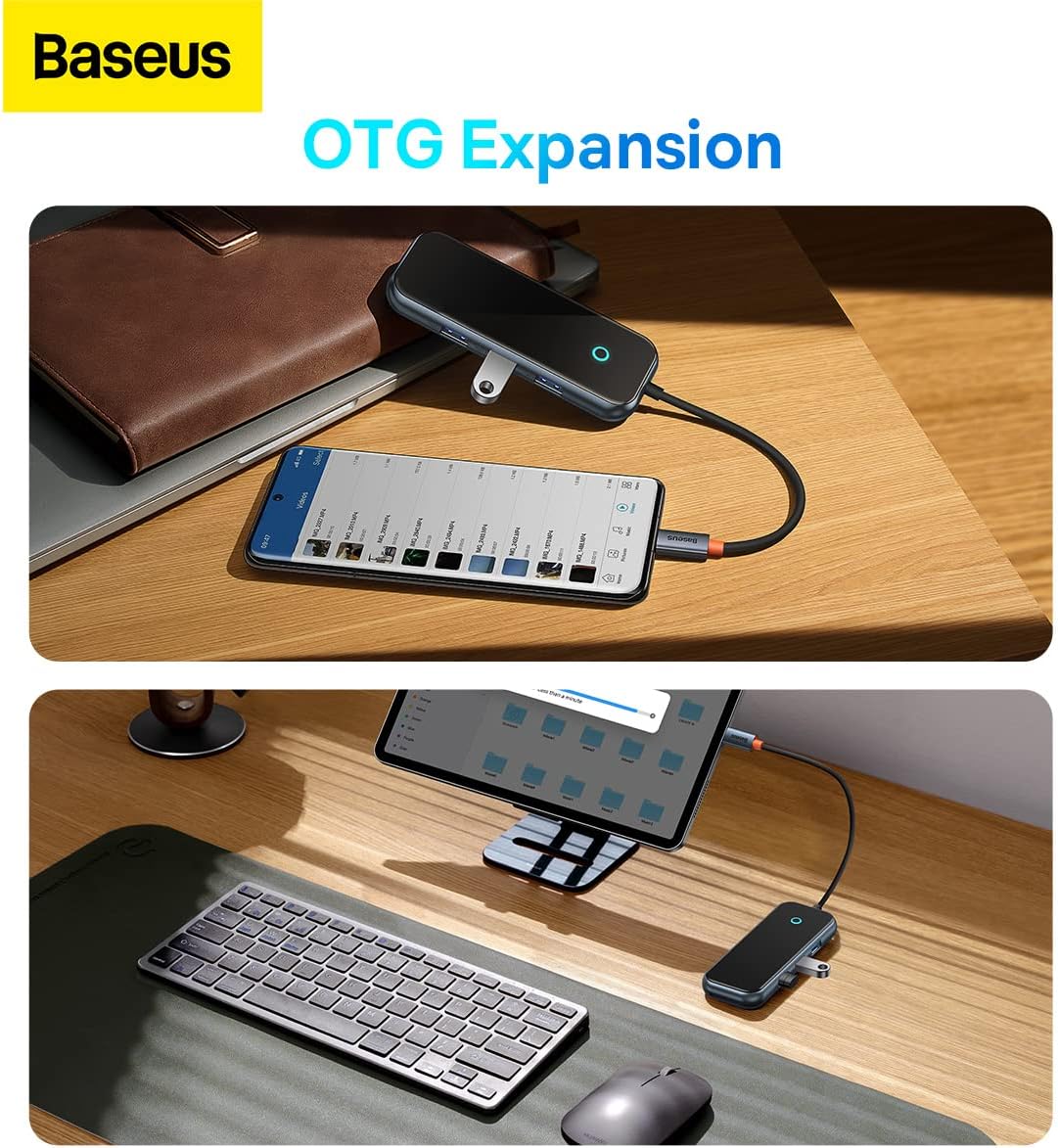
Image: The Baseus AcmeJoy hub connected to a smartphone and a tablet, demonstrating its On-The-Go (OTG) expansion capabilities for mobile devices.
4. Hướng dẫn vận hành
Once connected, the Baseus AcmeJoy hub functions as an extension of your device's connectivity. Below are guidelines for using its features:
4.1. Truyền dữ liệu USB 3.0
- Connect any USB 3.0 or USB 2.0 compatible device to the USB-A ports.
- These ports support data transfer speeds of up to 500 MB/s, allowing for quick transfers of large files.

Image: A laptop connected to the Baseus AcmeJoy hub, which is then connected to an external hard drive, illustrating high-speed data transmission at 500MB/s.
4.2. Type-C Power Delivery (PD) and Data
- The dedicated Type-C port supports Power Delivery up to 100W, enabling fast charging for your compatible laptop or device while using the hub.
- This port also supports data transfer at speeds up to 500 MB/s, allowing you to connect Type-C peripherals or storage devices.

Image: The Baseus AcmeJoy hub connected to a laptop, demonstrating its 100W PD fast charging capability from a power bank and 500MB/s data transmission to an external drive via its 2-in-1 Type-C port.
5. Bảo trì
To ensure the longevity and optimal performance of your Baseus AcmeJoy hub, follow these maintenance guidelines:
- Vệ sinh: Hãy dùng khăn mềm, khô để lau sạch bề mặt của trục bánh xe. Tránh sử dụng chất tẩy rửa dạng lỏng hoặc vật liệu mài mòn.
- Kho: Bảo quản bộ chia tín hiệu ở nơi khô ráo, thoáng mát, tránh ánh nắng trực tiếp và nhiệt độ quá cao hoặc quá thấp.
- Xử lý: Avoid dropping the device or subjecting it to strong impacts. Do not attempt to disassemble or repair the hub, as this will void the warranty and may cause damage.
- Chăm sóc cáp: Do not bend the integrated Type-C cable excessively or pull it forcefully.
KHAI THÁC. Xử lý sự cố
If you encounter issues with your Baseus AcmeJoy hub, refer to the following common problems and solutions:
- Thiết bị không được nhận dạng:
- Ensure the hub's Type-C connector is fully and securely inserted into your host device's USB-C port.
- Try connecting the hub to a different USB-C port on your host device, if available.
- Khởi động lại thiết bị chủ của bạn.
- Truyền dữ liệu chậm:
- Verify that the connected peripheral devices (e.g., USB flash drive, external HDD) support USB 3.0 speeds.
- Avoid connecting too many power-hungry devices simultaneously without external power connected to the hub's PD port.
- Ensure your host device's USB-C port supports USB 3.0 or higher data transfer rates.
- Charging Not Working (via PD port):
- Confirm that your power adapter and Type-C cable are functional and correctly connected to the hub's Type-C PD port.
- Ensure your host device supports USB-C Power Delivery and is compatible with the power output of your adapter.
- Kiểm tra xem bộ chuyển đổi nguồn có cung cấp đủ công suất hay không.tage cho thiết bị của bạn.
- Kết nối không liên tục:
- Check for any physical damage to the hub or its cable.
- Hãy đảm bảo tất cả các kết nối đều chắc chắn.
- Test with different peripherals to isolate the issue.
7. Thông số kỹ thuật
Detailed technical specifications for the Baseus AcmeJoy 4-Port Type-C HUB Adapter:
| Thương hiệu | Cơ sở |
| Số hiệu mẫu | WKJZ010013 |
| Kích thước sản phẩm | 10 x 5 x 3cm |
| Trọng lượng sản phẩm | 150 gram |
| Giao diện | USB-C |
| Tổng số cổng USB | 4 (3x USB 3.0, 1x Type-C PD & Data) |
| Tốc độ truyền dữ liệu | 500 MB/s (for USB 3.0 and Type-C data) |
| Cung cấp điện | Up to 100W (via Type-C PD port) |
| Khả năng tương thích của hệ điều hành | Windows Vista, Windows XP (and modern OS like macOS, Linux, Android) |
| Vật liệu | Cao su |

Image: The back of the Baseus AcmeJoy hub packaging, displaying detailed specifications and compliance information.
8. Bảo hành và Hỗ trợ
For detailed warranty information, technical support, or service inquiries regarding your Baseus AcmeJoy 4-Port Type-C HUB Adapter, please refer to the official Baseus webhoặc liên hệ trực tiếp với bộ phận chăm sóc khách hàng của họ. Hãy giữ lại hóa đơn mua hàng để làm bằng chứng cho bất kỳ yêu cầu bảo hành nào.
Nhà sản xuất: Cơ sở
Webđịa điểm: www.baseus.com


