1. Giới thiệu
This manual provides comprehensive instructions for the installation, operation, and maintenance of your ASRock Intel Arc A380 Challenger ITX 6GB OC Graphics Card. Please read this manual thoroughly before using the product to ensure proper functionality and to prevent damage. Keep this manual for future reference.
2. Thông tin an toàn
Always observe the following safety precautions when handling and installing your graphics card:
- Hãy đảm bảo hệ thống máy tính của bạn đã được tắt nguồn và rút phích cắm khỏi ổ điện trước khi cài đặt.
- Hãy xả hết điện tích tĩnh khỏi cơ thể bằng cách chạm vào một vật kim loại nối đất (ví dụ: vỏ máy tính) trước khi chạm vào các linh kiện.
- Avoid touching the gold-plated connector pins on the graphics card.
- Install the graphics card in a well-ventilated area to prevent overheating.
- Không nên để card đồ họa tiếp xúc với hơi ẩm hoặc nhiệt độ quá cao.
3. Nội dung gói hàng
Xác minh rằng tất cả các mục đều có trong gói sản phẩm của bạn:
- ASRock Intel Arc A380 Challenger ITX 6GB OC Graphics Card
- Hướng dẫn cài đặt nhanh
4. Sản phẩm hếtview
The ASRock Intel Arc A380 Challenger ITX 6GB OC Graphics Card is designed for compact systems, offering capable graphics performance in a single-slot ITX form factor. It features Intel's Arc A380 GPU with 6GB of GDDR6 memory and a 2250 MHz clock speed. Key features include a striped axial fan, 0dB silent cooling, and support for modern display technologies.

Figure 4.1: ASRock Intel Arc A380 Challenger ITX 6GB OC Graphics Card
4.1. Kích thước
This graphics card features a compact design suitable for ITX systems.
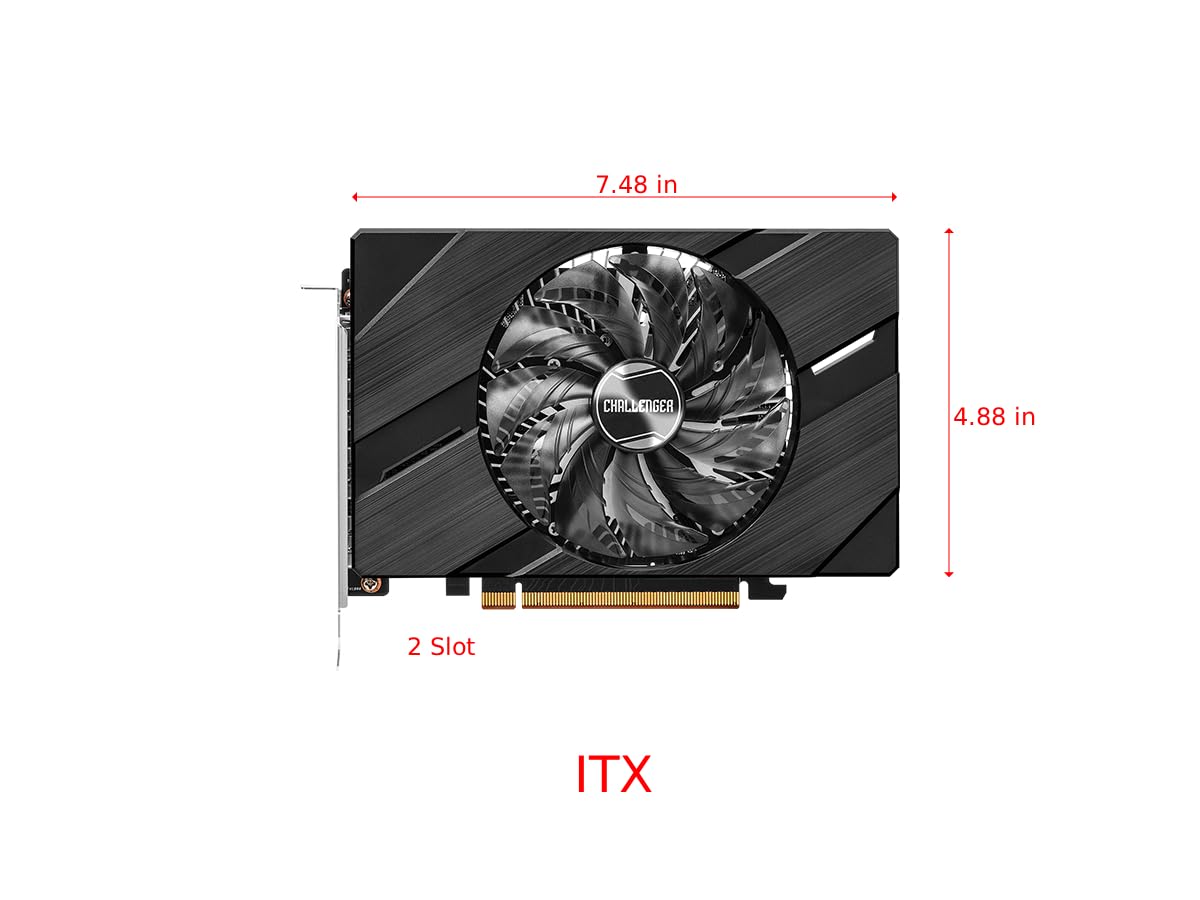
Figure 4.2: Graphics Card Dimensions (Approx. 7.48 in x 4.88 in, 2-slot)
4.2. Display Outputs
The card provides multiple display outputs for versatile connectivity.
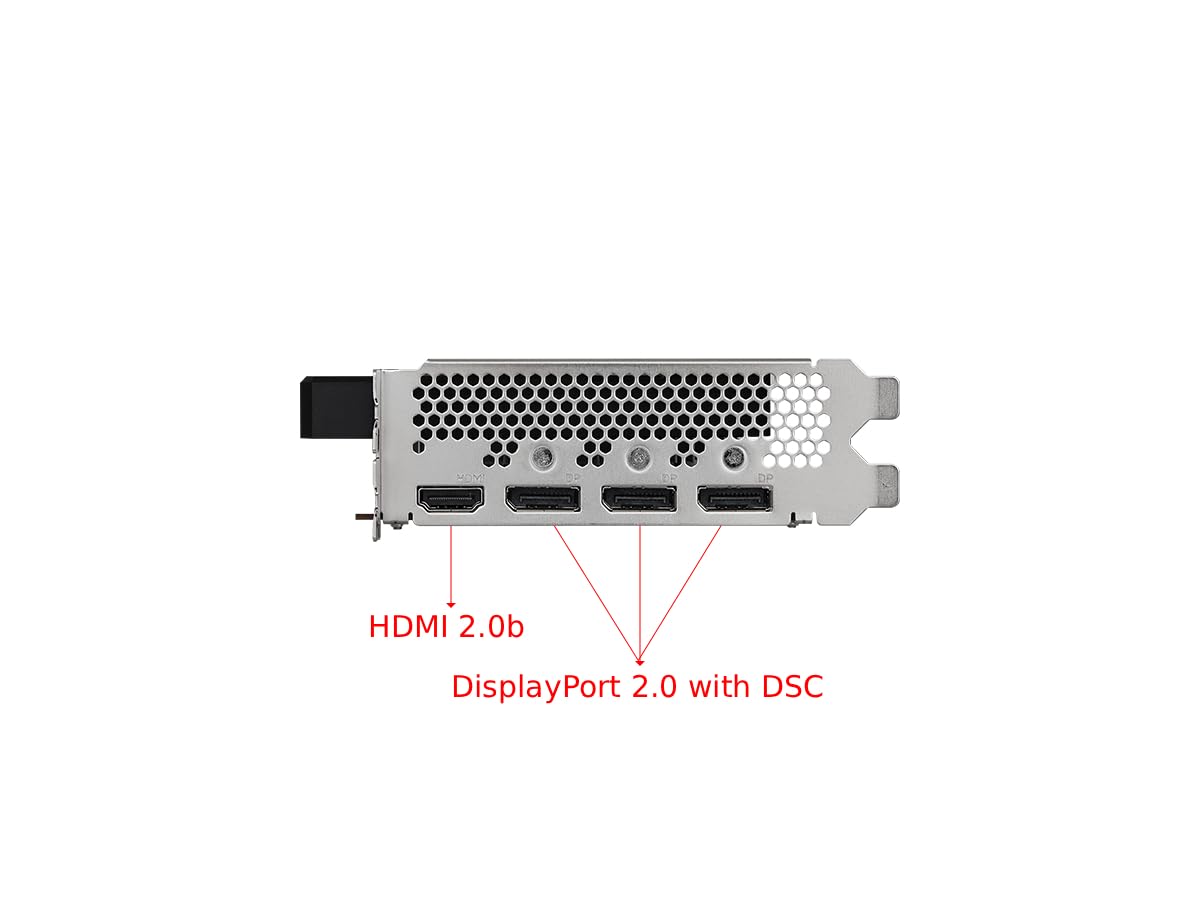
Figure 4.3: Display Outputs (1x HDMI 2.0b, 3x DisplayPort 2.0 with DSC)
4.3. Hệ thống làm mát
The ASRock custom Striped Axial Fan design enhances airflow for optimal cooling. The 0dB Silent Cooling technology ensures the fans stop spinning under light workloads for quiet operation.

Figure 4.4: Striped Axial Fan for enhanced airflow

Figure 4.5: 0dB Silent Cooling: Fans stop under light workloads
4.4. Video sản phẩm chính thức
Video 4.1: Kết thúcview of Intel ARC Graphics Cards by ASRock USA. This video provides a general introduction to the Intel ARC graphics card series.
5. Thiết lập
5.1. Cài đặt vật lý
- Chuẩn bị hệ thống của bạn: Tắt máy tính và rút tất cả các dây cáp. Mở vỏ máy tính.
- Xác định vị trí khe cắm PCIe: Xác định khe cắm PCI Express 4.0 x16 khả dụng trên bo mạch chủ của bạn.
- Remove slot cover: Remove the corresponding slot cover from your computer case.
- Lắp card đồ họa: Cẩn thận căn chỉnh card đồ họa với khe cắm PCIe và ấn mạnh xuống cho đến khi card được lắp chắc chắn. Đảm bảo chốt giữ trên khe cắm PCIe khớp vào đúng vị trí.
- Bảo mật thẻ: Fasten the graphics card to the computer case with a screw.
- Kết nối nguồn điện: Connect the single 8-pin PCIe power connector from your power supply to the graphics card. Ensure your power supply meets the recommended 500W minimum.
- Kết thúc vụ việc: Đóng vỏ máy tính của bạn và kết nối lại tất cả các dây cáp.
5.2. Cài đặt trình điều khiển
After physical installation, you must install the latest drivers for your graphics card:
- Bật máy tính của bạn.
- Hãy truy cập trang web chính thức của ASRock. website or Intel's support webđịa điểm.
- Navigate to the support section and locate the drivers for the Intel Arc A380 series.
- Download the latest graphics drivers for your operating system.
- Run the installer and follow the on-screen instructions. A system restart may be required.
6. Hoạt động
Once drivers are installed, your ASRock Intel Arc A380 Challenger ITX graphics card is ready for use. Connect your display(s) to the available DisplayPort 2.0 or HDMI 2.0b ports. You can configure display settings, resolution, and refresh rates through your operating system's display settings or the Intel Arc Control software.
7. Bảo trì
Việc bảo trì thường xuyên giúp đảm bảo tuổi thọ và hiệu năng tối ưu của card đồ họa:
- Loại bỏ bụi: Periodically clean dust from the fan and heatsink using compressed air. Ensure the system is powered off and unplugged before cleaning.
- Cập nhật trình điều khiển: Keep your graphics drivers updated to the latest version. New drivers often include performance improvements, bug fixes, and compatibility enhancements.
- Theo dõi nhiệt độ: Use monitoring software to keep an eye on the GPU temperature, especially during heavy workloads. While the 0dB cooling feature is efficient, ensuring good case airflow is crucial.
KHAI THÁC. Xử lý sự cố
Nếu bạn gặp sự cố với card đồ họa, hãy thử các bước khắc phục sự cố sau:
- Không có đầu ra hiển thị:
- Hãy đảm bảo card đồ họa được cắm chắc chắn vào khe PCIe.
- Verify that the 8-pin power connector is securely attached.
- Check that your monitor cable is correctly connected to the graphics card and the monitor.
- Hãy thử sử dụng cổng xuất màn hình hoặc cáp khác.
- Driver Issues/Instability:
- Perform a clean installation of the latest graphics drivers. Uninstall previous drivers completely before installing new ones.
- Ensure your motherboard BIOS/UEFI is updated to the latest version, as this can improve compatibility.
- Verify that Resizable BAR (ReBAR) is enabled in your system's BIOS/UEFI for optimal performance with Intel Arc GPUs.
- Quá nhiệt:
- Đảm bảo luồng không khí lưu thông đầy đủ trong vỏ máy tính.
- Clean any dust buildup from the graphics card's fan and heatsink.
- Check that the fan is spinning correctly under load.
9. Thông số kỹ thuật
| Tính năng | Đặc điểm kỹ thuật |
|---|---|
| Bộ đồng xử lý đồ họa | Intel Arc A380 |
| Bộ nhớ video | 6GB GDDR6 |
| Tốc độ bộ nhớ | 15.5Gbps |
| Đồng hồ động cơ | 2250MHz |
| Độ phân giải màn hình tối đa | 7680x4320 pixel (8K) |
| Giao diện đầu ra video | 3x DisplayPort 2.0, 1x HDMI 2.0b |
| Số hiệu mẫu sản phẩm | 90-GA3KZZ-00UANF |
| Trọng lượng sản phẩm | 1.32 pound |
| Kích thước sản phẩm | 1.1 x 9.7 x 0.04 inch |
| PSU được đề xuất | 500W |
10. Bảo hành và Hỗ trợ
ASRock provides a manufacturer's warranty for this product. Please refer to the warranty card included in your package or visit the official ASRock website for detailed warranty terms and conditions. For technical support, driver downloads, and FAQs, please visit the ASRock support page at www.asrock.com/support.asp.
Optional protection plans are available for purchase, offering extended coverage beyond the standard manufacturer's warranty. These plans typically cover 3-year or 4-year durations, or monthly subscription options.


