1. Giới thiệu
Cảm ơn bạn đã muaasing the BYINTEK R17 Pro Portable Smart 3D DLP Projector. This manual provides essential information for safe and effective use of your device. Please read it thoroughly before operation and retain it for future reference.
The BYINTEK R17 Pro is a versatile portable projector featuring Android 9.0 OS, 4K decoding support, 3D capabilities, and a built-in battery, making it ideal for various entertainment and presentation needs. It also supports multiple languages including English, Russian, Arabic, Korean, Japanese, French, German, Italian, Spanish, Chinese, Vietnamese, Polish, and Traditional Chinese.
2. Thông tin an toàn
- Không nhìn trực tiếp vào ống kính máy chiếu khi lamp đang bật.
- Để tránh để máy chiếu tiếp xúc với nước hoặc các chất lỏng khác, hãy giữ nó tránh xa tầm tay trẻ em để phòng tránh bị điện giật.
- Không chặn các lỗ thông gió để tránh quá nóng.
- Chỉ sử dụng bộ chuyển đổi nguồn do nhà sản xuất cung cấp.
- Tránh đặt máy chiếu trên bề mặt không ổn định.
- Không nên tự ý tháo rời hoặc sửa chữa máy chiếu. Hãy liên hệ với nhân viên kỹ thuật có chuyên môn.
- Bảo quản máy chiếu ở nơi khô ráo, thoáng mát khi không sử dụng.
3. Nội dung gói hàng
Vui lòng kiểm tra nội dung gói hàng khi mở hộp để đảm bảo có đầy đủ các mục sau:
- BYINTEK R17 Pro Projector
- Bộ đổi nguồn
- Điều khiển từ xa
- Hướng dẫn sử dụng (tài liệu này)
- Cáp HDMI (có thể khác nhau tùy khu vực)

Hình ảnh: Một mặt chi tiết view of the BYINTEK R17 Pro projector, highlighting its compact and portable design.
4. Hướng dẫn cài đặt
4.1 Bật / Tắt nguồn
- Kết nối nguồn: Plug the power adapter into the projector's DC input port and then into a power outlet.
- Bật nguồn: Nhấn nút nguồn trên máy chiếu hoặc trên điều khiển từ xa. Đèn báo sẽ sáng lên.
- Tắt nguồn: Nhấn nút nguồn một lần nữa. Xác nhận tắt máy nếu được yêu cầu.
4.2 Vị trí và Hình chiếu
Position the projector on a stable, flat surface. Ensure there are no obstructions in front of the lens. The ideal projection distance ranges from 1 to 8 meters, producing a screen size of 30 to 300 inches.
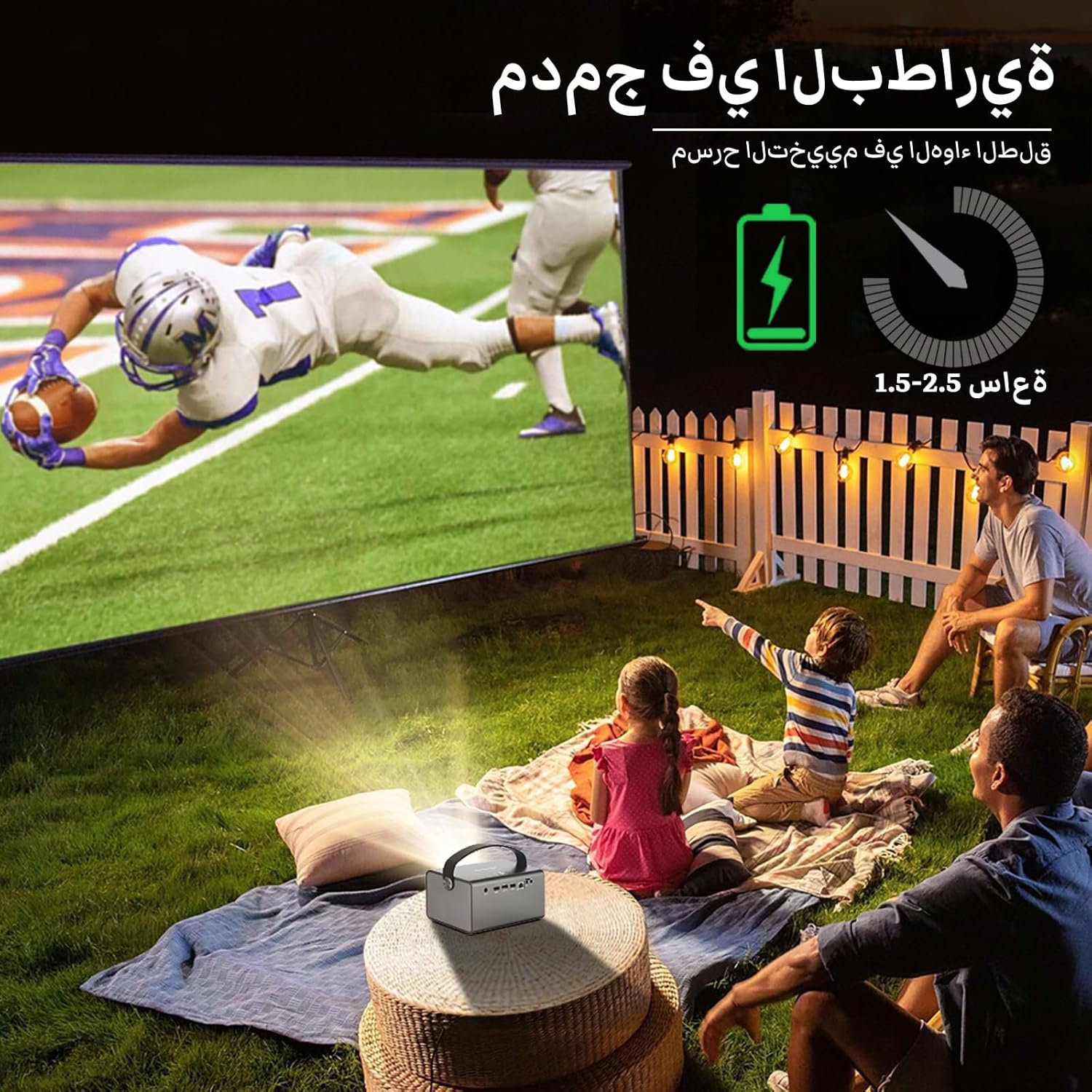
Image: The BYINTEK R17 Pro projector in an outdoor setting, demonstrating its portable use for entertainment. The image shows a football game projected onto a large screen, with people watching comfortably. This highlights the projector's battery life and suitability for outdoor events.
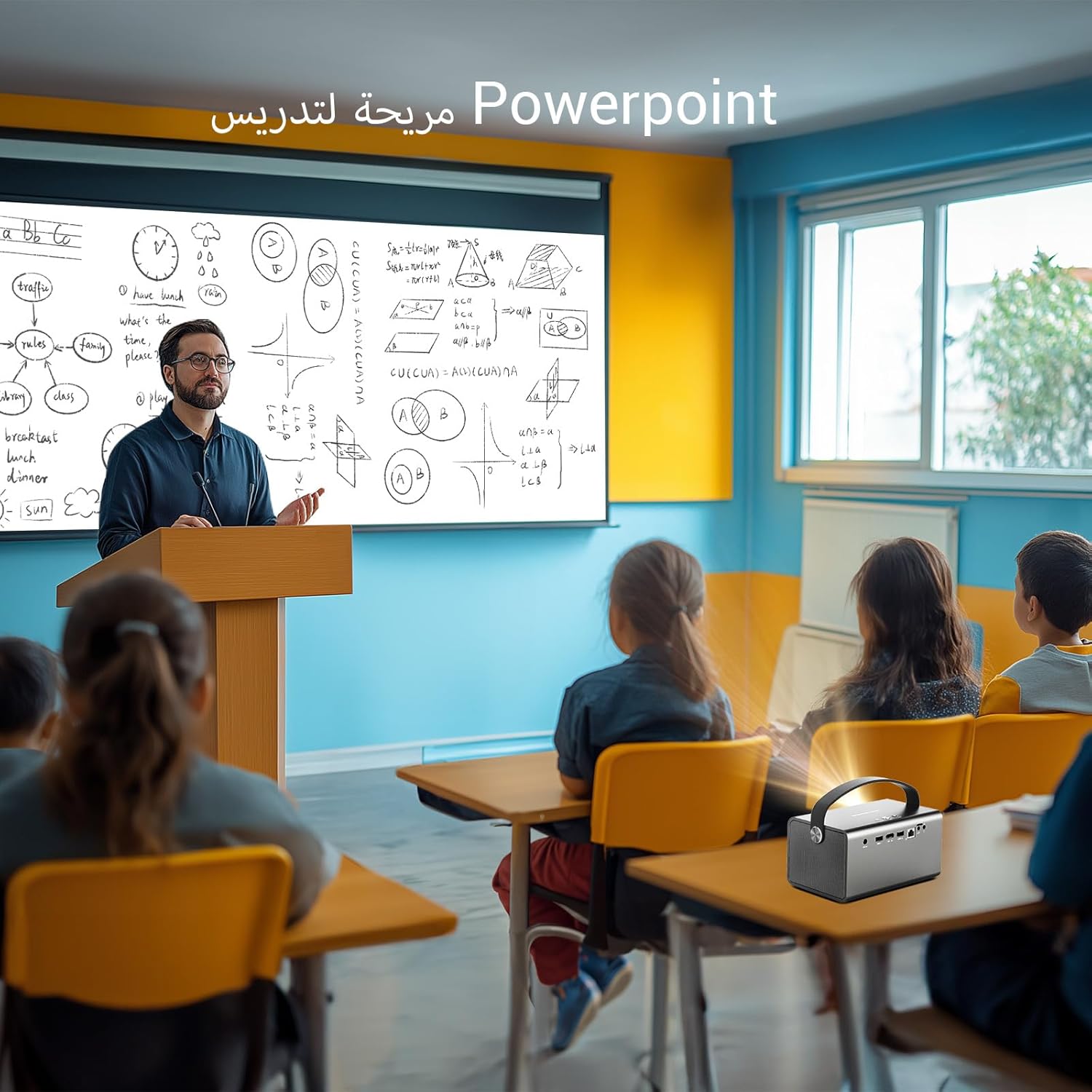
Image: The BYINTEK R17 Pro projector being used in a classroom to display a PowerPoint presentation. This illustrates its utility for educational purposes and presentations in various environments.
4.3 Chỉnh sửa tiêu điểm và Keystone
- Tập trung điện: Use the remote control to adjust the focus until the image is clear.
- Chỉnh sửa Keystone tự động: The projector supports automatic vertical keystone correction.
- Chỉnh sửa Keystone thủ công: For side projections or specific adjustments, use the manual keystone correction feature via the settings menu. This includes corner keystone correction.
5. Hoạt động
5.1 Điều hướng hệ thống Android 9.0
The BYINTEK R17 Pro runs on Android 9.0, providing a smart interface. Use the remote control or a connected air mouse to navigate through menus, launch applications, and adjust settings.
- Màn hình chính: Access pre-installed apps and system settings.
- Cửa hàng ứng dụng: Download additional applications for streaming, productivity, or gaming.
- Cài đặt: Configure Wi-Fi, Bluetooth, display, sound, and other system preferences.
5.2 Phát lại phương tiện
The projector supports various media formats and sources:
- Lưu trữ USB: Connect a USB drive or SSD (up to 32GB) to play videos, music, or view ảnh.
- Truyền phát trực tuyến: Use pre-installed or downloaded streaming apps via Wi-Fi.
- Nội dung 3D: The projector supports Blu-ray 3D. Ensure your 3D content and glasses are compatible.

Image: A couple enjoying a Blu-ray 3D movie projected by the BYINTEK R17 Pro. The image showcases the projector's ability to display immersive 3D content with vivid colors.
5.3 Screen Mirroring (Wi-Fi Display)
Mirror your smartphone, tablet, or computer screen wirelessly to the projector using Airplay, Miracast, or DLNA (Eshare app is pre-installed).
- Hãy đảm bảo cả thiết bị của bạn và máy chiếu đều được kết nối với cùng một mạng Wi-Fi.
- Open the Eshare app on the projector.
- On your mobile device, activate screen mirroring (e.g., Airplay for iOS, Smart View/Screen Cast for Android).
- Chọn máy chiếu từ danh sách các thiết bị có sẵn.

Image: The BYINTEK R17 Pro projector wirelessly displaying a racing game from a smartphone. This demonstrates the screen mirroring feature for gaming and mobile content.
6. Kết nối
The BYINTEK R17 Pro offers multiple connectivity options:
- HDMI2.0: Connect external devices like game consoles (e.g., PS4), computers, Blu-ray players, or TV boxes. Supports up to 4K input.
- USB 2.0 / USB 3.0: For connecting USB storage devices, external mice, game controllers, or 2.4GHz air mice.
- Âm thanh ra: Kết nối loa ngoài hoặc tai nghe để có âm thanh nâng cao.
- Wi-Fi (2.4GHz/5GHz): Dùng để truy cập internet và phản chiếu màn hình không dây.
- Bluetooth 5.0: For connecting Bluetooth speakers, headphones, or other compatible accessories.
7. Bảo trì
7.1 Vệ sinh ống kính
Hãy sử dụng khăn mềm, không xơ, được thiết kế đặc biệt cho thấu kính quang học. Không sử dụng chất tẩy rửa có tính mài mòn hoặc dùng lực quá mạnh, vì điều này có thể làm xước thấu kính.
7.2 Vệ sinh thân máy chiếu
Wipe the exterior of the projector with a soft, dry cloth. Avoid using chemical cleaners that may damage the finish.
7.3 Lưu trữ
When not in use for extended periods, store the projector in its original packaging or a protective case in a cool, dry, dust-free environment.
KHAI THÁC. Xử lý sự cố
| Vấn đề | Nguyên nhân có thể | Giải pháp |
|---|---|---|
| Không có hình ảnh nào được hiển thị | Không kết nối nguồn; nguồn đầu vào không chính xác; nắp ống kính đã được đậy. | Check power connection; select correct input source (HDMI, USB, etc.); remove lens cap. |
| Hình ảnh bị mờ | Focus not adjusted; projector too far/close. | Adjust electric focus using the remote; reposition the projector within optimal distance. |
| Hình ảnh bị méo mó (hình thang) | Cần hiệu chỉnh keystone. | Use auto or manual keystone correction in settings. |
| Không có âm thanh | Volume too low; external speakers not connected/configured; audio output muted. | Increase volume; check external speaker connection; unmute audio. |
| Sự cố kết nối Wi-Fi | Mật khẩu không chính xác; ngoài vùng phủ sóng; sự cố bộ định tuyến. | Verify password; move closer to router; restart router and projector. |
| Projector shuts down unexpectedly | Quá nóng; pin yếu. | Ensure ventilation is clear; charge the battery or connect to power. |
9. Thông số kỹ thuật
| Tính năng | Chi tiết |
|---|---|
| Thương hiệu | BYINTEK |
| Người mẫu | R17 chuyên nghiệp |
| Động cơ nhẹ | TI 0.47 inch DMD WVGA |
| Nguồn sáng | OSRAM RGB 3LED |
| Cuộc sống nhẹ nhàng | 50,000 giờ |
| Độ sáng | 750 ANSI Lumens |
| Tỷ lệ tương phản | 10,000:1 |
| Độ phân giải gốc | 1280 x 800 (supports up to 4K input) |
| Tỷ lệ khung hình | 16: 10 / 16: 9 / 4: 3 |
| Trục lệch | 100% |
| Tỷ lệ ném | 1.2:1 |
| Kích thước chiếu | 30 - 300 inch |
| Khoảng cách chiếu | 1 - 8 mét |
| Chế độ tập trung | Electric Motor Focus |
| Phóng | Remote Electric Zoom |
| Chỉnh sửa Keystone | Auto/Manual Vertical, Manual Corner |
| Hệ điều hành | Android 9.0 |
| Bộ vi xử lý | MTK Contex A53 Quad-core |
| Bộ xử lý đồ họa | Mali-G52 |
| ĐẬP | Bộ nhớ DDR2 3GB |
| Bộ nhớ trong | EMMC 32GB |
| Wi-Fi | Băng tần kép 2.4 GHz / 5 GHz |
| Bluetooth | Bluetooth 5.0 |
| Màn hình Wi-Fi | Airplay, Miracast, DLNA (Eshare pre-installed) |
| Ắc quy | Built-in 11.1V 5200mAh (15600mAh equivalent) Lithium-ion, 1.5-2.5 hours life |
| Người nói | Loa âm thanh nổi 2 x 5W |
| Cổng đầu vào | HDMI 2.0 (supports 4K input), USB 2.0, USB 3.0 |
| Cổng đầu ra | Âm thanh ra |
| Kích thước sản phẩm | 19.3 x 12.3 x 10cm |
| Trọng lượng sản phẩm | 2.34kg |
| Tính năng đặc biệt | Auto Focus, Built-in Wi-Fi Receiver, Built-in 3D Display, Portable, Built-in Speaker |
10. Bảo hành & Hỗ trợ
BYINTEK products come with a standard manufacturer's warranty. Please refer to the warranty card included in your package for specific terms and conditions. For technical support, service, or warranty claims, please contact BYINTEK customer service or visit the official BYINTEK webđịa điểm.
BYINTEK has a service center in Saudi Arabia to provide professional after-sales service. For more information, please visit the BYINTEK Store on Amazon.


