1. Giới thiệu
Thank you for choosing the SHARP KCP70UW Smart Air Purifier with Humidifier Combo. This device is designed to improve your indoor air quality by combining advanced air purification with effective humidification. It features a triple filtration system, Plasmacluster Ion Technology, and smart home compatibility for convenient control.
Vui lòng đọc kỹ hướng dẫn sử dụng này trước khi vận hành thiết bị để đảm bảo an toàn và hiệu suất tối ưu. Hãy giữ lại hướng dẫn này để tham khảo trong tương lai.

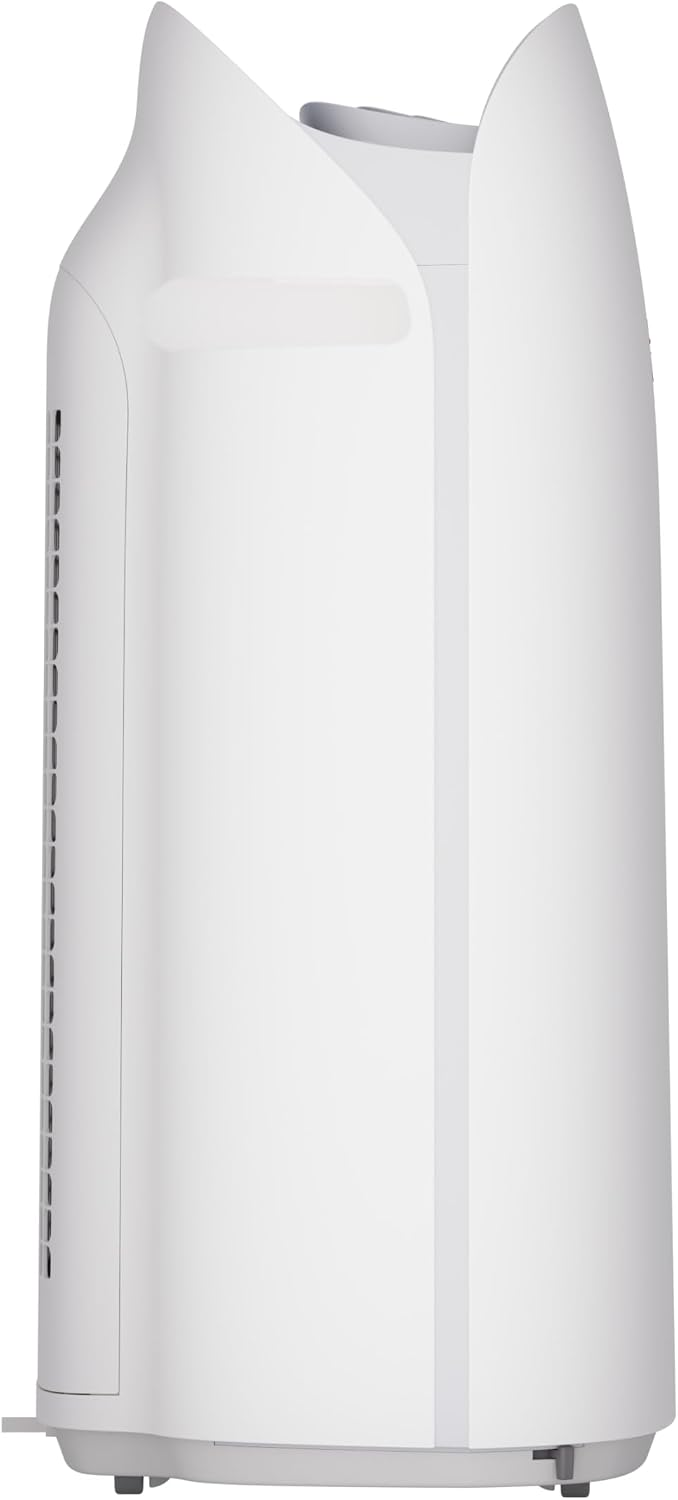
Hình 1: Mặt trước view of the SHARP KCP70UW unit, illustrating its key features.
2. Thông tin an toàn
Luôn tuân thủ các biện pháp phòng ngừa an toàn cơ bản khi sử dụng các thiết bị điện để giảm nguy cơ hỏa hoạn, điện giật và thương tích cho người.
- Không chặn các cửa vào hoặc ra của không khí.
- Không sử dụng gần nước hoặc trong môi trường ẩm ướt.
- Rút phích cắm của thiết bị trước khi vệ sinh hoặc tiến hành bảo trì.
- Để xa tầm tay trẻ em và vật nuôi.
- Chỉ sử dụng với âm lượng được chỉ địnhtage.
3. Thiết lập
3.1 Mở hộp và chuẩn bị bộ lọc
Before first use, it is crucial to remove all protective plastic bags from the air filters. Operating the unit with filters still in plastic bags will prevent proper air purification and may cause unusual noises.
- Carefully open the back panel of the air purifier.
- Remove the air filters from their compartments.
- Cut and remove all plastic packaging from both the True HEPA filter and the Activated Carbon deodorizing filter.
- Reinsert the filters into the unit, ensuring they are correctly oriented.
- Close the back panel securely.
Video 1: Instructions on how to properly set up the air purifier by removing plastic bags from filters.

Figure 2: The air purifier with its back panel open, showing the filters being removed for plastic bag removal.
3.2 Vị trí
Place the air purifier on a flat, stable surface in the room where air purification is desired. Ensure there is adequate space around the unit for proper airflow. The KCP70UW is effective for rooms up to 1,913 sq. ft. at one air change per hour, or 396 sq. ft. with 4.8 air changes per hour (AHAM Suggested Room Size).

Figure 3: The air purifier positioned in a spacious living area, highlighting its capacity for large rooms.
3.3 kết nối nguồn
Cắm dây nguồn vào ổ cắm điện thông thường. Thiết bị đã sẵn sàng hoạt động.
4. Hướng dẫn vận hành
4.1 Bảng điều khiển Overview
The control panel is located on the top of the unit and features various buttons and indicators for easy operation.
Hình 4: Chi tiết view of the control panel with its intuitive buttons and digital display.
4.2 Hoạt động cơ bản
- Bật/Tắt nguồn: Nhấn nút BẬT/TẮT để bật hoặc tắt thiết bị.
- Tốc độ quạt: Cycle through fan speeds (Low, Medium, Max) using the Cái quạt cái nút.
- Chế độ tự động: Nhấn nút TỰ ĐỘNG button. In Auto mode, the unit automatically adjusts fan speed and humidification based on detected air quality and humidity levels.
4.3 Smart Features (SHARP AIR App, Alexa, Google Assistant)
The SHARP KCP70UW is compatible with the SHARP AIR App (available for Apple and Android devices), Amazon Alexa, and Google Assistant for enhanced control and monitoring.
- Hoạt động từ xa: Use the SHARP AIR App to adjust settings, monitor air quality, and set schedules from your smartphone.
- Điều khiển bằng giọng nói: Connect your unit to Amazon Alexa or Google Assistant-enabled devices (sold separately) to use voice commands for operation.
- Chế độ bổ sung: Access modes like Sleep, Pollen, and Express Clean exclusively through the SHARP AIR App.

Figure 5: The SHARP AIR App provides comprehensive control and monitoring features for your air purifier.
Video 2: Kết thúcview of the SHARP KCP70UW Smart Air Purifier with Humidifier, highlighting its smart features and filtration system.
5. Bảo trì
5.1 Chăm sóc và thay thế bộ lọc
The KCP70UW features long-life filters designed to last up to 2 years, depending on the environment and usage. Regular cleaning and timely replacement are essential for maintaining optimal performance.
- Lọc trước: The washable microscreen pre-filter traps large particles. Clean it regularly by vacuuming or rinsing with water.
- Activated Carbon Deodorizing Filter: Helps reduce common household odors. Replace every 2 years or as indicated by the filter replacement indicator.
- Bộ lọc HEPA thực sự: Captures 99.97% of particles 0.3 microns and larger. Replace every 2 years or as indicated by the filter replacement indicator.
- Humidifying Filter: This filter is also designed for long life and can be cleaned. Refer to the app for replacement status.

Hình 6: Phát nổ view of the triple filtration system, showing each filter component.

Figure 7: The True HEPA filter, designed for extended use up to 2 years.
5.2 Humidifier Maintenance
The humidifier function requires regular attention to ensure clean and effective humidification.
- Bể chứa nước: Refill the water tank with clean tap water as needed. Avoid using distilled water as the unit is designed for tap water.
- Humidifying Filter Cleaning: Periodically clean the humidifying filter to prevent mineral buildup. Refer to the full instruction manual for detailed cleaning steps.

Figure 8: The humidifying filter and its tray, easily accessible for maintenance.
KHAI THÁC. Xử lý sự cố
If you encounter issues with your SHARP KCP70UW, refer to the following common problems and solutions:
| Vấn đề | Nguyên nhân có thể | Giải pháp |
|---|---|---|
| Loud flapping sound / Poor air purification | Air filters still in plastic bags. | Remove all plastic packaging from filters before use (refer to Section 3.1). |
| Humidifier not increasinđộ ẩm g | Water tank empty; Humidifying filter dirty or calcified. | Refill water tank; Clean or replace humidifying filter. |
| Unit not responding to app/voice commands | Wi-Fi connection issue; App not properly configured; Device not linked to Alexa/Google Assistant. | Check Wi-Fi connection; Reconfigure app settings; Ensure proper linking with smart assistant. |
| Auto mode not adjusting fan speed | Dust/odor sensors are obstructed or dirty. | Clean the dust and odor sensors. |
7. Thông số kỹ thuật
Key technical specifications for the SHARP KCP70UW:
| Tính năng | Chi tiết |
|---|---|
| Số hiệu mẫu | KCP70UW |
| Màu sắc | Trắng |
| Kích thước sản phẩm (D x R x C) | 12.4" x 15.8" x 28.6" |
| Trọng lượng sản phẩm | 22.3 pound |
| Diện tích sàn bao phủ | 1913 Square Feet (1x/hr air change) / 396 Square Feet (4.8x/hr AHAM) |
| Mức độ tiếng ồn | 21 Decibels (Low Fan Speed) |
| Lớp lọc | HEPA và than hoạt tính |
| Kích thước giữ hạt | 0.3 Micrometer (True HEPA) |
| Loại bộ điều khiển | Amazon Alexa, Android, Google Assistant |
| Tính năng đặc biệt | Có thể lập trình |
| Chứng nhận | AHAM Certified, CARB Certified, Energy Star Certified |
| Mã số UPC | 074000701663 |

Figure 9: The unit's quiet operation makes it suitable for bedrooms.

Figure 10: AHAM Verifide CADR ratings for effective pollutant removal.

Hình 11: Kích thước sản phẩm để lập kế hoạch bố trí.
8. Bảo hành và Hỗ trợ
Để biết thông tin bảo hành và hỗ trợ khách hàng, vui lòng tham khảo thẻ bảo hành đi kèm sản phẩm hoặc truy cập trang web chính thức của Sharp. website. You can also contact Sharp customer service for assistance with product registration, troubleshooting, or replacement parts.
Tài nguyên trực tuyến: For additional information, FAQs, and support, visit the Sharp website or the SHARP AIR App support section.


