Giới thiệu
Thank you for choosing the YOMARK Light Bulb Security Camera. This manual provides detailed instructions for setting up, operating, and maintaining your security camera. Please read this manual thoroughly before use to ensure proper functionality and safety. Keep this manual for future reference.
Tính năng sản phẩm
- Kết nối WiFi băng tần kép: Supports both 2.4GHz and 5G WiFi networks for flexible and stable connection.
- Cài đặt dễ dàng: Designed to be installed in a standard E27 bulb base (110V~240V), eliminating the need for extra wiring.
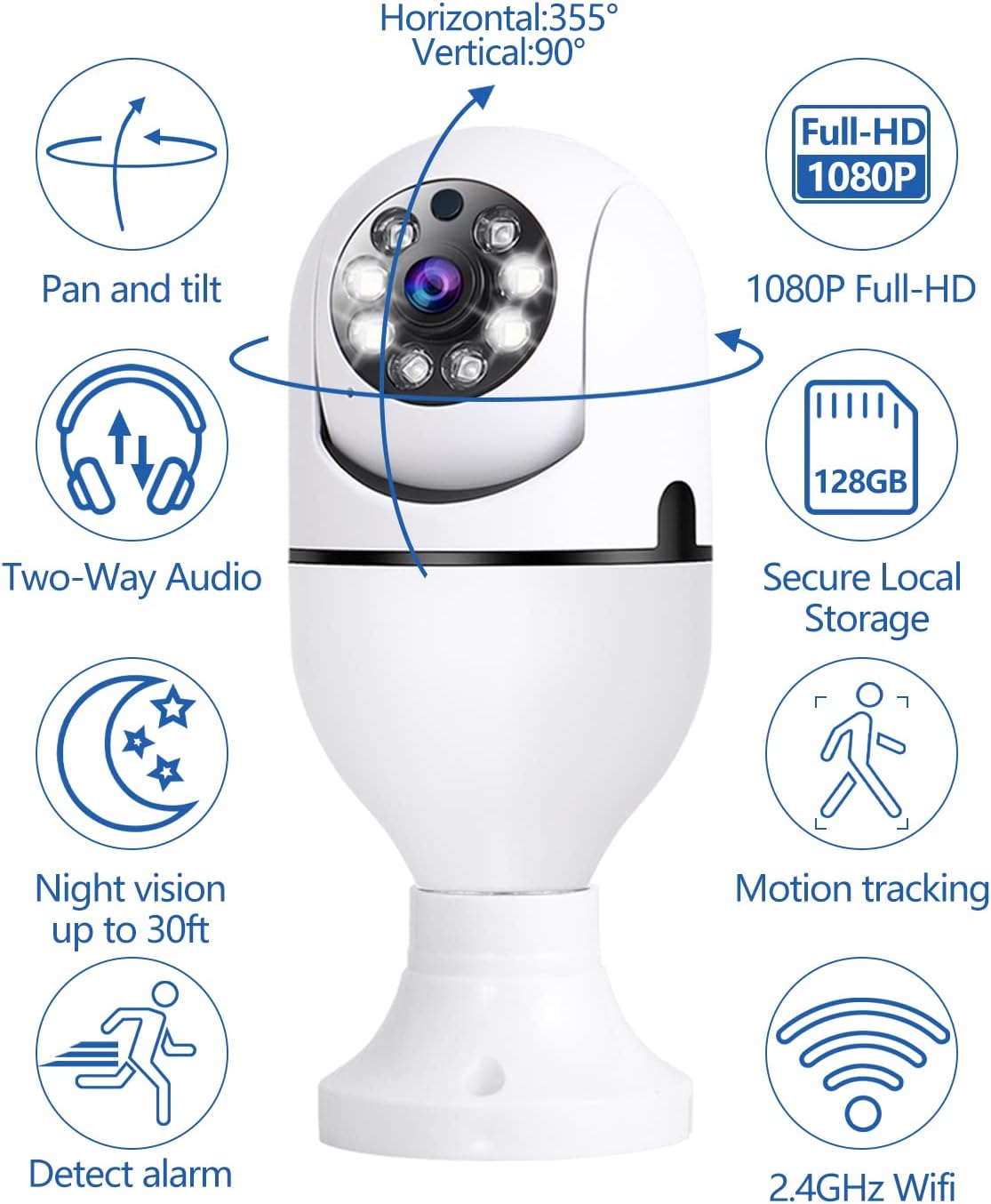
- 360° Motion Tracking: Automatically senses and tracks motion with 355° horizontal rotation and 120° vertical tilt, ensuring comprehensive coverage.
- Video Full HD 1080P: Provides clear and crisp video recordings for detailed monitoring.
- Tầm nhìn ban đêm thông minh: Offers both ordinary night vision and full-color night vision options, allowing clear viewing even in complete darkness.
- Âm thanh hai chiều: Built-in speaker and microphone enable real-time communication with individuals near the camera.
- Cảnh báo phát hiện chuyển động: Sends real-time alert notifications to your mobile phone upon detecting movement or changes in the video screen.
- Xa Viewtrong: Access live feed and recordings anytime, anywhere via the mobile application on iPhone/Android phones or iPads.
- Tùy chọn lưu trữ linh hoạt: Supports cloud storage (subscription may be required) and TF card storage up to 128GB (memory card not included).
Nội dung gói
Vui lòng kiểm tra gói hàng để biết các mục sau:
- YOMARK Light Bulb Security Camera
- E27 Bulb Base Extension (if included)
- Vít lắp và neo tường
- Hướng dẫn sử dụng
Hướng dẫn thiết lập
Follow these steps to set up your YOMARK Light Bulb Security Camera:
1. Cài đặt vật lý
- Hãy đảm bảo đã tắt nguồn điện của đèn trước khi lắp đặt.
- Screw the YOMARK Light Bulb Security Camera into a standard E27 bulb base. Ensure it is securely tightened.
- Turn on the power to the light fixture. The camera will power on and begin its self-test.
Băng hình: This video demonstrates the unboxing and initial physical installation of the YOMARK Light Bulb Security Camera into a standard E27 socket. It shows the camera powering on and preparing for app connection.
2. Tải ứng dụng và tạo tài khoản
- Download the "YCC365 Plus" app from your mobile device's app store (App Store for iOS or Google Play Store for Android).
- Mở ứng dụng và tạo tài khoản mới hoặc đăng nhập nếu bạn đã có tài khoản.
3. Connecting the Camera to the App
- In the YCC365 Plus app, tap the "Add device" or "+" icon to add a new camera.
- Select "Intelligent camera" from the device type options.
- Choose "Addition of AP hotspot" as the networking mode.
- Follow the on-screen prompts. Ensure the device indicator flashes or a beep is heard, then click "Next".
- The camera will create its own Wi-Fi hotspot (e.g., "CLOUD CAM_xxxx"). Go to your phone's Wi-Fi settings and connect to this hotspot.
- Return to the YCC365 Plus app. Select your home Wi-Fi network (2.4GHz or 5G) and enter the Wi-Fi password.
- The device will begin connecting. This process may take 1-2 minutes. Keep your phone close to the camera and router.
- Once "Addition success!" is displayed, you can name your camera (e.g., "Living Room") and start using it.
Băng hình: This video illustrates the step-by-step process of connecting the YOMARK Light Bulb Security Camera to the YCC365 Plus mobile application using the AP hotspot method, including selecting the camera type, connecting to the camera's hotspot, and entering home Wi-Fi details.
Hướng dẫn sử dụng
Sống View và Điều khiển xoay/nghiêng
Open the YCC365 Plus app and select your camera to view Hình ảnh trực tiếp. Sử dụng các nút điều khiển trên màn hình để xoay ngang (pan) và xoay dọc (tilt) ống kính máy ảnh để điều chỉnh. viewgóc ing.
Hình ảnh: Một quaview of the YOMARK Light Bulb Security Camera's key features, including its 355° horizontal and 90° vertical pan and tilt capabilities, 1080P Full HD resolution, two-way audio, secure local storage, night vision range, motion tracking, alarm detection, and 2.4GHz Wi-Fi connectivity.
Phát hiện chuyển động và cảnh báo
The camera is equipped with motion detection. When motion is detected, the camera will automatically track the movement and send an alert notification to your mobile phone. You can adjust the detection sensitivity in the app settings to minimize false alarms.

Hình ảnh: This image illustrates the camera's night vision and motion detection capabilities, showing a split view of a person and a dog being monitored, alongside a mobile phone displaying a "Motion Alert" notification from the camera.
Giao tiếp âm thanh hai chiều
Utilize the two-way audio feature to communicate through the camera. Tap the microphone icon in the app to speak, and listen through the camera's speaker. This is useful for interacting with family members or pets, or deterring intruders.

Hình ảnh: This image highlights the two-way audio functionality of the YOMARK Light Bulb Security Camera, showing a scenario where a user might speak through the camera to pets, with a speech bubble indicating "Stop BoBo!".
Chế độ nhìn ban đêm
The camera offers both infrared (black and white) and full-color night vision. You can switch between these modes in the app settings based on your preference and lighting conditions to ensure clear visibility in low-light environments.

Hình ảnh: A split image demonstrating the YOMARK Light Bulb Security Camera's night vision capabilities, showing the same living room scene in both infrared (monochrome) and full-color modes for comparison.
Ghi âm và Phát lại
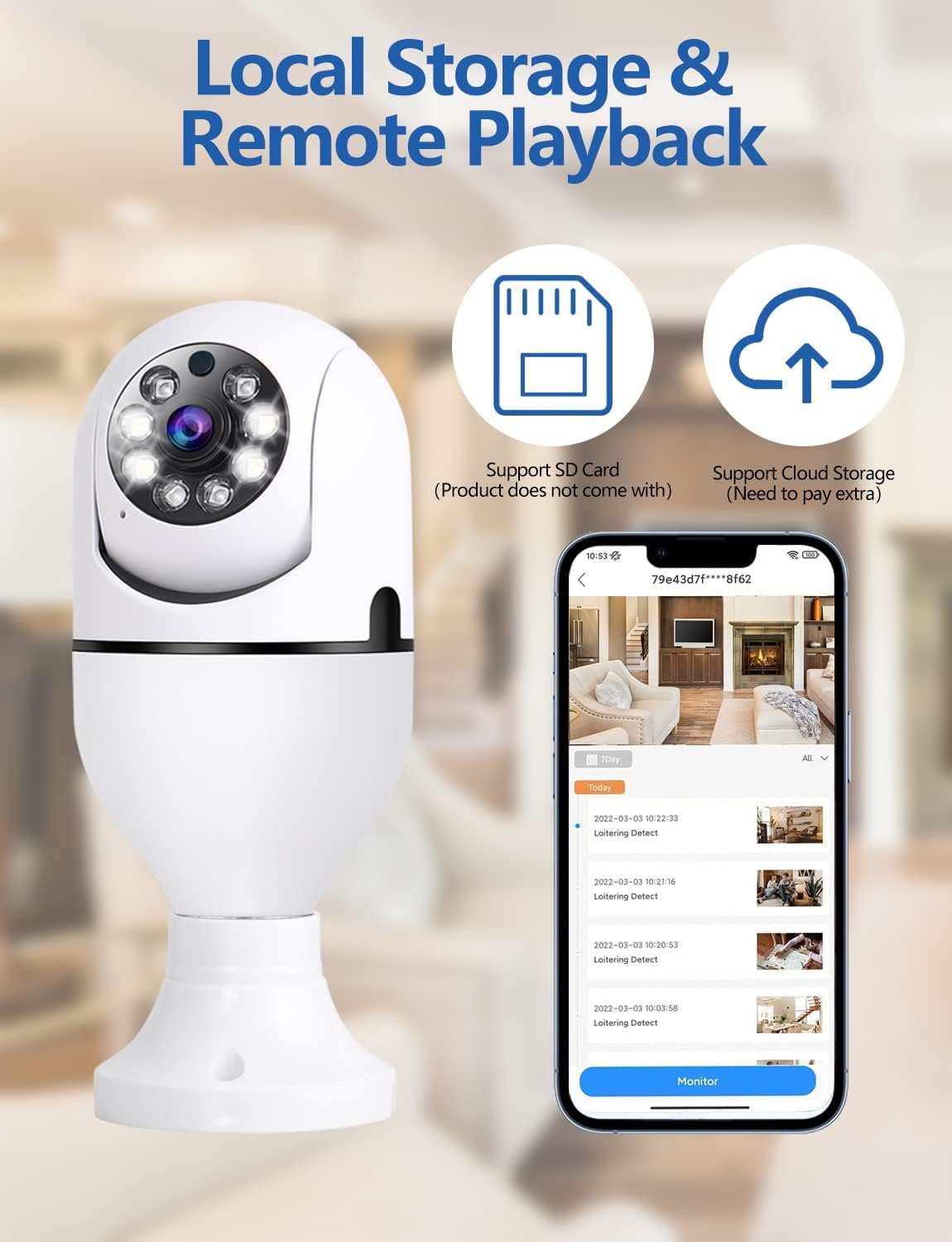
The camera supports continuous recording or event-triggered recording to a TF card (up to 128GB, not included) or cloud storage. Access recorded footage through the app's playback feature. You can download and save important clips to your mobile device.
Hình ảnh: This image details the local storage and remote playback options for the YOMARK Light Bulb Security Camera, featuring icons for SD card and cloud storage, and a mobile app interface showing a timeline of recorded events.

Hình ảnh: A visual comparison demonstrating the difference between 1080P and 720P video resolutions, highlighting the superior clarity of 1080P for detailed monitoring.
BẢO TRÌ
- Vệ sinh: Nhẹ nhàng lau ống kính và thân máy ảnh bằng vải mềm, khô. Tránh sử dụng hóa chất mạnh hoặc vật liệu mài mòn.
- Cập nhật chương trình cơ sở: Regularly check the YCC365 Plus app for available firmware updates to ensure optimal performance and security.
- Quản lý lưu trữ: Định kỳ review và quản lý foo đã ghi của bạntagSao chép dữ liệu vào thẻ TF hoặc bộ nhớ đám mây để giải phóng dung lượng nếu cần.
Xử lý sự cố
| Vấn đề | Nguyên nhân có thể | Giải pháp |
|---|---|---|
| Máy ảnh không kết nối được với Wi-Fi. | Incorrect Wi-Fi password, camera too far from router, 5G network selected when camera only supports 2.4GHz (or vice versa). | Verify Wi-Fi password. Move camera closer to the router. Ensure you are connecting to the correct Wi-Fi band (2.4GHz or 5G, as supported by the camera). Restart the camera and router. |
| Chất lượng video kém. | Weak Wi-Fi signal, insufficient bandwidth, dirty lens. | Improve Wi-Fi signal strength. Ensure adequate internet bandwidth. Clean the camera lens. |
| Motion alerts are too frequent or not triggered. | Sensitivity settings are too high/low, environmental factors (e.g., moving branches, shadows). | Adjust motion detection sensitivity in the app settings. Ensure the camera's field of view is clear of unnecessary triggers. |
| Âm thanh hai chiều không hoạt động. | Micrô/loa bị tắt tiếng trong ứng dụng, do độ trễ mạng. | Check app settings to ensure microphone and speaker are enabled. Verify network connection stability. |
Thông số kỹ thuật
| Tính năng | Chi tiết |
|---|---|
| Sử dụng được đề xuất | Indoor Security, Baby Monitoring, Pet Monitoring, Outdoor Security |
| Thương hiệu | YOMARK |
| Công nghệ kết nối | Wireless (2.4GHz & 5G WiFi) |
| Tính năng đặc biệt | 2-Way Audio, Motion Tracking, Full-Color Night Vision |
| Sử dụng trong nhà/ngoài trời | Indoor (Note: While the product title mentions outdoor, the specifications indicate primary indoor usage.) |
| Nguồn điện | E27 Bulb Base (110V~240V) |
| Độ phân giải video | 1080P Full HD |
| Kho | Cloud Storage, TF Card (up to 128GB, not included) |
Bảo hành và Hỗ trợ
Your YOMARK Light Bulb Security Camera comes with a standard manufacturer's warranty. For detailed warranty information, please refer to the product packaging or contact YOMARK customer support. If you encounter any issues or have questions not covered in this manual, please contact our customer support team for assistance.
Hỗ trợ khách hàng: Please refer to the contact information provided on the product packaging or YOMARK's official webđịa điểm.