Giới thiệu
Thank you for choosing the HMF 65709-02 9U 19-inch Rack Cabinet. This manual provides detailed instructions for the safe and efficient assembly, installation, and operation of your new rack cabinet. Please read this manual thoroughly before beginning assembly and retain it for future reference.
Thông tin an toàn
Luôn tuân thủ các biện pháp phòng ngừa an toàn sau đây để tránh thương tích hoặc hư hỏng sản phẩm:
- Đảm bảo tất cả các thành phần đều có sẵn và không bị hư hỏng trước khi lắp ráp.
- Sử dụng các công cụ thích hợp để lắp ráp.
- Không vượt quá khả năng chịu tải tối đa là 60 kg.
- When mounting to a wall, ensure the wall structure can support the weight of the cabinet and its contents.
- Giữ trẻ em và vật nuôi tránh xa khu vực lắp ráp.
- Handle the glass door with care to avoid breakage.
Nội dung gói
Xác minh rằng tất cả các thành phần sau đây đều có trong gói của bạn:
- Rack cabinet panels (top, bottom, sides, rear)
- 19-inch mounting rails
- Tempered glass door with cylinder lock
- 2 keys for the lock
- Các phụ kiện lắp ráp (ốc vít, đai ốc, vòng đệm)
- Hướng dẫn sử dụng (tài liệu này)
If any parts are missing or damaged, please contact HMF customer support.
Thiết lập và lắp ráp
The HMF 65709-02 rack cabinet is supplied unassembled for efficient shipping. Follow these steps carefully for proper assembly.
Các bước lắp ráp
- Chuẩn bị các thành phần: Unpack all components and lay them out on a clean, flat surface. Identify the top, bottom, side panels, and mounting rails.
- Attach Mounting Rails: Secure the 19-inch mounting rails to the side panels using the provided screws. Ensure they are oriented correctly for equipment installation.
- Lắp ráp khung tủ: Connect the side panels to the top and bottom panels. Use the provided hardware to firmly secure all connections.
- Lắp đặt tấm ốp phía sau: Attach the rear panel to the assembled frame.
- Mount Glass Door: Carefully attach the tempered glass door to the front of the cabinet using the hinges. Ensure the door swings freely.
- Cài đặt khóa: Insert the cylinder lock into the designated opening on the door and secure it. Test the lock with the provided keys.
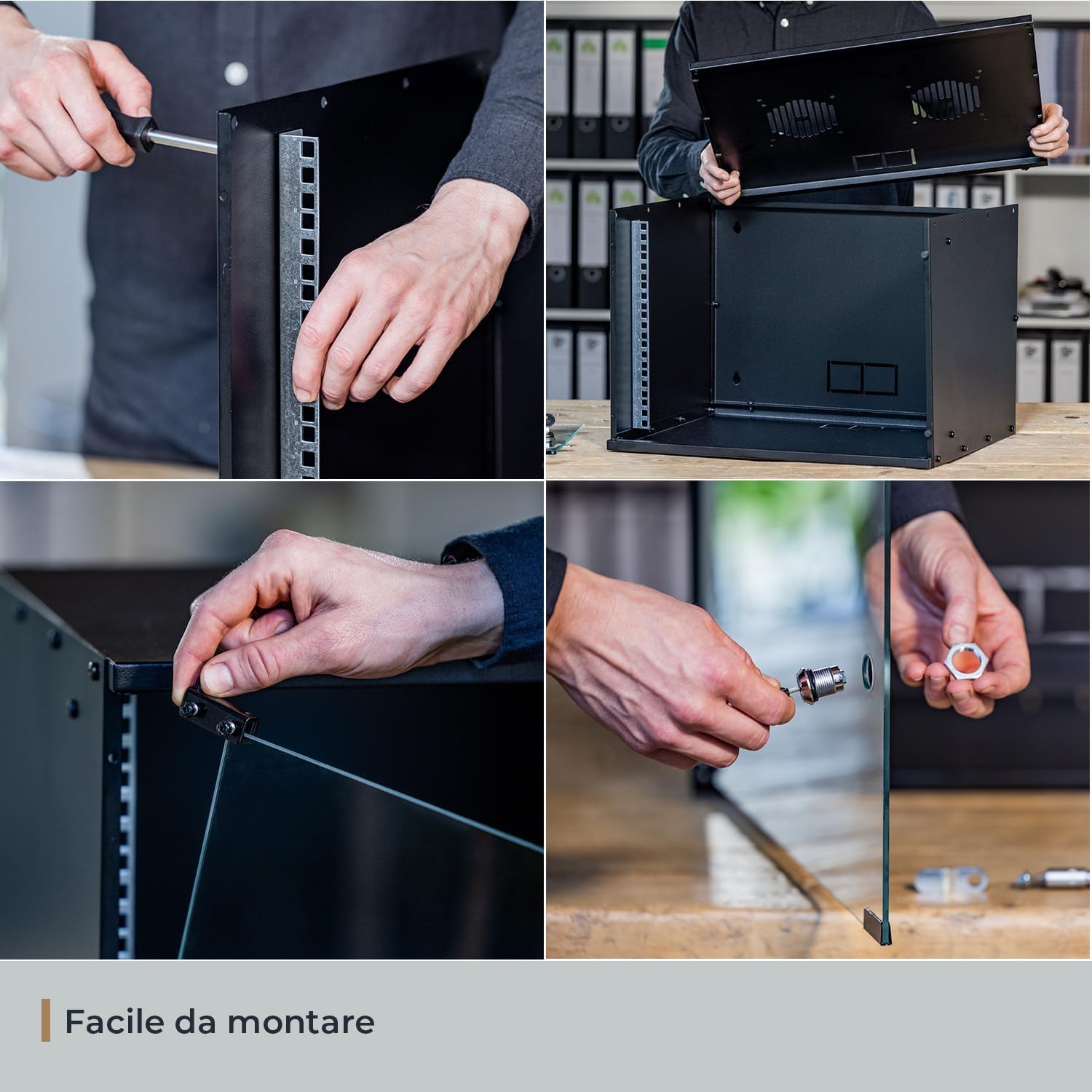
Image: Step-by-step visual guide for assembling the HMF 65709-02 rack cabinet, including securing mounting rails, connecting panels, and installing the glass door and lock mechanism.
Video hướng dẫn lắp ráp
Video: Official HMF assembly guide for the 19-inch rack cabinet, demonstrating the complete setup process from unpacking to final lock installation.
Lắp tường (Tùy chọn)
If wall mounting, ensure the wall material is suitable and use appropriate wall anchors (not included). Mark the drilling points using the cabinet's rear mounting holes as a template. Secure the cabinet firmly to the wall, ensuring it is level and stable before loading equipment.
Hướng dẫn sử dụng
Lắp đặt thiết bị
Install your 19-inch rack-mountable equipment into the cabinet using appropriate rack screws (not included). Ensure even weight distribution to maintain stability.
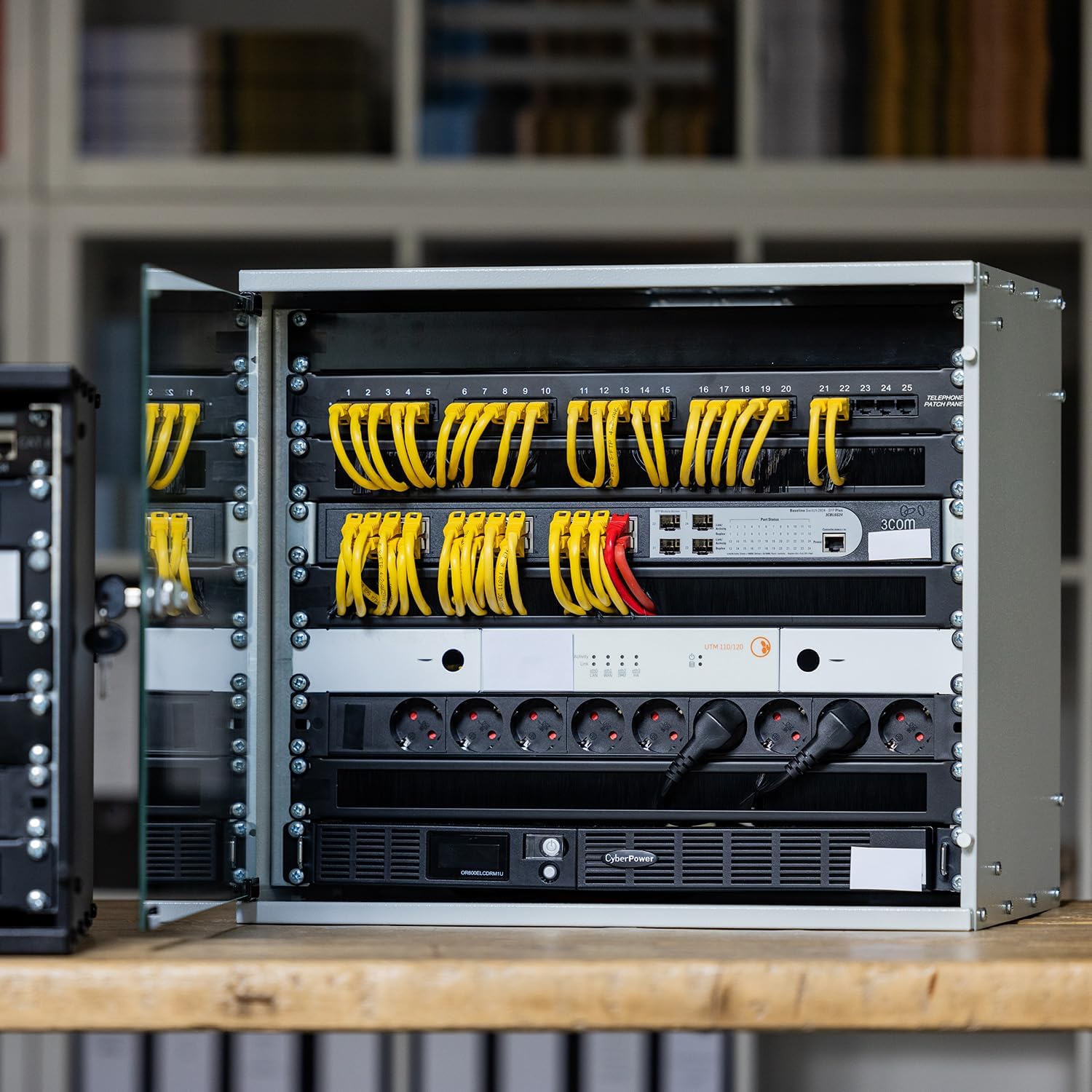
Image: An HMF rack cabinet with various network devices, patch panels, and power distribution units neatly installed, demonstrating proper equipment placement.
Quản lý cáp
Utilize the three cable pass-throughs located on the rear panel for organized cable routing. This helps maintain airflow and prevents cable damage.

Hình ảnh: Chi tiết view of the cabinet's internal features, highlighting the ventilation slots on the top panel, the three cable pass-throughs at the rear, and the robust 19-inch mounting rails.
Thông gió
The cabinet features two ventilation slots on the top panel, designed for mounting 120mm fans (fans not included). Ensure adequate airflow to prevent overheating of installed equipment.
BẢO TRÌ
- Vệ sinh: Làm sạch bề mặt bên ngoài bằng vải mềm,amp cloth. For the glass door, use a glass cleaner. Avoid abrasive cleaners.
- Điều tra: Periodically check all screws and connections to ensure they remain tight. Inspect the door hinges and lock for smooth operation.
- Thông gió: Ensure ventilation slots are free from dust and obstructions to maintain proper airflow.
Xử lý sự cố
| Vấn đề | Nguyên nhân có thể | Giải pháp |
|---|---|---|
| Cabinet feels unstable after assembly. | Ốc vít lỏng hoặc bề mặt không bằng phẳng. | Tighten all assembly screws. Ensure the cabinet is placed on a level surface or securely wall-mounted. |
| Cửa không đóng hoặc khóa được đúng cách. | Hinges misaligned or lock mechanism obstructed. | Check hinge alignment and adjust if necessary. Ensure no cables or equipment obstruct the door's closing path. Inspect the lock for any debris. |
| Equipment overheating inside the cabinet. | Hệ thống thông gió không đủ. | Ensure ventilation slots are clear. Consider installing 120mm cooling fans in the designated slots. Optimize cable routing to improve airflow. |
Thông số kỹ thuật
| Tính năng | Chi tiết |
|---|---|
| Thương hiệu | HMF |
| Người mẫu | 65709-02 |
| Kích cỡ | 9 U (Rack Units) |
| Kích thước sản phẩm (D x R x C) | 51 cm x 40 cm x 45 cm (khoảng 20.1 x 15.8 x 17.7 inch) |
| Độ sâu lắp đặt tối đa | 30.5 cm (khoảng 12 inch) |
| Vật liệu | Sheet steel (1 - 1.5 mm thickness) |
| Loại cửa | Kính an toàn cường lực 4mm |
| Khóa | Cylinder lock with 2 keys |
| Màu sắc | Đen |
| Cân nặng | 10 kg (khoảng 22 lbs) |
| Sức chứa tải | 60 kg (khoảng 132 lbs) |
| Thông gió | 2 slots for 120mm fans (fans not included) |
| Quản lý cáp | 3 cable pass-throughs |
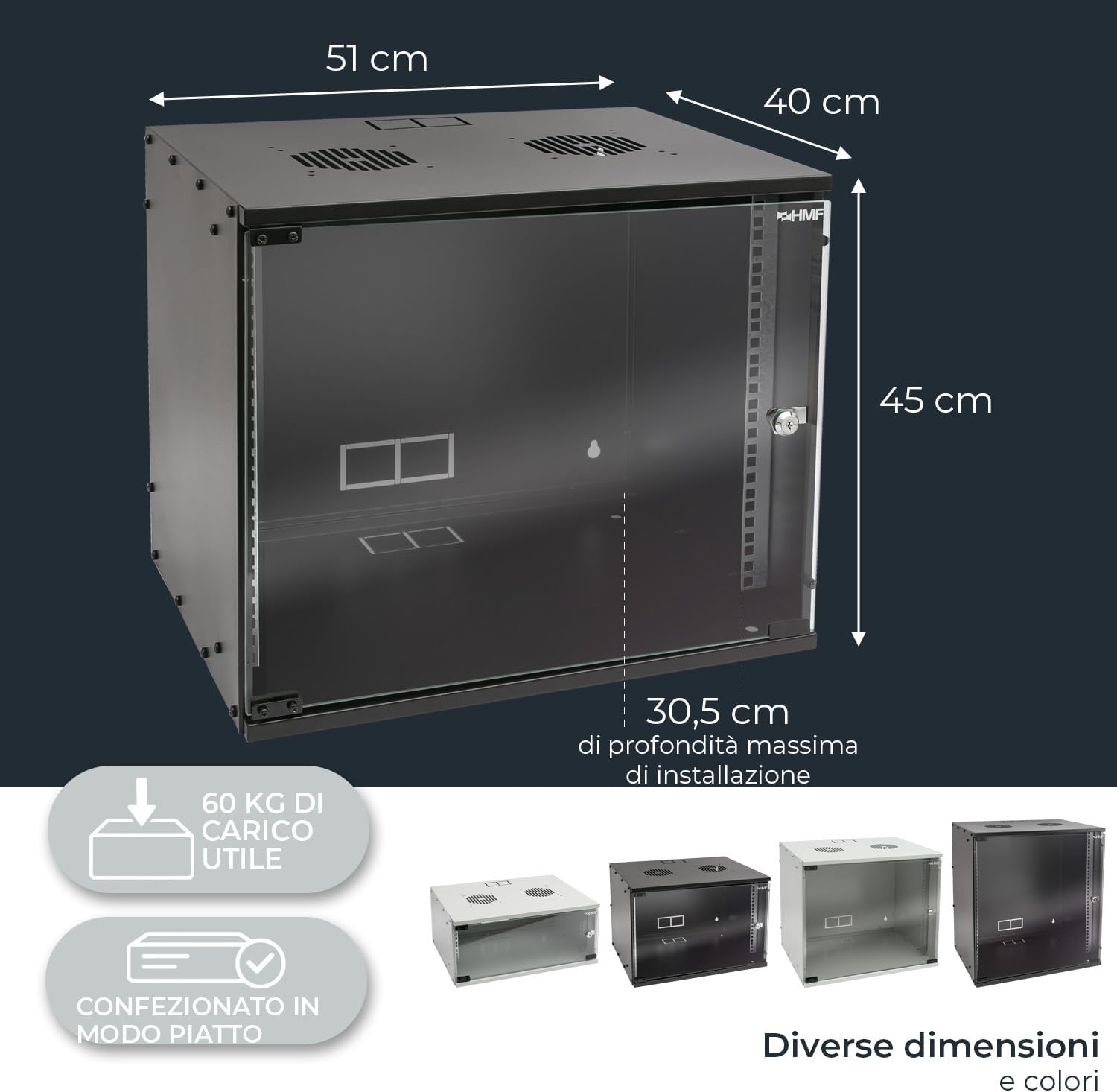
Hình ảnh: Đa chiều trênview of the HMF 65709-02 rack cabinet, indicating its external measurements and the maximum internal depth available for equipment installation.
Bảo hành và Hỗ trợ
HMF products are manufactured to high-quality standards. For warranty information or technical support, please refer to the contact details provided with your purchase or visit the official HMF webđịa điểm.
Webđịa điểm: HMF Official Store


