FLITI Galaxy Projector Instruction Manual
Model: galaxy projector-1
Thông tin an toàn quan trọng
Please read all safety instructions carefully before operating this product. Failure to follow these instructions may result in injury or damage to the product.
- Giám sát của người lớn: Do not allow children to operate this product alone.
- Mục đích sử dụng: This product is designed for indoor use in night or dark environments. Outdoor use, or use in daylight or strong light conditions, will significantly affect the projection effect.
- Khả năng chống nước: The product has an IP20 waterproof rating, meaning it is suitable for dry environments only. Avoid exposure to water or damp điều kiện.
- Nhiệt độ hoạt động: The recommended operating temperature range is 0-45°C (32-113°F). Operation outside this range, especially in excessively high or low temperatures, may cause the product to malfunction or the laser to not illuminate.
- Bộ đổi nguồn: Use only a DC5V/2A power adapter with this product. Using an adapter with incorrect voltage or current may damage the laser module and shorten the product's service life.
- Xử lý vật lý: Avoid dropping or subjecting the device to strong impacts, as this may damage the internal laser module.
- Normal Operation Noise: A slight noise may be heard when the internal motor rotates. This is normal and does not indicate a quality defect.

Sản phẩm trênview
The FLITI Galaxy Projector creates a captivating visual experience with its nebula and galaxy projections. It features a wide coverage area, integrated Bluetooth speaker, white noise functions, and various lighting modes to enhance any room.

Các tính năng chính:
- Dynamic Galaxy & Nebula Projections: Projects sci-fi nebula shapes and dreamy galaxy patterns.
- Phạm vi bao phủ rộng rãi: Designed to illuminate an entire room, not just the ceiling.
- Loa Bluetooth tích hợp: Connect your device to play music.
- White Noise Functionality: Provides soothing sounds for relaxation.
- Cài đặt có thể điều chỉnh: Includes timing, brightness adjustment, and various lighting modes.
- Điều khiển từ xa: Hoạt động thuận tiện từ xa.

Cài đặt
- Tháo hộp: Carefully remove the galaxy projector and its accessories from the packaging. Ensure all components, including the projection lamp and base, are present.
- Vị trí: Place the projector on a stable, flat surface. For optimal projection, position it in the center of the room or at a desired angle to cover the intended area. The projector's base allows for adjustable light direction.
- Kết nối nguồn điện: Connect the provided DC5V/2A power adapter to the projector's power input port. Plug the adapter into a standard electrical outlet.
- Bật nguồn ban đầu: Nhấn nút nguồn trên máy chiếu hoặc điều khiển từ xa để bật thiết bị.
Hướng dẫn sử dụng
Basic Controls (via Projector Buttons or Remote Control):
- Bật/Tắt nguồn: Nhấn nút nguồn để bật hoặc tắt máy chiếu.
- Chế độ ánh sáng: Cycle through various galaxy and nebula projection modes.
- Điều chỉnh độ sáng: Điều chỉnh cường độ ánh sáng chiếu.
- Tốc độ quay: Control the speed of the galaxy/nebula rotation.
- Chức năng hẹn giờ: Set an automatic shut-off timer (e.g., 1H/2H/4H options may be available).

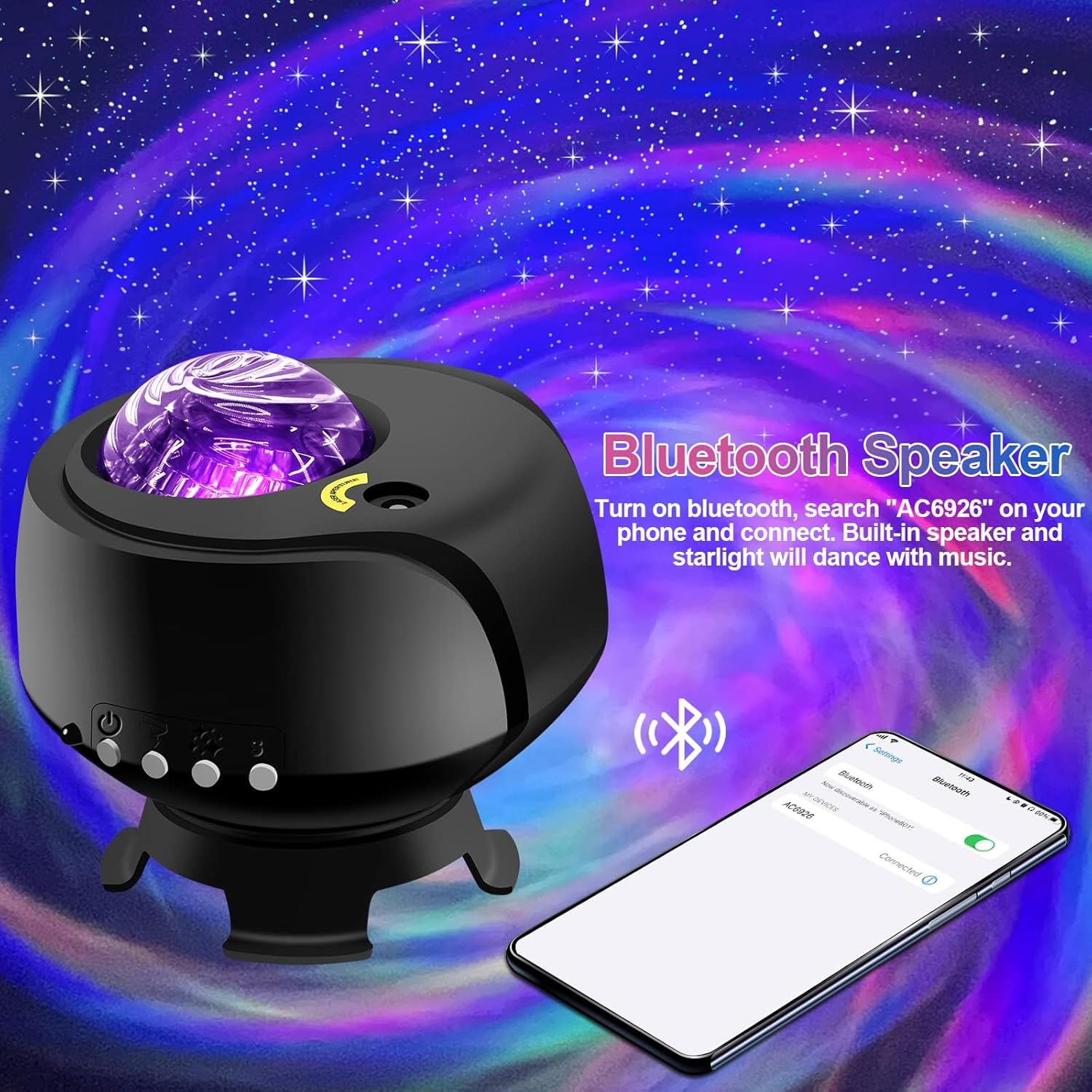
Chức năng loa Bluetooth:
- Đảm bảo máy chiếu đã được bật nguồn.
- Trên thiết bị di động của bạn, bật Bluetooth và tìm kiếm các thiết bị có sẵn.
- Select the device named "AC6926" to pair.
- Once connected, you can play audio through the projector's built-in speaker. The projected starlight can synchronize with the music.
White Noise Function:
The projector includes a white noise feature to aid relaxation or sleep. Refer to the remote control or projector buttons for specific controls to activate and select white noise sounds.
BẢO TRÌ
- Vệ sinh: Disconnect the power before cleaning. Use a soft, dry cloth to wipe the exterior of the projector. Do not use abrasive cleaners, solvents, or excessive moisture, as these can damage the finish or internal components.
- Chăm sóc ống kính: Gently wipe the projection lens with a soft, lint-free cloth to ensure clear projection.
- Kho: When not in use for extended periods, store the projector in a cool, dry place, away from direct sunlight and extreme temperatures. Keep it in its original packaging if possible to protect it from dust and impacts.
Xử lý sự cố
- Projector Does Not Turn On:
- Hãy đảm bảo bộ chuyển đổi nguồn được kết nối chắc chắn với cả máy chiếu và ổ cắm điện đang hoạt động.
- Verify that you are using the correct DC5V/2A power adapter.
- Check if the power button on the projector or remote control is functioning.
- No Projection / Dim Projection:
- Ensure the room is sufficiently dark. The product is designed for optimal performance in low-light conditions.
- Adjust the brightness settings using the remote control or projector buttons.
- Check if the projection lens is clean and free from obstructions.
- Verify the ambient temperature is within the recommended 0-45°C range.
- Sự cố kết nối Bluetooth:
- Ensure the projector is powered on and in Bluetooth pairing mode.
- Đảm bảo Bluetooth trên thiết bị di động của bạn được bật và nằm trong phạm vi phủ sóng.
- Hãy thử hủy ghép nối và ghép nối lại thiết bị.
- Khởi động lại cả máy chiếu và thiết bị di động của bạn.
- Tiếng ồn của động cơ:
- A slight noise during motor rotation is normal and not a defect. If the noise is excessive or unusual, contact customer support.
Thông số kỹ thuật
| Tính năng | Đặc điểm kỹ thuật |
|---|---|
| Số hiệu mẫu | máy chiếu thiên hà-1 |
| Thương hiệu | FLITI |
| Màu sắc | Đen |
| Hình dạng | Ngôi sao |
| Vật liệu | Nhựa |
| Loại hoàn thiện | Máy chiếu |
| Loại nguồn sáng | DẪN ĐẾN |
| Nguồn điện | Điện có dây |
| Tậptage | 240 vôn |
| Cái gì?tage | 4 watt |
| Kích thước sản phẩm | Dài 5.5" x Rộng 4" x Cao 5.1" |
| Trọng lượng sản phẩm | 13.1 ounce (370 gram) |
| Các thành phần bao gồm | Phép chiếu Lamp, Căn cứ |
| Tính năng đặc biệt | Thay đổi màu sắc |
| Chuyển kiểu | Xa |
| Mã số UPC | 199284591172 |
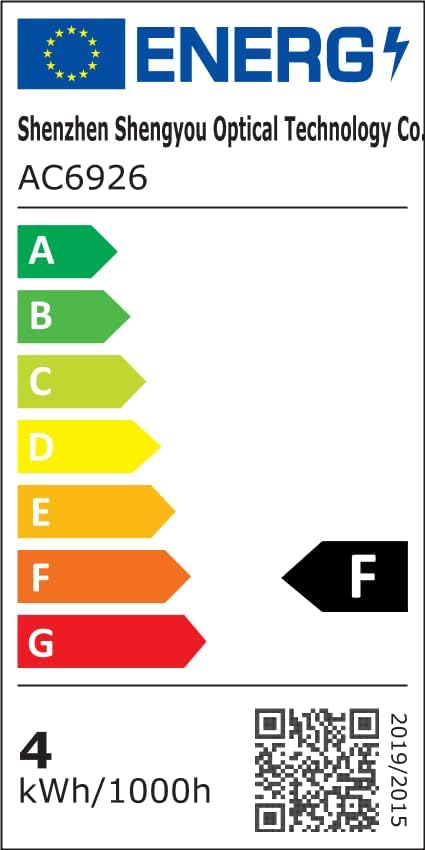
Thông tin về Hiệu quả Năng lượng:
Bảo hành & Hỗ trợ
FLITI is committed to providing high-quality products and customer satisfaction. For any questions, concerns, or support needs regarding your Galaxy Projector, please contact the manufacturer directly.
- Nhà sản xuất: FLITI
- Kế hoạch bảo vệ: Extended protection plans are available for purchase separately. Please refer to your retailer for details on 3-Year or 4-Year protection plans.
- Trả về: Sản phẩm này được áp dụng chính sách hoàn tiền/đổi trả trong vòng 30 ngày.


