Giới thiệu
Thank you for choosing the HXSJ Wireless Foldable Bluetooth Touch Mouse m52. This manual provides detailed instructions for setting up, operating, and maintaining your new mouse. Please read this manual thoroughly to ensure proper use and to maximize the performance of your device.
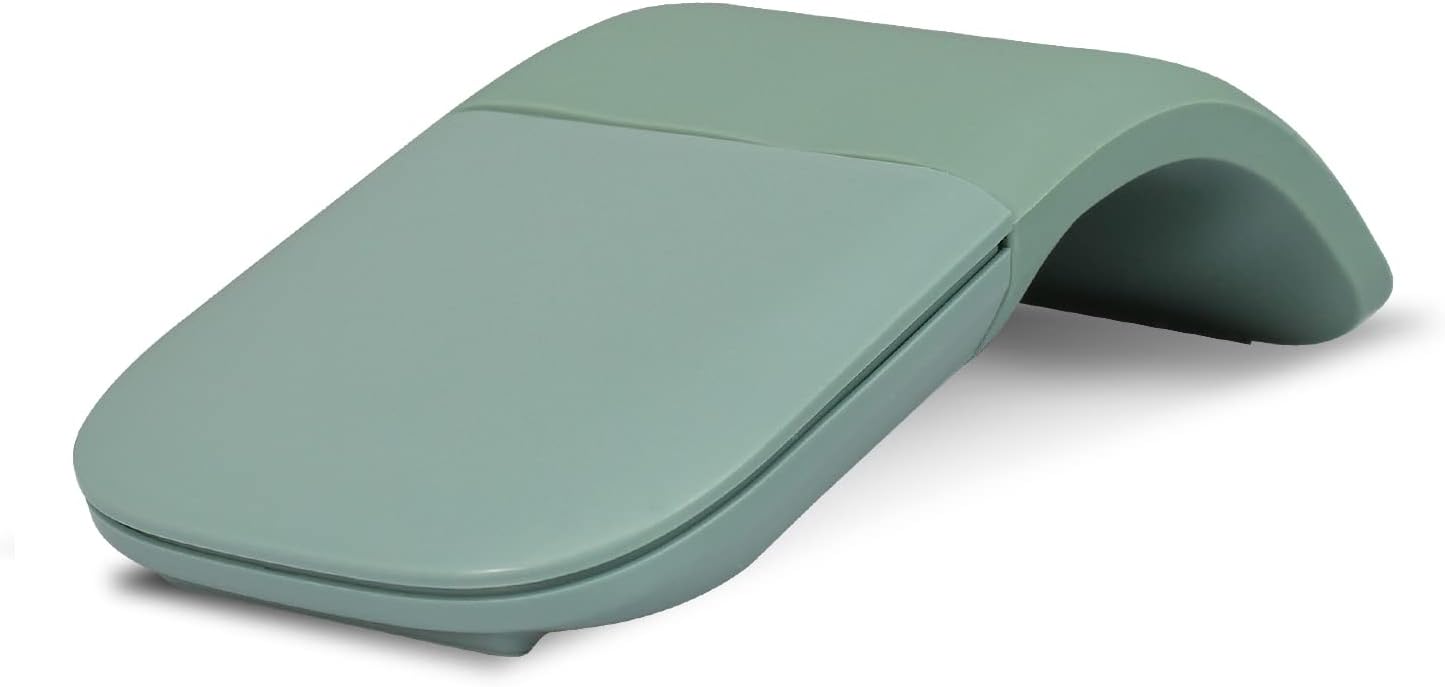
Image: The HXSJ Wireless Foldable Bluetooth Touch Mouse m52 in its arched, operational state. The mouse is green and features a sleek, minimalist design.
Sản phẩm trênview
Các tính năng chính
- Innovative Full Touch Plane: The entire surface functions as a scroll plane, allowing for vertical scrolling.
- Thiết kế siêu mỏng và nhẹ: Designed for portability, making it easy to carry anywhere.
- Kết nối không dây Bluetooth: Connects wirelessly to compatible devices via Bluetooth 4.0. No USB receiver is required.
- Thiết kế có thể gập lại: The mouse powers on when bent into an arch and powers off when flattened.
- Khả năng tương thích rộng: Works with Bluetooth-enabled devices running Windows Vista, 8, 10, Mac OS, Linux, and Android operating systems.
Thành phần và Kích thước
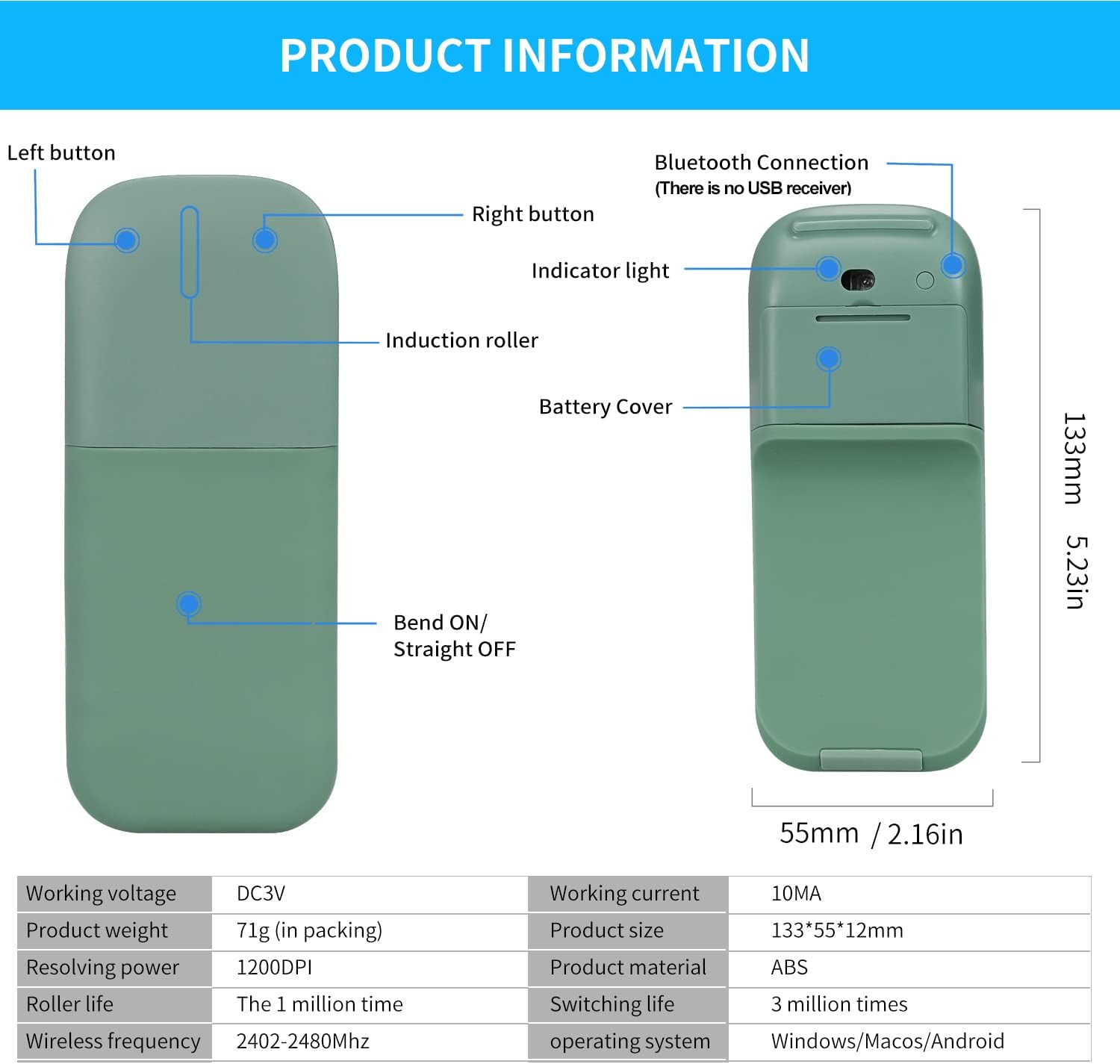
Image: A detailed diagram illustrating the components of the HXSJ m52 mouse, including the left button, right button, indicator light, induction roller, battery cover, and the bend point for power on/off. Dimensions are shown as 133mm (5.23in) length and 55mm (2.16in) width.
- Nút bên trái: Chức năng nhấp chuột chính.
- Nút phải: Chức năng nhấp chuột phụ.
- Đèn báo: Cung cấp phản hồi về trạng thái.
- Induction Roller: Touch-sensitive area for scrolling.
- Nắp pin: Located on the underside for battery access.
- Bend Point: Mechanism for powering the mouse on and off.
Hướng dẫn thiết lập
Follow these steps to set up your HXSJ Wireless Foldable Bluetooth Touch Mouse m52:
- Chèn pin: Open the battery cover on the underside of the mouse and insert two (2) AAA dry batteries (not included), ensuring correct polarity.
- Bật nguồn chuột: Bend the mouse into its arched position. You will hear a sound, and the blue indicator light will flash, indicating the mouse is powered on and ready for pairing.
- Kích hoạt ghép nối Bluetooth: Press the dedicated Bluetooth button on the mouse to initiate pairing mode.
- Connect via Device Settings: Trên máy tính, máy tính bảng hoặc điện thoại thông minh của bạn, hãy truy cập vào cài đặt Bluetooth.
- Add Bluetooth Device: Select the option to 'Add Bluetooth device' or 'Pair new device'. Your device will search for available Bluetooth devices.
- Chọn và Kết nối: Locate 'HXSJ Mouse' (or similar identifier) in the list of found devices and click to connect. Once connected, the mouse is ready for use.
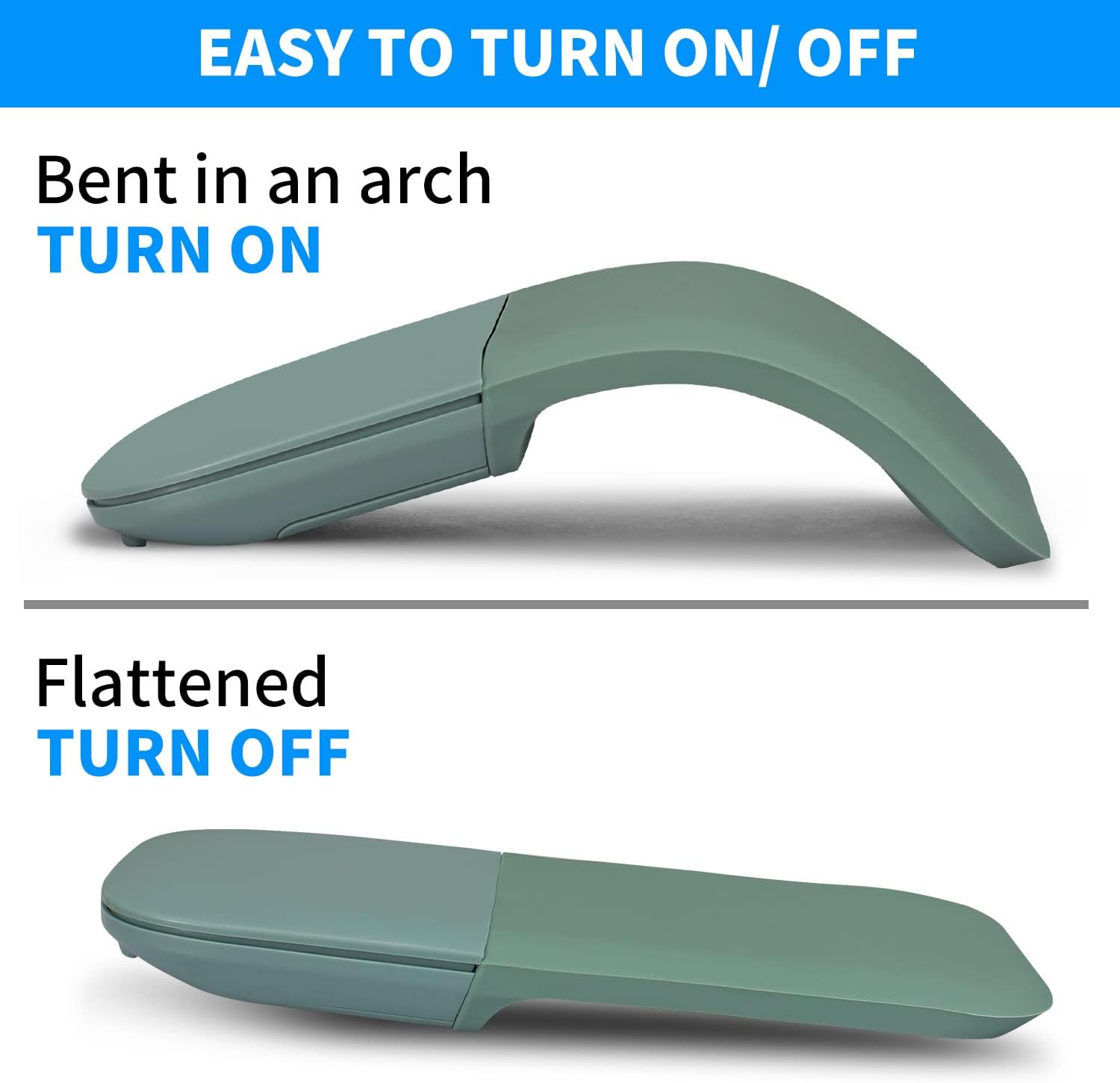
Image: Illustration demonstrating how bending the mouse into an arch turns it ON, and flattening it turns it OFF.
Lưu ý quan trọng:
- This is a Bluetooth mouse and does not require a USB receiver.
- The mouse is not compatible with Windows 7 or Windows XP operating systems.
- Bạn phải uốn cong chuột lên để bật nguồn. Nếu để chuột ở vị trí thẳng, nó sẽ không bật.
Hướng dẫn sử dụng
The HXSJ m52 mouse features a touch-sensitive surface for intuitive control.

Image: A visual guide to the touch functions of the mouse, showing finger placement for vertical scrolling (slide to roll) and for left and right clicks.
- Ấn chuột trái: Tap the left side of the touch surface with your index finger.
- Nhấp chuột phải: Tap the right side of the touch surface with your middle finger.
- Cuộn: Slide your finger up or down the center of the touch surface to scroll vertically. The full touch plane supports this function.
- Bật/Tắt nguồn: Bend the mouse into an arch to turn it on. Flatten the mouse to turn it off.
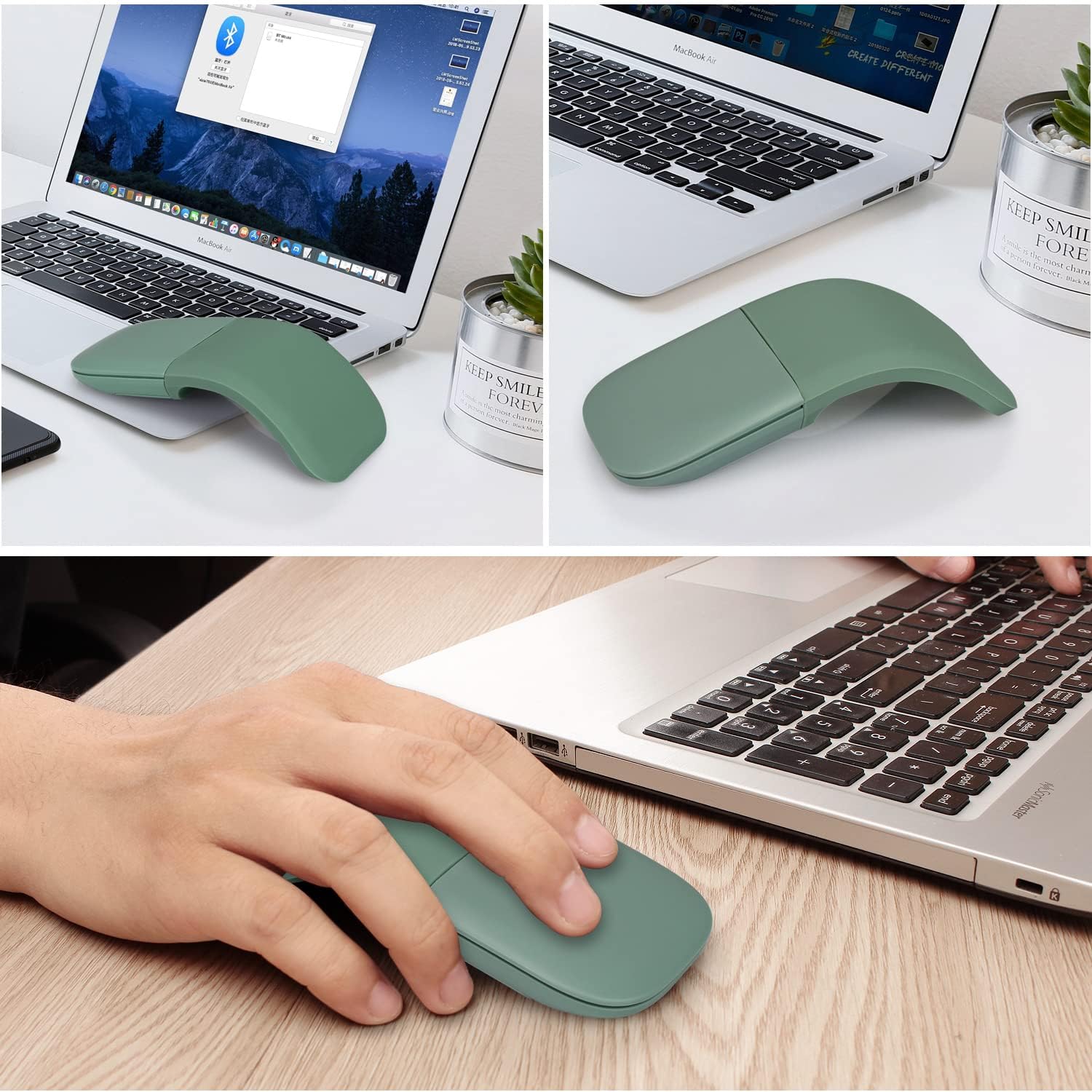
Image: The HXSJ m52 mouse in use, demonstrating its ergonomic design and compatibility with laptop setups.
BẢO TRÌ
To ensure the longevity and optimal performance of your HXSJ Wireless Foldable Bluetooth Touch Mouse m52, please follow these maintenance guidelines:
- Vệ sinh: Hãy dùng khăn mềm, khô để lau sạch bề mặt chuột. Tránh sử dụng hóa chất mạnh hoặc vật liệu mài mòn.
- Thay thế pin: Replace batteries when the mouse performance degrades or the indicator light signals low power. Always use new AAA batteries.
- Kho: When not in use, flatten the mouse to turn it off and conserve battery life. Store it in a cool, dry place away from direct sunlight and extreme temperatures.
- Xử lý: Avoid dropping the mouse or subjecting it to strong impacts. Do not attempt to disassemble the mouse, as this may void any potential warranty and cause damage.
Xử lý sự cố
If you encounter issues with your HXSJ Wireless Foldable Bluetooth Touch Mouse m52, refer to the following common problems and solutions:
| Vấn đề | Nguyên nhân có thể | Giải pháp |
|---|---|---|
| Mouse does not turn on. | Mouse is not bent into the arched position. Batteries are low or incorrectly inserted. | Ensure the mouse is fully bent into the arched position. Check and replace batteries if necessary, ensuring correct polarity. |
| Chuột không kết nối qua Bluetooth. | Bluetooth is off on the device. Mouse is not in pairing mode. Device is incompatible. | Ensure Bluetooth is enabled on your computer/device. Press the Bluetooth button on the mouse to enter pairing mode. Verify your device's operating system is compatible (Windows Vista, 8, 10, Mac OS, Linux, Android). |
| Mouse cursor is erratic or unresponsive. | Low battery. Dirty optical sensor. Unsuitable surface. | Replace batteries. Clean the optical sensor on the underside of the mouse with a soft cloth. Use the mouse on a clean, non-reflective surface. |
| No USB receiver included. | This is a Bluetooth-only mouse. | The HXSJ m52 mouse connects exclusively via Bluetooth and does not use a USB receiver. Ensure your device has Bluetooth capability. |
Thông số kỹ thuật
Detailed technical specifications for the HXSJ Wireless Foldable Bluetooth Touch Mouse m52:
| Tính năng | Đặc điểm kỹ thuật |
|---|---|
| Số hiệu mẫu | m52 |
| Công nghệ không dây | Bluetooth 4.0 |
| Khoảng cách không dây | 10-15 meters (32.8 - 49.2 feet) |
| Kích thước sản phẩm (khi trải phẳng) | 133 x 55 x 12 mm (5.24 x 2.17 x 0.47 inch) |
| Cân nặng | 75 ± 5 grams (2.46 ounces) |
| Độ phân giải (DPI) | 1200dpi |
| Chu kỳ hoạt động | 1,000,000 chu kỳ |
| Loại pin | Sử dụng 2 pin AAA (không kèm theo). |
| Vật liệu | ABS Plastic and Silicone |
| Công nghệ phát hiện chuyển động | Quang học |
| Hệ điều hành tương thích | Windows Vista, 8, 10; Mac OS; Linux; Android (Not compatible with Windows 7 or XP) |
| Màu sắc | Màu xanh lá |
Bảo hành và Hỗ trợ
Specific warranty information for the HXSJ Wireless Foldable Bluetooth Touch Mouse m52 is not provided in the product details. For warranty claims or technical support, please refer to the retailer or manufacturer's official webTrang web nơi sản phẩm được mua. Giữ lại hóa đơn mua hàng làm bằng chứng.


