1. Giới thiệu
The LAUNCH CRP909E OBD2 Scanner is a professional diagnostic tool designed for comprehensive vehicle system analysis and maintenance. This device offers advanced features for automotive technicians and enthusiasts, providing accurate and efficient diagnostic capabilities for a wide range of vehicle models.
Key features include full system diagnostics, over 28 reset functions, full OBD2 modes, power balance testing, and extensive vehicle compatibility. The CRP909E operates on Android 7.0, features a 7-inch IPS touchscreen, and is equipped with a 6000mAh battery for extended use.

Image: The LAUNCH CRP909E OBD2 Scanner, showcasing its 7-inch touchscreen and robust design, ready for diagnostic tasks.
2. Nội dung gói hàng
Sau khi mở gói hàng, hãy kiểm tra xem tất cả các thành phần có đầy đủ và trong tình trạng tốt hay không:
- LAUNCH CRP909E Main Unit
- Bộ sạc
- Bộ đổi nguồn
- Cáp USB-C
- Cáp chẩn đoán OBD2
- Hướng dẫn sử dụng (tài liệu này)
- Carry Box

Image: Contents of the LAUNCH CRP909E package, including the scanner, charger, adapter, USB-C cable, OBD2 cable, user manual, and a protective carry box.
3. Thiết lập và sử dụng lần đầu
3.1 Khởi động thiết bị
The CRP909E is equipped with a built-in Lithium Polymer battery. To power on, press and hold the power button located on the side of the device until the screen illuminates. Ensure the device is sufficiently charged before first use. Connect the charger if the battery level is low.
3.2 Cấu hình ban đầu
Upon first startup, the device will guide you through initial setup steps, including language selection, Wi-Fi connection, and time zone settings. A stable Wi-Fi connection is recommended for software updates and online features.
3.3 Cập nhật phần mềm
It is crucial to keep the device's software updated to ensure optimal performance and access to the latest vehicle models and diagnostic functions. The CRP909E offers 2 years of free updates. Connect to Wi-Fi and navigate to the "Upgrade" section on the main menu to check for and install available updates.
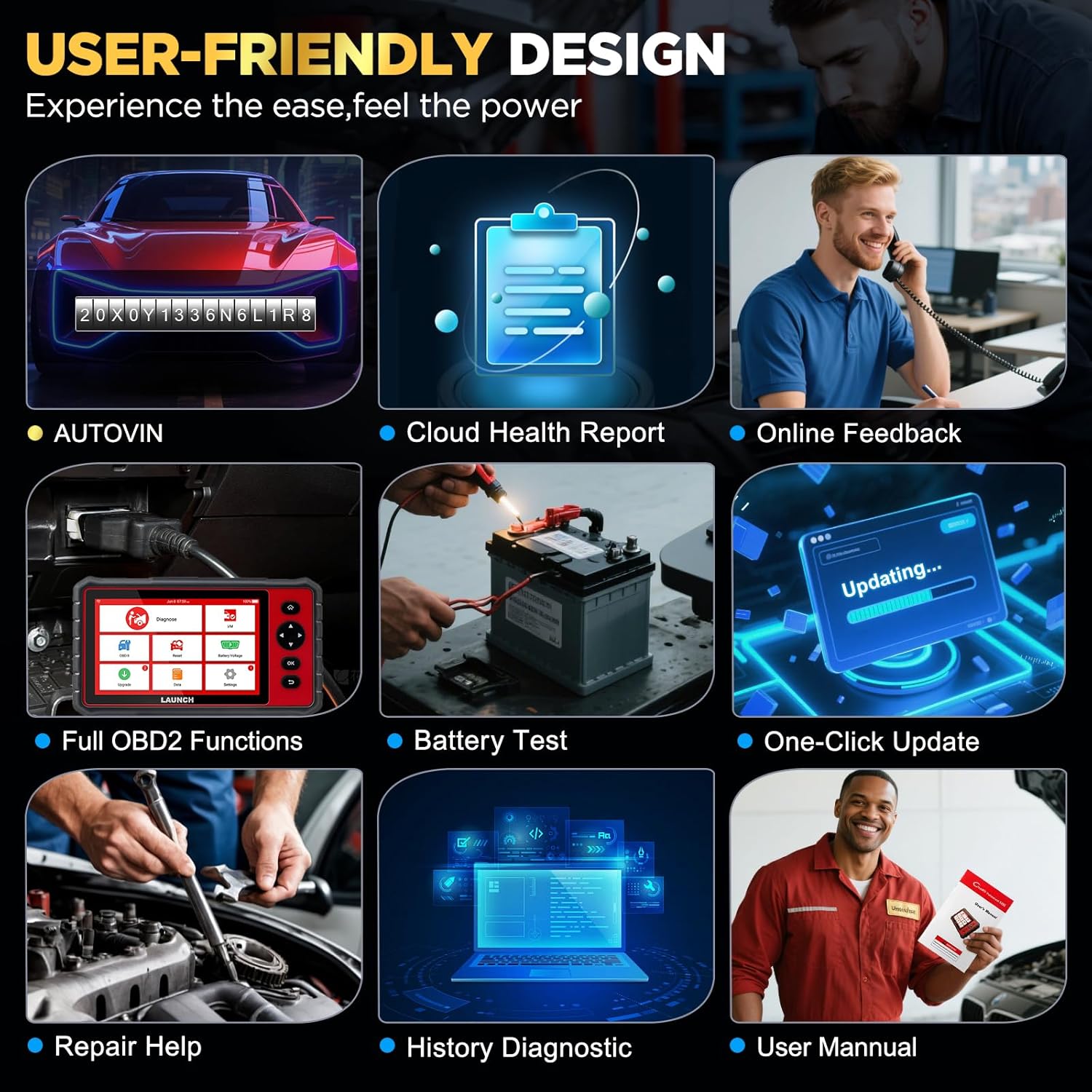
Image: The user-friendly interface of the LAUNCH CRP909E, highlighting the "Upgrade" icon for software updates and other key functions like AutoVIN and Battery Test.
4. Vận hành máy quét
4.1 Chẩn đoán toàn hệ thống
The CRP909E can read and clear diagnostic trouble codes (DTCs) and view live data for all available vehicle systems. This includes, but is not limited to, Engine, Transmission, Airbag (SRS), Anti-lock Braking System (ABS), Electronic Stability Program (ESP), Tire Pressure Monitoring System (TPMS), Cruise Control, Gateway, Steering, Rain, Brake, Fuel, 4WD system, Radio, Air Conditioning, Central Locking, Electric Windows, and Xenon Headlights.
To perform a full system scan:
- Connect the OBD2 diagnostic cable to the vehicle's OBD2 port and the scanner.
- Bật chìa khóa điện của xe sang vị trí ON (động cơ tắt).
- Select "Diagnose" from the main menu.
- The device will automatically detect the vehicle's VIN (Auto-VIN Scan) or prompt for manual entry.
- Follow the on-screen instructions to initiate a full system scan.
- Review the generated Cloud Health Report for a comprehensive overview of vehicle health.

Image: The LAUNCH CRP909E connected to a vehicle, illustrating its capability to perform OE All Systems Diagnostics, including reading and clearing DTCs across various modules like ABS, SRS, and Engine.
4.2 Special Functions and Maintenance Services
The CRP909E provides over 28 common reset and maintenance functions. These functions allow for specific component calibration, adaptation, or reset procedures after repairs or part replacements. Some of the key functions include:
- Đặt lại đèn báo dầu: Tắt đèn báo thay dầu sau khi thay dầu.
- Thiết lập lại phanh tay điện tử (EPB): Vô hiệu hóa và kích hoạt lại hệ thống điều khiển phanh để thay thế má phanh.
- Diesel Particulate Filter (DPF) Regeneration: Loại bỏ các hạt vật chất khỏi bộ lọc DPF.
- Hiệu chuẩn cảm biến góc lái (SAS): Hiệu chỉnh cảm biến góc lái.
- Thiết lập lại hệ thống giám sát áp suất lốp (TPMS): Khôi phục cài đặt gốc cho cảm biến TPMS sau khi xoay hoặc thay lốp.
- Chảy máu ABS: Performs brake bleeding to restore ABS brake sensitivity.
- Điều chỉnh bướm ga: Khởi tạo bộ truyền động bướm ga về trạng thái mặc định.
- Mã hóa kim phun: Mã hóa số kim phun mới vào ECU.
- Thiết lập lại Hệ thống Quản lý Pin (BMS): Đăng ký thay thế pin mới.
- Học hỏi về thiết bị: Completes gear learning after engine ECU replacement or crankshaft position sensor replacement.
- Sunroof Reset, Suspension Reset, AFS Headlamp Reset, Gearbox Reset, A/C System Relearn, A/F Reset, Coolant Bleed, Language Change, NOx Sensor Reset, Seats Calibration, Stop/Start Reset, Transport Mode, Tyre Reset, Windows Calibration.
To access these functions, select "Reset" from the main menu and choose the desired service function. Follow the on-screen prompts carefully.

Image: A visual representation of the 28+ special functions available on the LAUNCH CRP909E, including TPMS Reset, ABS Reset, Throttle Relearn, and Oil Reset.
4.3 Chức năng OBDII đầy đủ
The CRP909E supports all 10 OBDII test modes, allowing for comprehensive engine and emission-related diagnostics:
- Read Codes (P0, P1, P2, P3, U0, U1)
- Erase Codes and Reset
- Luồng dữ liệu trực tiếp
- Trạng thái sẵn sàng I/M
- Đóng băng dữ liệu khung
- Kiểm tra cảm biến O2
- Kiểm tra màn hình trên bo mạch
- Kiểm tra thành phần
- Thông tin xe (VIN, CIN, CVN)
- Mô-đun hiện tại
Access these functions via the "OBD II" icon on the main menu.
4.4 Real-Time Data Stream
The device can display live sensor data in text, graph, or gauge format, allowing for real-time monitoring of vehicle performance parameters such as engine RPM, vehicle speed, oil temperature, misfire data, and tire pressure. The 4-in-1 graphic display mode is particularly useful for comparing multiple data streams simultaneously.

Image: The LAUNCH CRP909E displaying real-time data streams in a graphical format, showing parameters like oil temperature, vehicle speed, and accelerator pedal positions for detailed analysis.
4.5 Khả năng tương thích với xe
The LAUNCH CRP909E supports 12V passenger cars, hybrid cars, diesel cars, pickups, light trucks, SUVs, gasoline cars, minivans, caravans, and vans from 1996 to 2025. It covers OBD2/EOBD/KOBD/CAN protocols and is compatible with over 150 car brands globally, including major manufacturers from USA, Europe, and Asia. For OBD1 and JOBD vehicles, an appropriate adapter is required (sold separately).

Image: A map illustrating the global vehicle coverage of the LAUNCH CRP909E, highlighting compatibility with major car brands across USA, Europe, and Asia, along with support for 11 languages.
5. Bảo trì
Proper maintenance ensures the longevity and optimal performance of your CRP909E scanner.
- Vệ sinh: Sử dụng một mềm, damp cloth to clean the device's screen and body. Avoid abrasive cleaners or solvents.
- Kho: Store the device in its protective carry box in a cool, dry place when not in use. Avoid extreme temperatures.
- Chăm sóc pin: Để kéo dài tuổi thọ pin tối ưu, tránh xả hết pin thường xuyên. Nếu cất giữ trong thời gian dài, hãy sạc pin đến khoảng 50% và sạc đầy lại vài tháng một lần.
- Cập nhật phần mềm: Regularly check for and install software updates to ensure compatibility with new vehicle models and access to enhanced features.
KHAI THÁC. Xử lý sự cố
This section addresses common issues you might encounter with your CRP909E scanner.
| Vấn đề | Nguyên nhân có thể | Giải pháp |
|---|---|---|
| Thiết bị không bật nguồn. | Low battery; power button not held long enough; device malfunction. | Sạc thiết bị trong ít nhất 30 phút. Nhấn và giữ nút nguồn trong 3-5 giây. Nếu sự cố vẫn tiếp diễn, hãy liên hệ với bộ phận hỗ trợ. |
| Không liên lạc được với xe. | Loose OBD2 connection; vehicle ignition off; incompatible vehicle protocol; blown vehicle fuse. | Ensure OBD2 cable is securely connected. Turn ignition to ON. Verify vehicle compatibility. Check vehicle's OBD2 port fuse. |
| Cập nhật phần mềm không thành công. | Unstable Wi-Fi connection; insufficient storage; server issue. | Ensure strong Wi-Fi signal. Check available storage space. Try updating again later. |
| Màn hình bị đơ hoặc không phản hồi. | Lỗi phần mềm; hệ thống quá tải. | Perform a forced restart by holding the power button until the device shuts down, then restart. |
For more detailed troubleshooting or issues not listed here, utilize the "Online Feedback" or "Repair Help" functions available on the device, or refer to the official user manual PDF linked in the support section.
7. Thông số kỹ thuật
| Tính năng | Chi tiết |
|---|---|
| Người mẫu | KHỞI ĐỘNG CRP909E |
| Hệ điều hành | Android 7.0 |
| Trưng bày | Màn hình cảm ứng IPS 7 inch |
| Ắc quy | Liti Polyme 6000mAh |
| Ký ức | 2GB RAM / 16GB Storage (internal) |
| Kết nối | Wi-Fi (2.4 & 5 GHz) |
| Kích thước | Khoảng 15 x 10.83 x 5.59 inch (Gói hàng) |
| Trọng lượng sản phẩm | Khoảng 6.89 pound |
| Giao thức được hỗ trợ | OBD2/EOBD/KOBD/CAN |
| Chính sách cập nhật | Cập nhật miễn phí trong 2 năm |
8. Bảo hành và Hỗ trợ
The LAUNCH CRP909E comes with a commitment to ongoing support and updates.
- Cập nhật miễn phí: Enjoy 2 years of free software updates to ensure your device remains current with the latest vehicle data and diagnostic capabilities.
- Hỗ trợ kỹ thuật: For technical assistance, troubleshooting, or inquiries, utilize the "Online Feedback" or "Repair Help" features directly on your device.
- Hướng dẫn sử dụng chính thức: A detailed user manual in PDF format is available for download. For comprehensive instructions and advanced operations, please refer to the official document: LAUNCH CRP909E User Manual (PDF).


