1. Giới thiệu
This manual provides instructions for the Gamrombo 2.4GHz Wireless Controller, designed for use with Xbox 360, Xbox 360 Slim consoles, and Windows 7/8/10/11 personal computers. Please read this manual thoroughly before using the product to ensure proper operation and to prevent damage.

Image 1.1: Gamrombo Wireless Controller for Xbox 360 and PC. This image displays the front view of the black wireless controller, highlighting its buttons and ergonomic shape.
2. Nội dung gói hàng
Vui lòng kiểm tra nội dung gói hàng khi mở hộp:
- 1 x Gamrombo Wireless Controller
- Bộ thu USB 1 x 2.4GHz
- 1 x Hướng dẫn sử dụng
- Note: AA batteries are required for controller operation and are not included.
3. Tính năng sản phẩm
- Khả năng tương thích đa nền tảng: Compatible with Xbox 360, Xbox 360 Slim consoles, and Windows 7/8/10/11 PCs. (Note: Not compatible with Xbox One, Xbox One X, Xbox One S, or Xbox Series X consoles.)
- Công nghệ không dây 2.4GHz: Provides a stable connection up to 32 feet (approximately 10 meters). Supports up to four controllers simultaneously on one console.
- Phản hồi rung: Built-in dual motors offer a realistic gaming experience through vibration effects.
- Thiết kế công thái học: Streamlined and compact design for comfortable extended gameplay sessions.
- Độ nhạy cao: Enhanced responsiveness to minimize input lag, providing accurate and sensitive control.
- Điều khiển chính xác: Features an 8-way D-pad, precise thumbsticks, and pressure-point triggers for accurate input.

Image 3.1: Controller with internal dual motors. This image illustrates the controller with a transparent overlay highlighting the location of the dual vibration motors inside the grips.

Hình ảnh 3.2: Bên view of the controller demonstrating its ergonomic shape. The image shows the contoured grips designed for comfortable handling.
4. Thiết lập và kết nối
Follow these steps to connect your Gamrombo Wireless Controller to your Xbox 360 console or PC:
- Chèn pin: Open the battery compartment on the back of the controller and insert two (2) AA batteries, ensuring correct polarity.
- Kết nối bộ thu USB: Insert the 2.4GHz USB receiver into an available USB port on your Xbox 360 console or PC.
- Receiver Identification: After the USB receiver is inserted, its indicator light will turn on, signifying successful identification. Short press the button on the USB receiver; the indicator light will flash, entering pairing mode.
- Ghép nối bộ điều khiển: With the controller powered off, long press the "Home" button (the central Xbox Guide button) on the wireless controller for 3 seconds. The four LED lights around the Guide button will flash rapidly, indicating the controller is in pairing mode.
- Xác nhận kết nối: Once the connection is successful, the corresponding channel light on the controller will remain solid, and the receiver's indicator light will also remain solid.

Image 4.1: Connection steps for the wireless controller. This image illustrates the process of inserting the USB dongle into an Xbox 360 or PC and then pairing the controller by pressing the Home button.
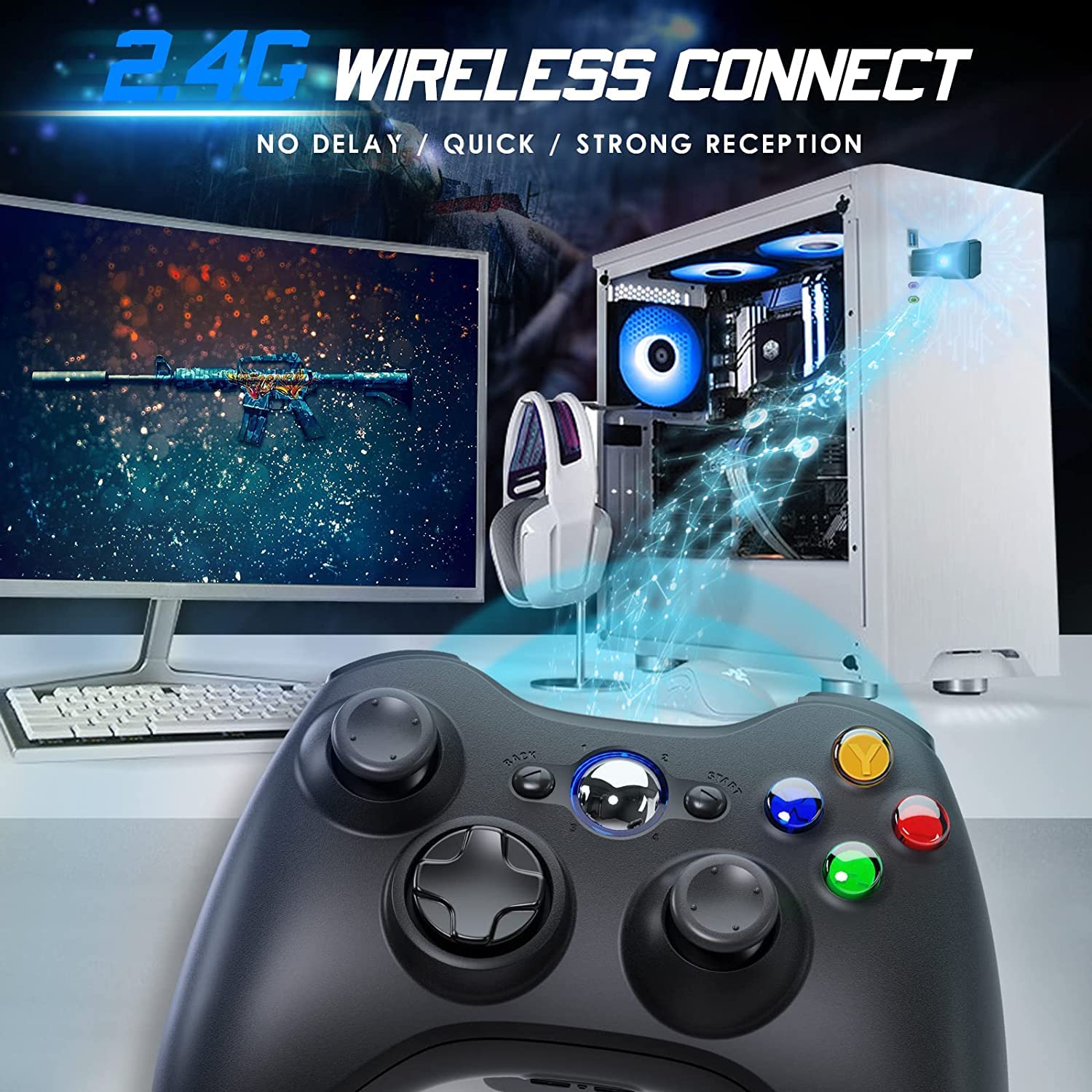
Image 4.2: Wireless controller in use with a PC. This image shows the controller on a desk in front of a computer monitor, with a visual representation of the 2.4GHz wireless connection.
5. Hướng dẫn vận hành
- Bật/Tắt nguồn: Press and hold the "Home" button for 3 seconds to power on or power off the controller.
- Nút hướng dẫn: The central "Home" button (Guide button) allows access to the Xbox Guide on Xbox 360, or specific game menus on PC, depending on the game and system configuration. It can also be used to power on or off the console.
- Nhiều bộ điều khiển: Up to four wireless controllers can be connected to a single console or PC simultaneously. Each controller will be assigned a quadrant light around the Guide button (1, 2, 3, or 4) to indicate its player number.
- Chỉ báo pin: The controller's LED lights may flash to indicate low battery power. Replace batteries when this occurs.
6. Bảo trì
- Vệ sinh: Use a soft, dry cloth to clean the controller. Do not use liquid cleaners or solvents.
- Kho: Store the controller in a dry place away from extreme temperatures and direct sunlight. If storing for an extended period, remove the batteries to prevent leakage.
- Tránh rơi: Bảo vệ bộ điều khiển khỏi bị rơi và va đập, vì có thể làm hỏng các linh kiện bên trong.
KHAI THÁC. Xử lý sự cố
- Bộ điều khiển không kết nối:
- Ensure the USB receiver is securely plugged into the console or PC.
- Verify that the controller has fresh AA batteries installed correctly.
- Repeat the pairing process (Section 4, steps 3 and 4).
- Thử cắm đầu thu USB vào một cổng USB khác.
- If using with PC, ensure necessary drivers are installed (Windows typically installs these automatically).
- Các nút bấm hoặc cần điều khiển không phản hồi:
- Kiểm tra mức pin và thay thế nếu pin yếu.
- Ensure the controller is within the 32-foot wireless range of the receiver.
- Restart the console/PC and re-pair the controller.
- Rung không hoạt động:
- Ensure the game supports vibration feedback.
- Kiểm tra cài đặt trò chơi để đảm bảo chế độ rung đã được bật.
- Verify battery levels.
8. Thông số kỹ thuật
| Số hiệu mẫu | XBOX360 |
| Thương hiệu | Gamrombo |
| Kết nối | Không dây 2.4GHz |
| Wireless Dải | Lên đến 32 feet (khoảng 10 mét) |
| Khả năng tương thích | Xbox 360, Xbox 360 Slim, Windows 7/8/10/11 |
| Nguồn điện | 2 x Pin AA (không bao gồm) |
| Kích thước sản phẩm | 6.1 x 4.4 x 2.4 inch |
| Trọng lượng sản phẩm | 9.6 ounce |
9. Thông tin an toàn
- Không được cố tháo rời hoặc sửa đổi bộ điều khiển.
- Giữ bộ điều khiển tránh xa nước và các chất lỏng khác.
- Avoid exposing the controller to extreme heat or cold.
- Bỏ pin theo quy định của địa phương.
- Nếu sản phẩm bị hư hỏng, hãy ngừng sử dụng ngay lập tức.
10. Bảo hành và Hỗ trợ
For warranty information or technical support, please refer to the documentation included with your purchase or contact Gamrombo customer service directly. Contact details are typically available on the manufacturer's official webđịa điểm.


