1. Giới thiệu
Cảm ơn bạn đã muaasing the Comix S360A Cross Cut Paper Shredder. This manual provides essential information for the safe and efficient operation, maintenance, and troubleshooting of your shredder. Please read these instructions carefully before use and retain them for future reference.
The Comix S360A is designed for secure disposal of sensitive documents, credit cards, and CDs. It features a cross-cut mechanism for enhanced security and includes a jam-proof system with reverse and forward functions to clear paper jams. An energy-saving mode ensures optimal efficiency during operation.
2. Hướng dẫn an toàn quan trọng
CẢNH BÁO: Không tuân thủ các hướng dẫn an toàn này có thể dẫn đến hỏa hoạn, điện giật hoặc thương tích.
- Giữ trẻ em và vật nuôi tránh xa máy hủy tài liệu.
- Keep loose clothing, jewelry, hair, and ties away from the paper entry slot.
- Do not insert fingers or other body parts into the paper entry slot.
- Không được xịt bất kỳ sản phẩm dễ cháy hoặc chất bôi trơn nào vào máy hủy tài liệu.
- Do not shred metal objects, wet paper, or adhesive labels.
- Always unplug the shredder when not in use or before cleaning.
- Do not operate the shredder if the power cord is damaged. Contact customer support for assistance.
- Hãy đảm bảo máy hủy giấy được đặt trên bề mặt bằng phẳng và ổn định.
- Do not overload the shredder beyond its specified sheet capacity.
3. Nội dung gói hàng
Vui lòng kiểm tra gói hàng để biết các mục sau:
- Comix S360A Shredder Head
- Waste Bin (13 Liter capacity)
- Hướng dẫn sử dụng (tài liệu này)
4. Thiết lập
- Mở hộp máy hủy giấy: Cẩn thận loại bỏ tất cả các thành phần khỏi bao bì.
- Place the Waste Bin: Position the waste bin on a flat, stable surface.
- Mount the Shredder Head: Carefully place the shredder head onto the top of the waste bin, ensuring it is securely seated. The shredder will not operate if the head is not correctly positioned.
- Kết nối nguồn: Cắm dây nguồn vào ổ cắm điện thông thường.
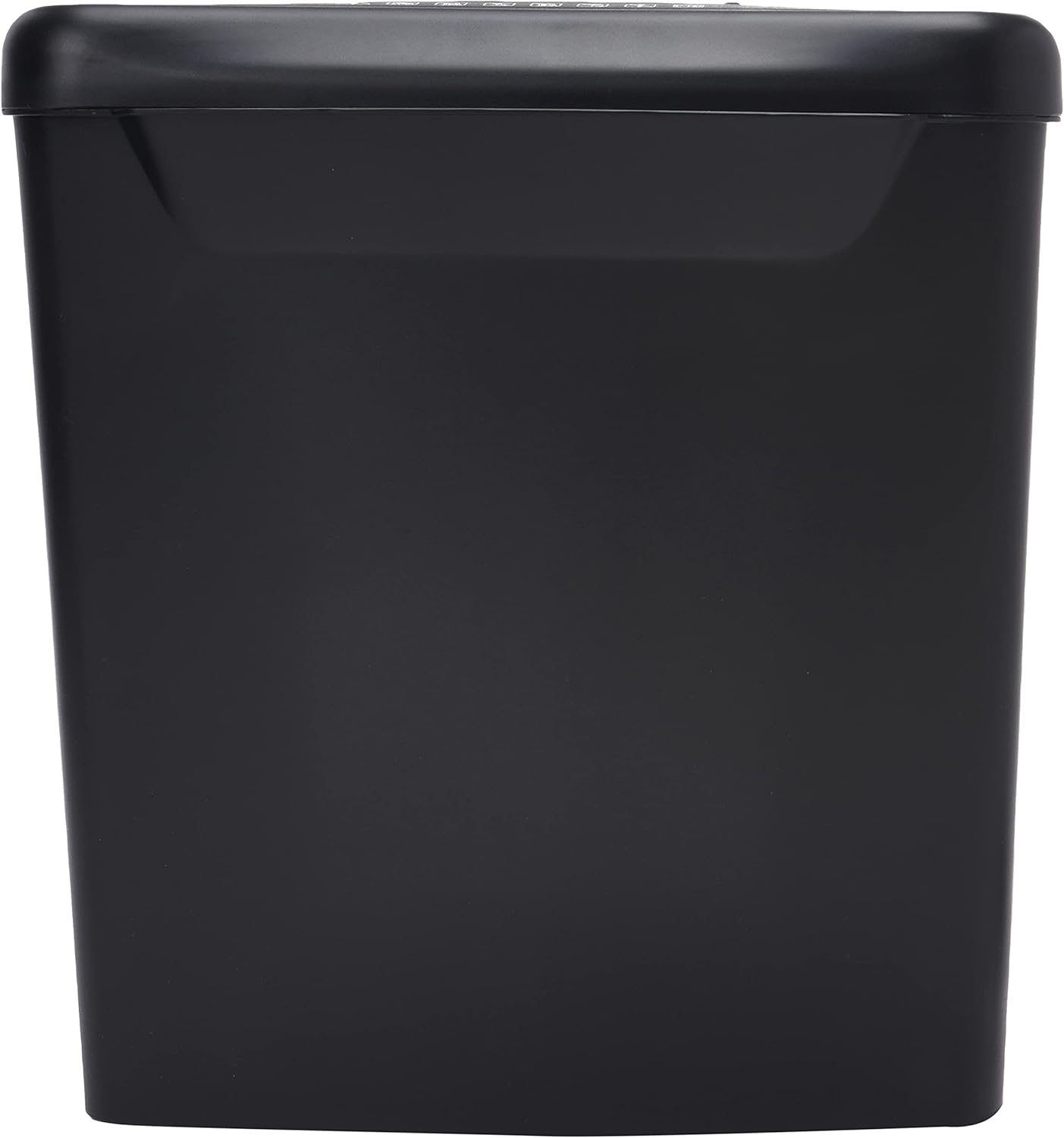
Hình ảnh: Bên view of the Comix S360A shredder bin, showing its black exterior and compact design. The shredder head is not visible in this image.
5. Hướng dẫn vận hành
5.1 Công tắc điều khiển
The shredder features a slide switch with three positions:
- TỰ ĐỘNG: The shredder will automatically start when paper is inserted and stop when shredding is complete. This is the normal operating mode.
- TẮT: The shredder is powered off. Always set the switch to OFF when emptying the bin or when the shredder is not in use.
- REV (Ngược): This position reverses the shredder blades to help clear paper jams.

Hình ảnh: Trên cùng view of the shredder head, highlighting the paper entry slot, the three-position control switch (Rev, OFF, Auto), and various safety warning icons.
5.2 Xé tài liệu
- Ensure the shredder head is securely placed on the waste bin.
- Cắm dây nguồn vào ổ cắm điện.
- Đặt công tắc điều khiển về vị trí TỰ ĐỘNG.
- Insert up to 8 sheets of 70gsm A4 paper into the paper entry slot. The shredder will start automatically.
- For credit cards or CDs, use the dedicated slot if available (refer to product specifications for capability).
- The shredder will stop automatically once the shredding process is complete.
5.3 Chu Kỳ Làm Việc
The Comix S360A has a continuous run time of 2 phút, followed by a rest time of 40 phút. Exceeding the run time may cause the shredder to overheat and automatically shut off. Allow the shredder to cool down for the specified rest time before resuming operation.
6. Bảo trì
6.1 Dọn sạch thùng rác
- Đặt công tắc điều khiển về vị trí TẮT.
- Rút phích cắm máy hủy giấy ra khỏi ổ điện.
- Lift the shredder head off the waste bin.
- Vứt bỏ giấy vụn.
- Lắp lại đầu máy hủy giấy vào thùng chứa rác một cách chắc chắn.
- Cắm lại máy hủy giấy vào ổ điện.
6.2 Bôi dầu cho lưỡi dao máy cắt
Regular oiling of the shredder blades is recommended to maintain optimal performance and extend the life of your shredder. Use shredder oil specifically designed for paper shredders.
- Bôi một lớp dầu mỏng lên khe nạp giấy.
- Đặt công tắc điều khiển về vị trí TỰ ĐỘNG.
- Insert a sheet of paper to distribute the oil evenly across the blades.
- Repeat this process periodically, especially after emptying a full waste bin or if the shredder's performance decreases.
6.3 Vệ sinh
Wipe the exterior of the shredder with a soft, dry cloth. Do not use abrasive cleaners or solvents. Ensure the shredder is unplugged before cleaning.
KHAI THÁC. Xử lý sự cố
| Vấn đề | Nguyên nhân có thể | Giải pháp |
|---|---|---|
| Máy hủy giấy không khởi động. |
|
|
| Kẹt giấy. |
|
|
| Máy hủy giấy dừng hoạt động trong quá trình vận hành. |
|
|
8. Thông số kỹ thuật
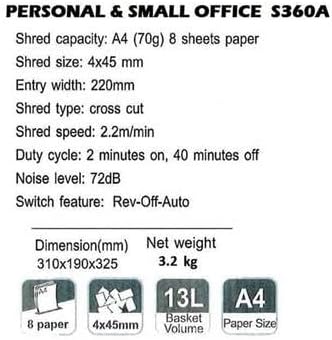
Image: Technical specifications sheet for the Comix S360A, detailing performance metrics and physical attributes.
- Người mẫu: S360A
- Loại băm nhỏ: Cắt chéo
- Kích thước băm nhỏ: 4 x 45mm
- Shred Capacity (A4, 70g): 8 tờ
- Chiều rộng mục nhập: 220mm
- Tốc độ hủy: 2.2 m/phút
- Dung tích thùng rác: 13 lít
- Chu kỳ hoạt động: 2 phút Bật / 40 phút Tắt
- Mức độ tiếng ồn: 72 dB
- Switch Feature: Rev-Off-Auto
- Kích thước sản phẩm: 310 x 190 x 325 mm (D x R x C)
- Khối lượng tịnh: 3.2kg
- Tính năng đặc biệt: Energy Saving Mode, Jam Pro, Quiet Operation
9. Bảo hành và Hỗ trợ
For warranty information or technical support, please refer to the warranty card included with your product or contact Comix customer service through their official website or the retailer where the product was purchased. Please have your model number (S360A) and purchase date available when contacting support.


