1. Giới thiệu và kết thúcview
This manual provides essential information for the installation, operation, and maintenance of your Intel Core i3-12100 Alder Lake Desktop Processor. Please read this guide thoroughly before proceeding with installation to ensure proper functionality and longevity of your product.
Mô tả sản phẩm
The Intel Core i3-12100 is a high-quality desktop processor designed for various computing needs. It is part of the 12th Generation Alder Lake series, offering reliable performance for everyday tasks, gaming, and multimedia. For detailed care instructions, always refer to the manufacturer's product information sheet or packaging.
Các tính năng chính
- Cấu hình lõi: 4 lõi, 8 luồng
- Tần số cơ bản: 3.3 GHz
- Tần số Turbo tối đa: Lên đến 4.3 GHz
- Bộ nhớ đệm: Bộ nhớ đệm thông minh 12MB
- Loại ổ cắm: LGA 1700
- Công suất thiết kế nhiệt (TDP): 60W
- Đồ họa tích hợp: Intel UHD Graphics 730 (where applicable, check specific model)

Hình 1.1: Mặt trước view of the Intel Core i3-12100 processor packaging.
2. Hướng dẫn cài đặt
Proper installation is crucial for the performance and stability of your system. Please follow these steps carefully.
Trước khi bạn bắt đầu
- Ensure your motherboard supports the LGA 1700 socket and is compatible with 12th Generation Intel processors.
- Chuẩn bị các dụng cụ cần thiết: Tua vít đầu Phillips, keo tản nhiệt (nếu chưa bôi trước lên bộ tản nhiệt) và dây đeo cổ tay chống tĩnh điện.
- Làm việc trong môi trường sạch sẽ, đủ ánh sáng và không có tĩnh điện.
- Unplug your computer from the power outlet and discharge any residual power.
Các bước cài đặt
- Chuẩn bị bo mạch chủ: Open the CPU socket retention lever on your motherboard. Lift the load plate.
- Cài đặt bộ xử lý: Carefully align the triangular arrow on the corner of the processor with the corresponding arrow on the CPU socket. Gently place the processor into the socket. Do not force it.
- Bảo mật Bộ xử lý: Lower the load plate and then push down the retention lever until it clicks into place.
- Bôi keo tản nhiệt (nếu cần): Nếu bộ tản nhiệt CPU của bạn không có sẵn keo tản nhiệt, hãy thoa một lượng nhỏ bằng hạt đậu vào giữa bề mặt tản nhiệt tích hợp (IHS) của CPU.
- Lắp bộ làm mát CPU: Align the cooler with the mounting holes around the CPU socket. Gently press down and secure the cooler according to its specific mounting mechanism (e.g., push pins, screws, or backplate).
- Kết nối quạt làm mát: Connect the CPU cooler's fan cable to the 'CPU_FAN' header on your motherboard.
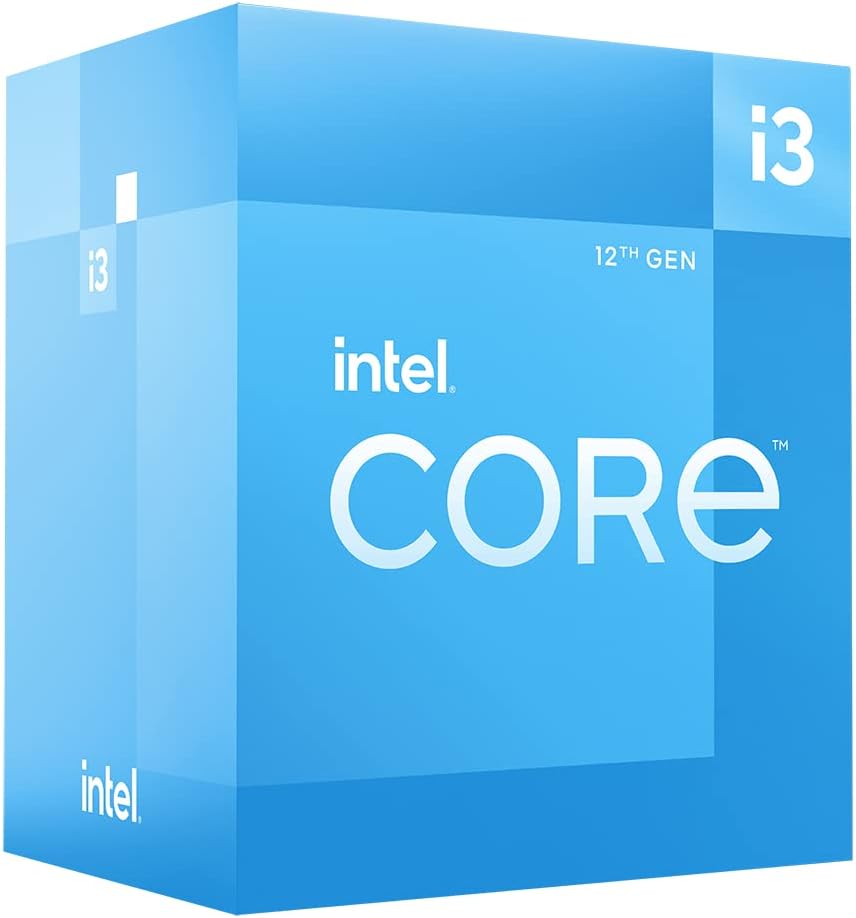
Hình 2.1: Góc cạnh view of the Intel Core i3-12100 processor packaging.

Hình 2.2: Mặt bên view of the Intel Core i3-12100 processor packaging.
3. Vận hành bộ xử lý của bạn
Once installed, your Intel Core i3-12100 processor will operate automatically within your system. Here are some general considerations for optimal performance.
Quản lý nhiệt
Maintaining proper cooling is essential for processor longevity and stable performance. Ensure your CPU cooler is functioning correctly and that your PC case has adequate airflow. High temperatures can lead to performance throttling or system instability.
Cân nhắc về hiệu suất
The Intel Core i3-12100 is designed to dynamically adjust its clock speed based on workload and thermal conditions. This technology, known as Intel Turbo Boost Technology, allows the processor to reach higher frequencies (up to 4.3 GHz) when needed, providing a responsive computing experience.

Figure 3.1: The processor box in a typical desktop computing environment.

Figure 3.2: Visual representation of the processor's performance capabilities in a gaming scenario.

Figure 3.3: Illustrative image demonstrating the processor's architecture and platform compatibility.

Figure 3.4: Marketing image highlighting the processor's role in enhancing gaming performance.
4. Bảo trì
Minimal maintenance is required for your processor itself, but ensuring its operating environment is clean and cool will prolong its lifespan.
Loại bỏ bụi
- Regularly clean dust from your CPU cooler's heatsink and fan using compressed air.
- Ensure your PC case filters are clean to prevent dust buildup inside the system.
Bôi lại keo tản nhiệt
Over time, thermal paste can dry out and become less effective. If you notice consistently high temperatures, consider reapplying fresh thermal paste to the CPU's IHS. This typically involves removing the CPU cooler, cleaning off old paste, and applying new paste before reattaching the cooler.
KHAI THÁC. Xử lý sự cố
If you encounter issues with your system after installing the processor, refer to the common problems and solutions below.
| Vấn đề | Nguyên nhân có thể | Giải pháp |
|---|---|---|
| Hệ thống không khởi động / Không hiển thị | CPU not seated correctly, CPU power cable disconnected, incompatible motherboard BIOS. | Re-seat the CPU, ensure all power cables are connected, update motherboard BIOS (if possible, using a compatible CPU). |
| System boots but shuts down quickly | Overheating due to improper cooler installation or insufficient thermal paste. | Check CPU cooler mounting pressure, reapply thermal paste, ensure CPU fan is connected and spinning. |
| Poor performance / Throttling | High temperatures, power limits, background processes. | Monitor CPU temperatures, ensure adequate cooling, check power settings in BIOS/OS, close unnecessary applications. |
| Hệ thống không ổn định / Sự cố | Overheating, faulty RAM, unstable power supply, driver issues. | Verify CPU temperatures, test RAM, check power supply, update chipset and graphics drivers. |
6. Thông số kỹ thuật
Detailed specifications for the Intel Core i3-12100 processor.
| Tính năng | Chi tiết |
|---|---|
| Thương hiệu | Trí tuệ |
| Loạt | Tôi3 1200 |
| Số hiệu mẫu sản phẩm | BX8071512100 |
| Thương hiệu bộ xử lý | Trí tuệ |
| Mô hình CPU | Lõi i3 |
| Tốc độ CPU | 3.3 GHz |
| Số lượng bộ xử lý | 4 |
| Ổ cắm CPU | LGA 1700 |
| Trọng lượng sản phẩm | 10.6 ounce |
| Kích thước sản phẩm | 1.18 x 0.79 x 0.04 inch |
| Màu sắc | black / black |
| Loại bộ nhớ máy tính | GDDR4 |
| Tậptage | 1 vôn |
| Ngôn ngữ | Tiếng Anh |
| Ngày đầu tiên có sẵn | Ngày 11 tháng 2022 năm XNUMX |
7. Bảo hành và Hỗ trợ
Intel provides a standard warranty for its processors. Please retain your proof of purchase for warranty claims.
Thông tin bảo hành
The Intel Core i3-12100 processor is manufactured by Intel. For specific warranty terms and conditions, please refer to the official Intel warranty documentation included with your product or visit the official Intel support webTrang web. Phạm vi bảo hành thường bao gồm các lỗi về vật liệu và tay nghề trong điều kiện sử dụng bình thường.
Các kế hoạch bảo vệ bổ sung
Optional protection plans may be available for purchase from retailers. For example, a 4-Year Protection Plan or a Complete Protect plan may be offered. These plans are separate from the manufacturer's warranty and provide extended coverage or additional benefits.
Hỗ trợ kỹ thuật
For technical assistance, troubleshooting beyond this manual, or warranty inquiries, please contact Intel's official customer support. You can typically find contact information on the Intel webtrang web hoặc trong bao bì sản phẩm của bạn.
Tài nguyên trực tuyến: Visit the official Intel website for drivers, software, and additional support documentation.


