Giới thiệu
This user manual provides comprehensive instructions for the TERIOS Wireless Controller, designed for an enhanced gaming experience. This controller is compatible with PlayStation 4, PS4 Pro, and PS4 Slim consoles.

Hình ảnh: Mặt trước view of the green TERIOS Wireless Controller, showcasinthiết kế tiện dụng và cách bố trí nút bấm.
Có gì trong hộp
Khi mở gói hàng, vui lòng đảm bảo có đầy đủ tất cả các mục sau:
- 1 x TERIOS Wireless Controller
- 1 x Cáp sạc USB
- 1 x Controller User Manual (this document)

Image: The TERIOS Wireless Controller, USB charging cable, and user manual laid out, representing the package contents.
Tính năng sản phẩm
The TERIOS Wireless Controller is equipped with several features designed to enhance your gaming experience:
- Kết nối không dây: Connects wirelessly to your PS4 console via Bluetooth 4.2 for a stable connection up to 8 meters.
- Built-in Speaker & Headset Jack: Features an integrated speaker and a 3.5mm stereo headset jack for immersive audio.
- Multitouch Pad: A central multitouch pad expands gaming possibilities and interaction.
- Nút chia sẻ: Allows for live-streaming and sharing gameplay moments without interrupting your session.
- Hai cần điều khiển analog: Provides pinpoint accuracy and enhanced sensitivity for precise control.
- Double Shock Vibration: Integrated motors provide haptic feedback for an immersive gaming experience.
- Turbo Feature: Enables rapid-fire functionality for certain in-game actions.
- Pin sạc: Equipped with a 1000mAh lithium battery, offering 10-12 hours of continuous use on a single charge.
- Thiết kế công thái học: Conforms to the palm structure for comfortable extended gaming sessions.

Hình ảnh: Cận cảnh views highlighting the built-in speaker, share button, and multitouch pad functionalities of the controller.

Image: Visuals illustrating the Bluetooth 4.2 connection, ergonomic design for comfortable grip, and the placement of advanced gaming buttons.

Image: The controller with a visual emphasis on its dual analog sticks, indicating their role in providing a better gaming experience.
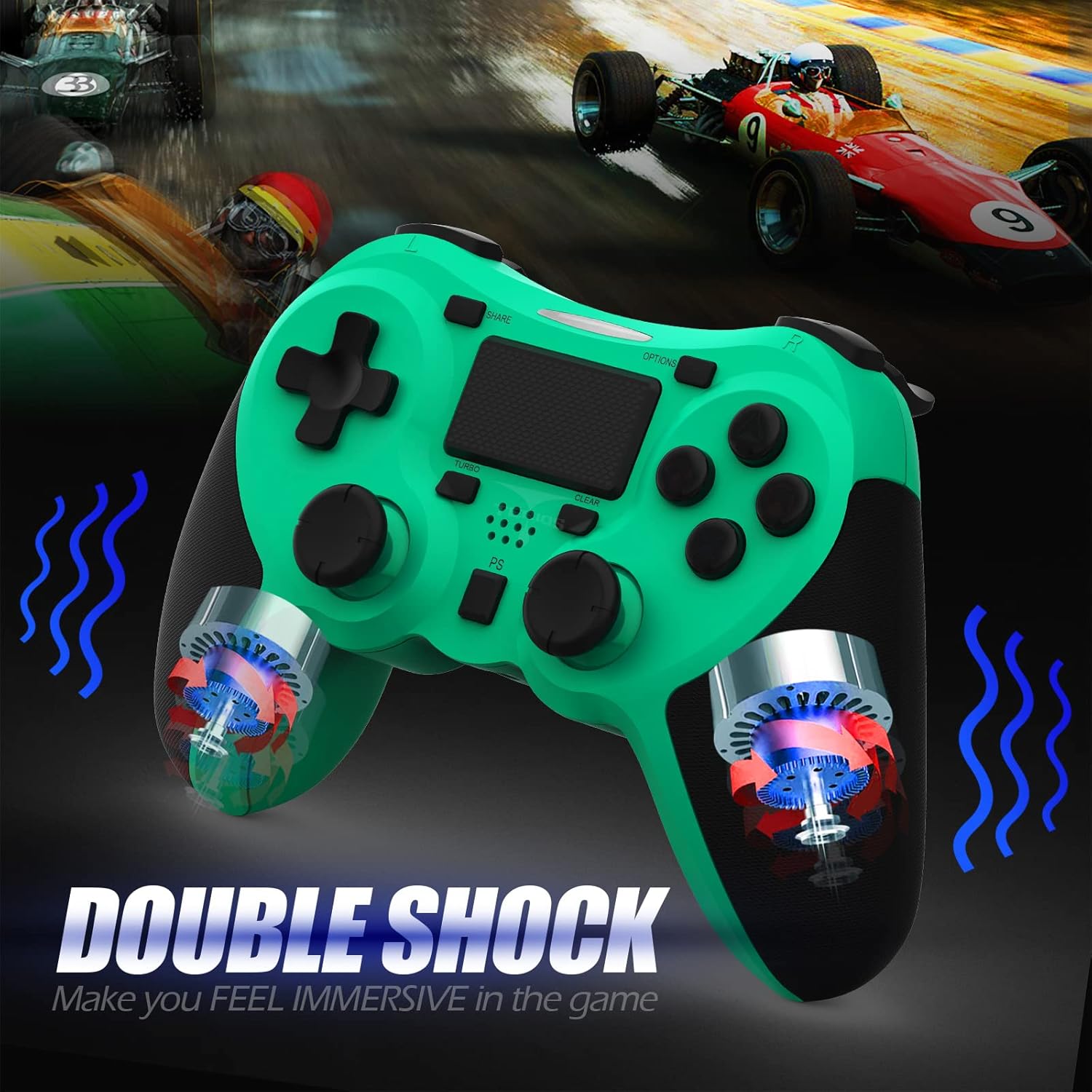
Hình ảnh: Một nội bộ view of the controller highlighting the double shock vibration motors, designed to provide immersive haptic feedback.
Hướng dẫn thiết lập
1. Sạc ban đầu
Before first use, fully charge the controller. Connect the supplied USB charging cable to the controller's micro USB port and the other end to a USB port on your PlayStation 4 console or a compatible USB wall adapter.
- Thời gian sạc: Khoảng 2-3 giờ để sạc đầy.
- Battery Life: Up to 10-12 hours of continuous gameplay.
- Thời Gian chờ: Lên đến 30 ngày.
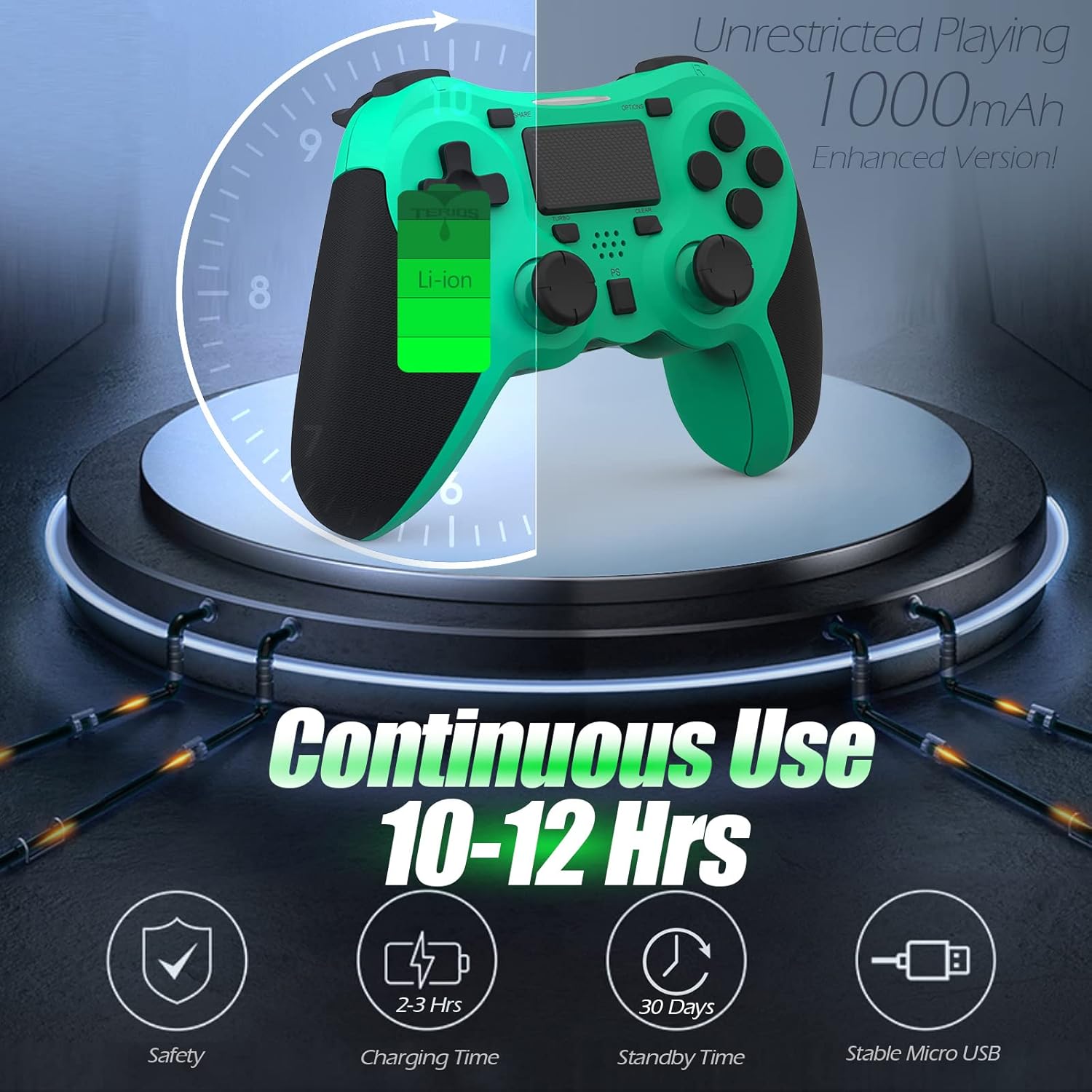
Image: A visual representation of the controller's 1000mAh battery, indicating 10-12 hours of continuous use, 2-3 hours charging time, and 30 days standby time.
2. Pairing with PlayStation 4
Để ghép nối bộ điều khiển với máy chơi game PS4 của bạn:
- Đảm bảo máy chơi game PS4 của bạn đã được bật nguồn.
- Connect the controller to the PS4 console using the USB charging cable.
- Nhấn nút Nút PS (located in the center of the controller). The light bar on the controller will flash, then glow a solid color, indicating successful pairing.
- Sau khi ghép nối, bạn có thể ngắt kết nối cáp USB để chơi không dây.
Ghi chú: If the controller does not pair, ensure it is charged and try connecting it to a different USB port on the console. For persistent issues, refer to the Troubleshooting section.
Hướng dẫn sử dụng
Điều khiển cơ bản
| Thành phần | Chức năng |
|---|---|
| Nút PS | Powers on the controller, accesses the PS4 home screen, switches users, or turns off the console (long press). |
| Nút chia sẻ | Accesses the Share menu to capture screenshots, record video clips, or broadcast gameplay. |
| Nút OPTIONS | Pauses games, accesses in-game menus, or confirms selections. |
| Các nút điều hướng (D-Pad) | Navigates menus and provides directional input in games. |
| Các nút hành động (Hình tam giác, Hình tròn, Hình chữ thập, Hình vuông) | Performs in-game actions, confirms, or cancels selections. |
| Left/Right Sticks (L3/R3) | Controls character movement, camera, or other analog inputs. Pressing down on the sticks activates L3/R3 buttons. |
| Nút L1/R1 | Trigger various in-game actions, often for aiming or secondary functions. |
| Kích hoạt L2/R2 | Analog triggers for actions like accelerating, braking, or firing weapons. |
| Multitouch Pad | Provides touch input for specific game interactions or navigation. |
| Giắc cắm tai nghe 3.5 mm | Connects compatible headsets for game audio and voice chat. |
Chức năng đặc biệt
Tính năng Turbo
The Turbo feature allows for rapid, continuous input of a button press, useful for actions like rapid firing in games.
- Nhấn và giữ Nút TURBO (located below the touchpad).
- While holding TURBO, press the action button you wish to apply the rapid-fire function to (e.g., Square, Cross, Circle, Triangle, L1, R1, L2, R2).
- Release both buttons. The selected action button will now continuously register presses as long as it is held down.
- To disable Turbo for a specific button, repeat the process: hold TURBO and press the button again.
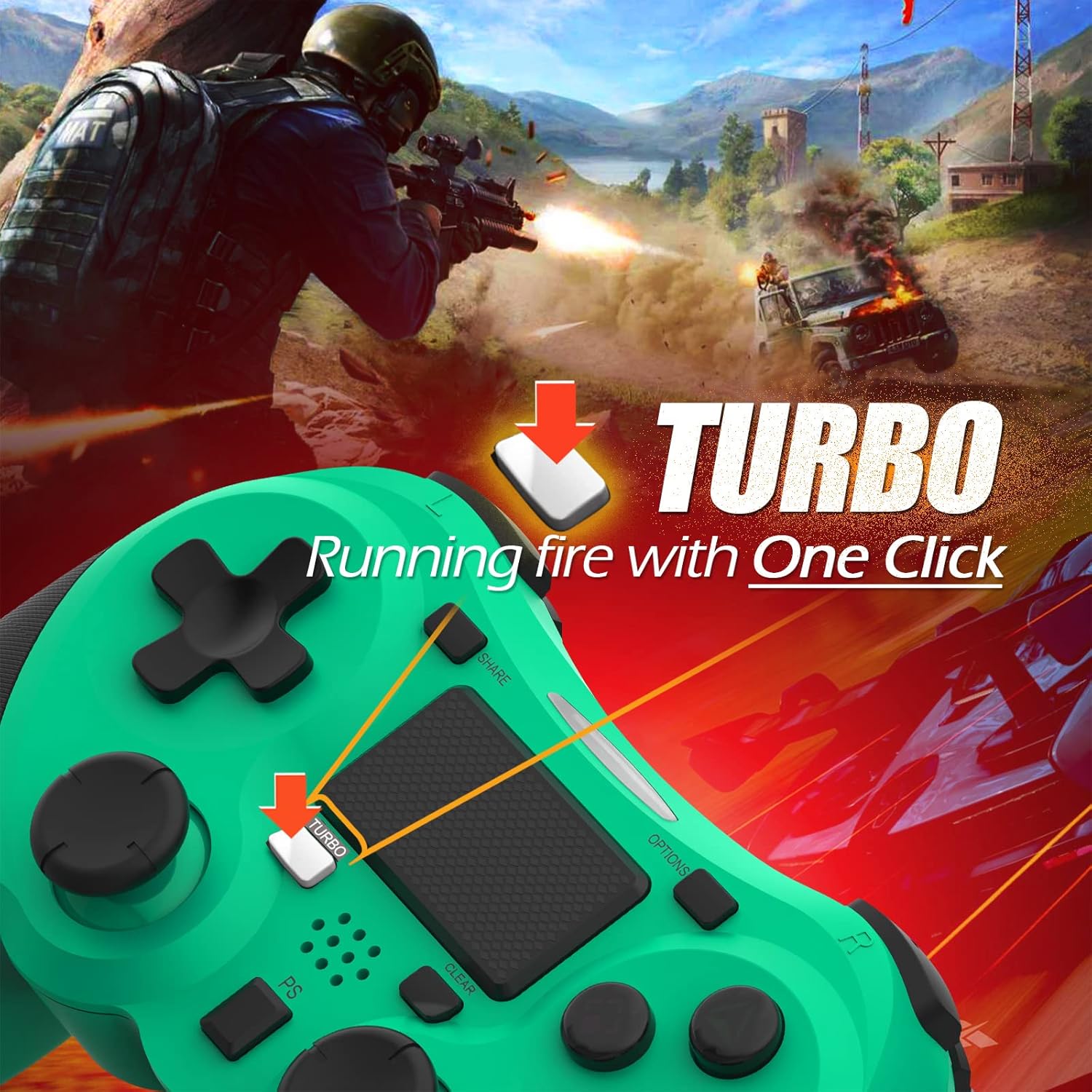
Image: A visual guide demonstrating how to activate the Turbo feature on the controller for rapid-fire actions.
Share Button Functionality
The SHARE button provides quick access to PS4's sharing features:
- Báo chí một lần: Opens the Share menu, allowing you to save a screenshot, save a video clip, or start a broadcast.
- Nhấn lâu: Takes a screenshot directly.
- Nhấn đúp: Bắt đầu/dừng quay video.
BẢO TRÌ
Proper maintenance ensures the longevity and optimal performance of your TERIOS Wireless Controller.
Vệ sinh
- Hãy dùng một miếng vải mềm, khô để lau sạch bề mặt bộ điều khiển.
- Đối với vết bẩn cứng đầu, hãy chà nhẹampLau vải bằng nước hoặc chất tẩy rửa nhẹ, không gây mài mòn. Tránh để vải ẩm quá mức.
- Không sử dụng hóa chất mạnh, dung môi hoặc vật liệu mài mòn, vì chúng có thể làm hỏng lớp phủ và các bộ phận bên trong của bộ điều khiển.
Kho
- Bảo quản bộ điều khiển ở nơi khô ráo, thoáng mát, tránh ánh nắng trực tiếp, nhiệt độ cao và độ ẩm cao.
- Avoid placing heavy objects on the controller to prevent damage to buttons or analog sticks.
Chăm sóc pin
- To preserve battery life, avoid fully discharging the controller frequently.
- Nếu lưu trữ trong thời gian dài, hãy sạc pin đến khoảng 50% trước khi lưu trữ.
- Recharge the controller at least once every three months if not in use to prevent deep discharge.
Xử lý sự cố
If you encounter issues with your TERIOS Wireless Controller, please refer to the following common solutions:
Bộ điều khiển không kết nối/ghép nối
- Kiểm tra pin: Ensure the controller is sufficiently charged. Connect it to the PS4 via USB cable to charge.
- Sửa chữa: Connect the controller to the PS4 with the USB cable and press the PS button to re-establish the connection.
- Đặt lại bộ điều khiển: Locate the small reset button hole on the underside of the controller (near the L2 button). Use a straightened paperclip or a similar thin object to press and hold the button for 3-5 seconds. This will reset the controller. After resetting, attempt to re-pair it with the PS4.
- Sự can thiệp: Move closer to the PS4 console to rule out wireless interference.
Buttons or Sticks Unresponsive/Lagging
- Đặt lại bộ điều khiển: Perform a hard reset as described above.
- Lau dọn: Ensure no debris is lodged around the buttons or sticks. Clean the controller as per the Maintenance section.
- Phần mềm: Ensure your PS4 system software is up to date.
Rung động quá mức
- Đặt lại bộ điều khiển: A reset can often resolve unexpected vibration issues.
- Cài đặt trò chơi: Check in-game settings for vibration intensity.
Thông số kỹ thuật
| Thuộc tính | Chi tiết |
|---|---|
| Người mẫu | TERIOS 5S |
| ASIN | B09KLR5DCZ |
| Khả năng tương thích | PlayStation 4, PS4 Pro, PS4 Slim |
| Kết nối | Wireless (Bluetooth 4.2), USB |
| Loại pin | Lithium Polymer (bao gồm 1) |
| Dung lượng pin | 1000mAh |
| Thời gian sử dụng liên tục | 10-12 giờ |
| Thời gian sạc | 2-3 giờ |
| Thời gian chờ | Tối đa 30 ngày |
| Trọng lượng sản phẩm | 10.8 ounce (khoảng 306 gram) |
| Kích thước gói hàng | 6.69 x 5.24 x 2.72 inch |
| Nhà sản xuất | TERIOS |
| Ngày đầu tiên có sẵn | Ngày 28 tháng 2021 năm XNUMX |
Bảo hành và Hỗ trợ
TERIOS stands behind the quality of its products. This controller comes with a Bảo hành 1 năm kể từ ngày mua, bao gồm cả lỗi sản xuất.
For customer support, technical assistance, or warranty claims, please contact TERIOS customer service through the platform where you purchased the product or visit the official TERIOS store page for contact information.
We are committed to providing premium customer support and ensuring your satisfaction with our products.