1. Giới thiệu
Thank you for choosing the PS-TECH 24-Hour Mechanical Outdoor Timer. This analog plug-in timer is designed for outdoor use, featuring IP44 protection against splashing water and solid objects larger than 1mm. It allows for daily programming with a minimum interval of 30 minutes, making it ideal for controlling lights, pumps, and other electrical appliances. This manual provides detailed instructions for safe operation, setup, programming, and maintenance.
2. Thông tin an toàn
- Đọc kỹ mọi hướng dẫn trước khi sử dụng.
- This timer is designed for outdoor use with IP44 protection. Ensure the protective cover for the socket is securely closed when not in use or during operation in wet conditions.
- Do not immerse the timer in water or expose it to direct water jets.
- Ensure the total load of connected devices does not exceed the maximum rating of 3680W (16A resistive load).
- Luôn cắm bộ hẹn giờ vào ổ cắm có nối đất.
- Do not open or attempt to repair the timer. Refer all servicing to qualified personnel.
- Để xa tầm tay trẻ em.
- Unplug the timer from the power outlet before cleaning or when not in use for extended periods.
3. Sản phẩm hếtview
The PS-TECH outdoor timer features a robust design suitable for various environments. Key components include:
- Tổng đài 24 giờ: Used for setting the current time and programming on/off cycles.
- Programming Segments (Pins): 48 push-down segments around the dial, each representing 30 minutes.
- Chuyển đổi ghi đè thủ công: Allows selection between ON, OFF, and AUTO modes.
- European Schuko Plug: For connecting the timer to a power outlet.
- Schuko Socket with Protective Cover: For connecting your appliance, protected by an IP44 rated cover.

Hình 3.1: Mặt trước view of the PS-TECH 24-Hour Mechanical Outdoor Timer, showing the 24-hour dial and the protective top cover.
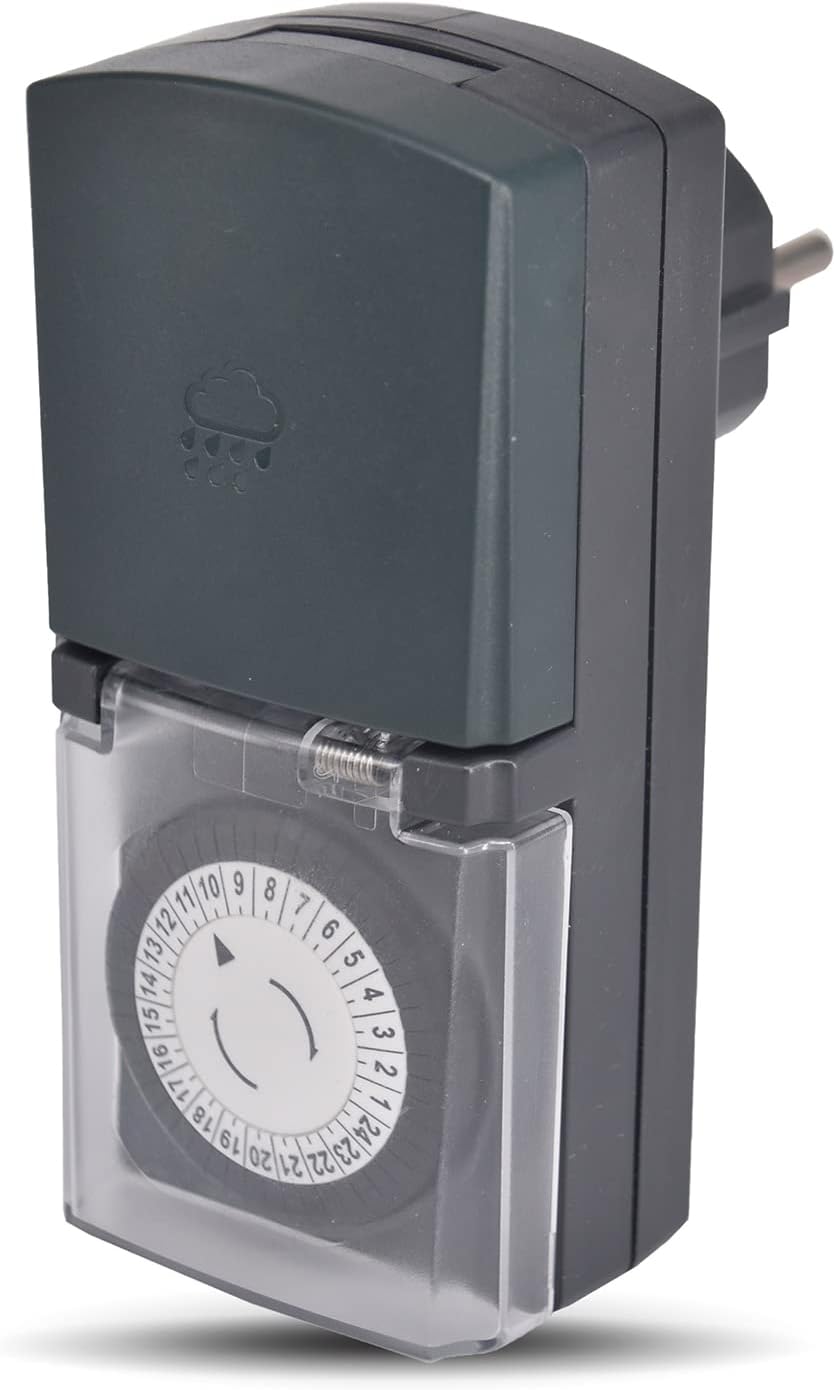
Hình 3.2: Góc cạnh view of the timer, highlighting its compact design and the IP44 rated top cover.
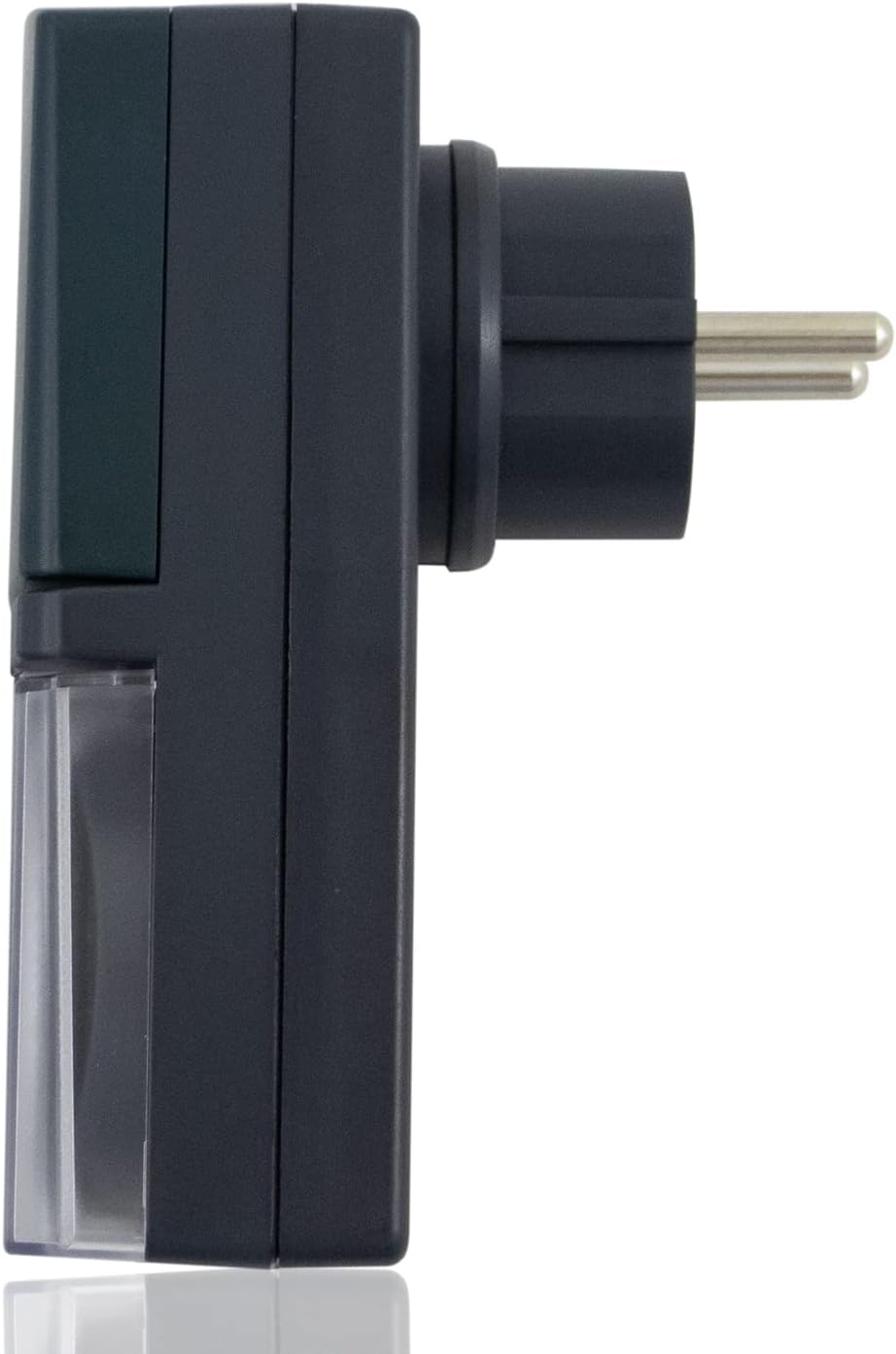
Hình 3.3: Mặt bên view of the timer, showing the European Schuko plug for power connection.

Figure 3.4: The timer with its protective socket cover open, revealing the internal Schuko socket for appliance connection.
4. Thiết lập
Thực hiện theo các bước sau để thiết lập ban đầu:
- Giải nén: Cẩn thận lấy bộ hẹn giờ ra khỏi bao bì.
- Đặt thời gian hiện tại: Rotate the 24-hour dial clockwise until the arrow on the inner ring points to the current time. The dial is marked from 1 to 24 hours.
- Program On/Off Cycles: Push down the segments (pins) corresponding to the times you want the connected appliance to be ON. Each segment represents 30 minutes. If a segment is pushed down, the appliance will be ON during that 30-minute interval. If it's up, the appliance will be OFF.
- Set Manual Override Switch: Locate the switch on the side of the timer. Set it to 'AUTO' for programmed operation. You can temporarily switch to 'ON' for continuous power or 'OFF' to cut power, overriding the program.
- Cắm vào: Insert the timer's plug into a suitable outdoor-rated, grounded power outlet.
- Kết nối thiết bị: Open the protective cover of the timer's socket and plug in the appliance you wish to control. Ensure the appliance's power consumption does not exceed the timer's maximum rating. Close the protective cover securely.
5. Hướng dẫn vận hành
5.1 Đặt thời gian
The timer's dial continuously rotates. To set the current time, simply turn the entire dial clockwise until the current hour aligns with the arrow indicator. For example, if it's 3 PM, align the '15' mark with the arrow.
5.2 Lập trình chu kỳ Bật/Tắt
The outer ring of the dial has 48 segments. Each segment represents a 30-minute interval. To program the timer:
- Bật: Push down the segments corresponding to the time periods when you want the connected appliance to be active.
- Để tắt: Leave the segments in the 'up' position for the time periods when you want the connected appliance to be inactive.
The timer will activate the connected appliance when the dial rotates to a 'pushed down' segment and deactivate it when it rotates to an 'up' segment.
5.3 Manual Override Switch (ON/OFF/AUTO)
The manual override switch provides flexibility:
- TRÊN, BẬT: The connected appliance will remain continuously ON, overriding any set program.
- TẮT: The connected appliance will remain continuously OFF, overriding any set program.
- TỰ ĐỘNG: The timer will operate according to the programmed ON/OFF cycles set on the dial. This is the standard operating mode for automated control.
6. Bảo trì
- Vệ sinh: Disconnect the timer from the power outlet before cleaning. Wipe the timer with a soft, damp vải. Không sử dụng chất tẩy rửa có tính mài mòn hoặc dung môi.
- Kho: When not in use, store the timer in a dry, cool place, away from direct sunlight and extreme temperatures.
- Điều tra: Periodically inspect the timer and its cord for any signs of damage. Do not use if damaged.
KHAI THÁC. Xử lý sự cố
| Vấn đề | Nguyên nhân có thể | Giải pháp |
|---|---|---|
| Thiết bị không bật/tắt theo chương trình đã cài đặt. |
|
|
| Timer dial is not rotating. |
|
|
| Appliance remains continuously ON or OFF. | Manual override switch is not in AUTO mode. | Set the manual override switch to 'AUTO'. |
8. Thông số kỹ thuật
| Tính năng | Chi tiết |
|---|---|
| Thương hiệu | PS-TECH |
| Người mẫu | Mechanical 24-Hour Outdoor Timer |
| Màu sắc | Đen |
| Vật liệu | Nhựa |
| Nguồn điện | 230VAC, 50Hz |
| Max. Power / Resistive Load | 3680W / 16A |
| Programming Interval | 30 minutes (48 segments) |
| Xếp hạng bảo vệ | IP44 (Splash-proof, protected against solid objects > 1mm) |
| Trọng lượng sản phẩm | 10 gam |
| Kích thước gói hàng | 16.1 x 8.6 x 5.8cm |
| ASIN | B09FLS1SJC |
9. Bảo hành và Hỗ trợ
PS-TECH products are manufactured to high-quality standards. For warranty information or technical support, please refer to the contact details provided with your purchase or visit the official PS-TECH website. Do not attempt to open or repair the device yourself, as this may void the warranty and pose a safety risk.


