Giới thiệu
This instruction manual provides comprehensive guidance for the 8Bitdo Media Remote (White Short Edition), designed for seamless media control on your Xbox One, Xbox Series X, and Xbox Series S consoles. This remote offers dedicated media playback buttons, Xbox system navigation, and motion-activated backlighting for enhanced usability.
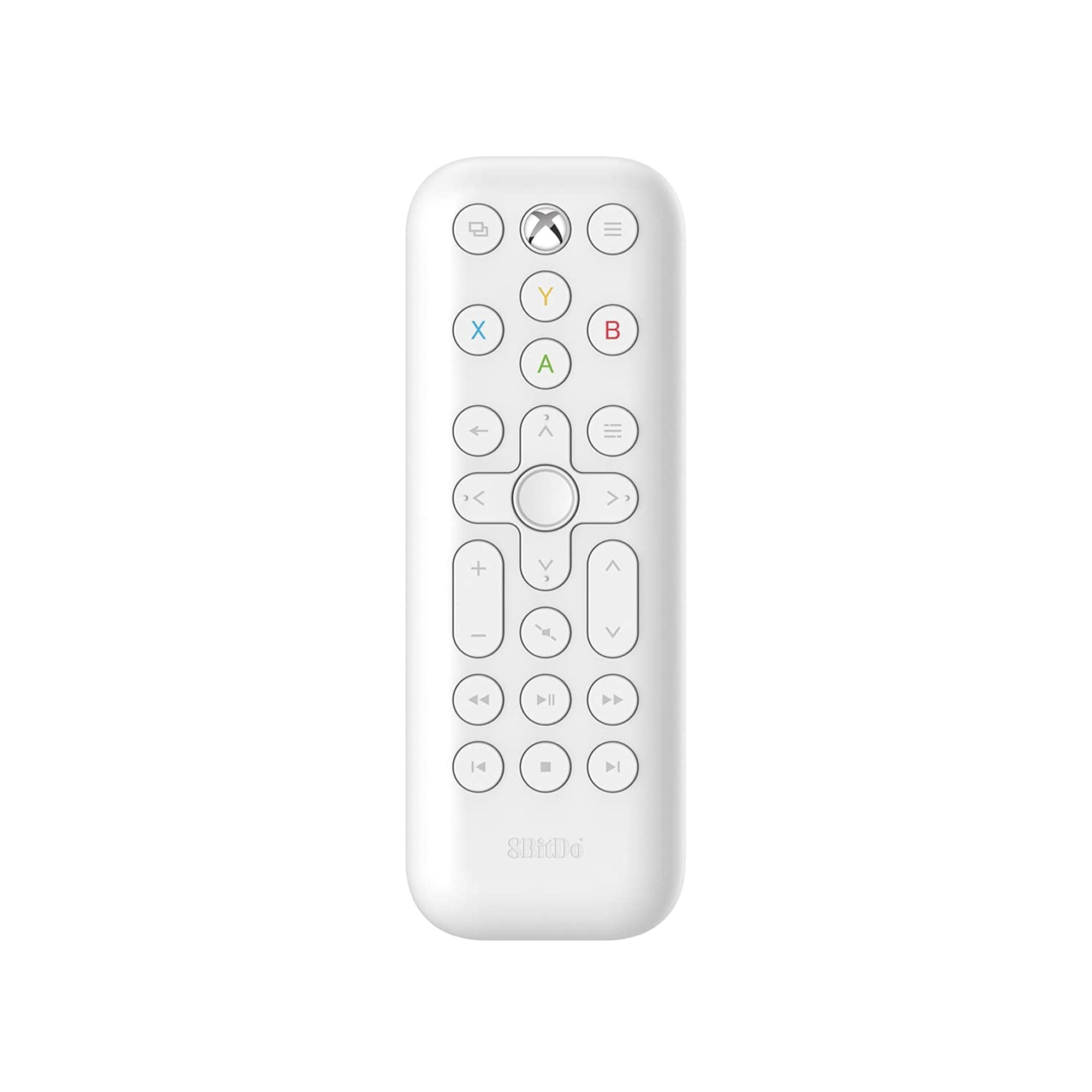
Image: The 8Bitdo Media Remote in White, Short Edition, showcasinVới thiết kế nhỏ gọn và bố trí nút bấm hợp lý.
Cài đặt
1. Lắp đặt pin
The 8Bitdo Media Remote requires two AAA batteries for operation. These are typically included with your purchase.
- Xác định vị trí nắp ngăn chứa pin ở mặt sau của điều khiển từ xa.
- Trượt nắp xuống dưới để mở ngăn.
- Lắp hai pin AAA, đảm bảo lắp đúng cực (+ và -).
- Trượt nắp ngăn chứa pin trở lại vị trí cũ cho đến khi nghe thấy tiếng kêu tách.

Image: A hand demonstrating how to open the battery compartment and insert AAA batteries into the remote.
2. Kết nối ban đầu
The 8Bitdo Media Remote uses infrared (IR) technology. No manual pairing is required. Simply ensure a clear line of sight between the remote's IR emitter (located at the top) and your Xbox console's IR receiver.

Image: A user holding the 8Bitdo Media Remote, pointing it towards an Xbox Series S console, illustrating the line-of-sight requirement for infrared communication.
Hướng dẫn sử dụng
1. Bật/Tắt nguồn và Điều hướng
- Dedicated Home Button: Press the Xbox Home button (located at the top center) to instantly wake your Xbox console.
- Bàn phím điều hướng (D-Pad): Use the circular D-Pad for navigating menus and selecting items.
- Các nút A/B/X/Y: These colored buttons correspond to standard Xbox controller functions for menu selection and interaction.

Image: The 8Bitdo Media Remote being used to wake an Xbox console, highlighting the dedicated Home button functionality.
2. Điều khiển phát lại phương tiện
The remote features a full suite of media playback buttons:
- Phát/Tạm dừng: Bắt đầu hoặc tạm dừng phát lại phương tiện.
- Chuyển tiếp nhanh/Tua lại: Skip forward or backward through content.
- Tăng/Giảm âm lượng: Adjust the volume of your media.
- Tắt tiếng: Tắt tiếng hoặc bật tiếng âm thanh.
3. Đèn nền cảm biến chuyển động
The buttons on the remote are motion-activated and will illuminate when the remote is picked up or moved, making it easy to use in low-light conditions.
4. OneGuide Button Customization
The OneGuide button (three horizontal lines icon) can be customized to launch a specific application on your Xbox. To configure this:
- On your Xbox, go to Cài đặt.
- Điều hướng đến Devices & connections, sau đó chọn Điều khiển từ xa.
- Choose the desired action or app to launch when the OneGuide button is pressed.
5. TV Volume Control (HDMI-CEC)
Your Xbox can control your TV's volume if your TV supports HDMI-CEC (Consumer Electronics Control). To enable this:
- Press the Xbox button on your controller to open the guide.
- Đi đến Cài đặt > Tổng quan > Tùy chọn TV và màn hình.
- Lựa chọn Kiểm soát thiết bị > HDMI-CEC and enable all options.
- Consult your TV manufacturer's manual for specific HDMI-CEC settings.
BẢO TRÌ
1. Thay thế pin
Replace the AAA batteries when the remote's performance diminishes or the backlight becomes dim. Refer to the 'Battery Installation' steps in the Setup section.
2. Vệ sinh
Wipe the remote with a soft, dry cloth. Avoid using harsh chemicals or abrasive materials that could damage the finish or buttons.
Xử lý sự cố
- Điều khiển từ xa không phản hồi:
- Hãy đảm bảo rằng pin mới được lắp đặt đúng cách.
- Verify a clear line of sight between the remote and your Xbox console. Obstructions can block the infrared signal.
- Confirm your Xbox console is powered on and not in a deep sleep mode that disables IR reception.
- Backlight constantly active:
- The backlight is motion-activated. Any movement will trigger it. This is normal operation.
- If battery life is a concern due to frequent backlighting, consider using rechargeable AAA batteries.
- Chức năng điều chỉnh âm lượng TV không hoạt động:
- Ensure your TV supports HDMI-CEC and that it is enabled in your TV's settings.
- Verify HDMI-CEC settings are correctly configured on your Xbox console (Settings > General > TV & display options > Device control > HDMI-CEC).
Thông số kỹ thuật
| Người mẫu | 6922621501848 (White Short Edition) |
| Thương hiệu | 8Bitdo |
| Kết nối | Hồng ngoại (IR) |
| Khả năng tương thích | Dòng Xbox X, Dòng Xbox S, Dòng Xbox One |
| Nguồn điện | 2 x Pin AAA (đã bao gồm) |
| Dimensions (Short Edition) | 134.25 x 48 x 18.8mm |
| Trọng lượng sản phẩm | 2.88 ounce |

Image: A visual comparison of the 8Bitdo Media Remote in both short and long editions, detailing their respective dimensions.

Image: An illustration showing the 8Bitdo Media Remote's compatibility with Xbox One, Xbox Series X, and Xbox Series S consoles.
Bảo hành và Hỗ trợ
8Bitdo is committed to producing high-quality gaming hardware. For specific warranty information, product support, or to access the latest firmware updates, please visit the official 8Bitdo webhoặc liên hệ trực tiếp với bộ phận chăm sóc khách hàng. Hãy giữ lại hóa đơn mua hàng để yêu cầu bảo hành.
Để biết thêm tài nguyên và thông tin sản phẩm, bạn có thể truy cập 8Bitdo Store on Amazon.
Sản phẩm trênview Băng hình
Video: Một quan chức trênview of the 8Bitdo Media Remote for Xbox One and Xbox Series X|S, demonstrating its features and functionality.


