1. Giới thiệu
The Loycco 10000 Lux Light Therapy Lamp is designed to provide natural spectrum light, which can assist in improving mood, energy levels, and sleep patterns, particularly in environments with limited natural sunlight. This device offers a UV-free light source with adjustable brightness and color temperature settings, along with convenient timer functions.

2. Các biện pháp bảo vệ quan trọng
- Đọc kỹ hướng dẫn trước khi sử dụng.
- Do not immerse the device or power cord in water or other liquids.
- Giữ thiết bị tránh xa nguồn nhiệt và ánh nắng trực tiếp.
- Hãy đảm bảo bộ chuyển đổi nguồn tương thích với nguồn điện tại địa phương của bạn.
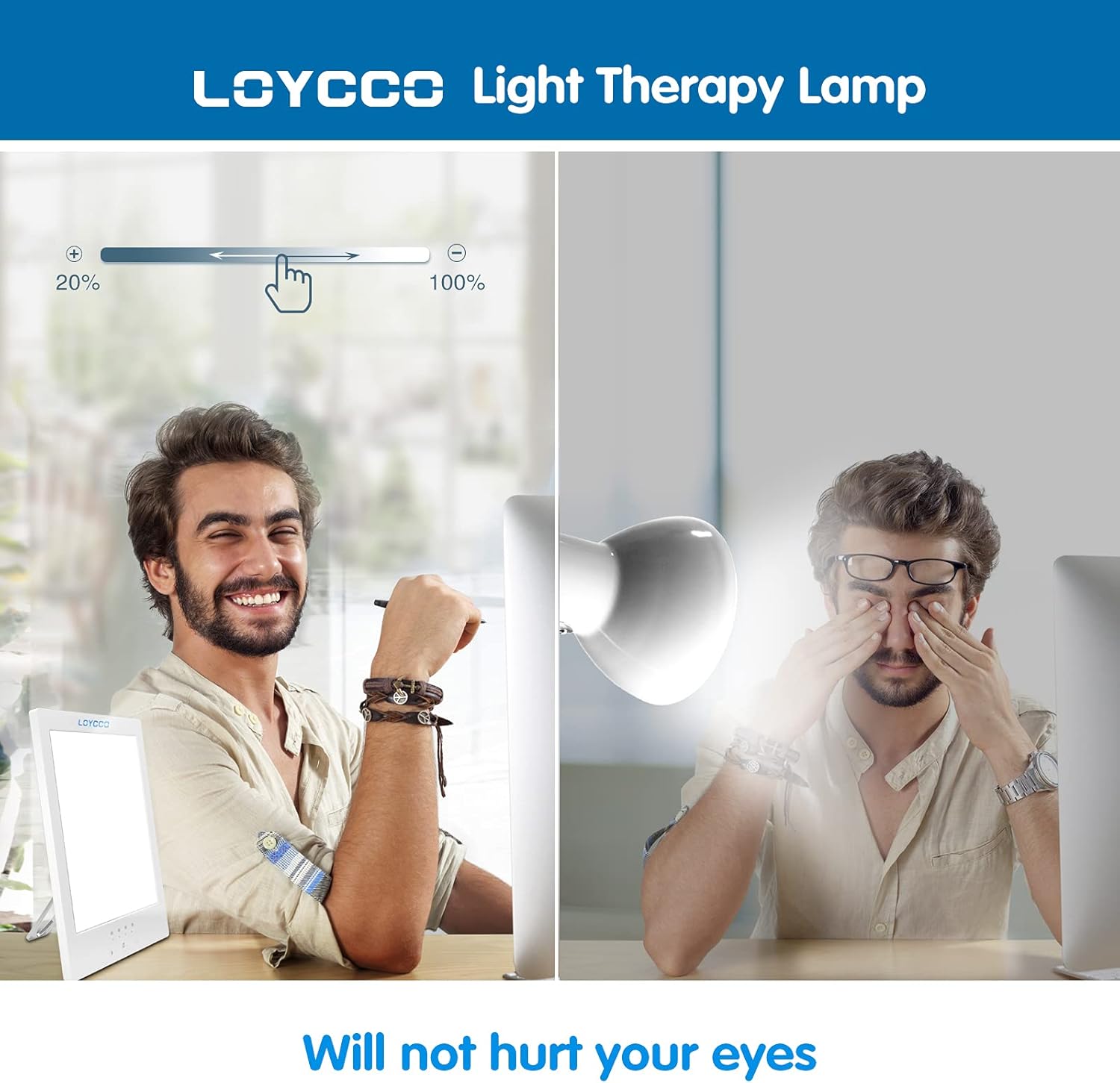
- Do not look directly into the light for extended periods, especially at high brightness settings. Position the lamp to the side of your face.
- Consult a healthcare professional before use if you have a pre-existing eye condition, a history of depression, or are taking medications that may increase light sensitivity.
- Keep out of reach of children. The device operates at a low voltage (20V) and generates very low heat, making it safe to touch.
3. Tính năng
- Độ sáng 10000 Lux: Provides a strong, natural light intensity.
- UV-Free Full Spectrum Light: Mimics natural sunlight without harmful UV rays.
- Độ sáng có thể điều chỉnh: Dimmable from 10% to 100% to suit individual preference.
- Nhiệt độ màu có thể điều chỉnh: Offers various light tones (cool to warm) for different needs.
- Hẹn giờ tích hợp: Settings for 15, 30, 45, and 60 minutes with automatic shut-off.
- Thiết kế nhỏ gọn và di động: Ultra-thin size with a 360-degree adjustable kickstand for versatile placement.
- Chức năng bảo vệ mắt: Flicker-free design to prevent eye strain.

4. Thiết lập
- Unpack the Loycco Light Therapy Lamp and its power adapter.
- Locate the kickstand on the back of the lamp. Adjust it to your desired angle for vertical or horizontal positioning.
- Connect the power adapter cable to the input port on the back of the lamp.
- Cắm bộ đổi nguồn vào ổ cắm điện tiêu chuẩn.

5. Hướng dẫn vận hành
5.1 Bật/Tắt nguồn
Press the power button located on the side of the lamp để bật hoặc tắt thiết bị.
5.2 Điều chỉnh độ sáng
Long press the brightness adjustment button (typically marked with a sun icon) on the control panel. Hold the button to cycle through brightness levels from 10% to 100%. Release the button when the desired brightness is reached.
5.3 Điều chỉnh nhiệt độ màu
Long press the color temperature adjustment button (typically marked with a light bulb icon) on the control panel. Hold the button to cycle through different color temperature settings (e.g., cool white, natural white, warm white). Release the button when the desired color temperature is reached.
5.4 Đặt hẹn giờ
Single press the timer setting button (typically marked with a clock icon) to select a desired session duration. Available options are 15, 30, 45, and 60 minutes. The lamp will automatically turn off after the selected time has elapsed.

6. Recommended Program
For optimal results, position the light therapy lamp approximately 5.5 to 20 inches (14 to 50 cm) from your face. Avoid looking directly into the light. Instead, position it to the side, allowing the light to enter your peripheral vision. Begin with shorter sessions (e.g., 10-15 minutes) at a lower brightness setting (e.g., 10%) and gradually increase duration and brightness as your eyes adjust and you feel comfortable. Most users find daily sessions of 20-60 minutes to be beneficial, ideally in the morning.

7. Chăm sóc và vệ sinh
- Luôn rút phích cắm của thiết bị trước khi vệ sinh.
- Lau sạch lampbề mặt của nó mềm, khô hoặc hơi...amp vải.
- Không sử dụng chất tẩy rửa có tính mài mòn, dung môi hoặc hóa chất mạnh, vì chúng có thể làm hỏng bề mặt.
- Ensure the device is completely dry before plugging it back in.
KHAI THÁC. Xử lý sự cố
| Vấn đề | Nguyên nhân có thể | Giải pháp |
|---|---|---|
| Lamp không bật. | Chưa cắm đúng cách hoặc có vấn đề với ổ cắm điện. | Kiểm tra kết nối nguồn điện. Thử ổ cắm khác. |
| Brightness/Color temperature not adjusting. | Button not held long enough or incorrect button pressed. | Ensure you are long-pressing the correct adjustment button. |
| Hẹn giờ không hoạt động. | Bộ hẹn giờ không được đặt chính xác. | Single press the timer button to select a duration. The indicator light for the selected time should illuminate. |
9. Thông số kỹ thuật
- Người mẫu: LC-TL001
- Độ sáng: 10000 Lux
- Loại nguồn sáng: DẪN ĐẾN
- Nguồn điện: Điện có dây
- Tậptage: 20 vôn
- Cái gì?tage: 14 Watt
- Phương pháp kiểm soát: Chạm
- Kích thước: 7.9 x 5.6 x 0.4 inch
- Trọng lượng sản phẩm: 1.5 pound
- Vật liệu: White Material
- Các thành phần bao gồm: Bộ chuyển đổi, Hướng dẫn sử dụng
10. Bảo hành và Hỗ trợ
Loycco provides a 30-day money-back guarantee and a 24-month quality guarantee for quality-related issues. For further support or warranty claims, please refer to the contact information provided with your purchase or visit the official Loycco webđịa điểm.


