1. Giới thiệu
The Twinkly Flex 6.5ft LED Tube is a flexible, app-controlled RGB LED light tube designed for customizable indoor lighting. It offers a wide range of colors and effects, and can be integrated with smart home systems like Alexa and Google Home.
2. Có gì trong hộp
Xác minh rằng tất cả các thành phần đều có mặt:
- Twinkly Flex 6.5ft LED Tube
- Bộ điều khiển thông minh
- Power Adapter (Type A plug)
- Mounting Kit (includes clips and templates)
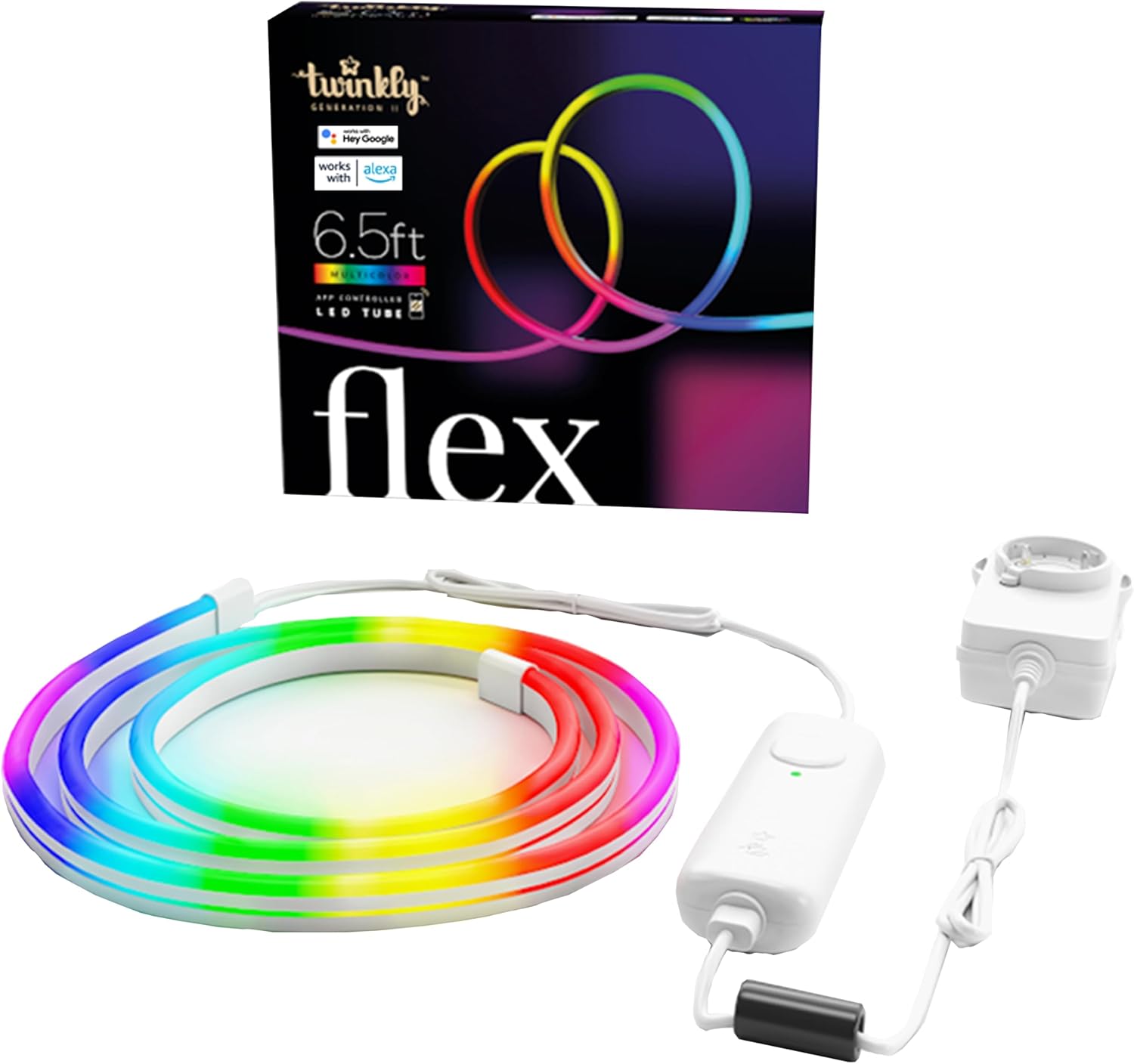
Image: Twinkly Flex LED Tube, smart controller, and power adapter.
3. Hướng dẫn thiết lập
3.1 Cài đặt vật lý
- Lên kế hoạch thiết kế của bạn: Before mounting, decide on the desired shape or pattern for your Twinkly Flex. The tube is flexible but requires mounting clips to hold its shape on a surface.
- Use Templates (Optional): The included mounting kit may contain templates to assist in creating specific designs. Position the template on your desired surface.
- Kẹp gắn: Secure the mounting clips to the surface using the provided screws or adhesive. Ensure the clips are spaced appropriately to support the desired shape of the LED tube. The kit includes various clips for different angles (e.g., 90-degree and 180-degree mounts).
- Chèn ống đèn LED: Carefully press the Twinkly Flex LED tube into the mounted clips, following your planned design.
- Kết nối nguồn: Connect the LED tube to the smart controller, and then connect the smart controller to the power adapter. Plug the power adapter into a suitable electrical outlet.

Image: A user installing the flexible LED tube onto a wall using mounting clips.
Video: Một kết thúcview of the Twinkly Flex LED tube and its installation process.
3.2 Cài đặt và kết nối ứng dụng
- Download the Twinkly App: Download the official Twinkly app from the App Store (iOS) or Google Play Store (Android).
- Tạo tài khoản: Mở ứng dụng và làm theo hướng dẫn trên màn hình để tạo tài khoản người dùng mới hoặc đăng nhập nếu bạn đã có.
- Thêm thiết bị: Select "Add Device" or similar option within the app. Choose "Twinkly Flex" from the list of available devices.
- Kết nối qua Bluetooth/Wi-Fi: The app will guide you through connecting the Twinkly Flex via Bluetooth for initial setup, then to your local Wi-Fi network (2.4GHz recommended).
- Map Lights: Once connected, the app will prompt you to "Map Lights." This feature uses your phone's camera to understand the physical layout of your Twinkly Flex, enabling precise and dynamic lighting effects. Follow the in-app instructions for accurate mapping.

Image: The Twinkly app interface displaying color options for mood creation.

Image: The Twinkly app demonstrating the light mapping feature for advanced effects.
4. Hoạt động
4.1 Basic Controls (Smart Controller)
- Bật/Tắt nguồn: Press the button on the smart controller once to turn the lights on. To turn off, you must use the Twinkly app or a connected smart home assistant.
- Hiệu ứng chu kỳ: Press the button repeatedly to cycle through pre-set lighting effects.
4.2 Twinkly App Features
- Lựa chọn màu sắc: Choose from over 16 million colors to customize your lighting.
- Effects & Animations: Apply pre-set effects, create custom animations using the FX Wizard, or download new effects from the online gallery.
- Kiểm soát độ sáng: Adjust the brightness level of the lights.
- Bộ đếm thời gian: Set schedules for the lights to turn on and off automatically.
- Nhóm: Group multiple Twinkly devices virtually for synchronized scenes and multi-object decorations.

Image: The Twinkly app displaying a wide range of color palettes and effects.
4.3 Tích hợp nhà thông minh
The Twinkly Flex is compatible with various smart home ecosystems:
- Amazon Alexa: Enable the Twinkly skill in the Alexa app to control your lights with voice commands (e.g., "Alexa, turn on Twinkly").
- Trang chủ Google: Link your Twinkly account in the Google Home app to use voice commands (e.g., "Hey Google, set Twinkly to blue").
- Razer Chroma RGB & OMEN Light Studio: Integrate for enhanced gaming lighting experiences.
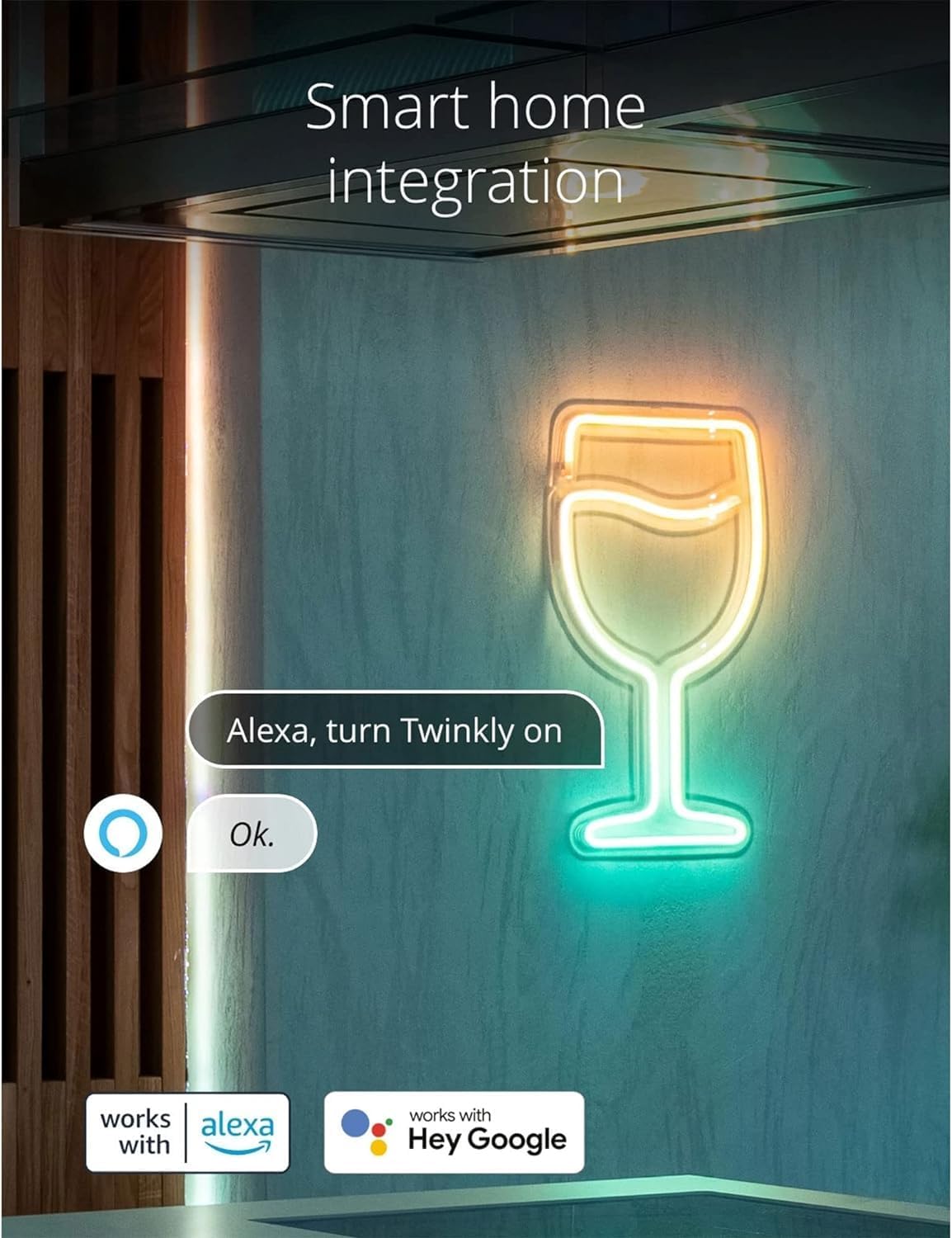
Image: Twinkly Flex lights responding to an Alexa voice command.

Image: Twinkly Flex lights enhancing a gaming setup with Razer Chroma RGB integration.
4.4 Music Sync (Optional Accessory)
For a synchronized audio-visual experience, the Twinkly Music dongle (sold separately) can be paired with the Twinkly Flex. This accessory allows the lights to react to ambient sounds and music.

Image: Twinkly Flex lights displaying effects synchronized with music.
Video: A demonstration of the Twinkly Flex LED tube's flexible nature and various lighting effects.
5. Bảo trì
- Vệ sinh: Gently wipe the LED tube with a soft, dry cloth. Do not use harsh chemicals or abrasive cleaners.
- Khả năng chống nước: The Twinkly Flex is designed for indoor use and is not water-resistant. Avoid exposure to water or high humidity environments.
- Kho: When not in use, store the Twinkly Flex in a cool, dry place, away from direct sunlight and extreme temperatures.
KHAI THÁC. Xử lý sự cố
| Vấn đề | Giải pháp |
|---|---|
| Đèn không bật. |
|
| Không thể kết nối với ứng dụng Twinkly. |
|
| Lights do not hold desired shape. |
|
| Cannot turn off lights using the smart controller button. |
|
7. Thông số kỹ thuật
- Số hiệu mẫu: TWFL200STW-WUS
- Chiều dài: 6.5 feet (2 mét)
- Loại nguồn sáng: DẪN ĐẾN
- Màu sáng: Multicolor (RGB, 16M+ colors)
- Nguồn điện: Điện có dây
- Cái gì?tage: 5 watt
- Phương pháp kiểm soát: App Control (Wi-Fi & Bluetooth)
- Khả năng tương thích với nhà thông minh: Amazon Alexa, Google Home, Razer Chroma RGB, OMEN Light Studio
- Sử dụng trong nhà/ngoài trời: Trong nhà
- Vật liệu: Nhựa
- Trọng lượng sản phẩm: 1.8 Bảng Anh
- Định dạng cắm: Loại A
- Nhãn hiệu quả năng lượng của EU: Hiệu quả cao
8. Bảo hành & Hỗ trợ
For warranty information and technical support, please refer to the official Twinkly webtrang web hoặc liên hệ với bộ phận chăm sóc khách hàng của họ. Hãy giữ lại hóa đơn mua hàng để yêu cầu bảo hành.
Hỗ trợ trực tuyến: Thăm nom www.twinkly.com để biết câu hỏi thường gặp, hướng dẫn khắc phục sự cố và thông tin liên hệ.


