1. Giới thiệu
Thank you for choosing the AlkiVision C2 Wireless Outdoor Security Camera. This manual provides detailed instructions for setting up, operating, and maintaining your new security camera. Designed for both indoor and outdoor use, the C2 camera offers 1080p HD video, clear night vision, smart motion detection, and two-way audio to enhance your home security.
Please read this manual thoroughly before use to ensure proper installation and optimal performance.
2. Nội dung gói hàng
Xác minh rằng tất cả các mục đều có trong gói hàng của bạn:
- AlkiVision C2 Wireless Outdoor Security Camera (1)
- Giá đỡ (1)
- Cáp sạc USB (1)
- Mounting Screws and Wall Anchors (1 set)
- Hướng dẫn sử dụng (1)
- Thẻ bảo hành (1)
3. Sản phẩm hếtview
Familiarize yourself with the components of your AlkiVision C2 camera:

Figure 3.1: AlkiVision C2 Camera Front View
Các thành phần chính bao gồm:
- Ống kính: Captures 1080p HD video with a 130-degree wide angle.
- Đèn LED hồng ngoại: Two infrared LEDs for clear night vision.
- PIR Lens: Passive Infrared sensor for smart motion detection.
- Pickup (Microphone): Dùng để giao tiếp âm thanh hai chiều.
- Chỉ báo trạng thái làm việc: LED light indicating camera status.
- Người nói: Dùng để giao tiếp âm thanh hai chiều.
- Khe cắm thẻ nhớ Micro SD: Supports local storage of recordings.
- Lỗ gắn tường: For attaching the camera to the mounting bracket.
- Power Key/Reset Key: Used for powering on/off and resetting the device.
- DC5V Micro USB Port: For charging the camera's built-in rechargeable battery.
4. Thông số kỹ thuật
| Tính năng | Đặc điểm kỹ thuật |
|---|---|
| Độ phân giải video | Độ phân giải 1080p |
| Viewgóc ing | 130 Độ |
| Tầm nhìn ban đêm | Clear IR Night Vision (Night Color technology) |
| Phát hiện chuyển động | PIR Smart Motion Detection (Motion Only alerts) |
| Âm thanh | Âm thanh hai chiều |
| Kết nối | Wi-Fi (2.4GHz only, 5GHz not supported) |
| Nguồn điện | Rechargeable Battery (1 to 6 months life per charge) |
| Xếp hạng chống thấm nước | IP65 |
| Thiết bị tương thích | Điện thoại thông minh (Android) |
| Yếu tố hình thức | Đạn |
| Kích thước | 5.04 x 3.98 x 3.03 inch |
| Cân nặng | 12.3 ounce |
5. Hướng dẫn cài đặt
5.1 Sạc ban đầu
Before first use, fully charge the camera's built-in rechargeable battery using the provided USB cable. Connect the cable to the DC5V Micro USB Port on the camera and a standard USB power adapter (not included). The charging indicator light will show the charging status.
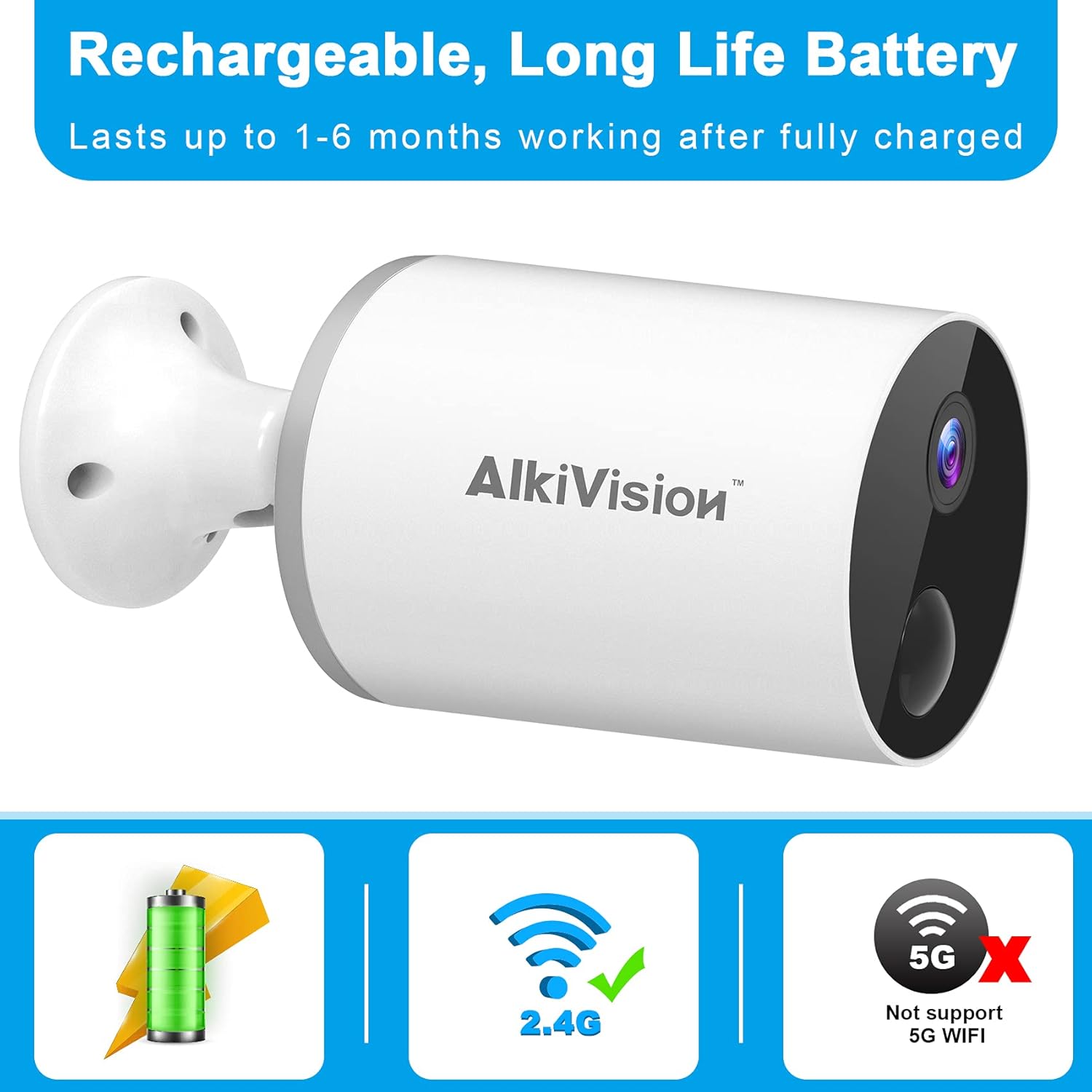
Figure 5.1: Rechargeable Battery and WiFi Compatibility
5.2 Tải xuống và cài đặt ứng dụng
Download the "Adorcam" mobile application from your smartphone's app store (available for Android). Follow the on-screen instructions to create an account and log in.
5.3 Kết nối Wi-Fi
The AlkiVision C2 camera supports 2.4GHz Wi-Fi networks only. It does not support 5GHz Wi-Fi. Ensure your smartphone is connected to a 2.4GHz Wi-Fi network during the setup process.
- Open the Adorcam app and click "Add Device".
- Chọn "Máy ảnh dùng pin" từ danh sách thiết bị.
- Follow the prompts to enter your 2.4GHz Wi-Fi network name and password.
- The app will generate a QR code. Position your camera's lens to scan this QR code from your phone screen at a distance of 4-8 inches.
- You will hear a tone from the camera indicating successful scanning. Once connected, the app will confirm the connection.
5.4 Gắn máy ảnh
The camera is designed for easy installation and can be mounted almost anywhere using the included tough brackets and screws. Choose a location with good Wi-Fi signal strength.

Figure 5.2: Easy Installation and Weatherproof Design
Để gắn máy ảnh:
- Secure the mounting bracket to your desired surface using the provided screws and wall anchors.
- Gắn máy ảnh vào giá đỡ.
- Điều chỉnh góc máy quay để bao phủ khu vực giám sát mong muốn.
Video 5.1: Outdoor Security Camera Installation Overview. This video demonstrates the physical installation of the camera on an outdoor surface.
6. Hướng dẫn vận hành
6.1 Trực tiếp View và Ghi âm
Truy cập các luồng video trực tiếp và video đã ghi lại.tage through the Adorcam app. The camera provides 1080p HD image quality and automatically adjusts to ambient light for clear day and night vision.

Figure 6.1: 1080p HD Day and Clear IR Night Vision
6.2 Phát hiện chuyển động thông minh
The camera is equipped with advanced PIR motion detection. When motion is detected, the camera will send notifications to your smartphone, providing real-time alerts.

Figure 6.2: PIR Smart Motion Detection and 130-Degree Wide Angle
6.3 Âm thanh hai chiều
Utilize the two-way audio feature to listen and speak through the camera. This allows for real-time communication with visitors or to deter unwanted individuals.

Hình 6.3: Giao tiếp âm thanh hai chiều
6.4 Multi-Camera and Multi-User Sharing
You can install multiple AlkiVision C2 cameras to create a comprehensive security system. The Adorcam app also allows multiple users to view live feeds simultaneously, enabling family and friends to monitor the property.

Figure 6.4: WiFi Stable Connection for Multiple Cameras
6.5 SD Card Storage
The camera supports local storage via a Micro SD card (not included). Insert a compatible Micro SD card into the designated slot for continuous recording or motion-triggered event storage. Ensure you use a Class 10 Micro SD card for optimal performance.
7. Bảo trì
7.1 Vệ sinh
To maintain clear image quality, regularly clean the camera lens with a soft, lint-free cloth. Avoid using harsh chemicals or abrasive materials that could scratch the lens.
7.2 Chăm sóc pin
The rechargeable battery provides 1 to 6 months of life depending on usage and environmental factors. Recharge the camera when the battery level is low. For optimal battery longevity, avoid extreme temperatures.
7.3 Khả năng chống chịu thời tiết
The AlkiVision C2 camera has an IP65 waterproof rating, meaning it is protected against dust and low-pressure water jets. It can withstand rain and temperatures from -4°F to 122°F (-20°C to 50°C). While designed for outdoor use, avoid submerging the camera in water.
KHAI THÁC. Xử lý sự cố
- Camera không kết nối được với Wi-Fi: Ensure your Wi-Fi network is 2.4GHz. The camera does not support 5GHz networks. Check your Wi-Fi password and signal strength. Try moving the camera closer to your wireless router or resetting the camera and trying the connection process again.
- Chất lượng hình ảnh kém: Ensure the camera lens is clean. Check for any obstructions in the camera's field of view. Verify that your internet connection is stable for optimal streaming quality.
- Phát hiện chuyển động không hoạt động: Adjust the motion detection sensitivity settings in the Adorcam app. Ensure there are no objects constantly moving in the detection zone that could trigger false alarms.
- Thời lượng pin ngắn: Battery life can vary based on the frequency of motion detection events, live view usage, and temperature. Reduce motion detection sensitivity or frequency of alerts if battery life is a concern. Ensure the camera is fully charged before deployment.
- Các vấn đề về âm thanh hai chiều: Check your smartphone's volume settings and ensure the microphone and speaker on the camera are not obstructed. Verify a stable internet connection for clear audio transmission.
9. Bảo hành và Hỗ trợ
AlkiVision products are designed for reliability and performance. For specific warranty information, please refer to the warranty card included in your product package. If you encounter any issues or have questions not covered in this manual, please contact AlkiVision customer support through the contact information provided on your warranty card or the official AlkiVision webđịa điểm.
Vui lòng giữ lại bằng chứng mua hàng của bạn để yêu cầu bảo hành.


