1. Giới thiệu
Thank you for choosing the boAt Airdopes 641 Truly Wireless Earbuds. This manual provides essential information for setting up, operating, and maintaining your earbuds to ensure optimal performance and longevity. Please read this guide carefully before using the product.
2. Sản phẩm hếtview
The boAt Airdopes 641 are designed for a seamless audio experience, featuring advanced connectivity and intuitive controls.

Hình ảnh: Key features of the Airdopes 641, highlighting RGB LEDs, Instant Wake N' Pair (IWP) technology, Bluetooth 5.0 connectivity, 6mm Dual Drivers for audio, and a Capacitive Touch Panel for controls.
2.1 Thành phần
- Tai nghe: Left and Right truly wireless earbuds with in-ear design.
- Hộp sạc: Hộp đựng di động để sạc và bảo quản tai nghe.
- Cáp USB Type-C: Để sạc pin.
- Hướng dẫn sử dụng: Tài liệu này.
2.2 Tính năng
- Bluetooth 5.0: Đảm bảo kết nối không dây ổn định và hiệu quả.
- IWP (Instant Wake N' Pair): Enables quick pairing with your device once the case lid is opened.
- Màn hình cảm ứng điện dung: For easy control of music, calls, and voice assistant.
- 6mm Dual Drivers: Delivers immersive audio experience.
- Đèn LED RGB: Indicator lights for status.
- Chế độ dã thú: Chế độ độ trễ thấp để chơi game.
- IPX5 Water & Sweat Shield: Cung cấp khả năng bảo vệ chống lại nước bắn và mồ hôi.
- Tổng thời gian phát lại lên đến 30 giờ: Combined battery life of earbuds and charging case.
- Sạc USB Type-C: Modern and convenient charging port.
3. Thiết lập
3.1 Sạc tai nghe và hộp đựng
Trước khi sử dụng lần đầu, hãy đảm bảo cả tai nghe và hộp sạc đều được sạc đầy.
- Place both earbuds into the charging case, ensuring they are correctly seated. The earbuds will automatically begin charging.
- Connect the USB Type-C charging cable to the charging port on the case and plug the other end into a compatible USB power adapter (not included).
- The LED indicators on the case will show the charging status. Once fully charged, the indicators may change or turn off.
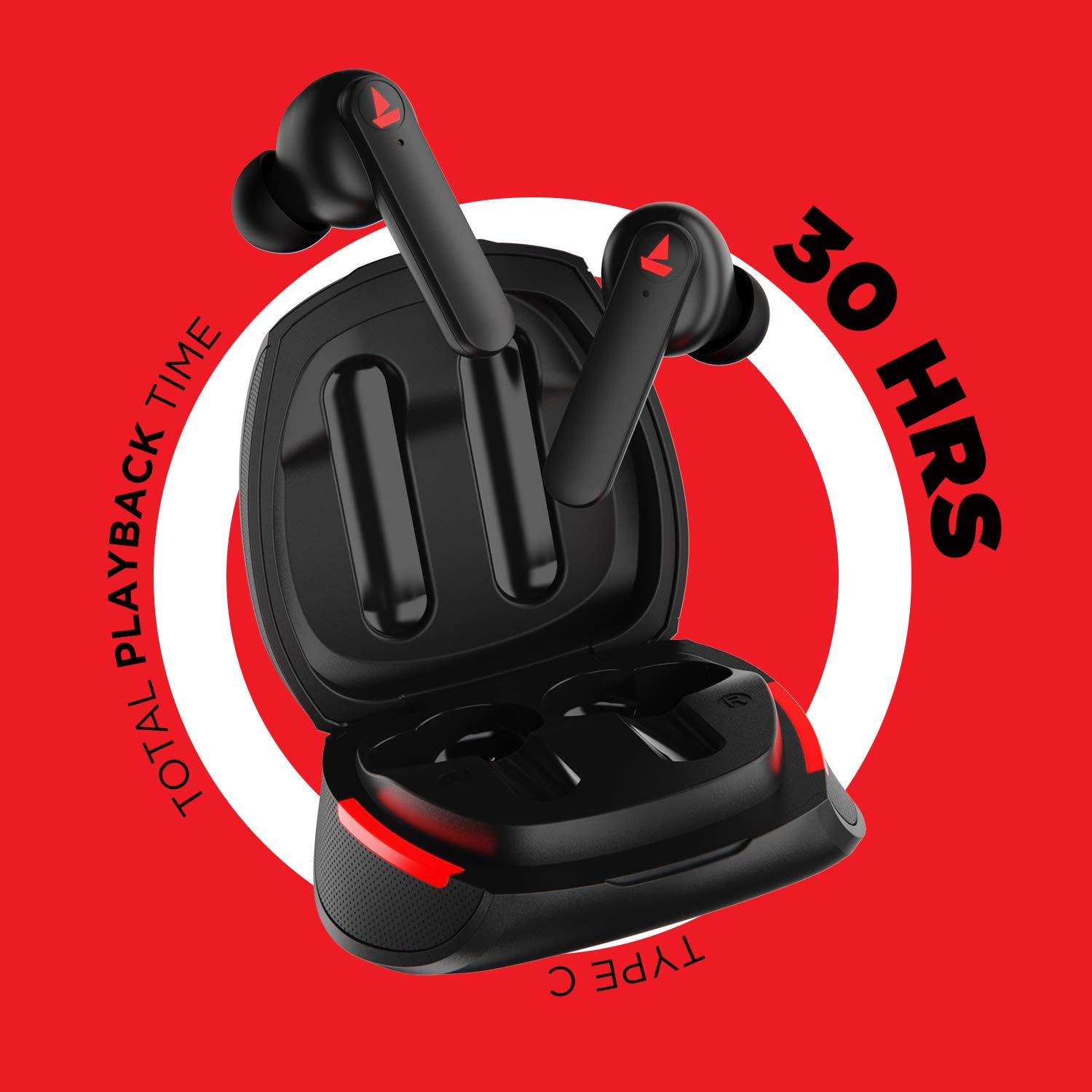
Hình ảnh: The Airdopes 641 earbuds resting in their charging case, illustrating the Type-C charging capability and the impressive 30 hours of total playback time.
3.2 Initial Pairing (IWP Technology)
The Airdopes 641 feature Instant Wake N' Pair (IWP) technology for quick and effortless connection.
- Mở nắp hộp sạc. Tai nghe sẽ tự động bật nguồn và chuyển sang chế độ ghép nối.
- Trên điện thoại thông minh hoặc thiết bị hỗ trợ Bluetooth của bạn, hãy bật Bluetooth.
- Tìm kiếm "Airdopes 641" in the list of available devices and select it to pair.
- Once paired, you will hear an audio prompt, and the earbuds will be ready for use.
- The earbuds will automatically connect to the last paired device when the case lid is opened, provided Bluetooth is enabled on the device.
4. Hướng dẫn vận hành
4.1 Bật/Tắt nguồn
- Bật nguồn: Open the charging case lid. The earbuds will power on automatically. Alternatively, long-press the Capacitive Touch Control (CTC) on both earbuds for 3 seconds.
- Tắt nguồn: Place the earbuds back into the charging case and close the lid. They will power off automatically. Alternatively, long-press the CTC on both earbuds for 5 seconds.
4.2 Capacitive Touch Controls (CTC)
The Airdopes 641 feature intuitive touch controls on each earbud.
- Phát/Tạm dừng: Single tap on either earbud's CTC.
- Bài hát tiếp theo: Double tap on the right earbud's CTC.
- Bản nhạc trước: Double tap on the left earbud's CTC.
- Trả lời/Kết thúc cuộc gọi: Single tap on either earbud's CTC.
- Từ chối cuộc gọi: Long press on either earbud's CTC for 2 seconds.
- Kích hoạt Trợ lý giọng nói: Triple tap on either earbud's CTC.
- Tăng âm lượng: Long press the right earbud's CTC.
- Giảm âm lượng: Long press the left earbud's CTC.
4.3 Chế độ BEAST (Chơi game độ trễ thấp)
Activate BEAST Mode for a low-latency audio experience, ideal for gaming.

Hình ảnh: The Airdopes 641 earbuds and their sleek charging case, emphasizing the "BEAST Mode" feature designed to provide a low-latency audio experience for gamers.
- Activate BEAST Mode: Triple tap on the right earbud's CTC.
- Tắt chế độ BEAST: Triple tap on the right earbud's CTC again.
5. Bảo trì
Proper care ensures the longevity and performance of your Airdopes 641.
5.1 Vệ sinh
- Nhẹ nhàng lau sạch tai nghe và hộp sạc bằng vải mềm, khô và không xơ.
- Không sử dụng chất tẩy rửa có tính mài mòn, cồn hoặc dung môi hóa học.
- Thường xuyên vệ sinh đầu tai và lưới để tránh ráy tai tích tụ, có thể ảnh hưởng đến chất lượng âm thanh.
5.2 Water and Sweat Resistance (IPX5)

Hình ảnh: The Airdopes 641 earbuds and their charging case surrounded by water splashes, illustrating their IPX5 rating for water and sweat resistance.
The Airdopes 641 are rated IPX5, meaning they are protected against low-pressure water jets from any direction. This makes them suitable for workouts and light rain.
- Không nhúng tai nghe vào nước.
- Do not expose them to high-pressure water or steam.
- Đảm bảo tai nghe khô trước khi đặt lại vào hộp sạc để tránh hư hỏng.
5.3 Lưu trữ
Cất tai nghe vào hộp sạc khi không sử dụng để bảo vệ và giữ cho tai luôn được sạc.
KHAI THÁC. Xử lý sự cố
If you encounter issues with your Airdopes 641, try the following solutions.
6.1 Tai nghe không ghép nối/kết nối
- Đảm bảo cả hai tai nghe đều được sạc.
- Hãy đảm bảo Bluetooth đã được bật trên thiết bị của bạn và tai nghe nằm trong phạm vi kết nối.
- Try forgetting "Airdopes 641" from your device's Bluetooth list and re-pairing.
- Perform a factory reset as described below.
6.2 Khôi phục cài đặt gốc
A factory reset can resolve many common issues by restoring the earbuds to their original settings.

Hình ảnh: A visual guide detailing the steps for a factory reset of the Airdopes 641. It emphasizes clearing the device from pairing history first, then long-pressing the Capacitive Touch Control (CTC) on both earbuds inside the case for 10 seconds until a green LED flashes three times, followed by closing and reopening the case.
- Bước 1: Before performing the reset, clear "Airdopes 641" from your pairing device history by forgetting the device on your phone/tablet.
- Bước 2: Place both earbuds back inside the charging case in the correct orientation.
- Bước 3: Long press the Capacitive Touch Control (CTC) on both earbuds inside the case for up to 10 seconds. The successful reset will be indicated by the flashing of a green LED three times.
- Bước 4: Đóng nắp hộp sạc rồi mở lại.
- Bước 5: Once you take the earbuds out from the charging case, they automatically restart and are ready for a new pairing.
Note: Please make sure the case is charged before performing a factory reset.
6.3 Không có âm thanh/Âm lượng thấp
- Kiểm tra mức âm lượng trên cả thiết bị và tai nghe.
- Đảm bảo tai nghe được đặt đúng vị trí trong tai bạn.
- Lau sạch mọi mảnh vụn bám trên lưới tai nghe.
- Hãy thử ghép nối lại tai nghe.
7. Thông số kỹ thuật
| Tên mẫu | Máy bay 641 |
| Công nghệ kết nối | Không dây (Bluetooth) |
| Công nghệ truyền thông không dây | Bluetooth 5.0 |
| Loại điều khiển | Cảm ứng, Điều khiển bằng giọng nói |
| Loại trình điều khiển âm thanh | Trình điều khiển động (6mm) |
| Vị trí tai | Trong tai |
| Yếu tố hình thức | Trong tai |
| Vật liệu | Nhựa |
| Xếp hạng khả năng chống nước | IPX5 |
| Cổng sạc | USB loại C |
| Thiết bị tương thích | Tablets, Cellphones, Laptops, Desktops, Smart Speaker, Television |
8. Bảo hành và Hỗ trợ
For warranty information and customer support, please refer to the warranty card included with your product or visit the official boAt webđịa điểm. Giữ biên lai mua hàng của bạn để yêu cầu bảo hành.
Nhà sản xuất: Imagine Marketing Pvt Ltd


