Giới thiệu
This user manual provides detailed instructions for the setup, operation, maintenance, and troubleshooting of your iFFALCON 43K71 4K Ultra HD Smart Android LED TV. Please read this manual thoroughly before using the television and retain it for future reference.

Hình ảnh: Mặt trước view of the iFFALCON 43K71 4K Ultra HD Smart Android LED TV, showcasinthiết kế mỏng và màn hình sống động.
Thông tin an toàn
Always adhere to the following safety precautions to prevent fire, electric shock, or injury:
- Không để TV tiếp xúc với mưa hoặc nơi ẩm ướt.
- Đảm bảo thông gió thích hợp; không chặn các lỗ thông gió.
- Chỉ sử dụng dây nguồn được cung cấp kèm theo TV.
- Do not open the TV cabinet; refer all servicing to qualified personnel.
- Nên đặt tivi tránh xa ánh nắng trực tiếp, nguồn nhiệt và từ trường mạnh.
- Đặt TV trên bề mặt ổn định, bằng phẳng hoặc gắn chặt vào tường.
Có gì trong hộp
Xác minh rằng tất cả các thành phần đều có sẵn khi mở hộp:
- 1 x iFFALCON 43K71 LED TV
- 1 x Remote Controller (with 2 AAA batteries)
- 2 x Table Stand components
- 1 x Hướng dẫn sử dụng
- 1 x Thẻ bảo hành
- 1 x Cáp âm thanh
Cài đặt
1. Cài đặt vật lý
You can install your TV using the included table stands or by wall-mounting (wall mount bracket sold separately).
Hướng dẫn lắp đặt giá đỡ bàn:
- Cẩn thận đặt tivi úp mặt xuống trên một bề mặt mềm, phẳng để tránh làm hỏng màn hình.
- Attach the two table stand components to the designated slots on the bottom of the TV using the provided screws. Ensure they are securely fastened.
- Cẩn thận nhấc TV lên vị trí thẳng đứng trên bề mặt phẳng, ổn định.
Lắp đặt treo tường:
For wall mounting, consult a professional installer. Ensure the wall mount bracket is compatible with the TV's VESA mounting pattern and can support the TV's weight (approximately 6.9 kg).

Hình ảnh: Trên cùng view of the iFFALCON 43K71 TV, showing its slim profile và các điểm gắn chân đế.
2. Bật nguồn ban đầu và kết nối mạng
- Kết nối dây nguồn vào TV rồi cắm vào ổ điện.
- Nhấn nút nguồn trên TV hoặc trên điều khiển từ xa để bật TV.
- Hãy làm theo hướng dẫn trên màn hình để hoàn tất thiết lập ban đầu, bao gồm chọn ngôn ngữ, quốc gia và kết nối mạng (Wi-Fi hoặc Ethernet).
- Sign in with your Google account to access Android TV features and download apps.
Điều hành TV
Điều khiển từ xa
The supplied remote control allows you to navigate the TV's interface and access various functions.
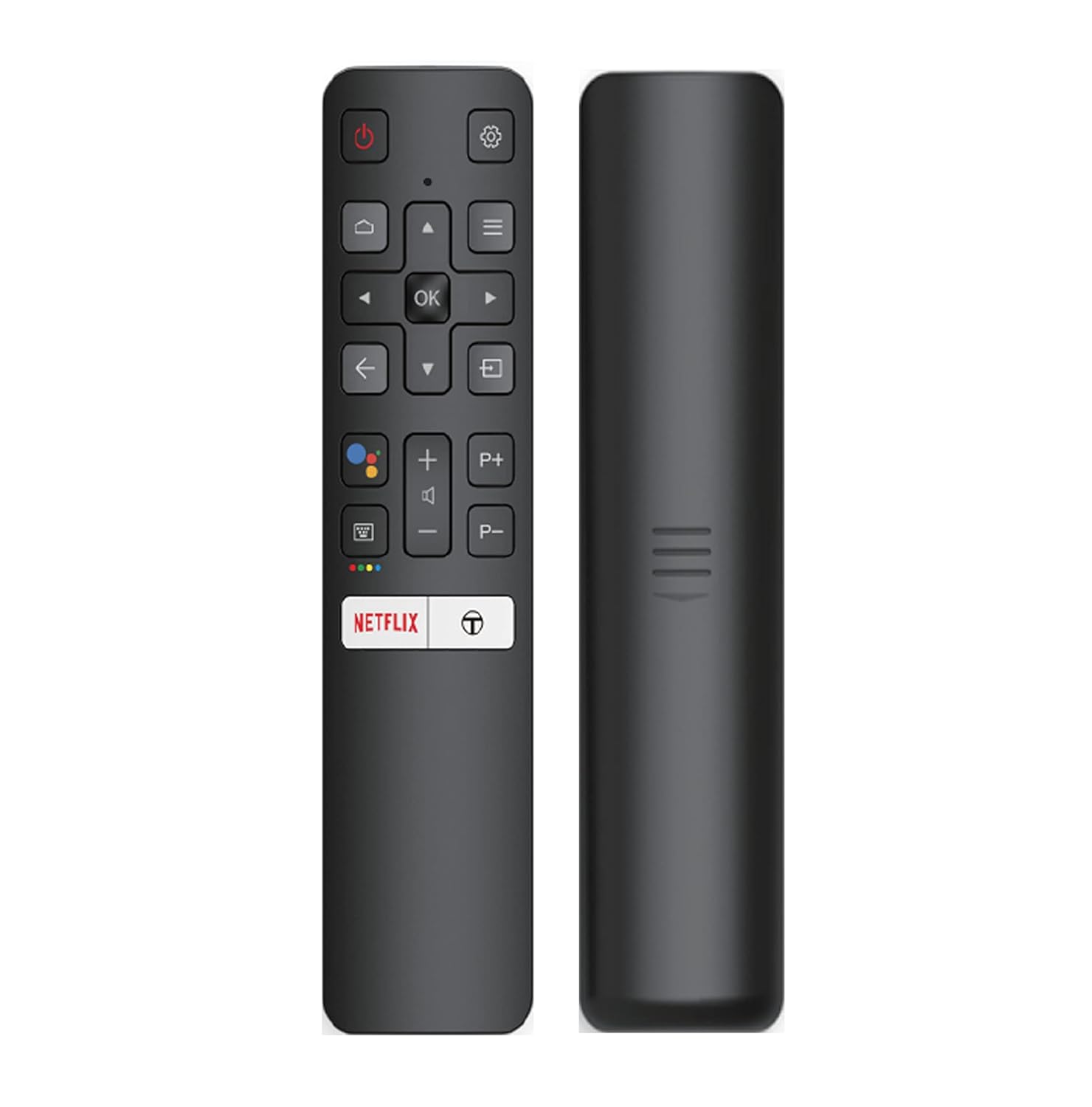
Image: The iFFALCON 43K71 remote control, featuring dedicated buttons for Netflix, Amazon Prime Video, Zee5, and Google Assistant.
Các nút chính bao gồm:
- Quyền lực: Bật/tắt TV.
- Điều hướng (Lên/Xuống/Trái/Phải/OK): Điều hướng menu và xác nhận lựa chọn.
- Mặt sau: Trở về màn hình trước đó.
- Trang chủ: Truy cập màn hình chính của Android TV.
- Âm lượng +/-: Điều chỉnh âm lượng.
- Channel P+/P-: Thay đổi kênh.
- Trợ lý Google: Kích hoạt điều khiển bằng giọng nói.
- Netflix, Prime Video, Zee5: Các nút truy cập trực tiếp vào các dịch vụ phát trực tuyến.
Smart TV Features (Android TV)
Your iFFALCON 43K71 TV runs on Android 9.0, providing access to a wide range of applications and smart functionalities.

Image: The Android TV home screen on the iFFALCON 43K71, displaying various streaming apps like Netflix, YouTube, and Prime Video.
- Ứng dụng: Download and install apps from the Google Play Store, including Netflix, YouTube, Prime Video, Disney+Hotstar, and more.
- Điều khiển bằng giọng nói rảnh tay: Use the built-in Google Assistant to control your TV, search for content, and manage smart home devices by speaking commands directly to the TV.
- Chromecast tích hợp: Cast content from your smartphone, tablet, or computer directly to the TV screen.
- AI-IN: iFFALCON's AI-IN technology integrates with Google Assistant for enhanced smart home connectivity and personalized recommendations.
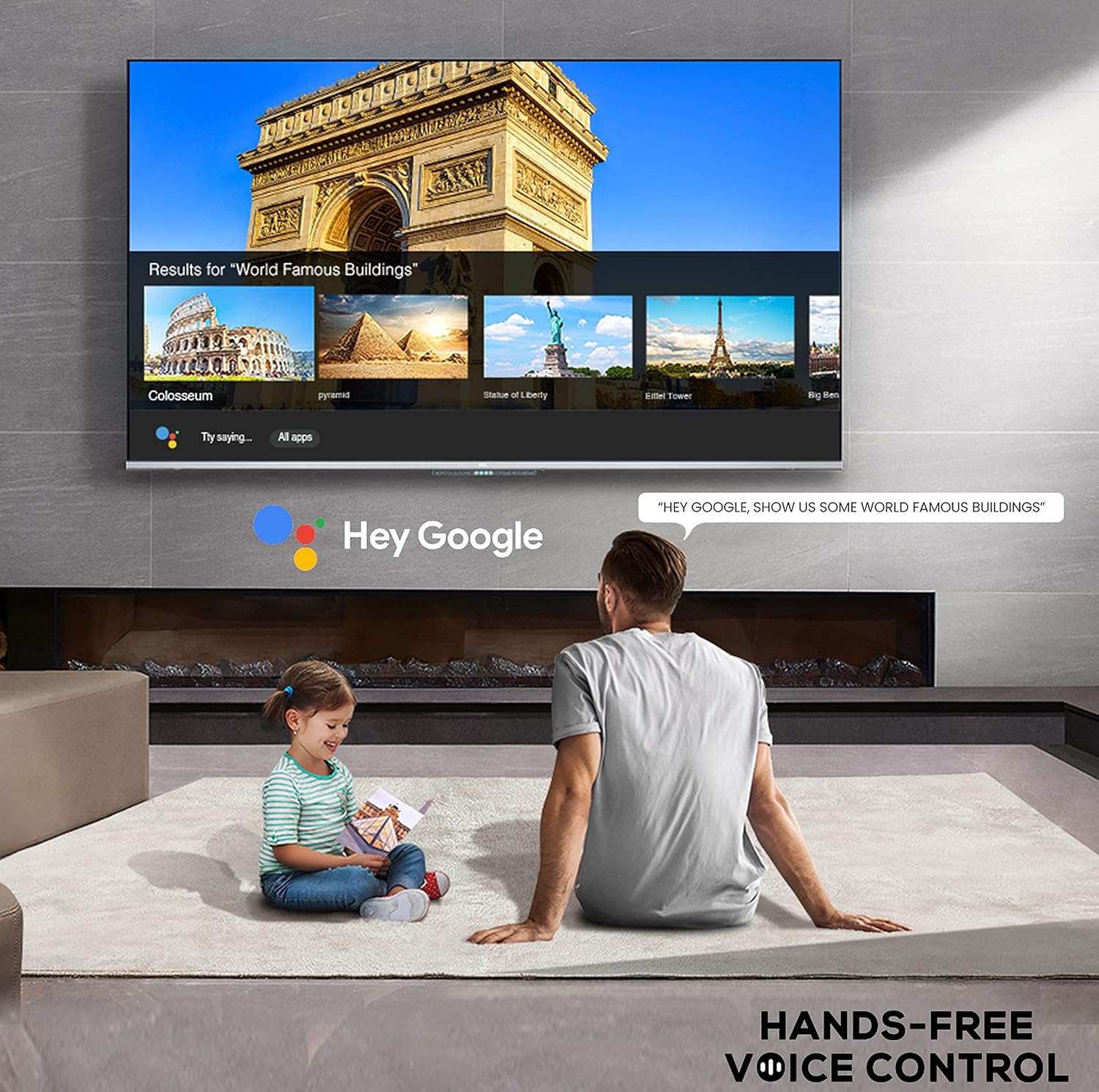
Image: A user interacting with the iFFALCON 43K71 using hands-free voice control, demonstrating the Google Assistant feature.
Kết nối
Tivi này cung cấp nhiều cổng để kết nối các thiết bị ngoại vi:
- Cổng HDMI (2): Connect set-top boxes, Blu-ray players, gaming consoles, etc.
- Cổng USB (1): Kết nối ổ cứng, ổ USB flash để phát lại đa phương tiện.
- Bluetooth: Kết nối tai nghe không dây, loa thanh hoặc các phụ kiện hỗ trợ Bluetooth khác.
- Wi-Fi: Kết nối với mạng không dây tại nhà để truy cập internet.
- Cáp âm thanh: For external audio connections.
Cài đặt hình ảnh và âm thanh
Điều chỉnh cài đặt hình ảnh và âm thanh để tối ưu hóa trải nghiệm của bạn. viewkinh nghiệm.
- Chế độ hình ảnh: Chọn từ nhiều chế độ hình ảnh cài sẵn (ví dụ: Chuẩn, Động, Phim, Thể thao) hoặc tùy chỉnh các thiết lập như độ sáng, độ tương phản, màu sắc và độ sắc nét.
- 4K Ultra HD & HDR 10: Experience stunning detail and vibrant colors with 4K resolution and High Dynamic Range (HDR 10) support.
- Micro Dimming: Enhances contrast by analyzing video content in hundreds of separate zones and adjusting brightness and darkness independently.
- Chế độ âm thanh: Choose from preset sound modes (e.g., Standard, Music, Movie, Clear Voice) or adjust equalizer settings.
- Âm thanh Dolby: Enjoy immersive audio with Dolby Audio processing, delivering rich, clear, and powerful sound from the 30 Watts speakers.
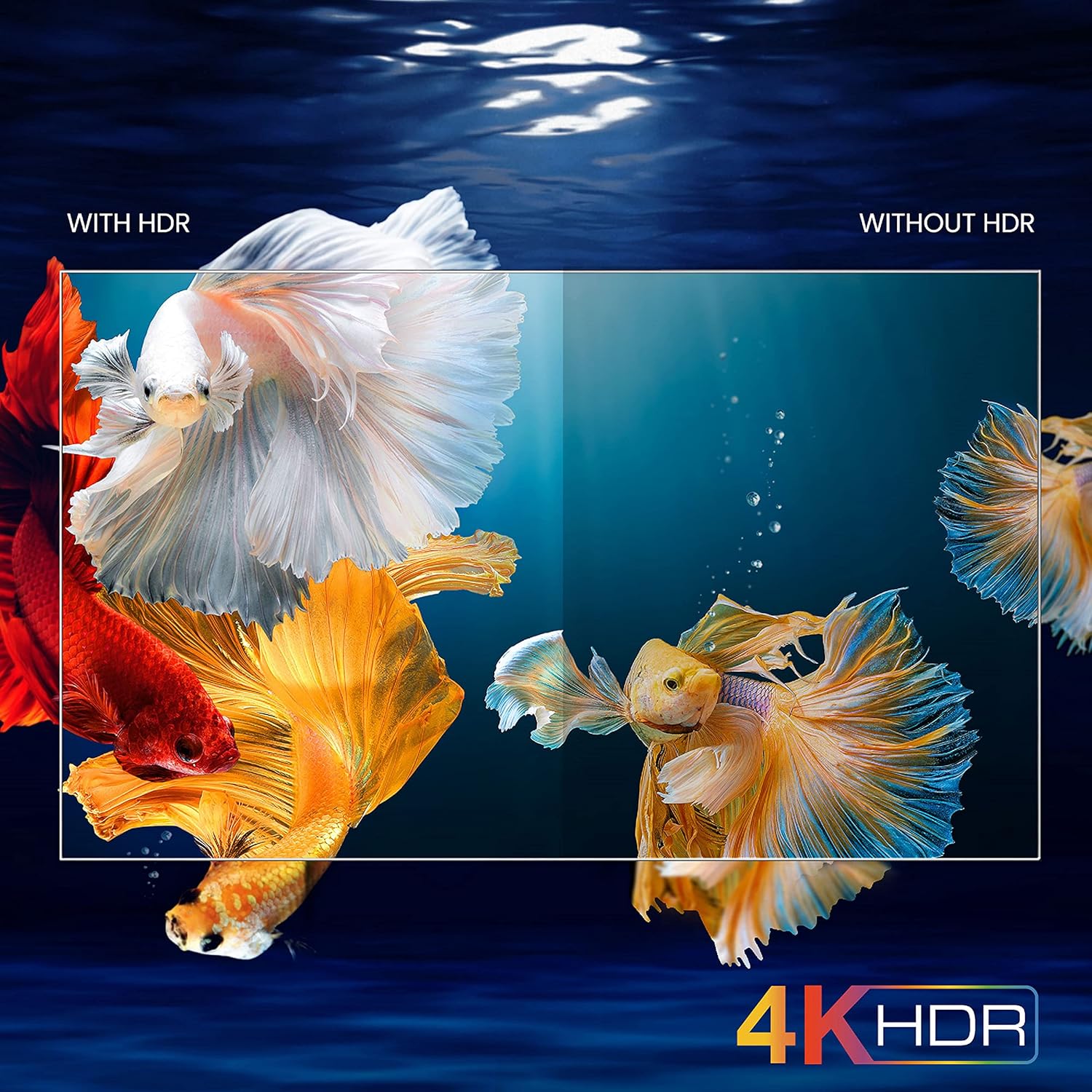
Image: A visual comparison demonstrating the enhanced color and contrast with 4K HDR enabled versus disabled on the iFFALCON 43K71 TV.
BẢO TRÌ
Vệ sinh
- Luôn rút phích cắm TV trước khi vệ sinh.
- Dùng khăn mềm, khô để lau màn hình và tủ. Đối với những vết bẩn cứng đầu, hãy lau nhẹ nhàng.ampLau vải bằng nước hoặc chất tẩy rửa màn hình nhẹ, không gây mài mòn.
- Không sử dụng cồn, benzen, chất pha loãng hoặc các chất dễ bay hơi khác.
Cập nhật phần mềm
The TV may receive software updates periodically to improve performance and add new features. Ensure your TV is connected to the internet to receive these updates automatically or check for them manually in the settings menu.
Xử lý sự cố
If you encounter issues, refer to the following common solutions before contacting support:
| Vấn đề | Giải pháp khả thi |
|---|---|
| TV không bật. | Check if the power cord is securely plugged into the TV and the power outlet. Ensure the power outlet is working. Try pressing the power button on the TV itself. |
| Không có hình ảnh, nhưng có âm thanh. | Check the input source. Ensure external devices are properly connected and powered on. Try restarting the TV. |
| Không có âm thanh, nhưng có hình ảnh. | Check the volume level and ensure the TV is not muted. Verify audio output settings. If using external speakers, check their connections and power. |
| Điều khiển từ xa không hoạt động. | Thay pin (2 pin AAA). Đảm bảo không có vật cản nào giữa điều khiển từ xa và cảm biến hồng ngoại của TV. |
| Không thể kết nối với Wi-Fi. | Check your router and modem. Restart them if necessary. Ensure you are entering the correct Wi-Fi password. Try moving the TV closer to the router or using an Ethernet cable. |
| Slow performance or app crashes. | Close unused applications. Clear cache for problematic apps. Restart the TV. Consider a factory reset as a last resort (this will erase all data and settings). |
Thông số kỹ thuật
Key technical specifications for the iFFALCON 43K71 TV:
| Tính năng | Chi tiết |
|---|---|
| Người mẫu | 43K71 |
| Kích thước màn hình | 43 inch (108 cm) |
| Nghị quyết | 4K Ultra HD (3840 x 2160 pixel) |
| Tốc độ làm mới | 60Hz |
| Hệ điều hành | Android 9.0 |
| ĐẬP | 2GB |
| Kho | 16GB |
| Đầu ra âm thanh | 30 Watts (Dolby Audio Power Speakers) |
| Cổng HDMI | 2 |
| Cổng USB | 1 |
| Kết nối | Wi-Fi, Bluetooth |
| Kích thước (DxRxC) | 96 x 4.1 x 55.8 cm (không có chân đế) |
| Trọng lượng sản phẩm | 6.9kg |

Image: Diagram showing the physical dimensions of the iFFALCON 43K71 TV in centimeters and inches.
Bảo hành
The iFFALCON 43K71 TV comes with a Bảo hành 1 năm provided by the manufacturer from the date of purchase. Please retain your purchase receipt for warranty claims. For detailed terms and conditions, refer to the included Warranty Card.
Ủng hộ
For further assistance, technical support, or service requests, please contact iFFALCON customer service. Contact details can typically be found on the manufacturer's official webtrang web hoặc trên thẻ bảo hành.
Sản phẩm trênview Băng hình
Video: Một đoạn giới thiệu ngắnview trình chiếu videoasing key features and visual enhancements of the iFFALCON 43K71 4K Ultra HD Smart Android LED TV, including 4K HDR, dynamic tone mapping, color enhancement, Android TV interface, and hands-free voice control.


