1. Giới thiệu
Thank you for choosing the Hama 186369 Weather Forecast Center. This device provides comprehensive weather data, including satellite-based forecasts, indoor and outdoor temperature/humidity, and more. This manual will guide you through the setup, operation, and maintenance of your weather station to ensure optimal performance.
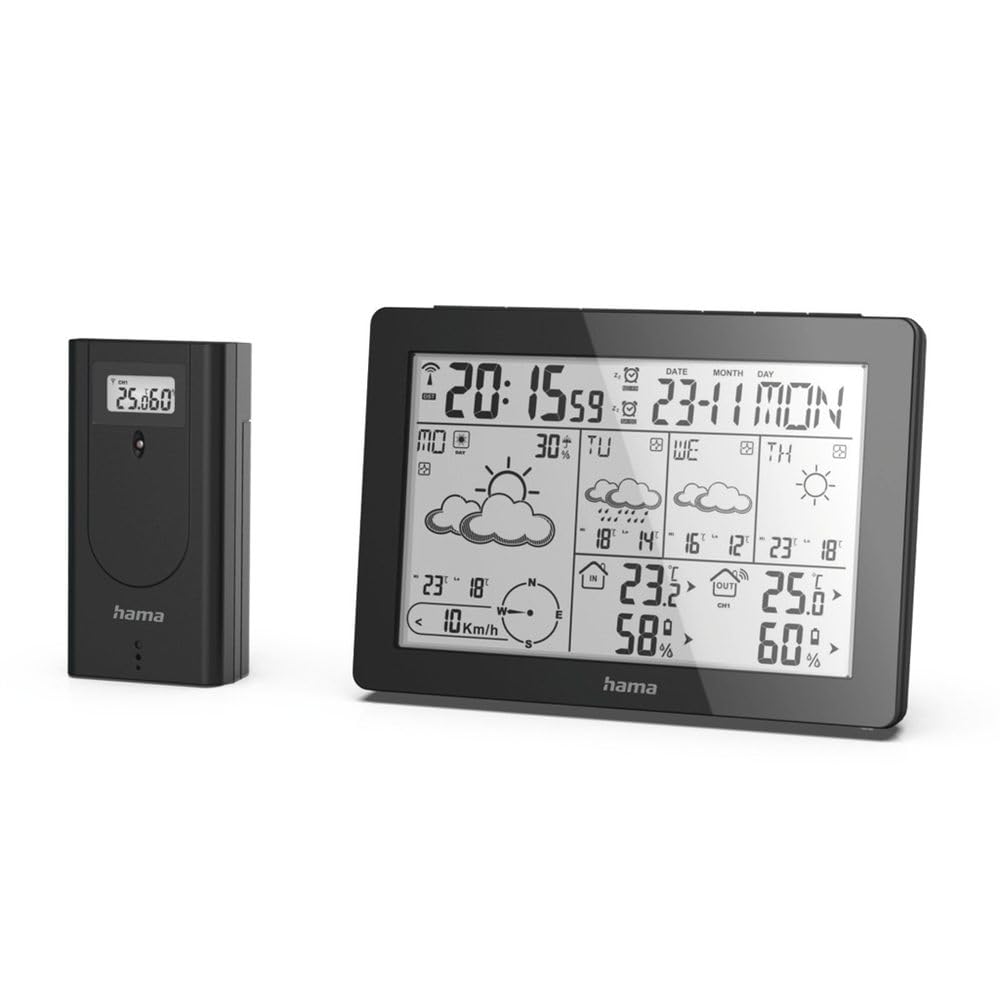
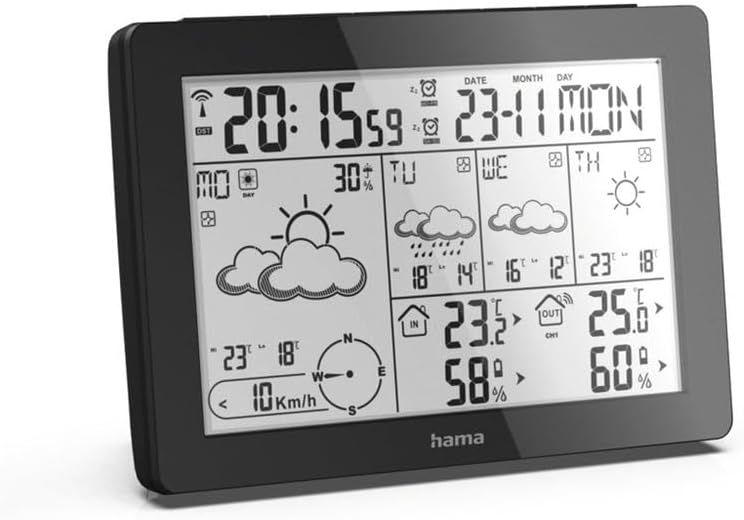
The Hama 186369 Weather Forecast Center main unit, showcasing its digital display with various weather parameters.
2. Nội dung gói hàng
Vui lòng kiểm tra xem tất cả các mục được liệt kê bên dưới đều có đầy đủ và trong tình trạng tốt:
- Hama 186369 Weather Forecast Center (Base Station)
- Cảm biến ngoài trời không dây
- 4 x AA Batteries (for both units)
- Hướng dẫn sử dụng này

The complete set, including the base station and the wireless outdoor sensor.
3. Hướng dẫn an toàn
- Do not open the device. Improper repair can lead to considerable hazards for the user.
- Do not expose the product to direct sunlight, extreme temperatures, or high humidity.
- Giữ sản phẩm này, như tất cả các sản phẩm điện, ngoài tầm với của trẻ em.
- Bảo vệ sản phẩm khỏi bụi bẩn, hơi ẩm và quá nóng.
- Chỉ sử dụng sản phẩm đúng mục đích.
- Không sử dụng sản phẩm ở những khu vực không cho phép sử dụng sản phẩm điện tử.
- When inserting batteries, note the correct polarity (+ and - markings) and insert the batteries accordingly. Otherwise, the batteries could leak or explode.
- Replace all batteries of a set at the same time. Do not mix old and new batteries or batteries of different types.
4. Thiết lập
4.1 Lắp pin
The Hama 186369 Weather Forecast Center and its outdoor sensor require AA batteries for operation.
- Open the battery compartment cover on the back of both the base station and the outdoor sensor.
- Insert the AA batteries, ensuring correct polarity (+ and -). The base station requires 2x AA batteries, and the outdoor sensor requires 2x AA batteries.
- Đóng nắp ngăn chứa pin lại một cách an toàn.
Inserting batteries into the base station. Ensure correct polarity.

The wireless outdoor sensor, which also requires batteries.
4.2 Initial Operation and Signal Reception
After inserting the batteries, the base station will automatically search for the DCF-77 signal and connect to the outdoor sensor.
- Place the base station and the outdoor sensor close to each other during initial setup.
- The DCF-77 radio signal for time and date synchronization will be automatically received. This process may take several minutes.
- The outdoor sensor will transmit temperature and humidity data to the base station. Ensure they are within range (up to 30 meters in open areas).

Quaview of the weather station's features and components, including the outdoor sensor and base station display.
5. Operating the Weather Forecast Center
5.1 Hiển thị trênview
The main display shows various information at a glance:
- Thời gian và ngày tháng: Synchronized via DCF-77 signal.
- Nhiệt độ và độ ẩm trong nhà: Measured by the base station.
- Nhiệt độ và độ ẩm ngoài trời: Received from the wireless outdoor sensor.
- Dự báo thời tiết: Satellite-based 4-day forecast for 60 regions/30 regions in Europe, updated daily.
- Rain Probability: Indication of precipitation likelihood.
- Tốc độ và hướng gió: Displayed graphically.
- Frost Alarm: Activates when temperatures drop to a critical level.
5.2 Chức năng nút
The buttons on the top of the base station allow you to adjust settings and view different information.

Đứng đầu view of the base station showing the control buttons.
- HƯỚNG: Switches between display modes (e.g., time, alarm setting).
- KÊNH: Selects different outdoor sensor channels if multiple sensors are used.
- DAY/NIGHT/SNOOZE+LIGHT: Activates backlight, snooze function for alarm, or switches between day/night display.
- TEST: Initiates a test of the sensor connection.
- LÊN XUỐNG: Adjusts values during settings or navigates through forecast data.
5.3 Cài đặt giờ và ngày tháng (Điều chỉnh thủ công)
While the time and date are usually set automatically via the DCF-77 signal, you can manually adjust them if needed.
- Nhấn và giữ CÁCH THỨC nhấn nút cho đến khi màn hình hiển thị thời gian bắt đầu nhấp nháy.
- Sử dụng UP Và XUỐNG các nút để điều chỉnh giờ, sau đó nhấn CÁCH THỨC để xác nhận và chuyển sang phút.
- Lặp lại cho số phút, năm, tháng và ngày.
- Nhấn CÁCH THỨC Nhấn lại để thoát khỏi chế độ cài đặt.
5.4 chức năng báo thức
The weather station includes an alarm function.
- Nhấn nút CÁCH THỨC Nhấn nút nhiều lần cho đến khi thời gian báo thức được hiển thị.
- Nhấn và giữ CÁCH THỨC để vào chế độ cài đặt báo thức.
- Sử dụng UP Và XUỐNG để đặt thời gian báo thức mong muốn.
- Nhấn CÁCH THỨC để xác nhận từng cài đặt.
- Để kích hoạt/hủy kích hoạt báo thức, hãy nhấn nút UP button when the alarm time is displayed. An alarm icon will appear/disappear.
6. Bảo trì
6.1 Vệ sinh
- Chỉ vệ sinh sản phẩm này bằng chất tẩy rửa nhẹamp, vải không xơ và không sử dụng chất tẩy rửa có tính tẩy rửa mạnh.
- Ensure that no water gets into the device.
6.2 Thay thế pin
When the battery indicator appears on the display, replace all batteries in the respective unit (base station or outdoor sensor).
- Follow the steps in section 4.1 "Inserting Batteries".
- Vứt bỏ pin đã qua sử dụng theo quy định của địa phương.
KHAI THÁC. Xử lý sự cố
| Vấn đề | Nguyên nhân có thể | Giải pháp |
|---|---|---|
| No display / Weak display | Batteries are empty or incorrectly inserted. | Thay pin, đảm bảo lắp đúng cực. |
| Không có nhiệt độ/độ ẩm ngoài trời | Outdoor sensor not connected or out of range. |
|
| Thời gian/ngày tháng không chính xác | DCF-77 signal not received or interference. |
|
| Dự báo thời tiết không chính xác | Incorrect region setting or temporary signal issue. |
|
8. Thông số kỹ thuật
| Tính năng | Chi tiết |
|---|---|
| Số hiệu mẫu | 186369 |
| Dimensions (Base Station) | 3 x 15.3 x 10.5cm |
| Cân nặng | 510 gam |
| Vật liệu | Acrylic |
| Nguồn điện | Battery-powered (4 AA batteries required, included) |
| Kết nối | Wireless (for outdoor sensor) |
| Tính năng đặc biệt | Alarm, Wireless Outdoor Sensor, Frost Alarm, DCF-77 Radio Clock |
| Dự báo thời tiết | Satellite-based 4-day forecast for 60 regions/30 regions in Europe, daily updated data for 611 locations. |
| Sử dụng được khuyến nghị | Temperature measurement, hobby, private, business. |
9. Bảo hành và Hỗ trợ
Hama GmbH & Co KG không chịu trách nhiệm và không bảo hành cho những hư hỏng do lắp đặt / lắp không đúng cách, sử dụng sản phẩm không đúng cách hoặc do không tuân thủ các hướng dẫn vận hành và / hoặc các lưu ý an toàn.
For technical support or warranty claims, please contact your retailer or visit the official Hama webtrang web để được hỗ trợ thêm.

Hama: Experience and competence since 1923.


