Introduction to Amazon Alexa
Amazon Alexa is a cloud-based voice service that powers Amazon's Echo devices and other compatible products. This guide serves as a companion for all Alexa-enabled devices, including Amazon Echo, Echo Dot, Echo Plus, Amazon Echo Show (including 5 & 8), Amazon Fire Tablets, Amazon Fire TVs, and Alexa applications on iOS and Android devices. It details how to set up and effectively use Alexa's diverse functionalities.
Key Features Covered
- Alexa skill activation and usage.
- Alexa App navigation and basic functions.
- Voice recognition and speech speed adjustments.
- Initial setup procedures for Echo Dot and Echo with clock.
- Understanding Alexa light color codes.
- Personalizing Echo Show displays.
- Changing the Alexa wake word.
- Utilizing Alexa follow-up mode.
- Exploring advanced Alexa functionalities.
- Using Alexa on iPhone and Android devices.
- Implementing Alexa Drop-In communication.
- Setting up parental controls with Echo FreeTime.
- Managing and deleting Alexa history.
- Resetting Alexa devices to factory settings.
- Integrating Alexa with IFTTT for custom routines.
- Connecting Alexa with Philips Hue smart lighting.
- Integrating Alexa with Ecobee and Nest thermostats.
- Controlling Fire TV and Dish TV via Alexa.
- Streaming music and audiobooks.
- Engaging in voice-controlled gaming.
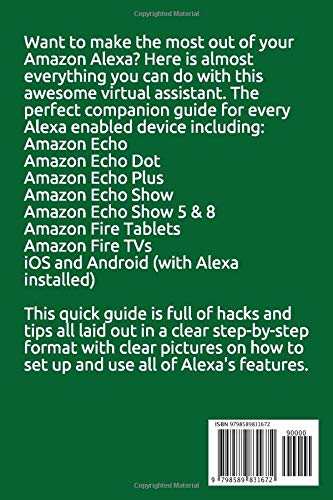
Image: Back cover of the Alexa User Manual. This image displays a summary of the manual's content, including a list of compatible Amazon Alexa devices such as Amazon Echo, Echo Dot, Echo Plus, Echo Show, Fire Tablets, Fire TVs, and Alexa on iOS/Android. It also highlights key features and tips covered within the guide, presented in a clear, step-by-step format.
Thiết lập thiết bị
This section outlines the general steps for setting up your Amazon Alexa-enabled device. Specific steps may vary slightly depending on your device model.
Cấu hình thiết bị ban đầu
- Bật nguồn: Connect your Alexa device to a power source using the provided adapter.
- Tải ứng dụng Alexa: Install the Amazon Alexa app on your smartphone or tablet from the App Store (iOS) or Google Play Store (Android).
- Đăng nhập: Open the Alexa app and log in with your Amazon account credentials. If you do not have an Amazon account, create one.
- Thêm thiết bị: In the Alexa app, navigate to 'Devices' and tap the '+' icon to add a new device. Select your specific Alexa device model from the list.
- Kết nối với Wi-Fi: Follow the on-screen prompts to connect your Alexa device to your home Wi-Fi network. Ensure your device is within range of your Wi-Fi router.
- Wake Word Selection: During setup, you may be prompted to select your preferred wake word (e.g., 'Alexa', 'Echo', 'Computer', 'Amazon').
Echo Show Personalization
For Echo Show devices, you can personalize the display settings, home content, and clock face through the device's settings menu or the Alexa app.
Operating Your Alexa Device
Once set up, your Alexa device is ready to respond to your voice commands. This section covers common operations and features.
Voice Commands and Skills
To activate Alexa, simply say your chosen wake word followed by your command. For example, 'Alexa, what's the weather?'
- Activating Skills: Discover and enable new skills through the Alexa app. Skills extend Alexa's capabilities, offering features like games, news updates, and smart home control.
- Tốc độ nói: Adjust Alexa's speaking speed in the Alexa app settings under 'Voice Responses'.
- Follow-Up Mode: Enable follow-up mode in settings to allow Alexa to continue listening for a short period after a request, eliminating the need to repeat the wake word.
Tích hợp nhà thông minh
Alexa can control various smart home devices. Link your smart home accounts (e.g., Philips Hue, Ecobee, Nest) within the Alexa app to enable voice control.
- Philips Hue: Example command: 'Alexa, turn on the living room lights.'
- Thermostats (Ecobee, Nest): Example command: 'Alexa, set the thermostat to 72 degrees.'
- IFTTT: Create custom routines and automations by linking Alexa with IFTTT (If This Then That) services.
Giải trí và Truyền thông
- Âm nhạc & Sách nói: Link your music streaming services (e.g., Amazon Music, Spotify) and audiobook platforms (e.g., Audible) in the Alexa app to play content by voice command.
- Fire TV & Dish TV Control: For compatible Fire TV and Dish TV systems, use Alexa to change channels, adjust volume, or launch apps.
- Alexa Drop-In: Use Drop-In to instantly connect with other Alexa devices in your household or with approved contacts.
Bảo trì và Quản lý
Regular management of your Alexa device and account ensures optimal performance and privacy.
- Managing History: Access and delete your voice recordings and activity history through the Alexa app's 'Privacy' settings.
- Kid-Proofing (Echo FreeTime): Utilize Amazon Kids+ (formerly FreeTime) to create child profiles, set time limits, and filter content on compatible Echo devices.
- Đặt lại thiết bị: If experiencing persistent issues, you can reset your Alexa device to its factory settings. Consult your device's specific instructions for this process, usually found in the Alexa app under device settings.
Xử lý sự cố thường gặp
This section addresses frequently encountered problems and provides solutions.
Các vấn đề về nhận dạng giọng nói
- Ensure your device is not too close to a wall or other obstructions.
- Nói rõ ràng và ở âm lượng bình thường.
- Check for background noise that might interfere with recognition.
- Verify the wake word is correctly set in the Alexa app.
Các vấn đề kết nối
- Confirm your Wi-Fi network is active and the device is within range.
- Khởi động lại bộ định tuyến Wi-Fi và thiết bị Alexa của bạn.
- Kiểm tra bất kỳ mạng outages or changes to your Wi-Fi password.
Skill Not Responding
- Ensure the skill is enabled in the Alexa app.
- Verify you are using the correct invocation phrase for the skill.
- Try disabling and re-enabling the skill.
Thông số kỹ thuật của thiết bị
Specifications for Amazon Alexa-enabled devices vary significantly by model and generation. For detailed technical specifications, please refer to the official product page or documentation provided with your specific Amazon Echo, Fire Tablet, or other Alexa-enabled device.
Bảo hành và Hỗ trợ
For warranty information regarding your Amazon Alexa device, please consult the documentation included with your purchase or visit the official Amazon support website. Warranty terms and conditions are specific to each device model and region.
For technical assistance, troubleshooting, or further inquiries, please contact Amazon Customer Service or refer to the comprehensive help resources available on the Amazon support portal.


