Giới thiệu
The Nanit Pro Smart Baby Monitor provides crystal-clear 1080p HD video, secure Wi-Fi streaming, and smart features to keep you connected to your baby. This manual provides detailed instructions for setting up, operating, and maintaining your Nanit Pro monitor, ensuring optimal performance and peace of mind.
Những gì bao gồm
- Nanit Pro Smart Baby Monitor with 1080p HD video and 2-way audio
- Companion app for continuous monitoring
- ASTM-certified Floor Stand (Gen 1)
- Free trial of Nanit Insights Sleep Plan
Video: Unboxing and assembly of the Nanit Pro Smart Baby Monitor with Floor Stand components. This video demonstrates the components included in the package and the initial steps to put the stand together.
Cài đặt
- Assemble the Floor Stand: Connect the stand segments as instructed in the user guide. Ensure all connections are secure. The power cable is pre-threaded through the stand for a clean setup.
- Gắn máy ảnh: Securely attach the Nanit Pro camera to the top of the assembled floor stand. The camera head can be rotated and twisted for optimal viewgóc nghiêng.
- Đặt màn hình ở vị trí thích hợp: Place the floor stand next to your baby's crib, ensuring the camera has an overhead view of the entire crib area. The stand features a rubber stopper to prevent wall marks if leaned against a wall.
- Kết nối với nguồn điện: Plug the power adapter into an electrical outlet and connect it to the monitor. The conduit helps manage the cable neatly.
- Download the Nanit App: Download the Nanit app from your device's app store (iOS or Android).
- Ghép nối camera: Follow the in-app instructions to pair your Nanit Pro camera with your smartphone or tablet. This typically involves connecting via Bluetooth and then to your home Wi-Fi network.
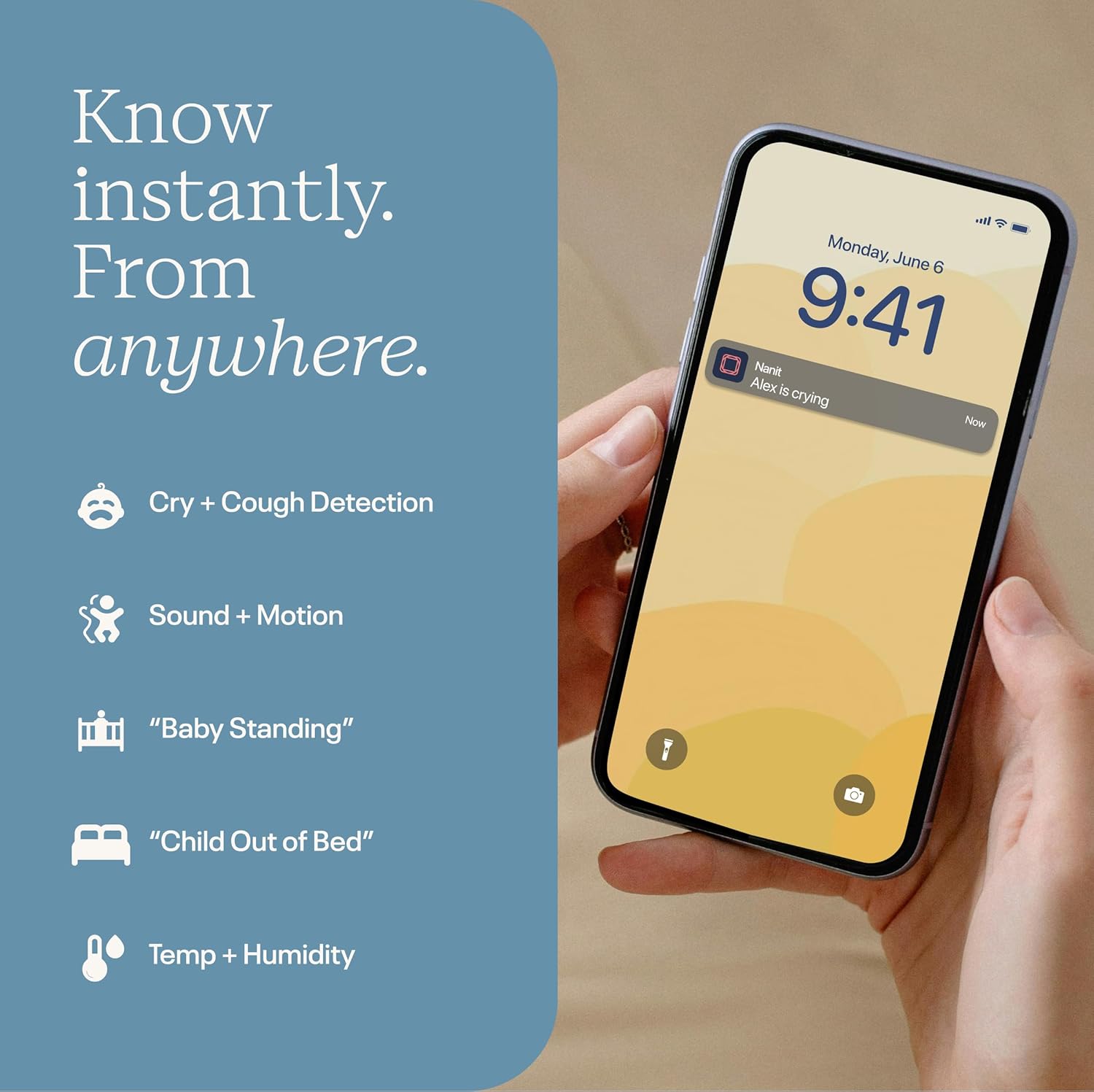
Image: The Nanit Pro Smart Baby Monitor with its floor stand, positioned to provide an overhead view of a baby's crib. The stand is designed for stability and optimal camera placement.
Hướng dẫn sử dụng
The Nanit Pro Smart Baby Monitor is operated primarily through the Nanit mobile application. Ensure your device is connected to the internet for full functionality.
- Sống View: Open the Nanit app to access the crystal-clear 1080p HD live video feed of your baby's crib.
- Âm thanh hai chiều: Use the microphone icon in the app to speak to your baby through the monitor's speaker. This allows you to soothe your baby remotely.
- Tầm nhìn ban đêm: The monitor automatically switches to advanced night vision in low-light conditions, providing a clear view without disturbing your baby.
- Sound and Motion Notifications: Receive instant alerts on your phone for sounds, motion, or crying detected in the crib. Adjust sensitivity settings within the app.
- Nhiệt độ và độ ẩm: Monitor the room's temperature and humidity directly from the app to ensure a comfortable sleep environment.
- Sleep Tracking and Insights: Understand sleep patterns and improve routines (Nanit Insights subscription required for full features).
- Màn hình chia đôi: If you have multiple Nanit cameras, utilize the Split Screen feature in the app to view nhiều nguồn cấp dữ liệu camera cùng lúc.
- Đèn ngủ: Control the integrated night light on the camera directly from the app, adjusting brightness and setting timers.
- Âm thanh tự nhiên: Play various nature sounds (birds, waves, white noise, wind) through the monitor to help soothe your baby to sleep.

Image: A smartphone screen displaying the Nanit app with various real-time notifications, including cry and cough detection, sound and motion alerts, and environmental readings.
Video: A demonstration of the Nanit app's live view, showing a baby in a crib. The video highlights features like two-way audio, night light control, and various sound options available through the app.
Đặc trưng
- Video HD 1080p: Provides a clear, high-definition view of your baby, day and night.
- Âm thanh 2 chiều: Allows you to hear your baby and speak to them through the monitor.
- Live Temp + Humidity Readings: Keeps you informed about the nursery environment.
- Tính năng chia màn hình: Monitor multiple cameras simultaneously for comprehensive coverage.
- Thông báo thời gian thực: Receive alerts for cry, cough, sound, and motion.
- Sleep Tracking and Personalized Insights: Understand sleep patterns and improve routines (Nanit Insights subscription required for full features).
- Dữ liệu an toàn: 256-bit AES encryption and two-factor authentication protect your video feed and data.
- Truy cập di động: Compatible with iOS and Android devices, allowing monitoring from anywhere.
BẢO TRÌ
- Vệ sinh: Gently wipe the camera lens and exterior with a soft, dry cloth. Avoid abrasive cleaners or solvents.
- Cập nhật phần mềm: Regularly check the Nanit app for software updates to ensure optimal performance and access to new features.
- Quản lý cáp: Ensure all cables are securely routed and out of reach of children to prevent entanglement hazards.
- Kho: When not in use, store the monitor and its components in a cool, dry place away from direct sunlight.
Xử lý sự cố
| Vấn đề | Giải pháp |
|---|---|
| Không có video hiển thị trong ứng dụng. | Check Wi-Fi connection, ensure camera is powered on, and restart the app. |
| Chất lượng video kém | Ensure strong Wi-Fi signal, check internet speed, and clean the camera lens. |
| Chưa nhận được thông báo | Verify app notification settings are enabled on your device and within the Nanit app. |
| Âm thanh hai chiều không hoạt động | Check microphone and speaker permissions for the Nanit app on your device. |
Thông số kỹ thuật
- Thương hiệu: Nanit
- Tên mẫu: Nanit Pro Smart Baby Monitor & 1st Gen Floor Stand
- Số hiệu mẫu: N301US
- Vật liệu: Nhựa
- Màu sắc: Trắng
- Thiết bị tương thích: Điện thoại thông minh (iOS và Android)
- Kích thước sản phẩm: Dài 10" x Rộng 6.25" x Cao 4.25"
- Trọng lượng sản phẩm: 7.3 Bảng Anh
- Loại cảm biến: Sự chuyển động
- Mô tả pin: Lithium-Ion (for connected devices, not camera itself)
- UPC: 850017851115, 810108752646
Bảo hành và Hỗ trợ
The Nanit Pro Smart Baby Monitor comes with a Bảo hành của nhà sản xuất 2 năm. For detailed warranty information, product support, or to contact customer service, please visit the official Nanit website or refer to the contact information provided in your Nanit app.
For additional resources and community support, explore the Nanit app's "Community" and "About and help" sections.


