Giới thiệu
This instruction manual provides essential information for the proper setup, operation, and maintenance of your Como Audio Analog Turntable, Model CATA. Please read this manual thoroughly before using the product to ensure optimal performance and longevity.
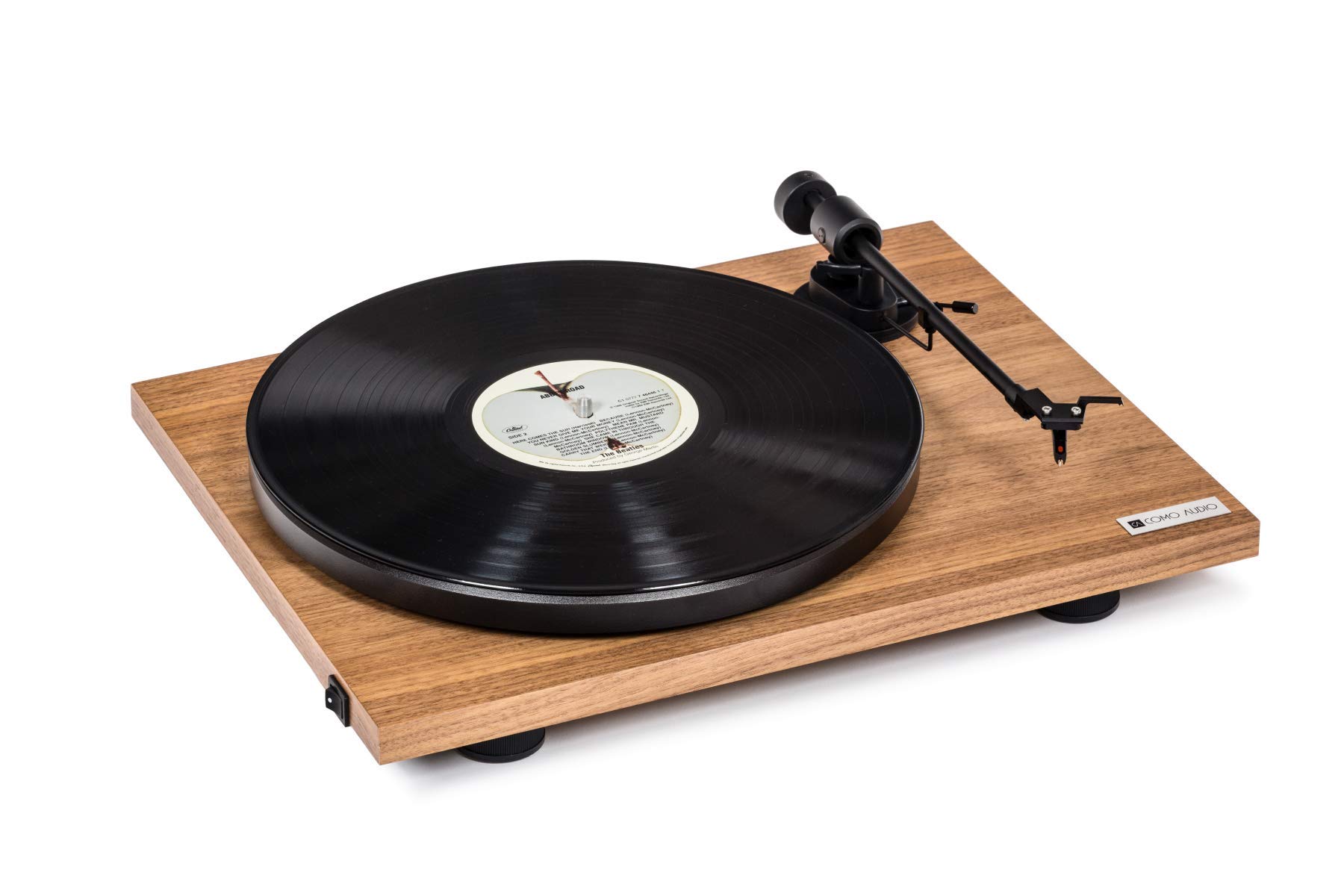
Image: The Como Audio Analog Turntable, featuring a walnut wood plinth, black platter, and tonearm.

Hình ảnh: Một chi tiết view of the rich walnut finish on the turntable's plinth, showcasing the wood grain.
Nội dung gói
Before proceeding with setup, ensure all components are present and undamaged:
- Como Audio Analog Turntable unit
- Pre-mounted Ortofon cartridge/stylus
- Đĩa
- Vành đai ổ đĩa
- Removable clear dust cover
- Thảm nỉ
- Cáp âm thanh
- Power supply (15V/0.8A, universal 110V-240V, 50-60Hz)
- Hướng dẫn sử dụng (tài liệu này)
Hướng dẫn thiết lập
1. Tháo dỡ và sắp xếp
- Cẩn thận loại bỏ tất cả các thành phần khỏi bao bì.
- Đặt bàn xoay trên bề mặt ổn định, bằng phẳng, tránh ánh nắng trực tiếp, nguồn nhiệt và rung động quá mức.
2. Lắp đặt đĩa và đai truyền động
- Place the platter onto the spindle located on the turntable plinth.
- Locate the drive belt. Gently stretch the belt around the motor pulley (small metal cylinder) and the inner rim of the platter. Ensure the belt is not twisted.
3. Cartridge and Stylus
The Como Audio Analog Turntable comes with a premium Ortofon cartridge and stylus pre-mounted. No adjustment of counterweight or anti-skating is required for initial setup.
4. Lắp đặt nắp che bụi

Image: Detail of the removable clear dust cover, designed to protect the turntable from dust.
- Carefully align the hinges of the clear dust cover with the corresponding slots on the rear of the turntable plinth.
- Gently push down until the dust cover is securely in place. The dust cover is removable for cleaning or when not in use.
5. Kết nối âm thanh
The turntable offers selectable Line output or Phono output. Choose the appropriate connection for your audio system:
- Line Output (Integrated Phono Pre-Amp): Use this option if your amplifier or music system (e.g., Como Audio music system) has an Auxiliary (AUX) input and does not have a dedicated Phono input. Connect the included audio cable from the turntable's Line Out to your system's AUX input.
- Đầu ra phono: Use this option if your amplifier or music system has a dedicated Moving Magnet (MM) Phono input. Connect the included audio cable from the turntable's Phono Out to your system's Phono input. Ensure your amplifier's Phono input is selected.
Ghi chú: If experiencing a humming noise, ensure proper grounding. Some audio systems may require a separate ground wire connection if available on your ampchất lót.
6. Kết nối nguồn điện
- Connect the power supply cable to the DC input jack on the rear of the turntable.
- Cắm bộ đổi nguồn vào ổ cắm điện phù hợp.
Hướng dẫn sử dụng
1. Khởi động và lựa chọn tốc độ
- Locate the integrated power and speed control switch, typically on the bottom left side of the turntable plinth.
- Turn the switch to select either 33 1/3 vòng/phút for LPs or 45 vòng/phút for singles. The platter will begin to spin.
2. Phát bản ghi

Image: The turntable with a record spinning on the platter, and the tonearm positioned over the record.
- Đặt tấm lót nỉ lên đĩa.
- Carefully place a vinyl record onto the felt mat.
- Nhẹ nhàng nâng cần gạt tín hiệu lên.
- Position the stylus over the desired starting groove of the record.
- Từ từ hạ cần gạt xuống để kim đọc đĩa chạm vào đĩa than.
- Adjust the volume on your connected audio system.
3. Dừng phát lại
- At the end of a record, or when you wish to stop playback, gently lift the tonearm using the cueing lever.
- Return the tonearm to its rest position and secure it with the tonearm clip.
- Turn the power/speed switch to the "Off" position to stop the platter from spinning.
- Ghi chú: This turntable does not feature an automatic shut-off function. The platter will continue to spin until manually turned off.
BẢO TRÌ
1. Vệ sinh mâm xoay
- Always power off and unplug the turntable before cleaning.
- Use a soft, dry, lint-free cloth to wipe the plinth and platter. Avoid abrasive cleaners or solvents.
- Để lau sạch lớp phủ chống bụi, hãy dùng khăn mềm và chất tẩy rửa nhẹ, không gây mài mòn nếu cần.
2. Chăm sóc bút cảm ứng
- Regularly clean the stylus using a dedicated stylus brush, brushing gently from back to front.
- Tránh chạm ngón tay vào bút stylus.
- A worn or damaged stylus can harm your records and degrade sound quality. Replace the stylus when necessary (typically after 500-1000 hours of playback, depending on usage and record condition).
3. Đai truyền động
The drive belt is a wear item. If you notice inconsistent speed or the platter not spinning, the belt may need to be inspected or replaced. Contact Como Audio support for replacement parts.
Xử lý sự cố
| Vấn đề | Nguyên nhân có thể | Giải pháp |
|---|---|---|
| Không có âm thanh hoặc âm thanh rất nhỏ |
|
|
| Tiếng ồn ào |
|
|
| Inconsistent or incorrect playback speed |
|
|
| Bàn xoay không quay |
|
|
Thông số kỹ thuật
| Tính năng | Chi tiết |
|---|---|
| Số hiệu mẫu | CATA |
| Kích thước sản phẩm (D x R x C) | 16.3 x 12.6 x 4.65 inch |
| Trọng lượng sản phẩm | 11.68 pound |
| Thương hiệu | Âm thanh Como |
| Tốc độ quay tối đa | 45 vòng/phút |
| Các thành phần bao gồm | Pre-mounted Ortofon cartridge/stylus, audio cable, power supply, dust cover, felt mat |
| Tính năng đặc biệt | Belt-Drive, Built-In Cartridge, Integrated Phono Pre-Amp, DC Motor with TPE Dampđang |
| Vật liệu | Engineered Wood (MDF), Plastic |
| Màu sắc | Quả óc chó |
| Thiết bị tương thích | Speaker, Personal Computer (via appropriate audio input) |
| Loại động cơ | Động cơ DC |
Bảo hành và Hỗ trợ
For warranty information, technical support, or replacement parts, please contact Como Audio directly through their official webtrang web hoặc kênh dịch vụ khách hàng. Giữ lại hóa đơn mua hàng để làm bằng chứng mua hàng.
Official Como Audio Webđịa điểm: www.comoaudio.com


