1. Giới thiệu
This manual provides essential information for the safe and efficient operation of your iFFALCON 32F2A 32-inch HD Ready Android Smart LED TV. Please read these instructions thoroughly before using the television and retain them for future reference.
The iFFALCON 32F2A is an 80 cm (32 inches) HD Ready Android Smart LED TV designed to offer a comprehensive entertainment experience. It features a 720p resolution display, integrated Android operating system, and smart functionalities like Google Assistant and Chromecast built-in.
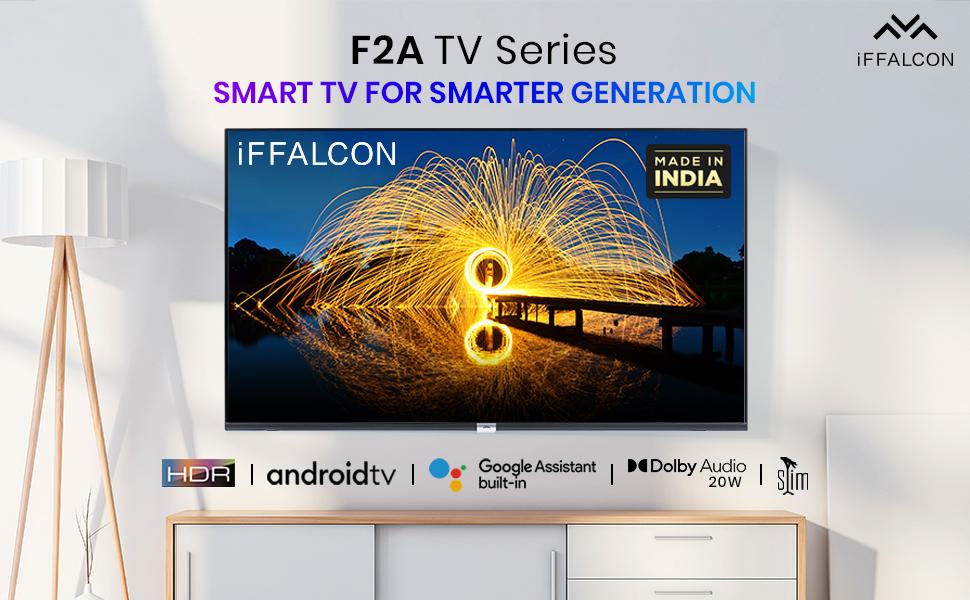
Hình ảnh 1.1: Mặt trước view of the iFFALCON 32F2A Smart LED TV displaying the Android TV interface, alongside icons representing key features such as HDR, Android TV, Google Assistant, Micro Dimming, IPQ Engine, Chromecast built-in, AI, and Dolby Audio with 20W speakers.
2. Có gì trong hộp
Verify that all components are present and undamaged upon unpacking your new television.
- 1 x iFFALCON 32F2A LED TV
- 1 x Chân đế để bàn
- 1 x Hướng dẫn sử dụng
- 1 x Thẻ bảo hành
- 1 x Điều khiển từ xa
- 2 x Pin AAA (cho điều khiển từ xa)
3. Thiết lập
3.1 Giải nén và đặt
Carefully remove the TV from its packaging. It is recommended to have two people for this process. Place the TV on a stable, flat surface or mount it securely on a wall.
3.2 Lắp Chân đế để bàn
- Đặt màn hình TV xuống bề mặt mềm, sạch để tránh trầy xước.
- Hãy căn chỉnh các chân đế sao cho khớp với các khe tương ứng ở phía dưới TV.
- Cố định các chân đế bằng các vít được cung cấp. Đảm bảo chúng được siết chặt.
3.3 Lắp trên tường (Tùy chọn)
If you choose to wall mount your TV, please note that the wall mount bracket is not included and must be purchased separately. Follow the instructions provided with your wall mount kit and ensure professional installation for safety.
3.4 Kết nối các thiết bị bên ngoài
Your iFFALCON 32F2A TV offers various connectivity options:
- Cổng HDMI: Kết nối đầu phát Blu-ray, máy chơi game hoặc đầu thu kỹ thuật số.
- Cổng USB: Kết nối thiết bị lưu trữ USB để phát lại phương tiện.
- Cổng mạng: Dành cho kết nối internet có dây.
- Giắc cắm tai nghe: Để nghe riêng tư.
3.5 kết nối nguồn
Connect the power cord to the TV's power input and then to a suitable AC power outlet (240 Volts, 50 Watts). Ensure the power cable is securely connected.
3.6 Trình hướng dẫn thiết lập và bật nguồn ban đầu
After connecting power, press the power button on the TV or remote control. The TV will guide you through the initial setup wizard, including language selection, network connection (Wi-Fi or Ethernet), Google account sign-in, and channel scanning.

Image 3.1: A diagram illustrating the physical dimensions of the iFFALCON 32F2A TV, including screen size (32 inches / 79.97 cm diagonal), width (73.20 cm / 29 inch), height (48.20 cm / 19 inch), and depth (17.30 cm / 6.9 inch).
4. Hướng dẫn vận hành
4.1 Điều khiển từ xa
The provided remote control allows you to navigate the TV's interface and access various functions. Insert the two AAA batteries (included) into the remote control, ensuring correct polarity.
- Nút nguồn: Bật hoặc tắt TV.
- Nút điều hướng: Use the directional pad and OK button to move through menus.
- Âm lượng +/-: Điều chỉnh mức âm lượng.
- Kênh +/-: Thay đổi kênh truyền hình.
- Nút Home: Trở về màn hình chính của Android TV.
- Nút Quay lại: Trở về màn hình trước đó.
- Nút Trợ lý Google: Kích hoạt điều khiển bằng giọng nói.
- Nút Netflix: Truy cập trực tiếp vào Netflix.
- Amazon Prime Video Button: Direct access to Amazon Prime Video.
- Zee5 Button: Direct access to Zee5.
- TCL Channel Button: Direct access to TCL channel.

Image 4.1: The smart remote control for the iFFALCON TV, highlighting the Google Assistant button and a dedicated hotkey for Netflix for quick access.
4.2 Giao diện Android TV
Your TV runs on Android 9, providing access to a wide range of apps and services. The home screen displays recommended content, installed applications, and input sources.
- Ứng dụng: Access pre-installed applications like Netflix, YouTube, Prime Video, Disney+Hotstar, Sun NXT, and Zee5. Download more from the Google Play Store.
- Đầu vào: Switch between HDMI inputs, USB, and other connected devices.
- Cài đặt: Customize TV settings such as picture, sound, network, and system preferences.

Image 4.2: The iFFALCON Smart LED TV showcasing its Android TV home screen, featuring prominent app icons for Netflix, YouTube, Prime Video, and other streaming services.

Image 4.3: The iFFALCON Smart LED TV interface, illustrating the availability of popular streaming platforms such as YouTube, Prime Video, Disney+ Hotstar, SonyLIV, Zee5, ALTBalaji, Voot Select, and Eros Now.
4.3 Trợ lý Google
The built-in Google Assistant allows you to control your TV and smart home devices using voice commands. Press the Google Assistant button on your remote and speak into the microphone.
- Search Content: Say "Play a cartoon movie" or "Tìm kiếm action films."
- Control TV: Say "Turn up the volume" or "Switch to HDMI 1."
- Tìm hiểu thêm thông tin: Ask "What's the weather today?" or "How long is Moonlight?"
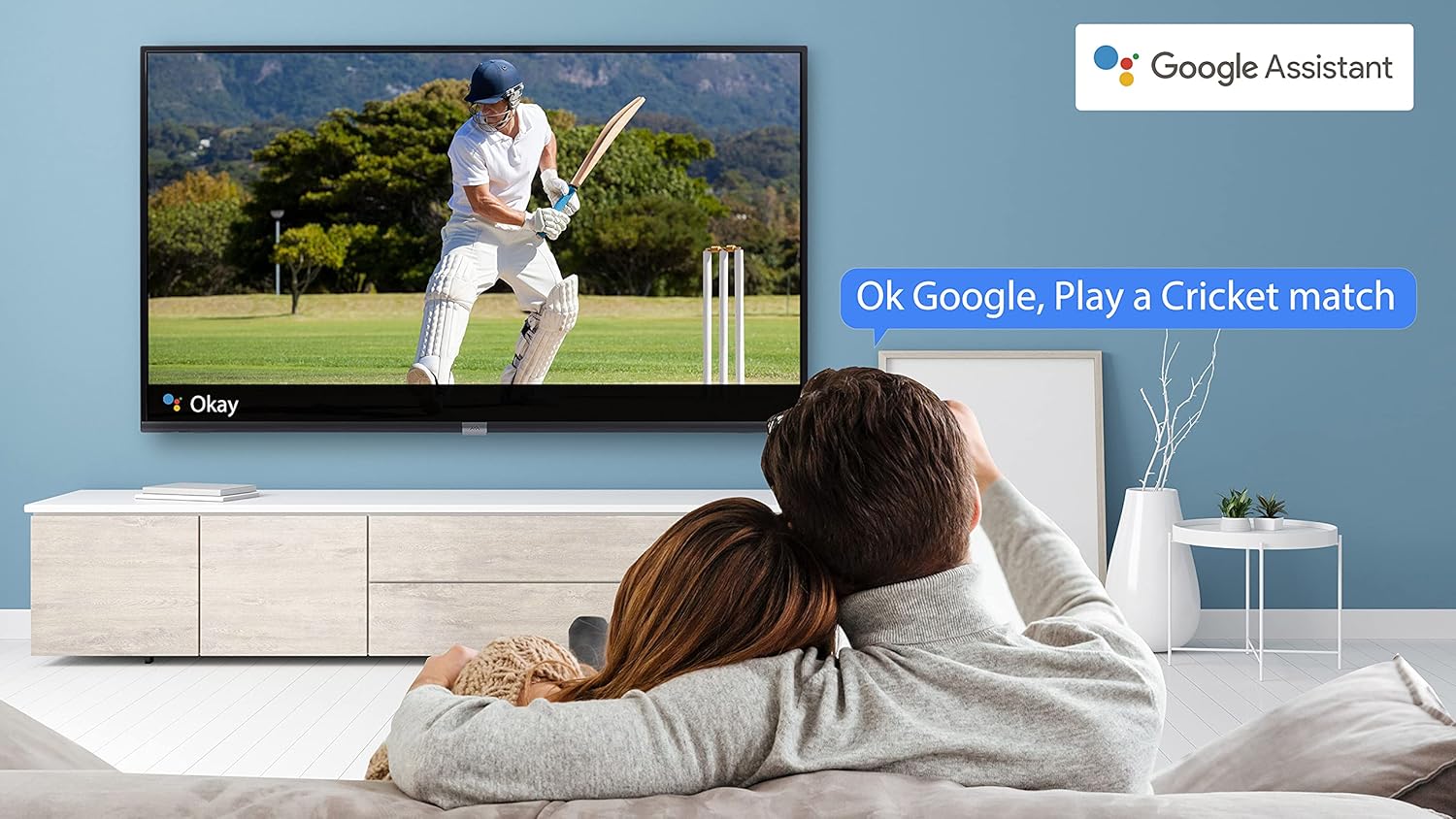
Image 4.4: A couple watching a cricket match on the iFFALCON TV, with a Google Assistant prompt bubble showing "Ok Google, Play a Cricket match," demonstrating voice control functionality.
Image 4.5: The Google Assistant logo, indicating the TV's integrated voice control capabilities.
4.4 Tích hợp Chromecast
Use Chromecast built-in to cast content from your compatible smartphone, tablet, or computer directly to your TV screen. Ensure your device and TV are connected to the same Wi-Fi network.

Image 4.6: A smartphone displaying a car image, with a casting icon indicating that the content is being mirrored to a larger TV screen, demonstrating the Chromecast built-in feature.
5. Các tính năng chính
5.1 HDR (Dải động cao)
HDR technology enhances contrast, color accuracy, and brightness, delivering a more lifelike and immersive viewing experience with greater detail in both dark and bright scenes.

Image 5.1: A split-screen comparison showing the visual difference between an image without HDR 10 (left, darker, less vibrant) and with HDR 10 (right, brighter, more detailed, and richer colors).
5.2 Điều chỉnh độ sáng siêu nhỏ
Micro Dimming analyzes the TV content in hundreds of separate zones to adjust brightness and darkness independently. This results in improved contrast and picture quality, especially in scenes with mixed light levels.

Image 5.2: A split-screen comparison demonstrating the effect of Micro Dimming, with the 'Without Micro Dimming' side appearing less vibrant and the 'With Micro Dimming' side showing enhanced contrast and color saturation in a city night scene.
5.3 IPQ Engine
The IPQ Engine (Image Quality Processing Engine) optimizes picture quality by intelligently adjusting brightness, color range, and contrast, ensuring a more vivid and accurate display.

Image 5.3: A visual representation of the IPQ Engine, highlighting its 'High Brightness Precision Control Technology' and 'Intelligent Color Range Control Technology' for optimized picture quality.
Âm thanh Dolby 5.4
Experience rich, clear, and powerful sound with Dolby Audio. This technology enhances the audio output, providing an immersive listening experience for movies, music, and games.

Image 5.4: The Dolby Audio logo, signifying enhanced sound quality and an immersive audio experience.
5.5 Smart Volume
Smart Volume automatically adjusts the sound level to prevent sudden changes in volume, such as during commercials or when switching channels, ensuring a consistent listening experience.

Image 5.5: An illustration of the Smart Volume feature, showing how it maintains consistent audio levels across different content types, represented by varying sound wave patterns.
5.6 Chế độ thể thao
Sports Mode optimizes picture and sound settings for sports content, enhancing motion clarity and audio to provide a more engaging viewing experience for live sports.

Image 5.6: A split-screen comparison of a cricket player, showing the 'Without Sports Mode' side with standard clarity and the 'With Sports Mode' side with enhanced motion and detail, indicated by a playback bar.
5.7 Slim Design
The iFFALCON 32F2A features a slim design, allowing it to blend seamlessly into various living spaces and offering a modern aesthetic.

Image 5.7: An illustration emphasizing the slim profile of the iFFALCON TV, with a hand demonstrating its thinness.
6. Bảo trì
6.1 Vệ sinh màn hình
Lau nhẹ màn hình bằng vải mềm, không xơ. Đối với các vết bẩn cứng đầu, hãy lau nhẹampLau khăn bằng nước hoặc chất tẩy rửa màn hình chuyên dụng. Tránh sử dụng hóa chất mạnh hoặc vật liệu mài mòn.
6.2 Vệ sinh tủ
Lau sạch tủ đựng TV bằng khăn mềm, khô. Không sử dụng chất tẩy rửa dạng lỏng trực tiếp lên tủ.
6.3 Chăm sóc dây nguồn
Thường xuyên kiểm tra dây nguồn xem có hư hỏng gì không. Không đặt vật nặng lên dây nguồn hoặc để dây tiếp xúc với nhiệt độ quá cao.
KHAI THÁC. Xử lý sự cố
Nếu bạn gặp sự cố với TV, hãy tham khảo các sự cố và giải pháp phổ biến sau đây:
| Vấn đề | Nguyên nhân có thể | Giải pháp |
|---|---|---|
| Không có điện | Dây nguồn bị ngắt kết nối, ổ cắm điện có vấn đề | Ensure power cord is securely plugged in. Check if the power outlet is working. |
| Không có hình ảnh, nhưng có âm thanh | Incorrect input source, faulty cable | Verify the correct input source is selected. Check HDMI/AV cable connections. |
| Không có âm thanh, nhưng hình ảnh vẫn hiện diện | Volume muted or too low, audio settings issue | Increase volume. Check audio output settings in the TV menu. |
| Điều khiển từ xa không hoạt động | Dead batteries, obstruction, remote out of range | Replace batteries. Remove obstructions between remote and TV. Ensure remote is within operating range. |
| Không thể kết nối với Wi-Fi | Incorrect password, router issue, TV too far from router | Re-enter Wi-Fi password. Restart router. Move TV closer to router or use Ethernet. |
Nếu sự cố vẫn tiếp diễn sau khi đã thử các giải pháp này, vui lòng liên hệ với bộ phận hỗ trợ khách hàng.
8. Thông số kỹ thuật
Detailed technical specifications for the iFFALCON 32F2A Smart LED TV:
| Tính năng | Đặc điểm kỹ thuật |
|---|---|
| Thương hiệu | iFFALCON |
| Tên mẫu | 32F2A |
| Kích thước màn hình | 32 inch (80 cm) |
| Công nghệ hiển thị | Tấm nền LED, loại A+ |
| Nghị quyết | Sẵn sàng HD (1366 x 768 pixel) |
| Tốc độ làm mới | 60Hz |
| Viewgóc ing | 178 Độ |
| Tỷ lệ khung hình ảnh | 16:9 |
| Tỷ lệ tương phản hình ảnh | 3000:1 |
| Hệ điều hành | Android |
| Kích thước bộ nhớ RAM đã cài đặt | 1GB |
| Dung lượng lưu trữ kỹ thuật số | 8GB |
| Bộ đồng xử lý đồ họa | Mali470x2 |
| âm thanh chùatage | 16 Watt |
| Loa âm thanh vòm | Âm thanh Dolby |
| Công nghệ kết nối | Wi-Fi, Ethernet, HDMI, USB |
| Tổng số cổng USB | 1 |
| Nguồn điện | AC |
| Tậptage | 240 vôn |
| Cái gì?tage | 50 Watt |
| Kích thước sản phẩm | 48.2 x 73.2 x 18.3cm |
| Trọng lượng sản phẩm | 3.9kg |
9. Bảo hành và Hỗ trợ
Your iFFALCON 32F2A TV comes with a warranty. Please refer to the included Warranty Card for detailed terms and conditions, including the warranty period and coverage.
For technical assistance, service requests, or further inquiries, please visit the official iFFALCON support website or contact their customer service helpline. Contact information can typically be found on the Warranty Card or the manufacturer's official webđịa điểm.


