Giới thiệu
The INSTAX SQUARE SQ1 camera offers a minimalist, clean, and versatile design. It is available in three trendy colors: Glacier Blue, Terracotta Orange, and Chalk White. The simple design enhances its square format appeal and broadens its user base. Improved ergonomics are provided by the grip, ensuring comfortable use. The large 86 x 72 mm square format allows for unlimited creative expression. Brighter photos are achieved through automatic exposure control, ensuring perfect pictures in various conditions. A precise selfie mode helps capture self-portraits successfully and is also recommended for close-up shots (30 to 50 cm distance).
This manual provides essential information for the safe and effective use of your INSTAX Square SQ1 camera. Please read it thoroughly before use and keep it in a safe place for future reference.
Có gì trong hộp
Upon opening your INSTAX Square SQ1 package, you should find the following items:
- INSTAX Square SQ1 Camera (Glacier Blue)
- 2 x CR2 Lithium Batteries
- Dây đeo cổ tay
- Hướng dẫn sử dụng

Image: Contents of the INSTAX Square SQ1 package, including the camera, batteries, and strap.
Video: Unboxing and initial setup of the INSTAX Square SQ1 camera, showing all included items.
Cài đặt
1. Cài đặt Pin
The INSTAX Square SQ1 requires two CR2 Lithium batteries. Ensure correct polarity when inserting them.
- Mở nắp ngăn chứa pin nằm ở bên cạnh máy ảnh.
- Insert the two CR2 Lithium batteries, matching the positive (+) and negative (-) terminals as indicated inside the compartment.
- Đóng chặt nắp ngăn chứa pin.
Video: Demonstrates how to open the battery compartment and correctly insert the CR2 Lithium batteries.
2. Load Film Pack
Use only INSTAX SQUARE instant film. Do not open the film pack until you are ready to load it into the camera.
- Open the film compartment door on the back of the camera.
- Align the yellow mark on the film pack with the yellow mark on the camera.
- Insert the film pack straight into the compartment. Do not press down on the film pack.
- Close the film compartment door. The film counter will display "S" (Start) and then "10" after the dark slide is ejected.

Hình ảnh: Phía sau view of the INSTAX Square SQ1 camera with the film compartment open, ready for film loading.
3. Attach Wrist Strap
For secure handling, attach the included wrist strap to your camera.
- Thread the thin loop of the wrist strap through the strap eyelet on the side of the camera.
- Pass the main strap through the loop and pull it tight to secure.
Video: Instructions on how to attach the wrist strap to the INSTAX Square SQ1 camera.
Vận hành máy ảnh
Bật/Tắt
- To turn on the camera, rotate the lens ring from "OFF" to "ON". The lens will extend.
- To turn off the camera, rotate the lens ring back to "OFF". The lens will retract.
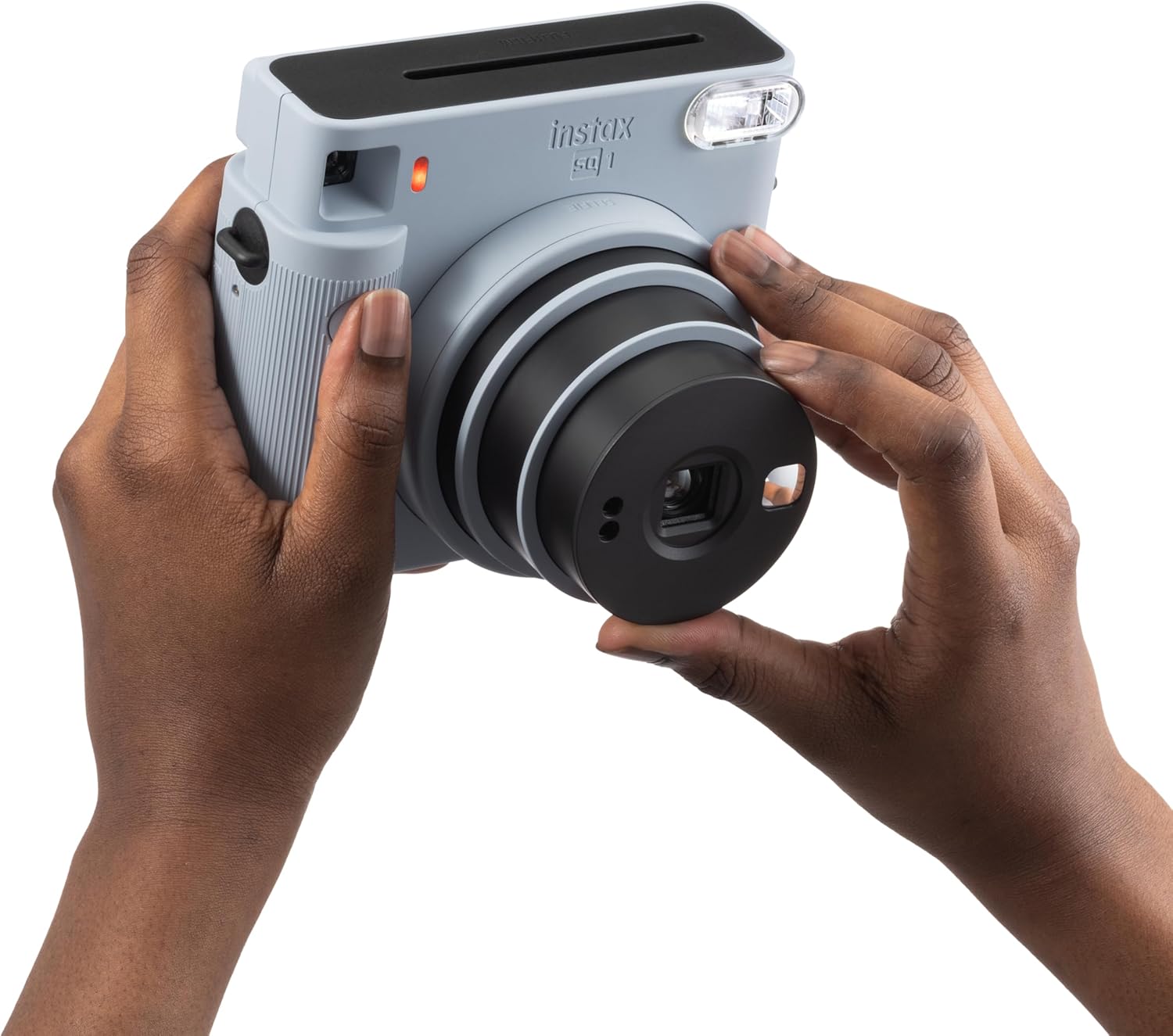
Image: A user's hands demonstrating how to rotate the lens to turn on the INSTAX Square SQ1 camera.
Video: Shows the process of turning the camera on by rotating the lens.
Chụp ảnh
The INSTAX Square SQ1 features automatic exposure control for optimal brightness.
- Turn the camera on by rotating the lens ring to "ON".
- Đóng khung ảnh của bạn bằng cách sử dụng viewngười tìm
- Press the shutter button to take a picture. The photo will automatically eject from the top slot.
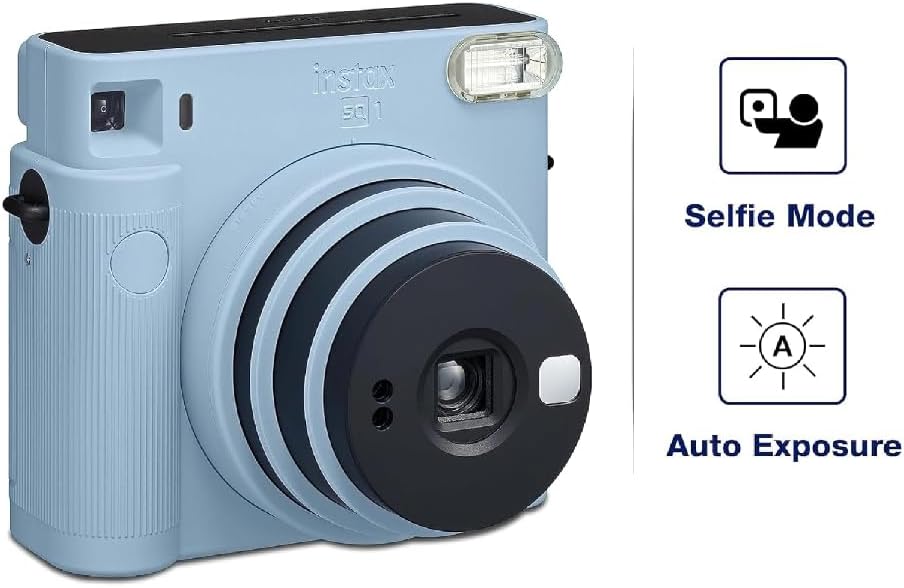
Image: The INSTAX Square SQ1 camera highlighting its Selfie Mode and Auto Exposure features.
Selfie Mode / Close-up Shooting
For selfies or close-up shots (30-50 cm), activate Selfie Mode.
- With the camera on, rotate the lens ring further from "ON" to "SELFIE".
- A small mirror next to the lens helps with framing selfies.
- For close-ups, ensure your subject is within 30-50 cm for best results.
BẢO TRÌ
- Vệ sinh: Use a soft, dry cloth to clean the camera body. For the lens, use a lens cleaning cloth. Avoid abrasive cleaners or solvents.
- Kho: Store the camera in a cool, dry place away from direct sunlight and extreme temperatures. Remove batteries if the camera will not be used for an extended period.
- Xử lý phim: Keep film packs in their original packaging until ready to use. Store film in a cool, dry place.
Xử lý sự cố
| Vấn đề | Giải pháp |
|---|---|
| Máy ảnh không bật được. | Check if batteries are correctly inserted and have sufficient charge. Replace if necessary. Ensure the lens ring is rotated to "ON". |
| No photo ejects after pressing shutter. | Check if a film pack is loaded. If so, check the film counter; it might be empty. Ensure the dark slide was ejected upon loading a new pack. |
| Photos are too dark or too bright. | The camera has automatic exposure. Ensure the flash is not covered and that you are shooting within appropriate lighting conditions. Avoid shooting directly into very bright light sources or in extremely dark environments without adequate flash range. |
| Ảnh bị mờ. | Hold the camera steady when shooting. For close-ups, ensure Selfie Mode is activated and the subject is within 30-50 cm. |
Thông số kỹ thuật
- Thương hiệu: INSTAX
- Người mẫu: SQ1
- Màu sắc: Xanh băng hà
- Định dạng phim: INSTAX SQUARE Film (86 x 72 mm)
- Ống kính: 2 thành phần, 2 phần tử, f = 65.75 mm, 1:12.6
- Viewcông cụ tìm kiếm: Inverted Galilean finder, 0.4x, with target spot
- Trường bắn: 0.3 m and beyond (0.3 m to 0.5 m in Selfie Mode)
- Màn trập: Programmed electronic shutter, 1/2 to 1/400 sec.
- Kiểm soát tiếp xúc: Tự động, Lv 5.0 đến 15.5 (ISO 800)
- Film Ejection: Tự động
- Đèn nháy: Constant firing flash (automatic light adjustment), effective range: 0.3 to 2.2 m
- Nguồn điện: Hai pin lithium CR2
- Kích thước: 130.7mm × 118.6mm × 57.5mm
- Cân nặng: 390 g (không bao gồm pin, dây đeo và phim)
Bảo hành và Hỗ trợ
Your INSTAX Square SQ1 camera comes with a Bảo hành 2 năm của nhà sản xuất. Vui lòng giữ lại bằng chứng mua hàng để yêu cầu bảo hành.
For technical support, service, or further inquiries, please refer to the official INSTAX website or contact their customer service department. Contact information can typically be found in the included user manual or on the manufacturer's webđịa điểm.
Để biết thêm thông tin, hãy truy cập trang web chính thức INSTAX Store on Amazon.


