Giới thiệu
This manual provides instructions for the installation, operation, and maintenance of your Feit Electric Smart A19 LED Bulbs. These bulbs are designed for ease of use, offering smart control features through Wi-Fi connectivity without requiring a separate hub. Please read this manual thoroughly before use to ensure proper functionality and safety.

Image: Packaging for the Feit Electric Smart A19 LED Bulbs, showing three bulbs and compatibility with Alexa and Google Assistant.
Thông tin an toàn
- Hãy đảm bảo đã tắt nguồn điện trước khi lắp đặt hoặc tháo bóng đèn.
- Do not use with standard dimmer switches; dimming is controlled via the app or voice assistant.
- Suitable for use in enclosed fixtures.
- Chỉ sử dụng trong nhà.
Nội dung gói
- 3 x Feit Electric Smart A19 LED Bulbs (Model OM60/950CA/AG/3)
Cài đặt
Yêu cầu cài đặt trước
- A 2.4 GHz Wi-Fi network is required. These bulbs are not compatible with 5 GHz networks.
- Download the Feit Electric app from your device's app store (available for iOS and Android).
- Ensure your mobile device's Bluetooth is enabled for easier pairing.
Các bước cài đặt
- Screw the smart LED bulb into the desired light fixture.
- Turn on the power switch. The bulb will begin to blink continuously, indicating it is in pairing mode.
- Open the Feit Electric app on your smartphone. The app should automatically detect the new device. If not, tap the '+' icon to add a device.
- Follow the in-app instructions to connect the bulb to your 2.4 GHz Wi-Fi network.
- Once connected, you can rename the bulb within the app for easy identification (e.g., "Living Room Lamp").
- For voice control, integrate the Feit Electric app with your Alexa or Google Home Assistant by following the instructions in their respective apps.
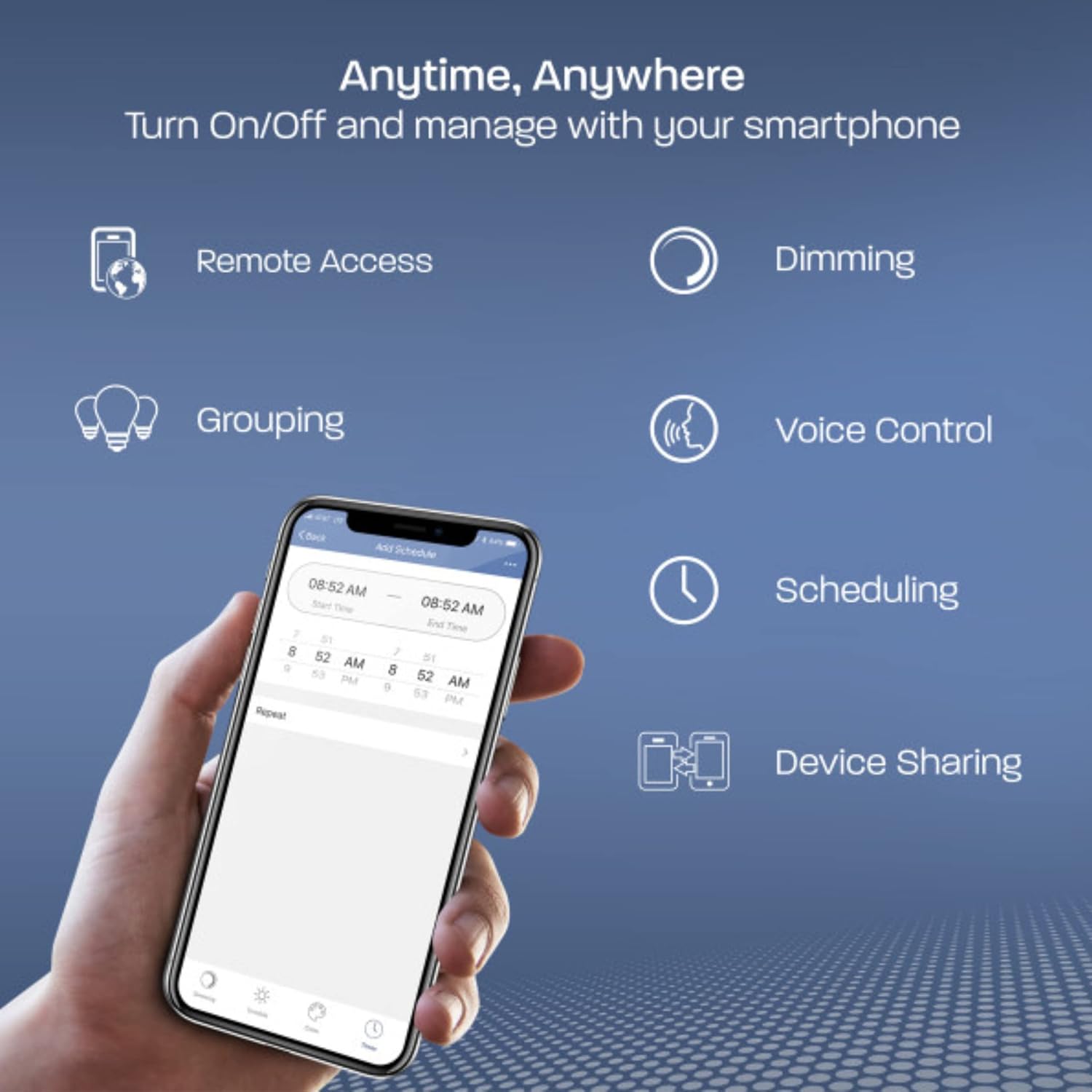
Image: A smartphone displaying the Feit Electric app interface, highlighting features like remote access, dimming, grouping, voice control, scheduling, and device sharing.
Hoạt động
Kiểm soát ứng dụng
The Feit Electric app provides comprehensive control over your smart bulbs:
- Bật/Tắt: Instantly turn lights on or off from anywhere.
- Làm mờ: Adjust brightness levels to suit your preference. The bulb remembers the last dimness setting after 5 seconds and applies it the next time it's turned on.
- Nhóm: Control multiple bulbs simultaneously by creating groups (e.g., "Kitchen Lights").
- Lên lịch: Set custom schedules for your lights to turn on/off at specific times.
- Truy cập từ xa: Control your lights even when you are away from home.
- Chia sẻ thiết bị: Share control of your smart bulbs with family members through the app.

Image: A kitchen interior with multiple smart bulbs, and a smartphone displaying the Feit Electric app's grouping function, allowing control of multiple lights together.
Điều khiển bằng giọng nói
Your Feit Electric Smart Bulbs are compatible with Amazon Alexa and Google Home Assistant. Once integrated, use simple voice commands to manage your lighting:
- "Alexa, bật đèn phòng khách."
- "Này Google, hãy giảm độ sáng đèn nhà bếp xuống 50%."
- "Alexa, set the bedroom light to daylight."

Image: A white Google Home smart speaker, indicating compatibility with both Amazon Alexa and Google Assistant for voice control of the smart bulbs.
BẢO TRÌ
Feit Electric Smart A19 LED Bulbs are designed for long-lasting performance with an average life of 25,000 hours. Minimal maintenance is required.
- Vệ sinh: Hãy đảm bảo bóng đèn đã nguội và nguồn điện đã tắt trước khi vệ sinh. Lau bằng khăn mềm, khô. Không sử dụng chất tẩy rửa dạng lỏng hoặc có tính mài mòn.
- Thay thế: Replace the bulb when it reaches the end of its operational life.
Xử lý sự cố
If you encounter issues with your Feit Electric Smart A19 LED Bulbs, refer to the following common solutions:
- Các vấn đề kết nối: Ensure your Wi-Fi network is 2.4 GHz. Older routers may have difficulty auto-selecting between 2.4 GHz and 5 GHz bands. Try moving closer to the router during the initial pairing process.
- Nhấp nháy: These smart bulbs are not designed for use with traditional fader (dimmer) switches. Ensure the bulb is installed in a fixture controlled by a standard on/off switch. Using a fader switch can cause flickering and connectivity problems.
- Bóng đèn không phản hồi: If a bulb becomes unresponsive, try turning the power off at the switch for 10 seconds, then turn it back on. If the issue persists, you may need to reset the bulb and re-pair it with the app.
- Resetting the Bulb: To reset, turn the bulb off for 2 seconds, then on for 2 seconds, repeating this cycle 5 times. The bulb will then flash rapidly, indicating it is in pairing mode.
Để biết cách khắc phục sự cố chi tiết hơn, vui lòng tham khảo chính thức Hướng dẫn khắc phục sự cố (PDF).
Thông số kỹ thuật
| Tính năng | Đặc điểm kỹ thuật |
|---|---|
| Thương hiệu | Feit điện |
| Số hiệu mẫu | OM60/950CA/AG/3 |
| Loại ánh sáng | DẪN ĐẾN |
| Kích thước hình dạng bóng đèn | A19 |
| Đế bóng đèn | E26 Vừa |
| Cái gì?tage | 9 Watt (tương đương 60 Watt) |
| Độ sáng | 800 Lumen |
| Màu sáng | Ánh sáng ban ngày |
| Nhiệt độ màu | 5000 độ Kelvin |
| Tậptage | 120 Vôn (100 đến 120 Vôn và 60 Hertz) |
| Phương pháp kiểm soát | Ứng dụng, Điều khiển bằng giọng nói |
| Kết nối | Wi-Fi 2.4 GHz |
| Tuổi thọ trung bình | 25,000 giờ |
| Sử dụng trong nhà/ngoài trời | Trong nhà |
| Vật liệu | Nhựa |
| Kích thước sản phẩm | Rộng 2.4" x Cao 4.4" |
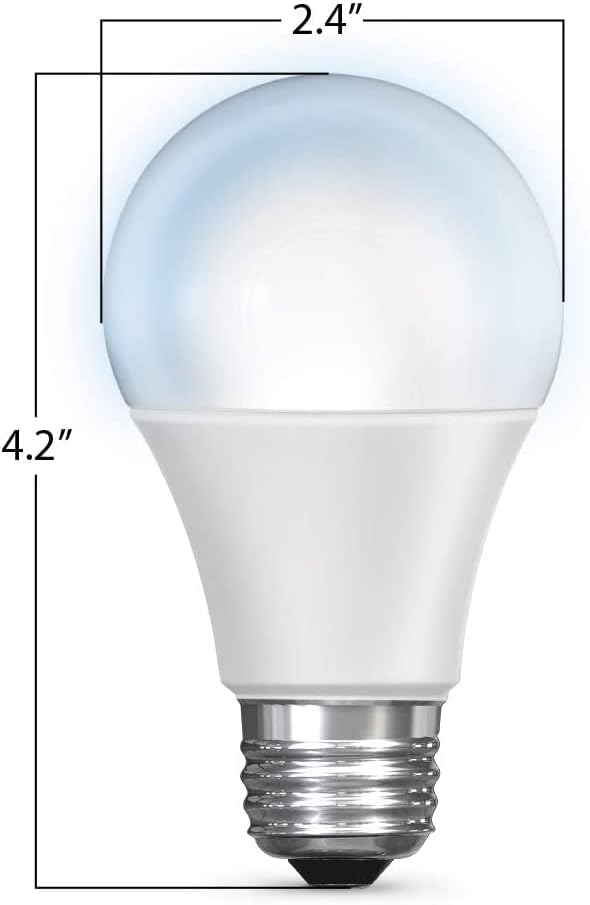
Image: A diagram illustrating the physical dimensions of the A19 LED bulb, measuring 2.4 inches in width and 4.2 inches in height.
Bảo hành và Hỗ trợ
Thông tin bảo hành
This Feit Electric Smart A19 LED Bulb comes with a one-year warranty from the date of purchase. This warranty covers defects in materials and workmanship under normal use.
Dịch vụ khách hàng
For customer service, technical support, or warranty claims, please contact Feit Electric:
- E-mail: info@feit.com
- Điện thoại: 1-866-326-BULB (toll-free)
Additional resources, including the full user guide, can be found here: Hướng dẫn sử dụng (PDF).


