1. Giới thiệu
Thank you for choosing the CREATE NETBOT S15 Robot Vacuum Cleaner. This manual provides essential information for the safe operation, maintenance, and troubleshooting of your device. Please read it thoroughly before first use and retain it for future reference.
Sản phẩm trênview

The image above displays the CREATE NETBOT S15 Robot Vacuum Cleaner, its dedicated remote control, and a smartphone screen showing the companion application interface. The robot is black with a textured top surface and a central green power button. The remote control features a digital display and various control buttons. The app shows a map of a cleaned area.
The NETBOT S15 is designed to simplify your cleaning routine, offering multiple cleaning modes and smart features for efficient floor maintenance.
2. Hướng dẫn an toàn
Để đảm bảo hoạt động an toàn và tránh hư hỏng, vui lòng tuân thủ các biện pháp phòng ngừa an toàn sau:
- Đọc kỹ hướng dẫn trước khi sử dụng thiết bị.
- Không cho phép trẻ em vận hành robot hút bụi. Giám sát trẻ em và vật nuôi khi robot đang hoạt động.
- Ensure the charging base is placed against a wall on a hard, level surface, with adequate clear space around it.
- Giữ tóc, quần áo rộng, ngón tay và mọi bộ phận trên cơ thể tránh xa các lỗ hở và bộ phận chuyển động.
- Không được nhặt các vật thể lớn, vật sắc nhọn, chất lỏng hoặc vật liệu đang cháy/có khói.
- Không sử dụng robot trong môi trường ẩm ướt hoặc trên bề mặt ẩm ướt.
- Trước khi vận hành, hãy dọn sạch dây nguồn, các vật nhỏ và đồ dễ vỡ khỏi sàn nhà để tránh bị vướng hoặc hư hỏng.
- Chỉ sử dụng bộ sạc và pin chính hãng do nhà sản xuất cung cấp.
- Do not modify or attempt to repair the robot vacuum yourself. Contact qualified service personnel for repairs.
3. Nội dung gói hàng
Xác minh rằng tất cả các thành phần đều có trong gói:

The image shows the retail box for the CREATE NETBOT S15 Robot Vacuum Cleaner, indicating the product and its key features.
- Máy hút bụi robot CREATE NETBOT S15
- Đế sạc
- Bộ đổi nguồn
- Điều khiển từ xa
- Dustbin (600 ml capacity)
- Bình chứa nước (dung tích 400 ml)
- Side Brushes (2 + 2 replacements)
- HEPA Filter (1 + 1 replacement)
- Cleaning Mop (1 + 1 replacement)
- Bàn chải vệ sinh
- Dải từ tính
- Hướng dẫn sử dụng
4. Thiết lập
4.1 Vị trí đặt đế sạc

The image shows the CREATE NETBOT S15 Robot Vacuum Cleaner correctly docked on its charging station, indicating proper placement for recharging.
- Đặt đế sạc dựa vào tường ở khu vực thoáng đãng.
- Ensure there is at least 1 meter (3 feet) of clear space on both sides of the charging base and 2 meters (6 feet) in front of it.
- Kết nối bộ đổi nguồn với đế sạc và cắm vào ổ cắm trên tường.
- Ensure the power indicator light on the charging base is illuminated.
4.2 Sạc ban đầu

This image depicts the CREATE NETBOT S15 Robot Vacuum Cleaner positioned near its charging dock in a room, ready for or undergoing charging.
Before first use, fully charge the robot vacuum. Place the robot onto the charging base, ensuring the charging contacts align. The indicator light on the robot will show charging status. A full charge typically takes 4-5 hours.
4.3 Cài đặt và kết nối ứng dụng
The CREATE NETBOT S15 can be controlled via a smartphone application, compatible with Alexa and Google Home.
- Download the official CREATE app from your smartphone's app store.
- Đăng ký tài khoản và đăng nhập.
- Follow the in-app instructions to add your NETBOT S15 device. This typically involves putting the robot into pairing mode and connecting it to your home Wi-Fi network.
- Once connected, you can program cleaning schedules, select cleaning modes, and monitor the robot's status from your phone.
- For voice control, link the CREATE app with your Alexa or Google Home account through their respective applications.
5. Hướng dẫn vận hành
5.1 Chế độ làm sạch
The NETBOT S15 offers four cleaning functions:
- Quét: Uses side brushes to gather debris.
- Khoảng chân không: Utilizes suction power to collect dust and dirt. Features up to 1500 Pa suction power with adjustable levels.
- Chổi lau nhà: Wipes floors with a damp cloth from the water tank.
- Rửa: Combines sweeping, vacuuming, and mopping for comprehensive cleaning.

This image illustrates the CREATE NETBOT S15 Robot Vacuum Cleaner actively cleaning under a sofa, demonstrating its ability to reach confined spaces. Two dogs are visible in the foreground, suggesting a pet-friendly environment.
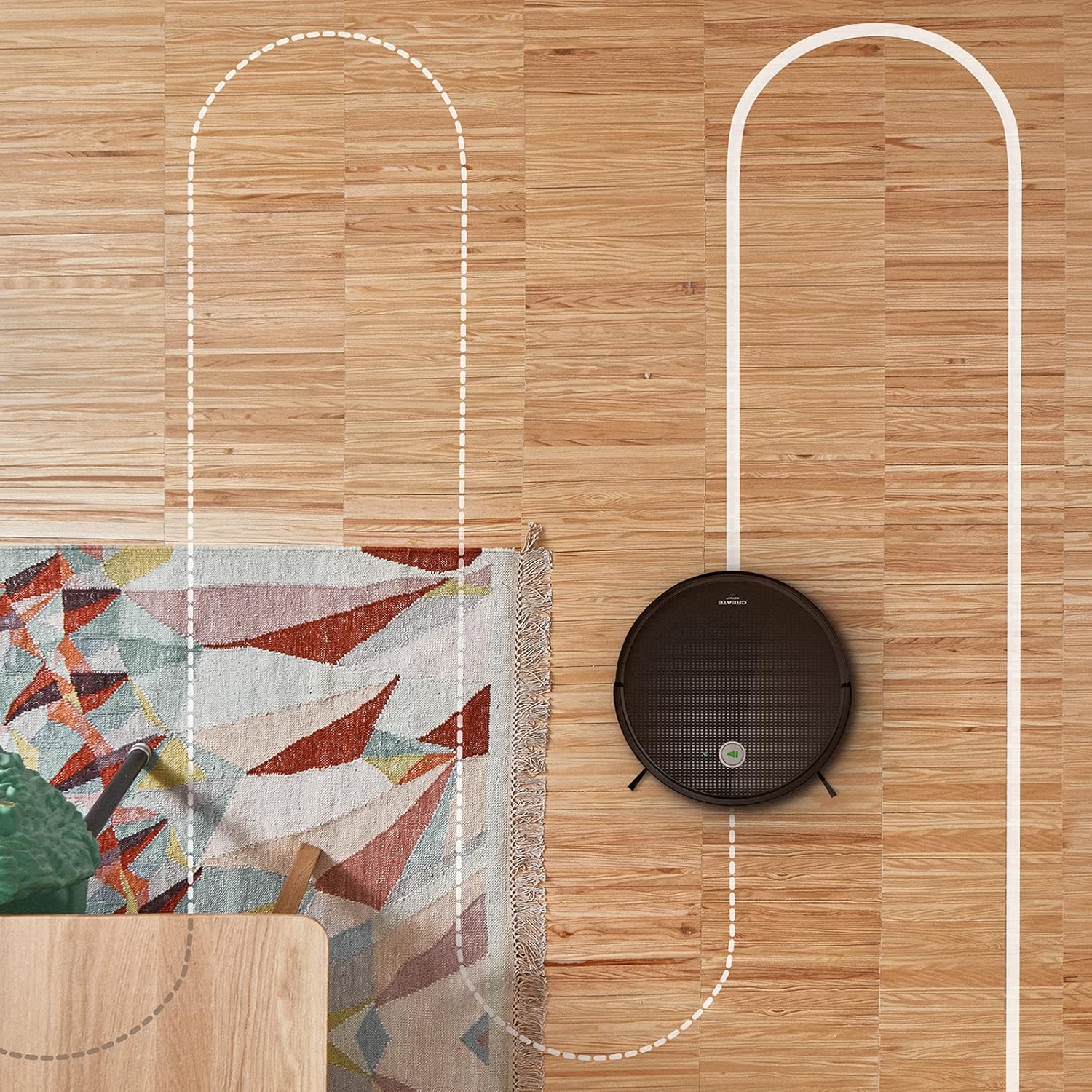
Một ăng-ten view shows the CREATE NETBOT S15 Robot Vacuum Cleaner moving across a wooden floor, with a dotted line indicating its systematic cleaning path, highlighting its gyroscopic navigation.
5.2 Sử dụng điều khiển từ xa
The included remote control allows for direct operation of the robot vacuum. Refer to the remote control diagram in your quick start guide for button functions. Common functions include:
- Bắt đầu / Tạm dừng làm sạch
- Quay lại cơ sở sạc
- Directional Control (manual steering)
- Làm sạch tại chỗ
- Làm sạch cạnh
- Lập lịch biểu
5.3 Magnetic Strip Usage
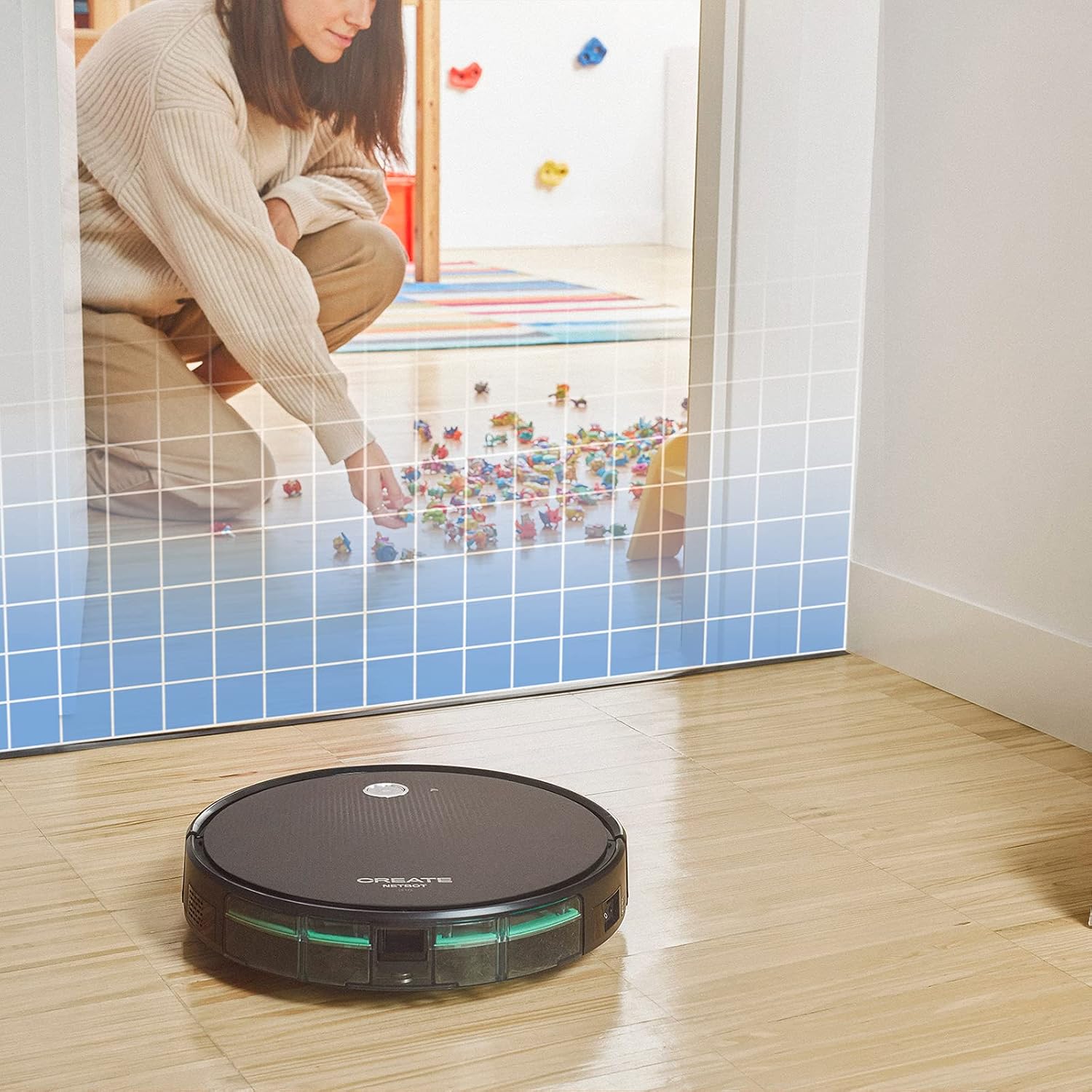
This illustration demonstrates the CREATE NETBOT S15 Robot Vacuum Cleaner approaching a virtual boundary, represented by a grid, which prevents it from entering a specific area, such as where toys are located.
Use the provided magnetic strip to create virtual boundaries that the robot will not cross. Place the strip on the floor to delimit areas where the robot should not enter, such as pet feeding zones or areas with delicate items.
5.4 Tuổi thọ pin
The NETBOT S15 is equipped with a long-lasting LG Lithium battery, providing up to 120 minutes of cleaning autonomy on a single charge, depending on the selected power mode.
6. Bảo trì
Bảo trì thường xuyên đảm bảo hiệu suất tối ưu và kéo dài tuổi thọ cho robot hút bụi của bạn.
6.1 Vệ sinh thùng rác và bình chứa nước
Empty the dustbin after each use. The 600 ml dustbin is easily removable. If using the mopping function, empty and rinse the 400 ml water tank after each use to prevent mold or odors.
6.2 Vệ sinh bàn chải

cận cảnh view of the CREATE NETBOT S15 Robot Vacuum Cleaner's side brush, showing its design for sweeping debris into the main suction path.
- Chổi bên: Regularly check for hair or debris entanglement. Remove and clean as needed. Replace worn brushes with the provided spares.
- Cọ chính: Tháo nắp bảo vệ bàn chải chính và nhấc bàn chải ra. Sử dụng dụng cụ vệ sinh để loại bỏ tóc rối và bụi bẩn.
6.3 Vệ sinh/Thay thế bộ lọc
The robot uses a double filter system: a sponge filter and a HEPA filter. Tap the filters to remove loose dirt. Do not wash HEPA filters with water. Replace filters every 3-6 months, or more frequently with heavy use, to maintain suction performance.
6.4 Vệ sinh cảm biến
Wipe the cliff sensors (located on the bottom of the robot) and the bumper sensors (on the front) with a clean, dry cloth to ensure proper navigation and obstacle detection.
KHAI THÁC. Xử lý sự cố
If you encounter issues with your NETBOT S15, refer to the following common problems and solutions:
| Vấn đề | Nguyên nhân có thể | Giải pháp |
|---|---|---|
| Robot không khởi động hoặc không phản hồi. | Pin yếu; Tắt nguồn; Robot bị kẹt. | Sạc robot; Đảm bảo công tắc nguồn được BẬT; Dọn sạch mọi vật cản. |
| Hiệu suất làm sạch kém. | Thùng chứa bụi đầy; Chổi/lọc bị tắc; Chổi bị mòn. | Empty dustbin; Clean brushes and filters; Replace brushes/filters. |
| Robot không tìm thấy đế sạc. | Charging base obstructed; Robot too far from base; Base not powered. | Ensure clear space around base; Manually place robot closer; Check power connection to base. |
| Robot thường xuyên bị kẹt. | Cables/small objects on floor; Uneven surfaces; Dark colored carpets. | Clear floor of obstacles; Use magnetic strips for problem areas; Robot may struggle on very dark surfaces. |
| Sự cố kết nối Wi-Fi. | Incorrect Wi-Fi password; Router too far; 5GHz network. | Verify password; Move robot closer to router; Ensure connection to a 2.4GHz Wi-Fi network. |
8. Thông số kỹ thuật
Key technical specifications for the CREATE NETBOT S15 Robot Vacuum Cleaner:
- Thương hiệu: TẠO NÊN
- Số hiệu mẫu: Máy tính xách tay S15
- Màu sắc: Black - Turquoise
- Kích thước (D x R x C): 33 x 33 x 7.5cm
- Cân nặng: 3 Kilôgam
- Quyền lực: 25 Watt
- Công suất hút: Lên tới 1500 Pa
- Mức độ tiếng ồn: 62 dB
- Loại pin: Pin lithium-ion
- Tuổi thọ pin: Lên đến 120 phút
- Công suất thùng rác: 600ml
- Dung tích bình chứa nước: 400ml
- Hệ thống lọc: Double sponge Clean + HEPA filter
- Kết nối: Điều khiển qua Wi-Fi và ứng dụng
- Khả năng tương thích của Trợ lý giọng nói: Google Home, Alexa
- Tính năng đặc biệt: Gyroscopic navigation, Magnetic strip boundary, 4 cleaning modes (sweep, vacuum, mop, wash)
9. Bảo hành và Hỗ trợ
For warranty information, technical support, or service inquiries, please refer to the warranty card included with your product or visit the official CREATE webtrang web. Giữ lại biên lai mua hàng làm bằng chứng mua hàng.


