Giới thiệu
This manual provides instructions for the safe and efficient use of your KMC Smart Tap 4-Outlet Wi-Fi Smart Plug. Please read this guide thoroughly before operation and retain it for future reference.
Sản phẩm trênview
Các tính năng chính
- 4-Outlet Design: One "always on" outlet and three individually controllable outlets.
- Kết nối Wi-Fi: Requires a 2.4GHz Wi-Fi network.
- Điều khiển từ xa: Manage devices via the KMC Smart app.
- Điều khiển bằng giọng nói: Tương thích với Amazon Alexa và Google Home.
- Lập lịch & Hẹn giờ: Automate power on/off for connected devices.
- Giám sát năng lượng: Track real-time and historical power consumption.
- Sự an toàn: ETL Certified, built-in thermal sensor.
Nội dung gói
- KMC Smart Tap 4-Outlet Wi-Fi Smart Plug
- Hướng dẫn sử dụng
Sơ đồ sản phẩm

Đằng trước view of the KMC Smart Tap, showing the four outlets, the main power button, and Wi-Fi indicator.
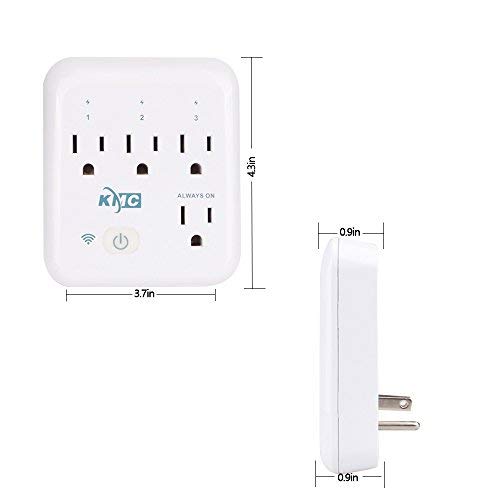
Diagram illustrating the dimensions of the KMC Smart Tap (3.7 inches width, 4.3 inches height, 0.9 inches depth).
Hướng dẫn thiết lập
Cài đặt
Plug the KMC Smart Tap into a standard 110V wall outlet. Ensure it is securely seated.
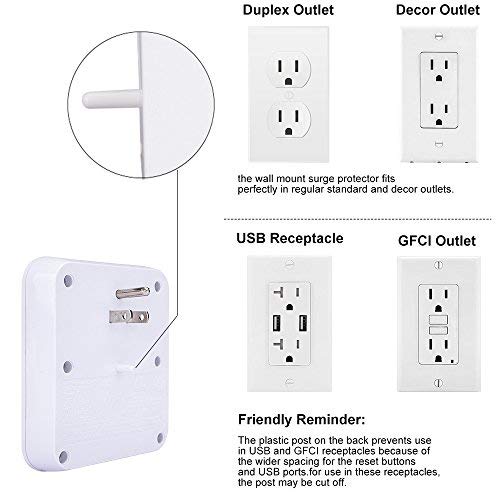
Image showing the KMC Smart Tap plugged into a duplex outlet, with a note about its compatibility and a reminder that the plastic post on the back prevents use in USB and GFCI receptacles due to wider spacing.
Tải ứng dụng và tạo tài khoản
Download the "KMC Smart" or "Smart Life" app from your smartphone's app store (iOS or Android).
Đăng ký tài khoản mới hoặc đăng nhập nếu bạn đã có tài khoản.
Ghép nối thiết bị
- Ensure your smartphone is connected to a 2.4GHz Wi-Fi network. The KMC Smart Tap requires a 2.4GHz network for initial setup and operation.
- Mở ứng dụng và làm theo hướng dẫn trên màn hình để thêm thiết bị mới.
- The device's Wi-Fi indicator light will blink during pairing.
- Once successfully paired, the indicator light will become solid.
Hoạt động
Kiểm soát thủ công
The main power button on the front of the KMC Smart Tap can be pressed to manually toggle power for all three individually controlled outlets simultaneously. The "Always On" outlet remains powered.
Điều khiển từ xa qua ứng dụng
Open the KMC Smart app on your smartphone.
Select the KMC Smart Tap device.
You can individually control the three switchable outlets (labeled 1, 2, 3) and monitor the "Always On" outlet status from anywhere with an internet connection.
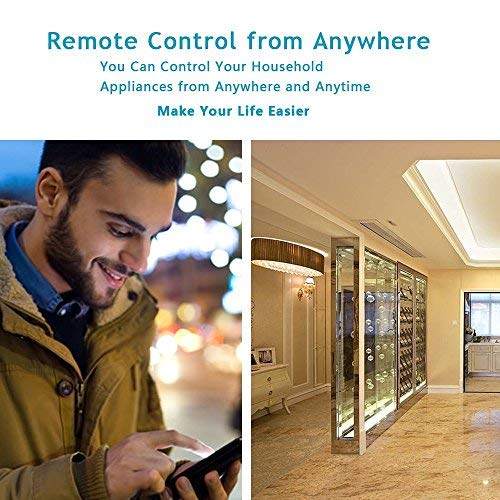
A person using a smartphone to remotely control household appliances, demonstrating the remote control feature of the smart plug.
Điều khiển bằng giọng nói
The KMC Smart Tap is compatible with Amazon Alexa and Google Home.
To enable voice control, link your KMC Smart account within the Alexa or Google Home app.
For Amazon Alexa, you can name each individual outlet (1, 2, 3) to control them independently using voice commands (e.g., "Alexa, turn on Outlet 1").
For Google Home, overall control of the device is supported.
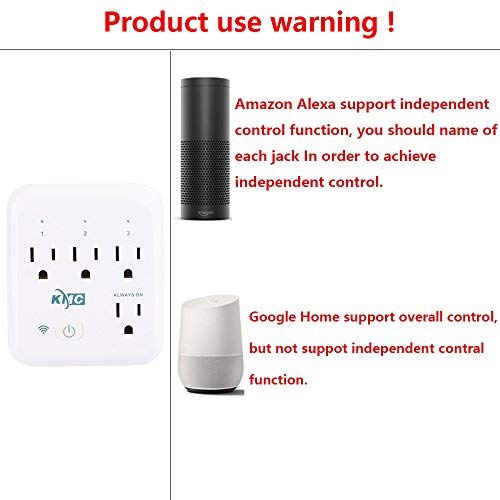
Image showing the KMC Smart Tap alongside Amazon Alexa and Google Home devices, indicating compatibility and control methods.
Scheduling and Timers
Within the KMC Smart app, navigate to the device settings to set schedules and timers for your connected appliances.
You can program specific times for outlets to turn on or off automatically, enhancing convenience and energy efficiency.

An image depicting a child sleeping peacefully, illustrating how scheduling features can be used to manage device operation for routines, such as ensuring a restful environment.
Giám sát năng lượng
The KMC Smart app provides real-time and historical energy consumption data for devices connected to the Smart Tap.
Access the "Electricity Statistics" section in the app to view current usage (Current, Power, Voltage) and historical data (daily, monthly, yearly kWh).
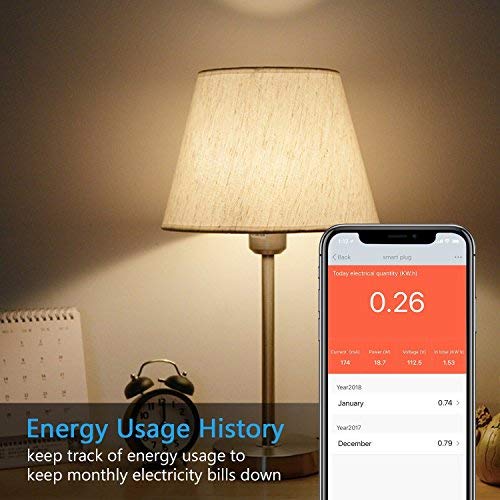
A smartphone screen displaying "Energy Usage History" with current electrical quantity (0.26 kWh) and monthly breakdowns for previous years, next to a lamp.
BẢO TRÌ
Vệ sinh
- Disconnect the smart plug from the power outlet before cleaning.
- Use a dry, soft cloth to wipe the surface. Do not use liquid or aerosol cleaners.
Biện pháp phòng ngừa an toàn
- Không tháo rời hoặc sửa đổi thiết bị.
- Avoid exposing the device to water or humid environments.
- Do not exceed the maximum load of 15A, 1875W.
- The built-in thermal sensor will automatically turn off overheating appliances.
Xử lý sự cố
Device Not Connecting to Wi-Fi
- Hãy đảm bảo mạng Wi-Fi của bạn là 2.4GHz. Mạng 5GHz không được hỗ trợ.
- Kiểm tra xem mật khẩu Wi-Fi của bạn có đúng không.
- Di chuyển ổ cắm thông minh đến gần bộ định tuyến Wi-Fi hơn.
- Reset the smart plug by holding the power button for 5-10 seconds until the Wi-Fi indicator blinks rapidly, then attempt pairing again.
Điều khiển từ xa không hoạt động
- Kiểm tra xem điện thoại thông minh của bạn có kết nối internet hoạt động hay không.
- Ensure the smart plug is connected to your home Wi-Fi network (solid Wi-Fi indicator light).
- Kiểm tra cập nhật ứng dụng.
Các vấn đề về điều khiển bằng giọng nói
- Confirm that your KMC Smart account is correctly linked in the Alexa or Google Home app.
- Ensure the device names in the smart home app match your voice commands.
- Kiểm tra kết nối internet của thiết bị trợ lý giọng nói của bạn.
Thông số kỹ thuật
| Tính năng | Giá trị |
|---|---|
| Số lượng cực | 2 |
| Số lượng dây | 2 |
| Định dạng cắm | Loại A |
| Đặc điểm kỹ thuật đạt | ETL |
| Ampcơn thịnh nộ | 15 Amps |
| Mã số UPC | 743267670332 |
| Nhà sản xuất | KT-KMC |
| Kích thước gói hàng | 8.58 x 4.84 x 2.24 inch |
| Trọng lượng sản phẩm | 14.9 ounce |
| ASIN | B07SWZ2N4J |
| Ngày đầu tiên có sẵn | Ngày 10 tháng 2019 năm XNUMX |
| Thương hiệu | KMC |
| Màu sắc | Trắng |
| Tậptage | 110 vôn |
| Vật liệu | Acrylonitrile Butadiene Styrene (ABS) |
| Loại đầu nối | Cắm vào |
Bảo hành và Hỗ trợ
Thông tin bảo hành
The KMC Smart Tap includes a 30-day money-back guarantee and lifetime support.
Hỗ trợ khách hàng
For technical assistance or warranty claims, please refer to the contact information provided on the KMC official website or within the KMC Smart app.


