Sản phẩm trênview
The AireMax Portable Air Conditioner (Model APA112C) is designed to provide efficient cooling and dehumidification for rooms up to 400 square feet. This versatile unit features multiple operating modes, a user-friendly LED display, and convenient portability with integrated wheels.
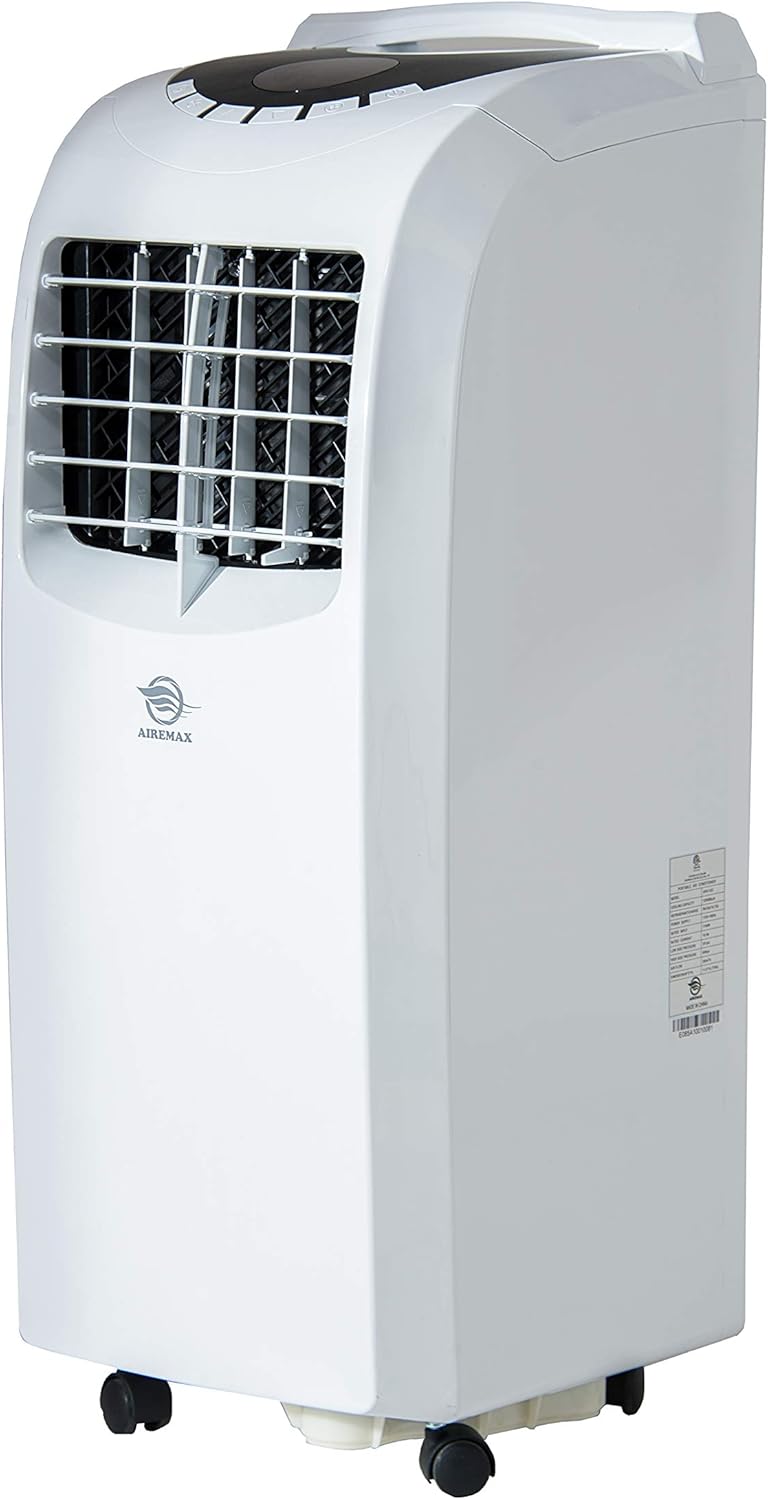
Hình 1: Mặt trước view of the AireMax Portable Air Conditioner, showing its compact design and casters for easy movement.
Các thành phần bao gồm
Trước khi bắt đầu cài đặt, hãy đảm bảo tất cả các thành phần đều có sẵn:
- Máy điều hòa không khí di động
- Điều khiển từ xa
- Ống xả
- Window Venting Kit (adjustable panel)
- Đầu nối tròn
- Bộ chuyển đổi
- Hướng dẫn sử dụng (tài liệu này)

Figure 2: Key accessories for the portable air conditioner, including the exhaust hose and window venting kit.
Thiết lập và cài đặt
Hãy làm theo các bước sau để thiết lập máy điều hòa không khí di động của bạn:
- Vị trí: Place the unit on a flat, stable surface. Ensure there is at least 20 inches of space around the unit for proper airflow.
- Gắn ống xả: Connect one end of the exhaust hose to the round connector, then attach the connector to the exhaust outlet on the back of the unit.
- Lắp đặt bộ dụng cụ cửa sổ: Insert the adaptor into the other end of the exhaust hose. Adjust the window venting kit to fit your window opening (suitable for both vertical and horizontal windows). Secure the window kit in place.
- Connect Exhaust: Attach the exhaust hose adaptor to the opening in the window venting kit. Ensure a tight seal to prevent hot air from re-entering the room.
- Kết nối nguồn điện: Cắm dây nguồn vào ổ cắm điện có nối đất.
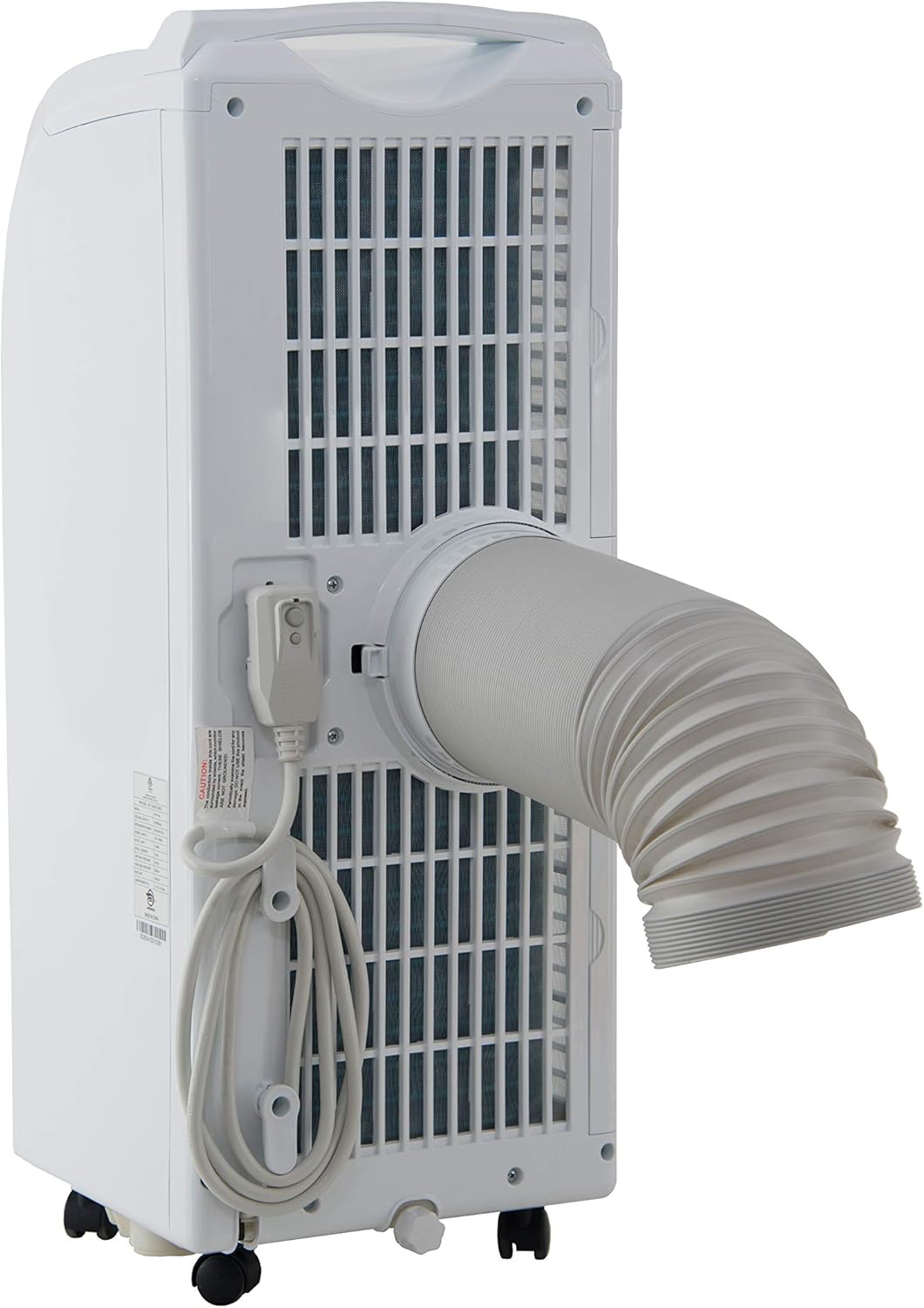
Hình 3: Phía sau view of the unit demonstrating the attachment of the exhaust hose for proper ventilation.
Hướng dẫn sử dụng
Your AireMax Portable Air Conditioner features an intuitive LED display and a multifunction remote control for easy operation.
Control Panel (LED Display)
The top-mounted LED display provides clear indications of the current settings and allows for direct control.
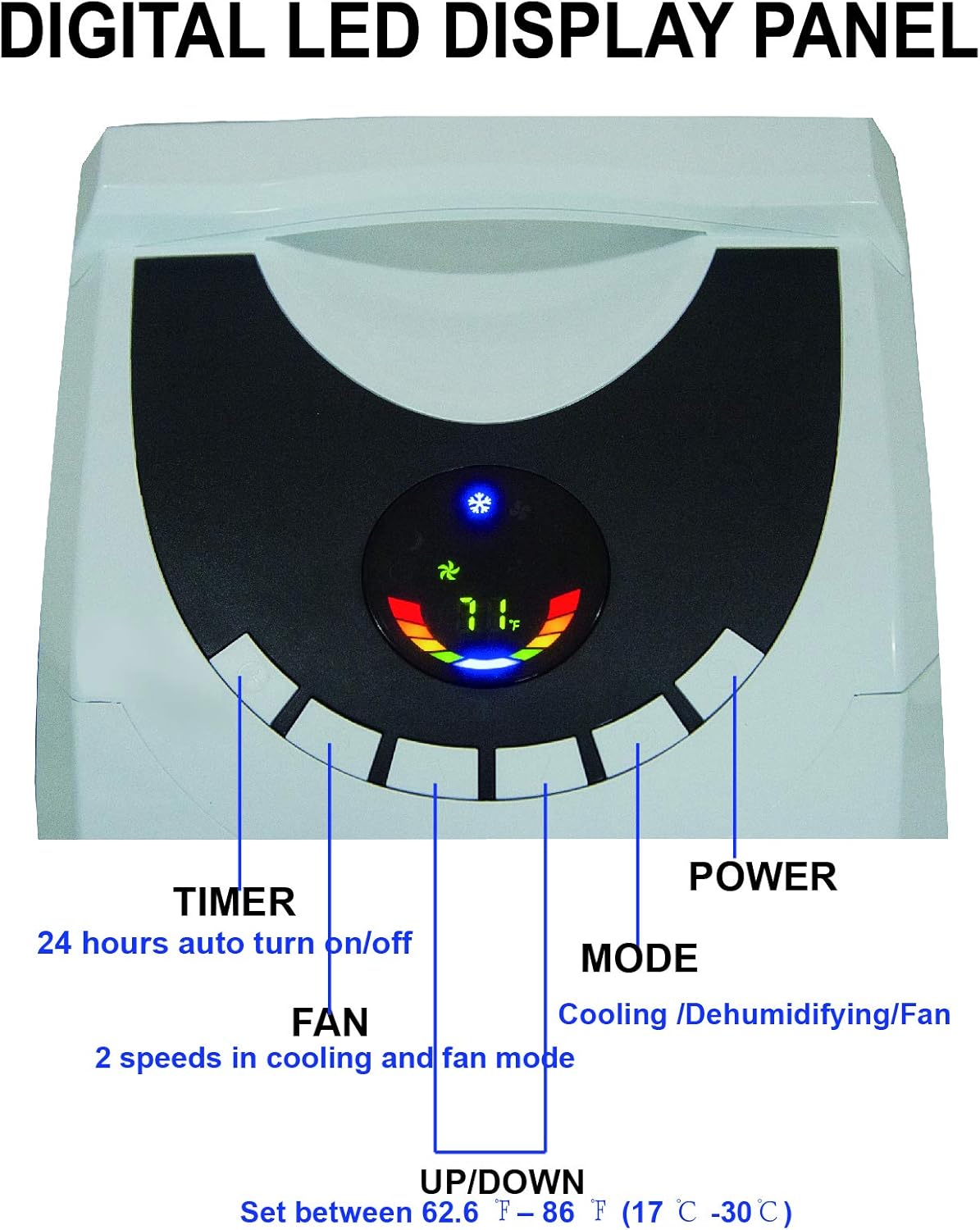
Figure 4: Close-up of the digital LED display panel, showing controls for Timer, Fan, Up/Down temperature, Mode, and Power.
- Nút nguồn: Bật hoặc tắt thiết bị.
- Nút chế độ: Máy chuyển đổi qua các chế độ hoạt động: Làm mát, Quạt và Sấy khô (Hút ẩm).
- Các nút Lên / Xuống: Adjust the desired temperature setting (between 62.6°F and 86°F / 17°C and 30°C).
- Nút Quạt: Selects fan speed (High, Low) in cooling and fan modes.
- Nút hẹn giờ: Sets the 24-hour auto turn on/off timer.
Điều khiển từ xa
The included remote control provides convenient access to all functions from a distance.

Figure 5: The multifunction remote control, allowing adjustment of settings from a distance.
- Tất cả các chức năng có sẵn trên bảng điều khiển đều có thể truy cập được thông qua điều khiển từ xa.
- Includes dedicated buttons for High/Low fan speed, Sleep mode, and temperature unit conversion (°C/°F).
BẢO TRÌ
Bảo trì thường xuyên đảm bảo hiệu suất tối ưu và tuổi thọ của máy điều hòa.
Vệ sinh bộ lọc
The unit features dual filters to capture pet hair, dust, and other particles. Clean the filters periodically to maintain efficiency.
- Tắt và rút phích cắm của thiết bị trước khi vệ sinh.
- Locate the filter frames on the back of the unit.
- Remove the filter frames.
- Rửa sạch các bộ lọc bằng nước ấm pha xà phòng. Xả kỹ lại.
- Allow filters to air dry completely before reinserting them.

Hình 6: Phía sau view highlighting the double filter frames and the drainage hose connection point.
Thoát nước
The unit features an auto-evaporation system, which typically handles most condensate. However, in highly humid environments, manual drainage may be required.
- Khi bình chứa nước bên trong đầy, thiết bị sẽ ngừng hoạt động và báo hiệu bình đã đầy.
- To drain, turn off and unplug the unit.
- Place a shallow pan or bucket under the drainage hose outlet at the bottom rear of the unit.
- Tháo nút xả nước để nước chảy ra ngoài.
- Replace the drain plug once all water has been removed.
- For continuous drainage in very humid conditions, a separate drainage tube (not included) can be connected to the drainage outlet.
Xử lý sự cố
Tham khảo phần này để biết các vấn đề thường gặp và giải pháp.
| Vấn đề | Nguyên nhân có thể | Giải pháp |
|---|---|---|
| Thiết bị không bật. | Không có điện, dây nguồn đã rút, bình nước đầy. | Check power connection, ensure outlet is functional. Drain water tank if full. |
| Máy đang hoạt động nhưng không làm lạnh. | Bộ lọc không khí bẩn, ống xả không được lắp đặt đúng cách, phòng quá rộng, cửa sổ/cửa ra vào đang mở. | Clean air filter. Ensure exhaust hose is securely connected and vented outside. Close all windows and doors. Verify room size is within unit's capacity. |
| Water leakage from unit. | Water tank is full, unit is not level, drainage hose is blocked or improperly connected. | Drain the water tank. Ensure the unit is on a level surface. Check drainage hose for kinks or blockages if continuous drainage is used. |
| Đơn vị là ồn ào. | Thiết bị không được đặt trên bề mặt bằng phẳng, tốc độ quạt quá cao. | Place unit on a flat, level surface. Reduce fan speed. |
Thông số kỹ thuật
Detailed technical specifications for the AireMax Portable Air Conditioner Model APA112C:
| Tính năng | Chi tiết |
|---|---|
| Số hiệu mẫu | APA112C |
| Công suất làm mát | 12,000 BTU (6,500 BTU DOE) |
| Khu vực làm mát ước tính | Lên đến 400 Sq. Ft. |
| Nguồn điện | 115V/60Hz |
| Công suất tiêu thụ định mức | 1140W / 10.4A |
| Khả năng hút ẩm | Lên đến 78 pint mỗi ngày |
| Thoát nước | Tự bay hơi hoặc thủ công |
| Cửa gió điều hòa | Điều khiển bằng tay 2 chiều |
| Mức độ tiếng ồn | 55 dB |
| Trọng lượng sản phẩm | 60.6 pound |
| Kích thước sản phẩm (Rộng x Cao x Dày) | 14.2 x 30 x 11.8 inch |
| Chất làm lạnh | R410A |
| Các thành phần bao gồm | Air conditioner, remote control, exhaust hose, window venting kit, manual, round connector, adaptor |

Figure 7: Diagram illustrating the dimensions and key specifications of the unit.

Figure 8: Guide to selecting the correct cooling capacity based on room square footage, with adjustment factors.
Bảo hành và Hỗ trợ
The AireMax Portable Air Conditioner comes with a Bảo hành linh kiện và nhân công 1 năm kể từ ngày mua.
For technical assistance, troubleshooting beyond this manual, or warranty claims, please contact AireMax customer support. Refer to your purchase documentation for specific contact details or visit the official AireMax webđịa điểm.
A digital version of this user manual is available for download đây.


