Giới thiệu
The PDP Gaming Faceoff Deluxe+ Audio Wired Controller is designed for use with the Nintendo Switch. It features a 3.5mm audio jack for in-game audio and USB chat, customizable programmable back buttons, and interchangeable faceplates. This manual provides instructions for setting up, operating, and maintaining your controller.
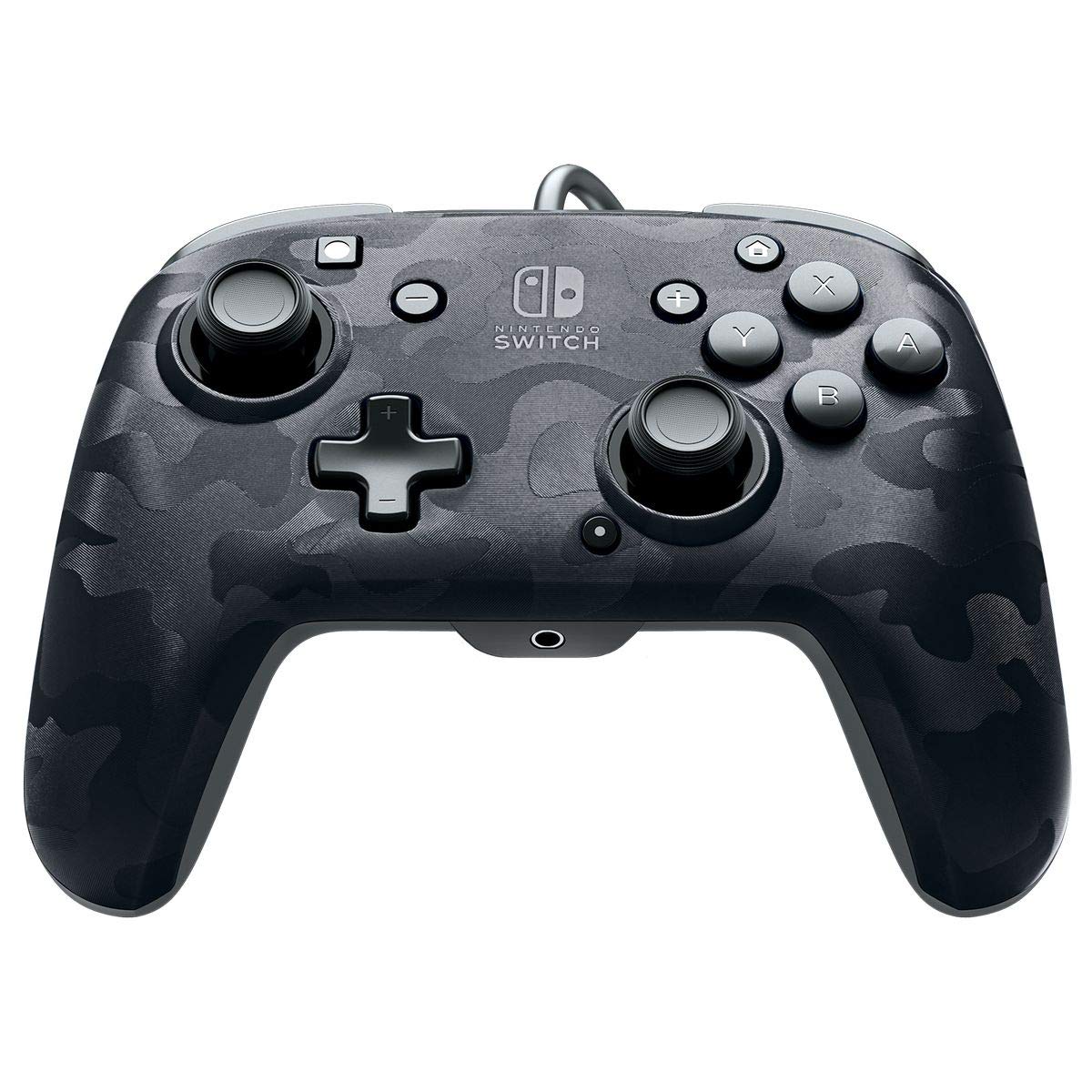
Hình ảnh: Mặt trước view of the PDP Gaming Faceoff Deluxe+ Audio Wired Controller in Black Camo.
Cài đặt
1. Kết nối ban đầu
- Hãy đảm bảo máy chơi game Nintendo Switch của bạn đã được đặt trên đế sạc và bật nguồn.
- Connect the controller's fixed USB cable to an available USB port on the Nintendo Switch dock.
- The controller should automatically be recognized by the console.
2. Cài đặt âm thanh
- Plug your 3.5mm headset into the audio jack located at the bottom center of the controller.
- In-game audio will now be routed through your headset. USB chat is supported for compatible titles.
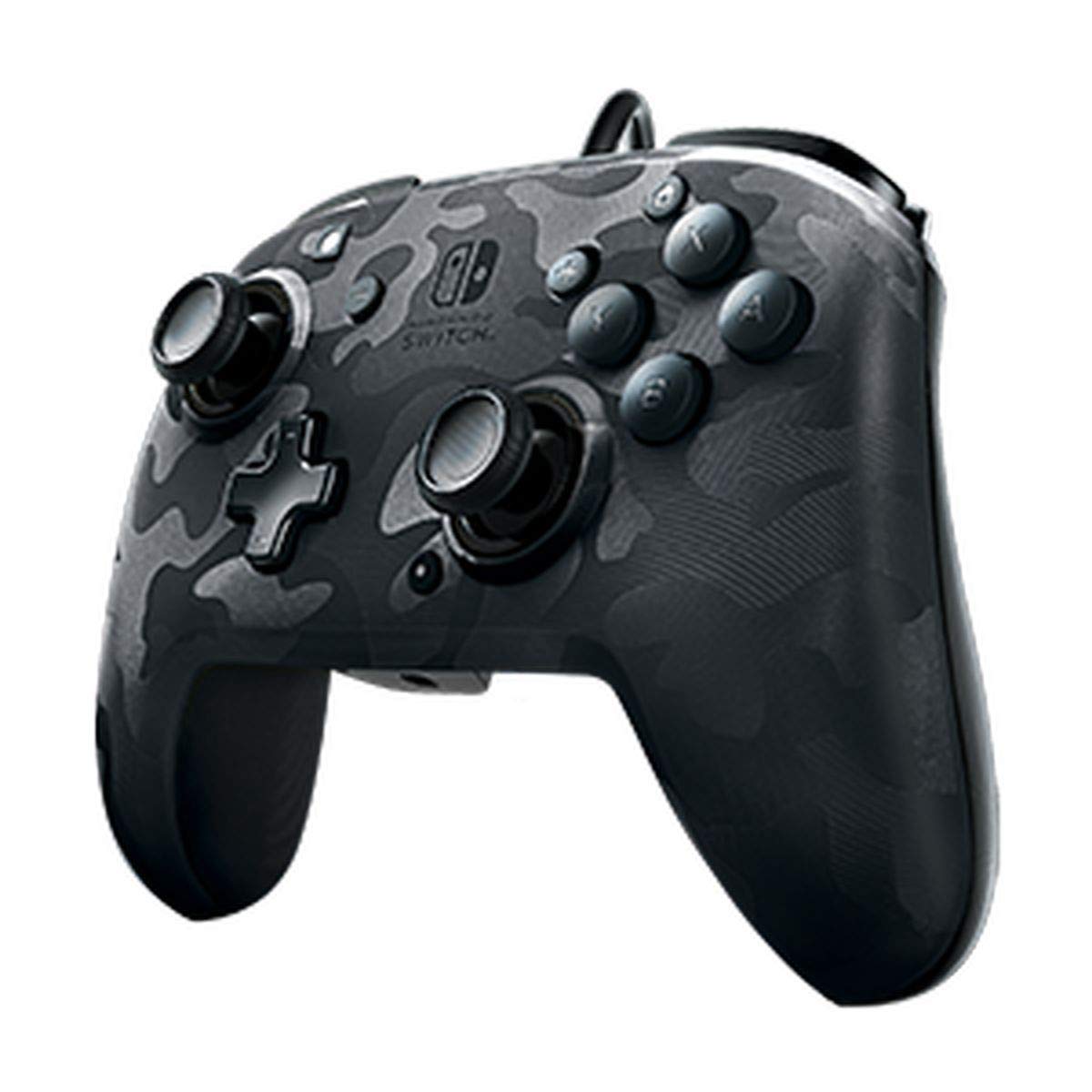
Image: A user playing with the PDP Gaming Faceoff Deluxe+ Audio Wired Controller, demonstrating the headset connection.
Vận hành bộ điều khiển
1. Bố cục nút và chức năng
Familiarize yourself with the controller's button layout for optimal gameplay.

Hình ảnh: Chi tiết view of the controller with key buttons labeled for easy identification.
- View Cái nút: Typically used for in-game menus or map access.
- Nút Home: Trở về Menu TRANG CHỦ của Nintendo Switch.
- Kiểm soát âm lượng: Điều chỉnh âm lượng tai nghe.
- Nút chức năng: Used in conjunction with other buttons for specific features (refer to game instructions).
- Cần điều khiển analog: Provide precise movement and camera control. Features low friction rings for smooth performance.
2. Các nút quay lại có thể lập trình
The controller features dual programmable paddle-style buttons on the back, allowing for customized gameplay. These can be mapped to other buttons on the controller to suit your play style.

Image: The back of the controller highlighting the programmable paddle buttons.
3. Adjusting Audio Volume
Volume can be adjusted directly on the controller using the D-pad while holding the Function button (refer to the labeled image above for button location).
4. Faceplate Customization
The unique interchangeable design allows you to swap out and snap in different Faceoff faceplates to personalize your controller's appearance.

Image: Illustration demonstrating the interchangeable faceplate design of the controller.
BẢO TRÌ
- Hãy giữ cho bộ điều khiển luôn sạch sẽ bằng cách lau chùi bằng một miếng vải mềm, khô.
- Tránh để bộ điều khiển tiếp xúc với nhiệt độ quá cao, độ ẩm quá cao hoặc ánh nắng trực tiếp.
- Không được tự ý tháo rời bộ điều khiển, vì việc này có thể làm mất hiệu lực bảo hành.
Xử lý sự cố
- Bộ điều khiển không phản hồi: Ensure the USB cable is securely connected to the Nintendo Switch dock. Try a different USB port.
- Không có âm thanh qua tai nghe: Verify the headset is fully plugged into the controller's 3.5mm jack. Check the volume settings on the controller and the Nintendo Switch console.
- Các nút không hoạt động đúng cách: Ensure the controller's firmware is up to date (if applicable, check PDP's official website). If issues persist, try restarting the Nintendo Switch console.
Thông số kỹ thuật
| Tính năng | Chi tiết |
|---|---|
| Số hiệu mẫu | 500-134-NA-CM00 |
| Kết nối | Wired (10-foot fixed USB cable) |
| Jack âm thanh | 3.5mm (supports in-game audio and USB chat) |
| Tùy chỉnh | Interchangeable faceplates, dual programmable paddle-style back buttons |
| Kích thước | 0.35 x 0.12 x 0.83 inch |
| Cân nặng | 14.1 ounce |
| Khả năng tương thích | Máy Nintendo Switch |
| Nhà sản xuất | PDP |

Image: Controller dimensions for reference.
Video sản phẩm chính thức
Video: Một bài đánh giá chân thựcview of the PDP Gaming Wired Nintendo Switch Controller, showcasincác tính năng và chức năng của nó.
Bảo hành và Hỗ trợ
Để biết thông tin về bảo hành và hỗ trợ khách hàng, vui lòng tham khảo tài liệu đi kèm sản phẩm hoặc truy cập trang web chính thức của PDP. webđịa điểm.
Bạn cũng có thể ghé thăm Cửa hàng PDP trên Amazon để biết thêm thông tin về sản phẩm và tài nguyên hỗ trợ.


