Giới thiệu
Thank you for choosing the PPLEE Extra Loud Vibrating Alarm Clock. This alarm clock is designed to provide effective wake-up solutions for heavy sleepers, individuals who are deaf or hard of hearing, and anyone needing a reliable alarm. It features a large LED display, multiple wake-up modes including a powerful bed shaker, adjustable brightness and volume, a multi-color night light, and convenient USB charging ports. Please read this manual thoroughly to ensure proper setup and operation of your new alarm clock.
Có gì trong hộp
- 1 x PPLEE Alarm Clock
- 1 x Bed Shaker
- 1 x Bộ đổi nguồn
- 1 x Cáp USB
- 1 x Hướng dẫn sử dụng
Sản phẩm trênview
Hãy làm quen với các bộ phận và nút điều khiển của đồng hồ báo thức.

Đằng trước view of the PPLEE alarm clock with its large green LED display and the connected bed shaker.

Diagram illustrating the clock's dimensions and key features such as vibrator, volume control, adjustable brightness, night light, memorized battery, 12H/24H time format, USB charging port, and 9-minute snooze.
The alarm clock features a large 7-inch LED display for clear visibility. On the top, you will find buttons for setting time, alarms, snooze, and controlling the night light. The back of the unit includes dual USB charging ports and connections for the power adapter and bed shaker.
Cài đặt
- Kết nối nguồn điện: Connect the provided power adapter to the DC IN port on the back of the alarm clock and plug it into a standard wall outlet. The display will light up.
- Pin dự phòng (Tùy chọn): Để có chức năng dự phòng pin trong trường hợp mất điệntages, insert 2 AAA batteries (not included) into the battery compartment on the bottom of the clock. These batteries will preserve time and alarm settings and trigger the alarm during power failure, but will not power the display or USB charging.
- Connect Bed Shaker: Plug the bed shaker's cable into the designated port on the back of the alarm clock. Place the bed shaker under your pillow or mattress for optimal vibration.
Hướng dẫn sử dụng
Cài đặt thời gian và ngày tháng
- Đặt thời gian: Press and hold the "SET TIME" button. Use the "HOUR" and "MINUTE" buttons to adjust the time. Press "SET TIME" again to confirm.
- Định dạng 12/24 giờ: Slide the "12H/24H" switch button on the back of the clock to select your preferred time format.
- Giờ tiết kiệm ánh sáng ban ngày (DST): Press and hold the "SET TIME" button to activate or deactivate the DST function.
Cài đặt báo thức

Visual representation of the three available wake-up modes: vibration only, buzzer only, or both combined.
- Đặt thời gian báo thức: Press and hold the "ALARM SET" button. Use the "HOUR" and "MINUTE" buttons to set your desired alarm time. Press "ALARM SET" again to confirm.
- Select Alarm Mode: After setting the alarm time, press the "ALARM MODE" button repeatedly to cycle through the three wake-up modes:
- Bed Shaker Only: The bed shaker will activate.
- Buzzer Only: The alarm sound will play.
- Bed Shaker & Buzzer: Both the bed shaker and alarm sound will activate.
- Kích hoạt / Tắt báo thức: Press the "ALARM ON/OFF" button to turn the alarm on or off. An alarm icon will appear on the display when the alarm is active.
Chức năng báo lại
When the alarm sounds, press the large "SNOOZE" button on the top of the clock to temporarily silence the alarm for 9 minutes. The alarm will resume after 9 minutes. To stop the alarm completely, press the "ALARM PAUSE" button.
Điều chỉnh độ sáng màn hình

Illustration showing the adjustable brightness levels of the LED display, from 0% (off) to 100% (full brightness).
The display brightness can be adjusted from 0% to 100%. Use the "DIMMER" button to cycle through brightness levels or hold it to smoothly adjust the brightness to your preference.
Điều chỉnh âm lượng báo động

Diagram indicating three adjustable volume levels for the alarm, ranging from 70dB to 90dB.
The alarm volume has 3 levels (Low-Medium-High). Use the "VOLUME" button to select the desired alarm volume.
Hoạt động ánh sáng ban đêm

Image displaying the alarm clock with its top night light illuminated in various colors, highlighting the 7-color feature.
The alarm clock features a built-in night light with 7 color options. Press the "LIGHT" button to turn the night light on/off and cycle through the available colors.
Cổng sạc USB
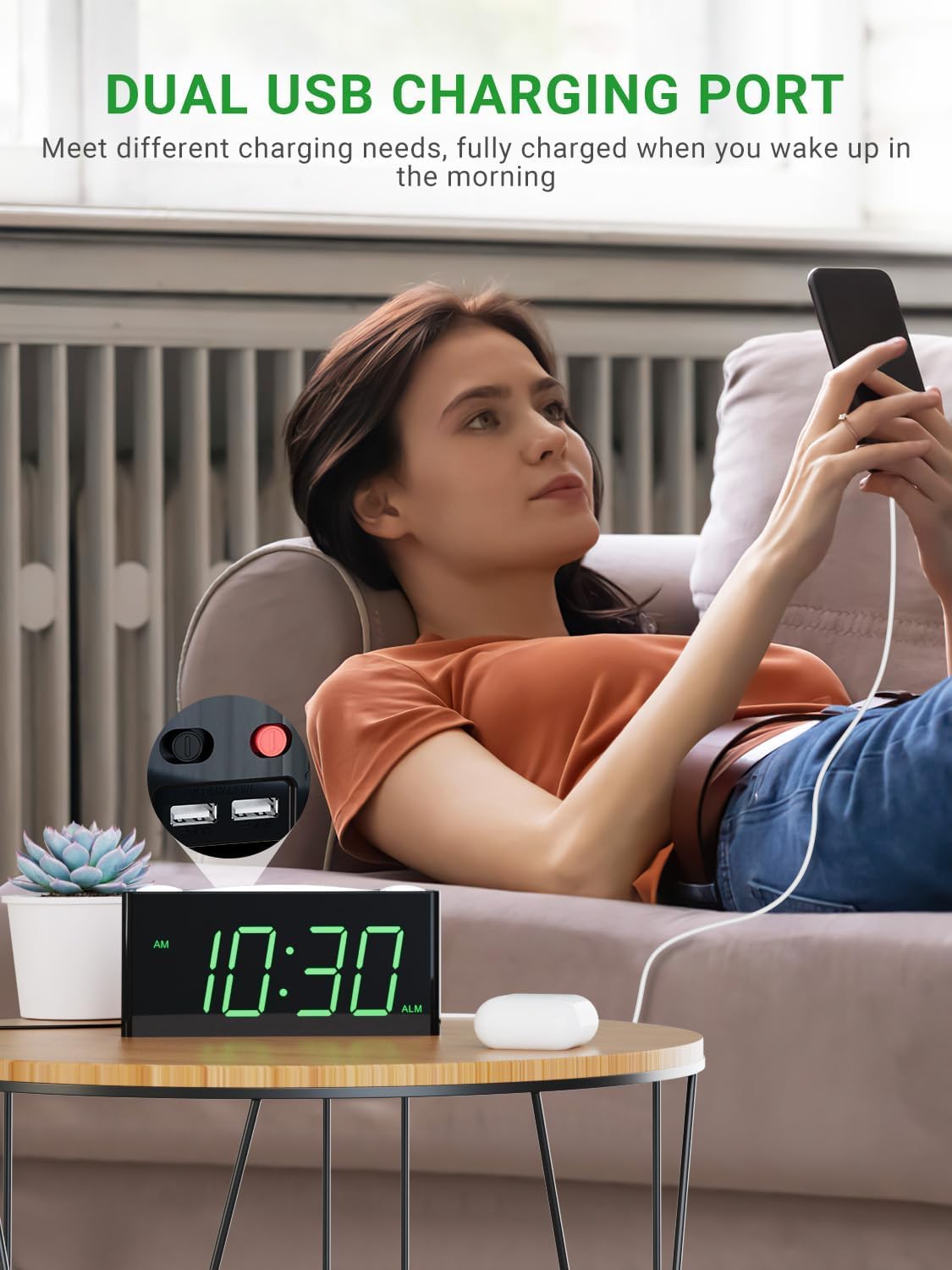
A user charging a mobile phone using one of the dual USB ports located on the back of the alarm clock.
Two USB charging ports are located on the back of the alarm clock. You can use these ports to charge your mobile devices overnight. Note that these ports are for charging only and do not transfer data.
BẢO TRÌ
- Vệ sinh: Hãy dùng một miếng vải mềm, khô để lau sạch bề mặt đồng hồ báo thức. Không sử dụng chất tẩy rửa dạng lỏng hoặc chất xịt mài mòn.
- Vị trí: Đặt đồng hồ báo thức trên bề mặt phẳng, ổn định, tránh ánh nắng trực tiếp, nguồn nhiệt và độ ẩm cao.
- Quyền lực: Luôn sử dụng bộ chuyển đổi nguồn chính hãng được cung cấp kèm theo thiết bị.
Xử lý sự cố
| Vấn đề | Nguyên nhân có thể | Giải pháp |
|---|---|---|
| Màn hình đồng hồ tắt hoặc không hoạt động. | No power, loose connection, or power outage. | Đảm bảo bộ chuyển đổi nguồn được cắm chắc chắn. Kiểm tra ổ cắm điện. Nếu sử dụng pin dự phòng, hãy đảm bảo pin mới và được lắp đúng cách. |
| Alarm does not sound or vibrate. | Alarm is not set, alarm mode is incorrect, or volume is too low. | Verify alarm time is set and activated (alarm icon visible). Check that the correct alarm mode (buzzer, shaker, or both) is selected. Increase alarm volume. Ensure bed shaker is properly connected. |
| Thời gian/cài đặt được đặt lại sau khi tắt nguồn.tage. | Pin dự phòng chưa được lắp đặt hoặc pin đã hết. | Install 2 new AAA batteries (not included) for backup. Ensure they are inserted with correct polarity. |
| Chức năng sạc USB không hoạt động. | Device not properly connected or clock not powered. | Ensure the USB cable is securely connected to both the clock and your device. Confirm the alarm clock is powered by the AC adapter. |
| Màn hình quá mờ hoặc quá sáng. | Cần điều chỉnh cài đặt độ sáng. | Press or hold the "DIMMER" button to adjust the display brightness to your desired level. |
Thông số kỹ thuật
| Tính năng | Chi tiết |
|---|---|
| Thương hiệu | PPLE |
| Số hiệu mẫu | PPLEE-1008I-GN |
| Kiểu hiển thị | DẪN ĐẾN |
| Màu sắc | Green Digits + Bed Shaker |
| Kích thước sản phẩm | Rộng 1.57" x Cao 7" |
| Trọng lượng sản phẩm | 0.7 pound (11.2 ounce) |
| Nguồn điện | Corded Electric with Battery Backup Settings |
| Yêu cầu về pin | 2 pin AAA (không bao gồm) |
| Tính năng đặc biệt | Digital LED display, easy to set, large display for vision impaired, outlet operated, USB phone charger, bed shaker, night light, snooze, 12/24H format, DST. |
Bảo hành & Hỗ trợ
PPLEE Vibrating Loud Alarm Clock with Bed Shaker provides a Bảo hành một năm kể từ ngày mua. Ngoài ra, nó còn bao gồm... One-Month Money Back Guarantee Và 24-Hour Response for customer inquiries.
If you have any questions or require support regarding your product, please contact us via Amazon. We are committed to responding within 24 hours to assist you.
This product is designed for durability and ease of use, making it an excellent choice for personal use or as a gift.


