1. Giới thiệu
This manual provides instructions for the UtechSmart RGB Gaming Mouse Pad, Model GMS-X5. This extended mouse pad features customizable RGB lighting, a smooth surface for precise mouse control, and a stable anti-slip base. Please read this manual thoroughly to ensure proper use and care of your device.

Image 1.1: UtechSmart RGB Gaming Mouse Pad integrated into a gaming setup.
2. Nội dung gói hàng
- UtechSmart RGB Gaming Mouse Pad (Model GMS-X5)
- Cáp nguồn USB
3. Thiết lập
Setting up your UtechSmart RGB Gaming Mouse Pad is a simple plug-and-play process. No additional drivers or software are required.
- Unroll the mouse pad and place it on a flat, stable surface.
- Connect the provided USB power cable to the control box on the mouse pad.
- Plug the other end of the USB cable into an available USB port on your computer or a compatible USB power adapter.
- The RGB lighting will illuminate, indicating the mouse pad is powered on and ready for use.

Image 3.1: The UtechSmart RGB Gaming Mouse Pad with its USB connection point.
4. Hướng dẫn vận hành
The UtechSmart RGB Gaming Mouse Pad features a single control button for managing its lighting effects and brightness levels.
4.1 chế độ chiếu sáng
The mouse pad offers 14 distinct lighting modes, including 7 static colors and various dynamic effects:
- Màu tĩnh: Red, Yellow, Green, Cyan, Blue, Purple, White
- Chế độ động: Alternating Wave, Synchronizing Wave, Alternating Flash, Alternating Red Changing, Lights Off, Synchronize Breathing, Alternate Breathing
To cycle through the lighting modes, press the control button once.

Image 4.1: Visual representation of the 14 lighting modes available.
4.2 Điều chỉnh độ sáng
The mouse pad supports 2 brightness levels for each lighting mode.
Để điều chỉnh độ sáng, press the control button twice quickly.
4.3 Bật/Tắt nguồn
To turn the RGB lighting on or off, press and hold the control button for approximately 3 seconds. The mouse pad will remember your last lighting mode and brightness setting when powered back on.

Image 4.2: The control button and its functions for lighting and power.
5. Bảo trì
Proper maintenance ensures the longevity and performance of your UtechSmart RGB Gaming Mouse Pad.
5.1 Làm sạch bề mặt
The mouse pad features a waterproof surface, making it resistant to spills and easy to clean.
- For minor spills, gently wipe the surface with a damp vải.
- For more stubborn dirt, use a mild soap solution and a soft cloth. Ensure the mouse pad is completely dry before reconnecting it to power.
- Avoid using harsh chemicals or abrasive materials, as these can damage the surface and lighting elements.

Image 5.1: The waterproof surface repels liquids, simplifying cleaning.
5.2 Lưu trữ
When not in use for extended periods, it is recommended to gently roll up the mouse pad (with the surface facing outwards) to prevent creases. Store it in a cool, dry place.
KHAI THÁC. Xử lý sự cố
If you encounter any issues with your UtechSmart RGB Gaming Mouse Pad, please refer to the following common solutions:
| Vấn đề | Nguyên nhân có thể | Giải pháp |
|---|---|---|
| RGB lighting does not turn on. | Không có nguồn điện hoặc kết nối lỏng lẻo. | Ensure the USB cable is securely connected to both the mouse pad and a powered USB port. Try a different USB port or power adapter. |
| Lighting modes or brightness cannot be changed. | Control button malfunction or temporary glitch. | Press the control button firmly. Disconnect and reconnect the USB cable to reset the device. |
| Mouse tracking is inconsistent. | Dirty surface or uneven placement. | Clean the mouse pad surface as described in Section 5.1. Ensure the mouse pad is placed on a flat, even surface. |
7. Thông số kỹ thuật
Detailed specifications for the UtechSmart RGB Gaming Mouse Pad (Model GMS-X5):
- Thương hiệu: UtechSmart
- Số hiệu mẫu: GMS-X5
- Nhà sản xuất: Công nghệ thông minh Utech
- Kích thước: 31.5 x 11.8 x 0.2 inch (800 x 300 x 5 mm)
- Trọng lượng sản phẩm: 11.3 ounce
- Màu sắc: RGB (Multi-color lighting)
- Hình dạng: Hình chữ nhật
- Loại vật liệu: Cao su
- Số lượng mặt hàng: 1
- Tính năng đặc biệt: Non-slip base, Waterproof surface, Wrist support (due to thickness)
- Chế độ chiếu sáng: 14 (7 static, 7 dynamic)
- Mức độ sáng: 2

Image 7.1: The large size of the mouse pad, suitable for keyboard and mouse.
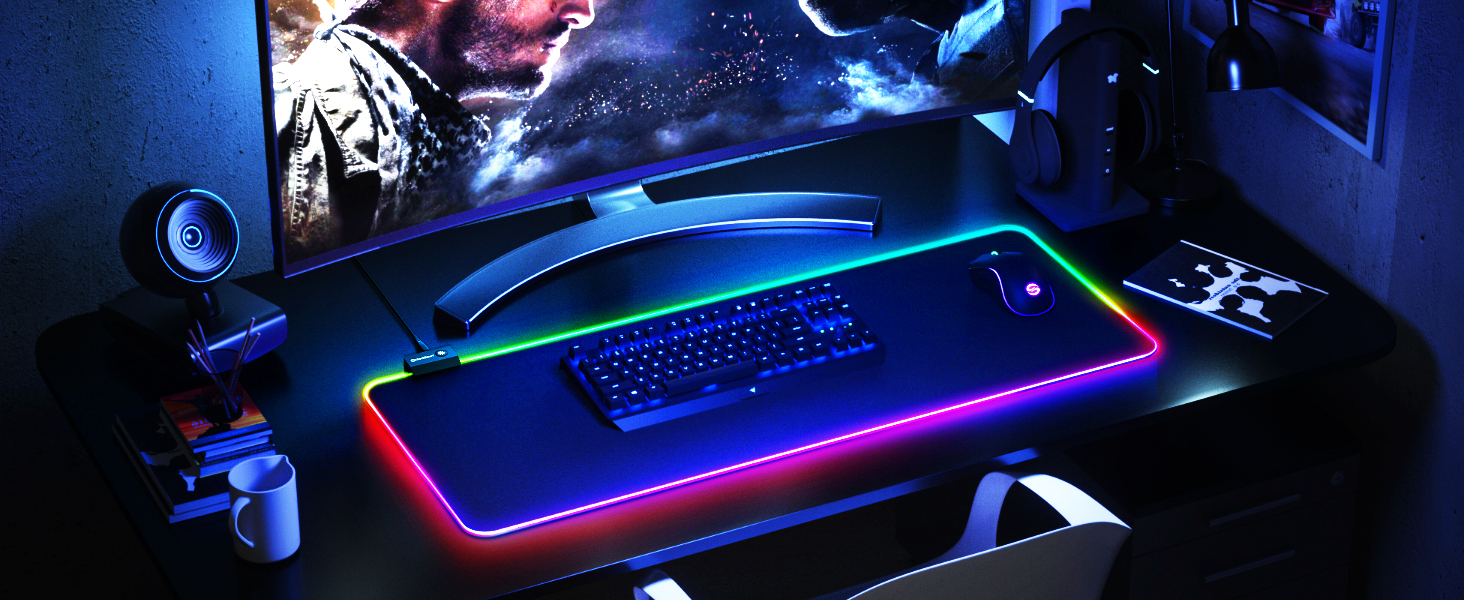
Image 7.2: Detailed dimensions of the UtechSmart RGB Gaming Mouse Pad.
8. Bảo hành và Hỗ trợ
UtechSmart is committed to providing quality products and customer satisfaction.
8.1 Thông tin bảo hành
This product is covered by an Bảo hành 18 tháng from the date of purchase. This warranty covers manufacturing defects and ensures hassle-free replacement or return for eligible issues.
8.2 Hỗ trợ khách hàng
For any questions, technical assistance, or warranty claims, please contact UtechSmart customer support. Our team is available 7 ngày một tuần, 24 giờ một ngày để hỗ trợ bạn.
For contact information, please visit the official UtechSmart webXem thông tin trên trang web hoặc bao bì sản phẩm.

Image 8.1: UtechSmart customer care commitment.


