Giới thiệu
This user manual provides comprehensive instructions for the setup, operation, maintenance, and troubleshooting of your Alienware M15 Gaming Laptop. Please read this manual thoroughly to ensure optimal performance and longevity of your device. For additional support, refer to the official Alienware support resources.
Sản phẩm trênview
Các tính năng chính
- 8th Generation Intel Core i7-8750H (6-Core, 9MB Cache, up to 4.1GHz w/ Turbo Boost)
- 15.6" FHD (1920 x 1080) 60Hz Anti-glare IPS, 300-nits 72% Color gamut, narrow-border Display
- 16GB, 2x8GB, DDR4, 2666MHz RAM
- 128GB PCIe M.2 SSD + 1TB (+8GB SSHD) Hybrid Drive
- Nvidia GeForce GTX 1060 with 6GB GDDR5 Graphics Card
- Hệ điều hành Windows 10 Home
Các thành phần vật lý

Hình 1: Đằng trước view of the Alienware M15 laptop, showcasing the display with the Alienware logo.

Hình 2: Từ trên xuống view of the open Alienware M15 laptop, highlighting the keyboard layout and touchpad.

Hình 3: Phía bên trái view of the Alienware M15 laptop, showing various ports such as USB 3.0.
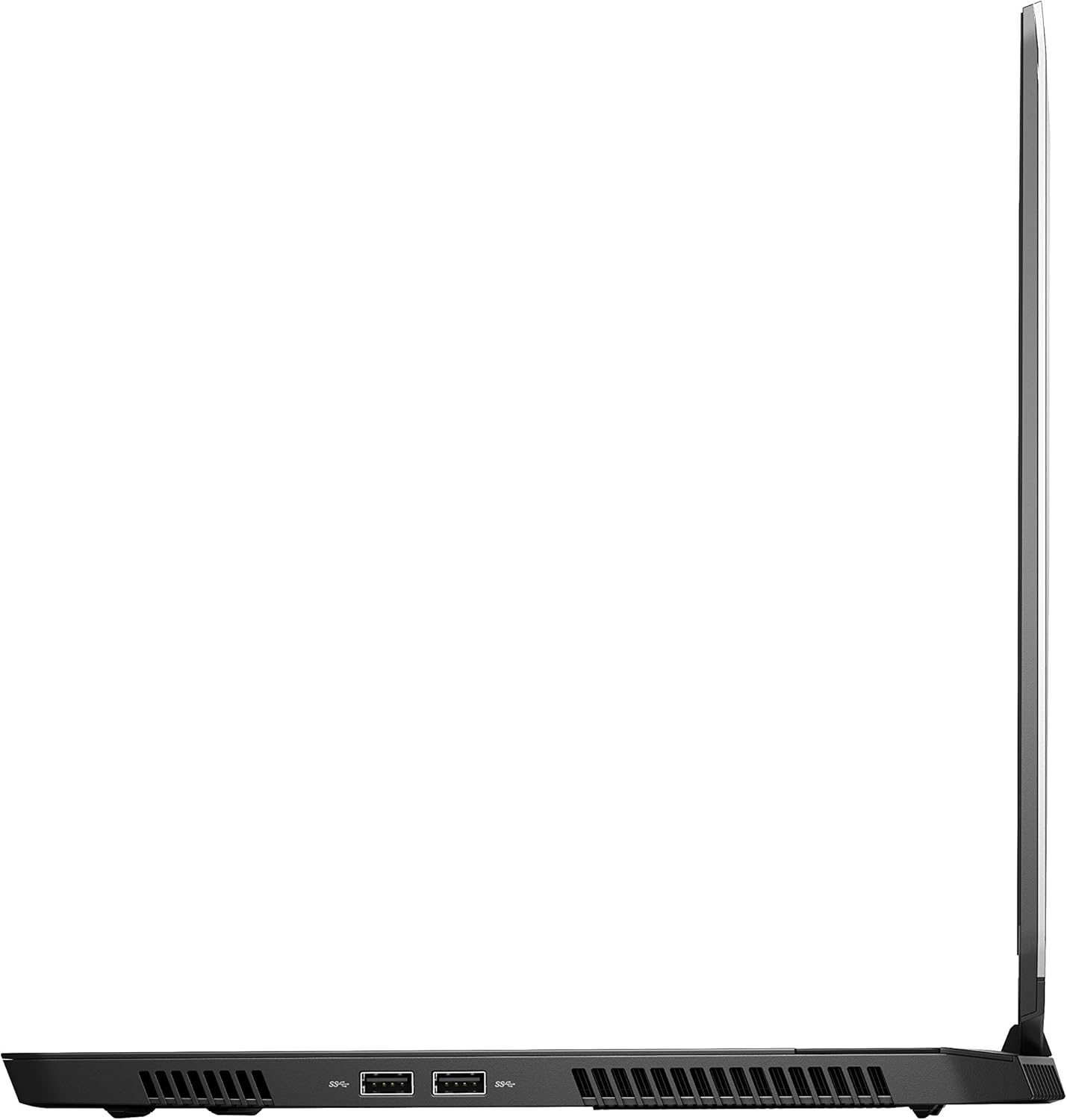
Hình 4: Phía bên phải view of the Alienware M15 laptop, displaying additional ports and ventilation.

Hình 5: Đã nổ tung view illustrating the internal cooling system of the Alienware M15 laptop, including fans and heat sinks.
Cài đặt
Tháo dỡ
Cẩn thận lấy tất cả các thành phần ra khỏi bao bì. Đảm bảo có đầy đủ các mục sau:
- Alienware M15 Gaming Laptop
- Dây nguồn
- Bộ đổi nguồn 180W
Bật nguồn ban đầu
- Kết nối bộ chuyển đổi nguồn với cổng nguồn của máy tính xách tay.
- Cắm dây nguồn vào ổ cắm trên tường.
- Open the laptop lid and press the power button, typically located on the top right of the keyboard deck or a dedicated button on the chassis.
- Hãy làm theo hướng dẫn trên màn hình để hoàn tất quá trình cài đặt Windows 10 Home, bao gồm chọn ngôn ngữ, kết nối mạng và tạo tài khoản người dùng.
Hướng dẫn sử dụng
Hoạt động cơ bản
Your Alienware M15 laptop runs on Windows 10 Home. Familiarize yourself with the operating system's interface. The keyboard features customizable backlighting via Alienware's software. The touchpad supports multi-touch gestures for navigation.
Hiệu suất chơi game
The Alienware M15 is designed for high-performance gaming. For optimal gaming experience, ensure the laptop is connected to the power adapter. This allows the system to utilize its full power capabilities for the CPU and GPU. While gaming, the laptop may generate significant heat; this is normal for high-performance hardware. Consider using a cooling pad for extended gaming sessions to enhance thermal management.
BẢO TRÌ
Vệ sinh
- Màn hình: Sử dụng một miếng vải mềm, không xơ vải lau nhẹamprửa sạch bằng nước hoặc chất tẩy rửa màn hình. Tránh sử dụng hóa chất mạnh.
- Bàn phím và khung máy: Use a soft brush or compressed air to remove dust from keys and vents. Wipe surfaces with a microfiber cloth.
- Cổng: Use compressed air to clear dust from USB, HDMI, and other ports.
Cập nhật phần mềm
Regularly update your Windows operating system, graphics drivers (NVIDIA GeForce), and Alienware software. Updates often include performance improvements, security patches, and bug fixes. Access Windows updates through Settings > Update & Security. Graphics drivers can be updated via the NVIDIA GeForce Experience application.
Chăm sóc pin
To maximize battery lifespan, avoid consistently discharging the battery completely. For prolonged use while plugged in, consider using battery management features (if available in Alienware Command Center) to limit charging to 80-90% capacity.
Xử lý sự cố
This section addresses common issues you might encounter with your Alienware M15 laptop.
| Vấn đề | Nguyên nhân có thể / Giải pháp |
|---|---|
| Laptop gets excessively hot during use. | High-performance components generate heat. Ensure ventilation vents are clear. Use a cooling pad. Update graphics drivers. |
| "No media present" error or SSD/HDD not detected. | This can sometimes be a temporary software glitch. Try restarting the laptop. If persistent, ensure the power cable is securely connected and try a hard reboot (unplug power, hold power button for 15 seconds, then reconnect and power on). If the issue persists, contact support. |
| Wi-Fi connection drops frequently. | Ensure Wi-Fi drivers are up to date. Check for interference from other devices. Restart your router and the laptop. If the issue persists, consider reinstalling Wi-Fi drivers or contacting support. |
| System performance is slow or lagging. | Ensure the laptop is plugged into power for full performance. Close unnecessary background applications. Check for malware. Ensure sufficient free space on the SSD/HDD. |
Thông số kỹ thuật
Detailed technical specifications for the Alienware M15 Gaming Laptop (Model: AWM15-7830SLV-PUS).
| Tính năng | Chi tiết |
|---|---|
| Kích thước màn hình đứng | 15.6 inch |
| Độ phân giải màn hình | 1920 x 1080 pixel |
| Độ phân giải màn hình tối đa | 1920x1080 pixel |
| Bộ xử lý | 4.1 GHz core_i7_8750h |
| ĐẬP | 16GB DDR4 |
| Tốc độ bộ nhớ | 2666MHz |
| Ổ cứng | 1000 GB 128GB PCIe M.2 SSD + 1TB (+8GB SSHD) Hybrid Drive |
| Bộ đồng xử lý đồ họa | NVIDIA GeForce GTX 1060 |
| Thương hiệu Chipset | NVIDIA |
| Mô tả thẻ | Tận tụy |
| Kích thước RAM của card đồ họa | 6GB |
| Loại không dây | 802.11a/b/g/n |
| Số lượng cổng USB 3.0 | 3 |
| Thương hiệu | Alienware |
| Loạt | AWm15-7830SLV-PUS |
| Số hiệu mẫu sản phẩm | AWM15-7830SLV-PUS |
| Hệ điều hành | Windows 10 Trang chủ |
| Trọng lượng sản phẩm | 4.8 pound |
| Kích thước sản phẩm | 10.8 x 14.3 x 0.8 inch |
| Màu sắc | Đen |
| Thương hiệu bộ xử lý | Trí tuệ |
| Số lượng bộ xử lý | 6 |
| Loại bộ nhớ máy tính | Bộ nhớ DDR4 |
| Kích thước bộ nhớ Flash | 16 |
| Giao diện ổ cứng | Trạng thái rắn |
| Tốc độ quay của ổ cứng | 5400 vòng/phút |
| Loại ổ đĩa quang | Không có ổ đĩa quang |
| Tậptage | 240 vôn |
| Pin | Cần có 1 pin Lithium Metal. (có kèm theo) |
| Ngày đầu tiên có sẵn | Ngày 5 tháng 2019 năm XNUMX |
| Tên mẫu | AWm15-7830SLV-PUS |
| Kích thước màn hình | 15.6 inch |
| Kích thước ổ cứng | 1000GB |
| Mô hình CPU | Lõi i7 8750H |
| Kích thước bộ nhớ Ram được cài đặt | 16GB |
| Tính năng đặc biệt | Lớp phủ chống chói |
Bảo hành và Hỗ trợ
For detailed warranty information, please refer to the documentation included with your purchase or visit the official Alienware support website. For technical assistance, driver downloads, and further resources, please visit the Alienware support portal.
Bạn cũng có thể tải xuống Hướng dẫn sử dụng chính thức (PDF): Tải xuống hướng dẫn sử dụng PDF


