1. Sản phẩm hếtview
The Waveshare 3.5-inch Resistive Touch Screen TFT LCD (model XPT2046) is a compact display designed for use with various Raspberry Pi revisions (B+/2B/3B/3B+). It features a 480x320 hardware resolution and resistive touch control, enabling direct interaction without a separate keyboard or mouse. The display utilizes 125MHz high-speed SPI for clear and stable signal transmission.
This display supports FBCP software drivers, allowing for configurable software resolution and dual-display setups. Drivers are provided for popular Raspberry Pi operating systems such as Raspbian, Ubuntu, Kali, and Retropie. Its immersion gold surface plating ensures high quality and durability.

Figure 1: Waveshare 3.5-inch RPi LCD (C) module, displaying its circuit board and components.
2. Nội dung gói hàng
- 3.5inch RPi LCD (C) x1
- Bút cảm ứng x1
- RPi screws pack (2pcs) x1
3. Hướng dẫn thiết lập
3.1. Kết nối vật lý
The 3.5-inch RPi LCD (C) is designed for direct plug-in compatibility with Raspberry Pi models B+, 2B, 3B, and 3B+. Align the display's GPIO pins with the Raspberry Pi's GPIO header and gently press down to ensure a secure connection. The included screws can be used to further secure the display to the Raspberry Pi, providing stability.

Figure 2: The 3.5-inch LCD display securely mounted on a Raspberry Pi.
3.2. Cấu hình phần mềm
To enable the display and touch functionality, specific drivers are required. Waveshare provides drivers compatible with various Raspberry Pi operating systems, including Raspbian, Ubuntu, Kali, and Retropie. Refer to the official Waveshare product page or documentation for detailed instructions on driver installation for your specific OS. The display also supports FBCP (Frame Buffer Copy) software drivers, which allow for flexible configuration of software resolution and the setup of dual-display environments.
After installing the drivers, you may need to configure the system to output to the SPI display. This typically involves modifying configuration files (ví dụ, /boot/config.txt) to enable SPI and set the correct display parameters. Detailed steps are available in the Waveshare documentation.
4. Hướng dẫn vận hành
4.1. Hoạt động cơ bản
The 3.5-inch LCD features resistive touch control. Use the provided touch pen or a gentle finger press to interact with the screen. Resistive touch screens respond to pressure, so a light but firm touch is usually sufficient. Calibration may be required after initial setup to ensure accurate touch response.
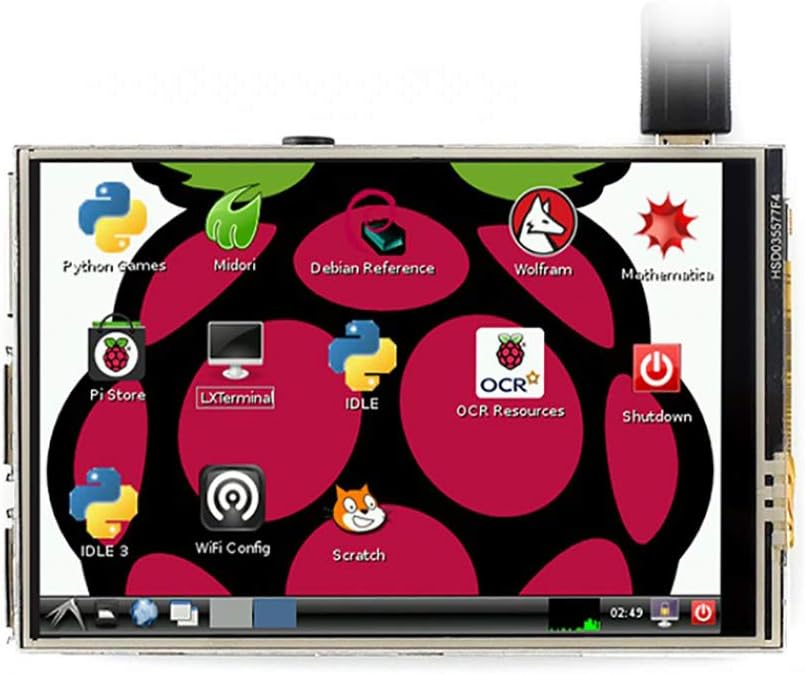
Figure 3: The display showing a typical Raspberry Pi desktop interface.
4.2. Key Features in Use
- Xem lại video: With a refresh rate up to 50Hz when combined with the Raspberry Pi, the display is capable of playing various video formats, such as MP4.
- Trò chơi: Enjoy playing video games, including those supported by RetroPie, directly on the compact screen.
- Nhiếp ảnh: Utilize the touch screen for camera control, supporting multiple camera modes if configured with a compatible camera module.
- Software Keyboard: Interact with the system using an on-screen software keyboard, eliminating the need for external keyboard and mouse peripherals.
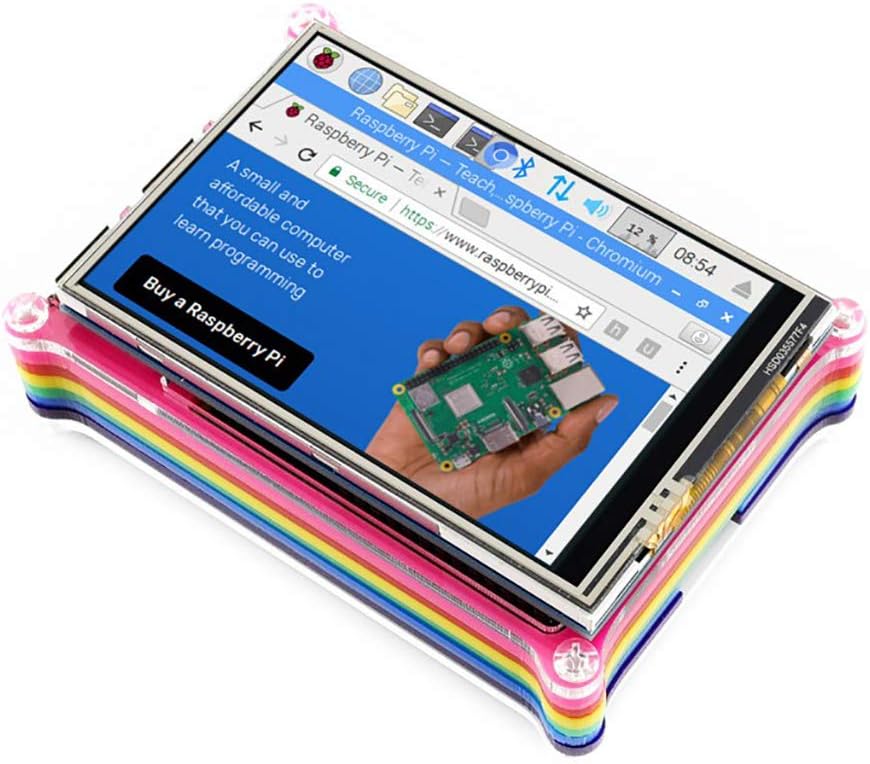
Hình 4: Web browsing on the 3.5-inch display.

Hình 5: Màn hình trưng bàyasing a high-quality image while mounted on a Raspberry Pi.
5. Bảo trì
5.1. Chăm sóc và vệ sinh
To maintain the longevity and performance of your Waveshare 3.5-inch LCD, follow these guidelines:
- Làm sạch màn hình: Sử dụng một miếng vải mềm, không xơ, hơi dampened with water or a screen-cleaning solution, to gently wipe the display surface. Avoid harsh chemicals, abrasive materials, or excessive moisture.
- Xử lý: Avoid applying excessive pressure to the screen, especially with sharp objects, as this can damage the resistive touch layer. Always use the provided touch pen for best results.
- Kho: When not in use, store the display in a clean, dry environment, away from direct sunlight and extreme temperatures.
- Điều kiện môi trường: Operate the display within recommended temperature and humidity ranges to prevent damage.
KHAI THÁC. Xử lý sự cố
6.1. Các vấn đề chung
- Hiển thị không hoạt động:
- Ensure the display is correctly and securely plugged into the Raspberry Pi's GPIO header.
- Verify that the necessary drivers are installed and configured correctly for your operating system.
- Check the Raspberry Pi's power supply to ensure it provides sufficient current for both the Pi and the display.
- Touch Function Not Responding:
- Confirm that the touch screen drivers are installed and loaded.
- Perform a touch screen calibration if available in your OS settings.
- Ensure you are using a suitable object (like the provided touch pen) and applying appropriate pressure.
- Incorrect Display Orientation/Resolution:
- Review your software configuration files (ví dụ,
/boot/config.txt) for correct rotation and resolution settings. - Reinstall or update display drivers.
- Review your software configuration files (ví dụ,
7. Thông số kỹ thuật
7.1. Key Parameters
| Tham số | Giá trị |
|---|---|
| Loại màn hình LCD | TFT |
| Giao diện LCD | SPI |
| Loại màn hình cảm ứng | Điện trở |
| Bộ điều khiển màn hình cảm ứng | XPT2046 |
| Màu sắc | 65536 |
| Đèn nền | DẪN ĐẾN |
| Nghị quyết | 480x320 (Pixel) |
| Tỷ lệ khung hình | 1.50:1 (3:2) |
| Kích thước màn hình đứng | 3.5 inch |
| Mô tả bề mặt màn hình | Bóng loáng |
| Số hiệu mẫu sản phẩm | XPT2046 |
7.2. Interface Pinout
| SỐ PIN. | BIỂU TƯỢNG | SỰ MIÊU TẢ |
|---|---|---|
| 1, 17 | 3.3V | Nguồn tích cực (đầu vào nguồn 3.3V) |
| 2, 4 | 5V | Nguồn tích cực (đầu vào nguồn 5V) |
| 3, 5, 7, 8, 10, 12, 13, 15, 16 | NC | NC |
| 6, 9, 14, 20, 25 | GND | Đất |
| 11 | TP_IRQ | Touch Panel Interrupt, low level while the Touch Panel detects touching |
| 18 | LCD_RS | Lựa chọn lệnh/thanh ghi dữ liệu |
| 19 | LCD_SI / TP_SI | Đầu vào dữ liệu SPI của LCD/Touch Panel |
| 21 | TP_SO | Đầu ra dữ liệu SPI của Bảng điều khiển cảm ứng |
| 22 | RST | Cài lại |
| 23 | LCD_SCK / TP_SCK | Đồng hồ SPI của LCD/Touch Panel |
| 24 | LCD_CS | Lựa chọn chip LCD, hoạt động thấp |
| 26 | TP_CS | Lựa chọn chip bảng điều khiển cảm ứng, hoạt động thấp |

Figure 6: Detailed technical specifications and pinout diagram.
7.3. Kích thước vật lý

Figure 7: Dimensions of the 3.5-inch RPi LCD (C).
8. Bảo hành và Hỗ trợ
8.1. Thông tin bảo hành
Specific warranty details for the Waveshare 3.5-inch Resistive Touch Screen TFT LCD XPT2046 are not provided in this manual. Please refer to the Waveshare official website or contact your point of purchase for current warranty terms and conditions.
8.2. Hỗ trợ kỹ thuật
For technical assistance, driver downloads, or further documentation, please visit the official Waveshare website. You may also contact Waveshare customer support directly for specialized help with product installation, configuration, or troubleshooting beyond the scope of this manual.


