1. Giới thiệu
This manual provides essential information for the installation, operation, and maintenance of your ZOTAC GAMING GeForce RTX 2080 Ti Triple Fan graphics card. Please read this guide thoroughly before proceeding with installation to ensure proper setup and to maximize the performance and lifespan of your product.
2. Sản phẩm hếtview
The ZOTAC GAMING GeForce RTX 2080 Ti Triple Fan graphics card is built on the NVIDIA Turing architecture, featuring advanced technologies for high-performance graphics. Key features include:
- Active Fan Control: Allows independent adjustment of fan rotations for optimized cooling.
- SPECTRA Lighting: Customizable RGB lighting system for aesthetic personalization.
- Real-time Ray Tracing: Enhances visual realism in supported applications.
- NVIDIA Ansel: Advanced in-game photography tool.
- Tương thích với NVIDIA G-SYNC: For smooth, tear-free gaming experiences with compatible displays.
- NVLink (SLI-ready): Supports multi-GPU configurations for increased performance.

Image 2.1: The ZOTAC GAMING GeForce RTX 2080 Ti Triple Fan graphics card alongside its retail packaging, showcasinthiết kế và xây dựng thương hiệu sản phẩm.

Hình ảnh 2.2: Chi tiết view of the graphics card, illustrating its dimensions (Length: 308mm, Height: 113mm, Width: 2.5 slots) and available display outputs: 3x DisplayPort 1.4, 1x HDMI 2.0b, and 1x USB Type-C.
3. Thiết lập và Cài đặt
Before installing your new graphics card, ensure your computer's power supply meets the recommended wattage and that your system is powered off and unplugged from the wall outlet. It is also advisable to wear an anti-static wrist strap to prevent electrostatic discharge.
3.1 Cài đặt phần cứng
- Chuẩn bị hệ thống của bạn: Power down your computer, unplug the power cable, and open the computer case.
- Locate a PCI Express slot: Identify an available PCI Express 3.0 x16 slot on your motherboard. This graphics card occupies 2.5 slots in width.
- Remove existing graphics card (if applicable): Carefully unmount any old graphics card and remove its power connectors.
- Lắp card đồ họa: Align the graphics card with the PCI Express slot and press down firmly until it is securely seated. Secure the card to the chassis with screws.
- Kết nối cáp điện: Connect two 8-pin PCIe power connectors from your power supply to the graphics card. The product includes two dual 6-pin to 8-pin adapter cables if needed.
- Đóng trường hợp: Sau khi thẻ được lắp đặt chắc chắn và cấp nguồn, hãy đóng thùng máy tính lại.
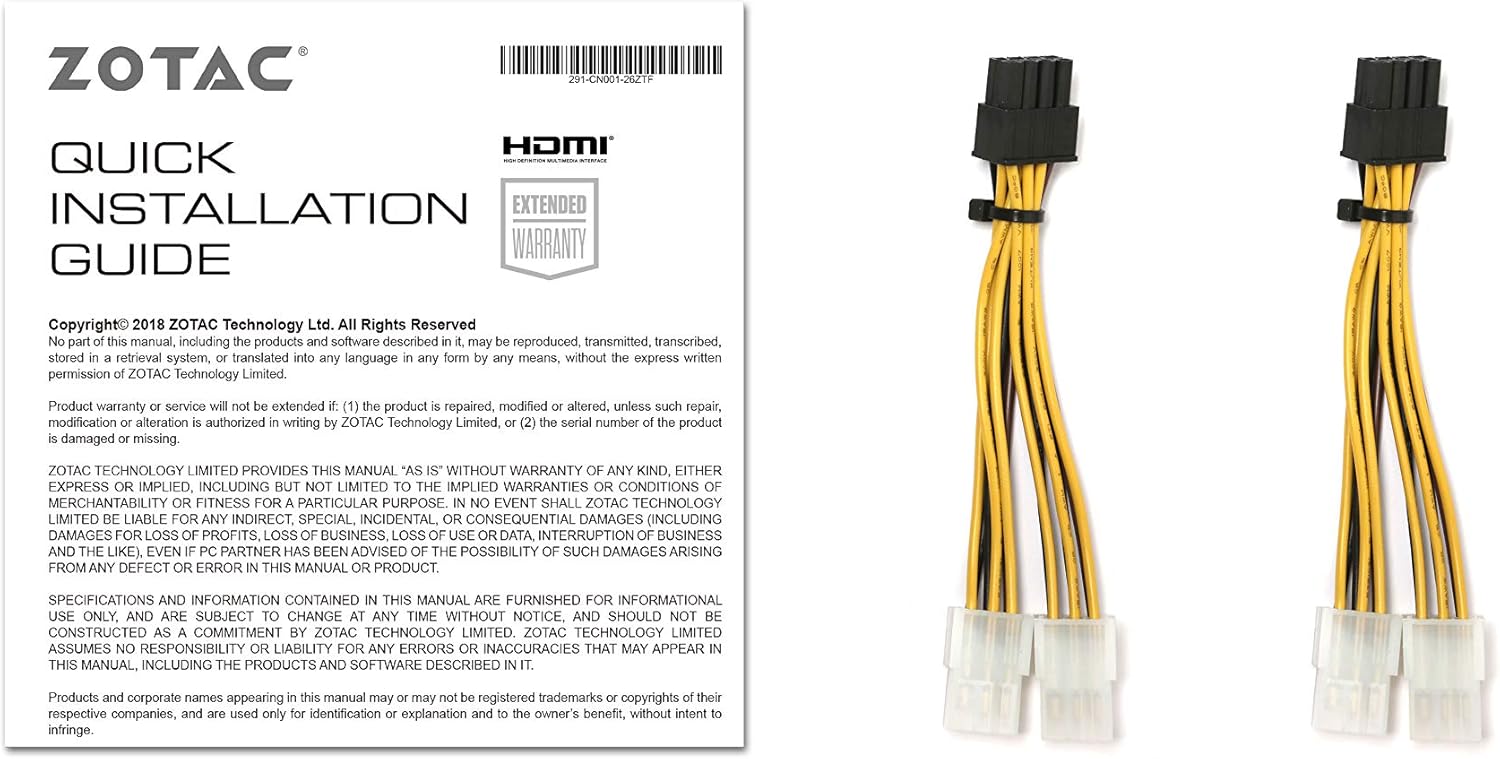
Image 3.1: The Quick Installation Guide and the included dual 6-pin to 8-pin power adapter cables, essential for connecting the graphics card to your power supply.
3.2 Cài đặt trình điều khiển
After hardware installation, power on your computer. You will need to install the latest NVIDIA Game Ready Drivers for optimal performance. These can be downloaded from the official NVIDIA webĐịa điểm (www.nvidia.com/drivers).
- Visit the NVIDIA driver download page.
- Select your product type (GeForce), product series (GeForce RTX 20 Series), product (GeForce RTX 2080 Ti), and operating system (Windows 10/7 x64).
- Tải xuống và chạy trình cài đặt, làm theo hướng dẫn trên màn hình.
4. Hướng dẫn vận hành
4.1 ZOTAC GAMING FireStorm Utility
The ZOTAC GAMING FireStorm utility allows you to monitor your graphics card, adjust fan speeds, and customize the SPECTRA RGB lighting. Download the latest version from the official ZOTAC webđịa điểm.
4.2 Active Fan Control
Utilize the Active Fan Control feature within the FireStorm utility to independently manage the speed of the graphics card's fans. This allows for targeted cooling and noise optimization based on your system's needs.

Image 4.1: Diagram illustrating the Active Fan Control feature, showing how individual fan speeds can be adjusted to optimize airflow and cooling.
4.3 SPECTRA Lighting System
The SPECTRA lighting system offers customizable RGB illumination. Use the FireStorm utility to select colors and lighting effects to match your system's aesthetic.

Image 4.2: Visual representation of the SPECTRA lighting system, demonstrating various customizable color options for the graphics card's LED elements.
5. Bảo trì
Việc bảo trì thường xuyên giúp đảm bảo tuổi thọ và hiệu năng tối ưu của card đồ họa.
- Loại bỏ bụi: Thường xuyên vệ sinh bụi bẩn trên quạt và bộ tản nhiệt bằng khí nén. Đảm bảo hệ thống đã tắt nguồn và rút phích cắm trước khi vệ sinh.
- Cập nhật trình điều khiển: Hãy thường xuyên kiểm tra trình điều khiển card đồ họa của NVIDIA để luôn được cập nhật. webtrang web có phiên bản mới nhất.
- Lưu lượng khí của hệ thống: Ensure your computer case has adequate airflow to prevent heat buildup, which can affect card performance and lifespan.
KHAI THÁC. Xử lý sự cố
Nếu gặp sự cố với card đồ họa, hãy tham khảo các bước khắc phục sự cố thường gặp sau đây:
- Không có đầu ra hiển thị:
- Hãy đảm bảo cáp màn hình được kết nối chắc chắn với card đồ họa và màn hình.
- Hãy kiểm tra xem card đồ họa đã được cắm chắc chắn vào khe PCI Express chưa.
- Check that all required PCIe power connectors are properly attached to the graphics card.
- Nếu có thể, hãy thử bằng cáp màn hình hoặc màn hình khác.
- Driver Issues / System Instability:
- Hãy tiến hành cài đặt lại hoàn toàn trình điều khiển NVIDIA mới nhất. Sử dụng Display Driver Uninstaller (DDU) ở Chế độ An toàn để gỡ bỏ trình điều khiển cũ trước khi cài đặt trình điều khiển mới.
- Đảm bảo hệ điều hành của bạn được cập nhật.
- Kiểm tra xem có xung đột với phần mềm nào khác đã được cài đặt hay không.
- Overheating / Performance Drops:
- Vệ sinh bụi bẩn khỏi quạt và tản nhiệt của card đồ họa.
- Đảm bảo luồng không khí lưu thông đầy đủ trong vỏ máy tính.
- Monitor temperatures using the ZOTAC GAMING FireStorm utility or other monitoring software.
- Verify that fan speeds are set appropriately, or use Active Fan Control.
For further assistance, please visit the ZOTAC support webtrang web hoặc liên hệ với dịch vụ khách hàng của họ.
7. Thông số kỹ thuật
| Tính năng | Chi tiết |
|---|---|
| Bộ xử lý đồ họa | NVIDIA GeForce RTX 2080 Ti |
| Lõi CUDA | 4352 |
| Bộ nhớ video | 11GB GDDR6 |
| Bus bộ nhớ | 352-bit |
| Đồng hồ tăng áp động cơ | 1605MHz |
| Đồng hồ bộ nhớ | 14.0Gbps |
| PCI Express | 3.0 |
| Hiển thị đầu ra | 3 x DisplayPort 1.4, 1 x HDMI 2.0b, 1 x USB Type-C |
| Hỗ trợ đa màn hình | Khả năng hiển thị đồng thời bốn lần |
| Nguồn cung cấp được đề xuất | 650 watt |
| Tiêu thụ điện năng | TBD-watt max (refer to product documentation for specific model) |
| Hỗ trợ hệ điều hành | Microsoft Windows 10/7 x64 |
| Card Dimensions (Length x Height x Width) | 308mm (12.13in) x 113mm (4.45in) x 2.5 slots (57mm / 2.24in) |
| Hỗ trợ API | Microsoft DirectX 12, Vulkan API, OpenGL 4.5 |
8. Bảo hành và Hỗ trợ
ZOTAC products are designed for reliability and performance. This graphics card typically comes with a manufacturer's warranty. Please refer to the warranty information included with your product or visit the official ZOTAC website for detailed terms and conditions, including registration requirements for extended warranty where applicable.
For technical support, driver downloads, and frequently asked questions, please visit the ZOTAC support page:
When contacting support, please have your product model number (ZT-T20810F-10P) and serial number ready.


