1. Giới thiệu
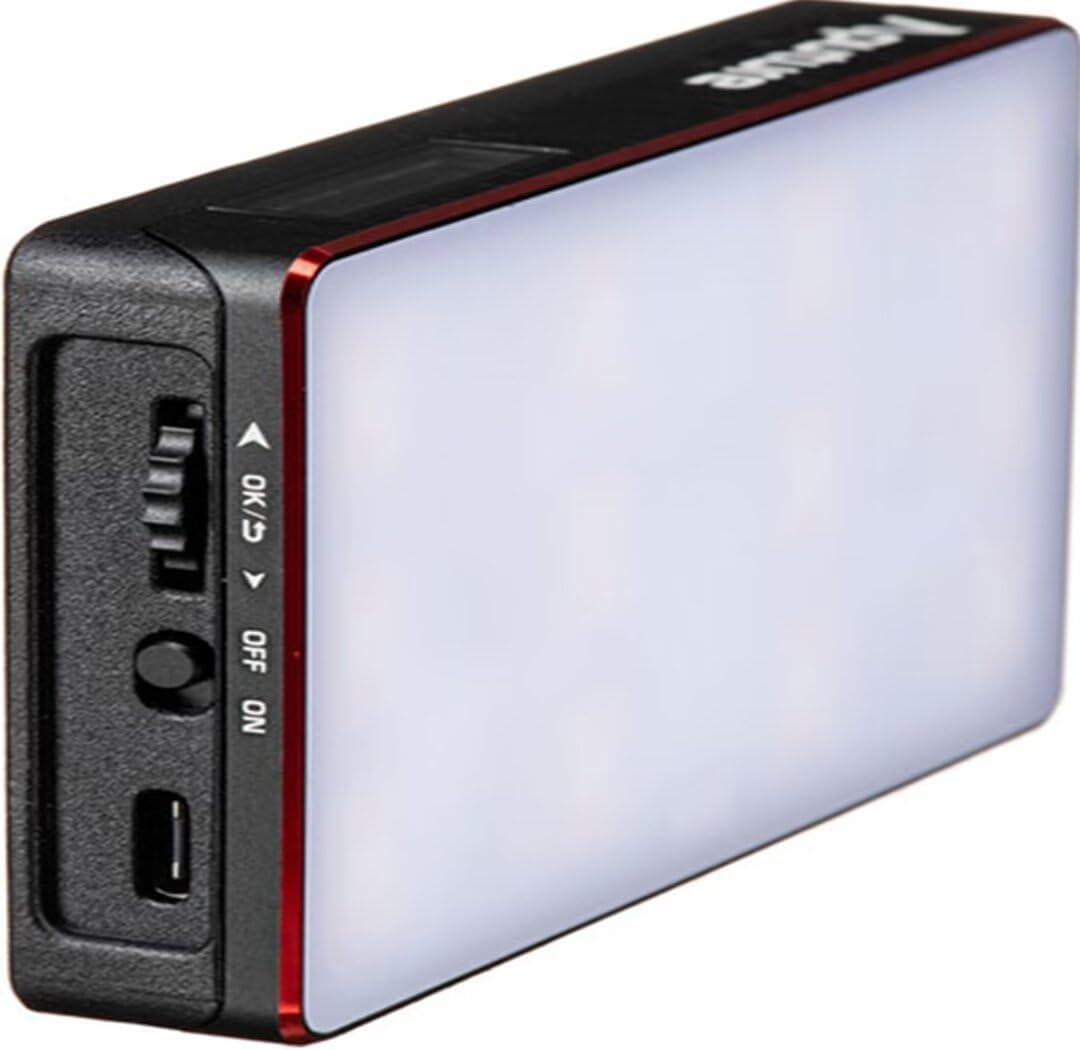
The Aputure Amaran MC is a compact and versatile RGBWW LED on-camera light designed for photographers and videographers. It offers full Hue, Saturation, and Intensity (HSI) color control, adjustable white light in CCT mode, and various built-in lighting effects. With its high color rendition, Sidus Mesh technology for app control, and multiple charging options, the Amaran MC provides flexible lighting solutions for diverse creative needs.
2. Có gì trong hộp
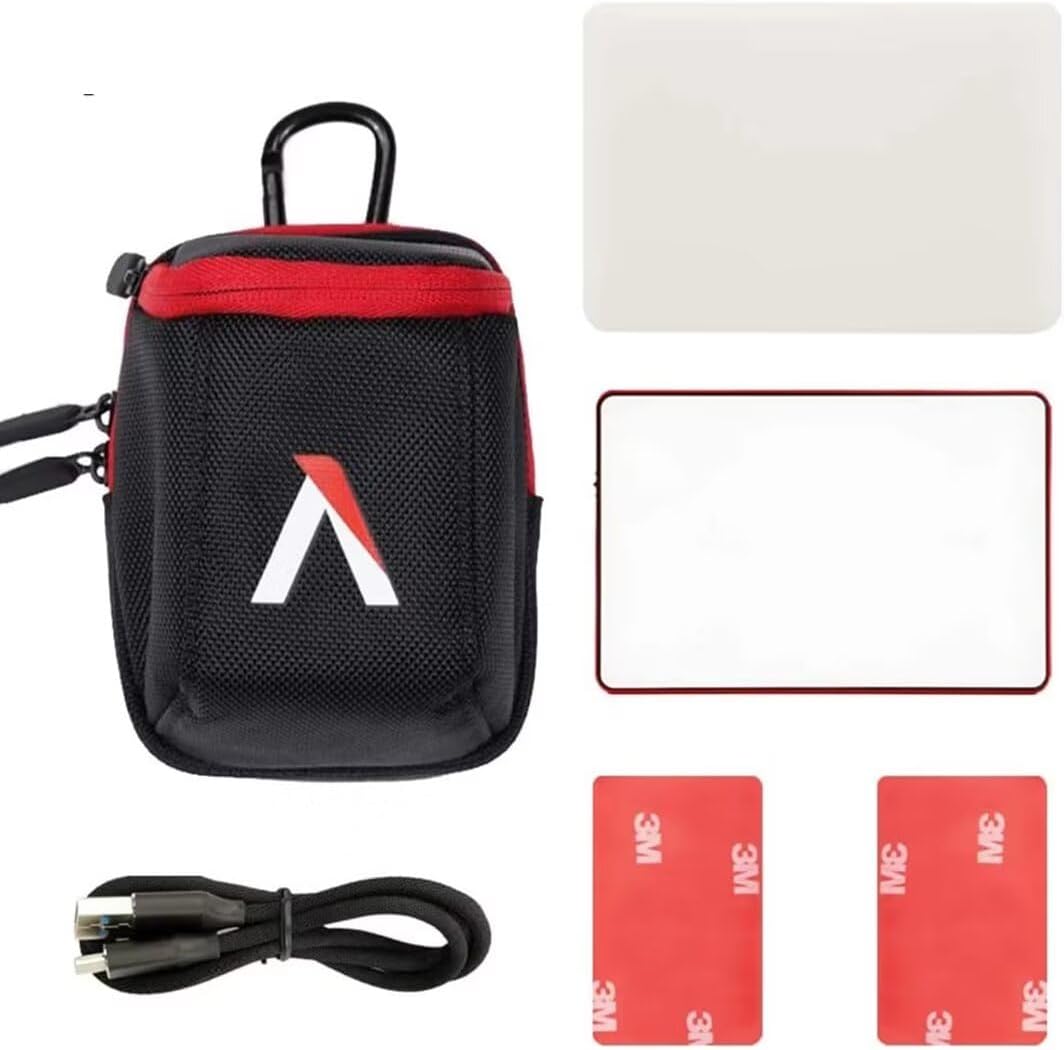
- Aputure MC Light *1
- Cáp sạc USB Type-C * 1
- Silicone Rubber Diffuser *1
- Adhesive Mounting Tape *2
- Aputure Carrying Bag *1
3. Tính năng sản phẩm
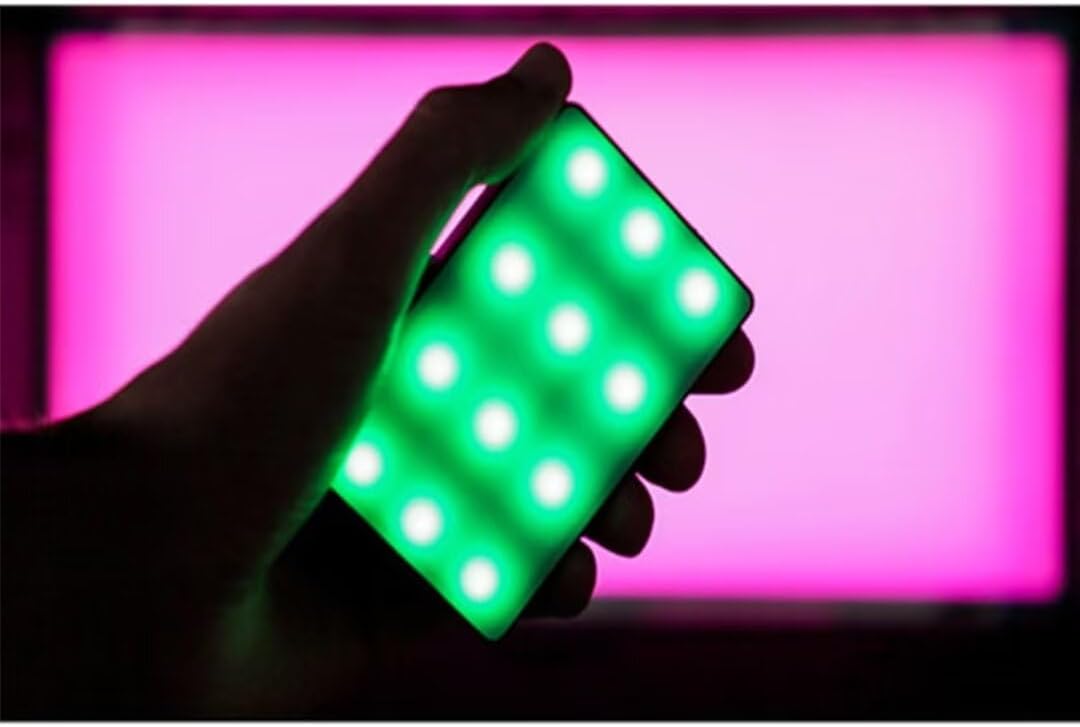
- Full HSI Color Control: The Amaran MC offers 360° of hue and 100 levels of saturation adjustment, allowing for convenient reproduction of any color.
- Chế độ CCT: Adjust white light color temperature from 3200K to 6500K.
- FX Lighting Modes: Includes 9 built-in lighting effects: Paparazzi, Fireworks, Faulty bulb, Lightning, TV, Pulsing, Fire, Party, and Cop Car.
- Stellar Color Quality: Achieves high color rendition with CRI and TLCI scores of 96+, and SSI scores of 84 (tungsten) and 74 (daylight).
- Sidus Link Control: Utilizes Sidus Mesh technology for controlling up to 100 lights simultaneously via the Sidus Link mobile app. Features a Color Picker function to match colors from your phone's camera.
- USB Type-C PD Charging & Wireless Charging: Supports 18W USB-C Power Delivery (PD) for a full charge in approximately 90 minutes. Compatible with Qi wireless charging protocols.


4. Thiết lập
4.1 Sạc thiết bị
Before initial use, fully charge your Amaran MC. You have two charging options:
- USB loại C: Connect the provided USB Type-C charging cable to the USB-C port on the side of the Amaran MC and to a compatible USB power adapter (not included). The device supports 18W PD quick charging.
- Sạc không dây: Place the Amaran MC on any Qi-compatible wireless charging pad. Ensure the light is properly aligned for efficient charging.

4.2 Tùy chọn gắn kết
The Amaran MC offers several versatile mounting options:
- 1/4"-20 Screw Mount: Use the integrated 1/4"-20 screw mount to attach the light to tripods, light stands, or camera rigs.
- Hấp thụ từ tính: The light features built-in magnets, allowing it to be securely attached to metallic surfaces.
- Adhesive Mounting Tape: For non-metallic surfaces, use the included adhesive mounting tapes to create a temporary mounting point for the magnets.

5. Hướng dẫn vận hành
5.1 Bật/Tắt nguồn
Locate the power switch on the side of the Amaran MC. Slide the switch to the 'ON' position to power on the device. Slide it to 'OFF' to power it down.
5.2 Adjusting Light Settings
The Amaran MC features a function control wheel and an OLED screen for on-device adjustments:
- Lựa chọn chế độ: Press the control wheel to cycle through different lighting modes: HSI, CCT, and FX.
- Điều chỉnh tham số: Rotate the control wheel to adjust parameters within the selected mode (e.g., Hue, Saturation, Intensity, Color Temperature).
- Cường độ: In any mode, rotate the wheel to adjust the brightness (0-100% stepless dimming).
5.3 Sidus Link App Control
For advanced control and features, download the Sidus Link mobile app (available on iOS and Android).
- Ghép nối: Ensure Bluetooth is enabled on your mobile device. Open the Sidus Link app and follow the on-screen instructions to discover and pair with your Amaran MC.
- Điều khiển từ xa: Adjust HSI, CCT, and FX functions remotely.
- Chọn màu: Use your phone's camera to capture a color from your environment, and the Amaran MC will reproduce it instantly.
- Mạng lưới: Control multiple Amaran MC lights (up to 100) in a stable network, extending the control range.
6. Bảo trì
- Vệ sinh: Hãy dùng khăn mềm, khô để lau sạch bên ngoài đèn. Không sử dụng hóa chất mạnh hoặc vật liệu mài mòn.
- Kho: Store the Amaran MC in its carrying bag in a cool, dry place away from direct sunlight and extreme temperatures.
- Chăm sóc pin: For optimal battery life, avoid fully discharging the battery frequently. If storing for extended periods, charge the battery to approximately 50-70%.
KHAI THÁC. Xử lý sự cố
| Vấn đề | Nguyên nhân có thể | Giải pháp |
|---|---|---|
| Đèn không bật sáng | Low battery or power switch off | Charge the battery or ensure the power switch is in the 'ON' position. |
| Cannot connect to Sidus Link app | Bluetooth off, app not updated, or light not in pairing mode | Ensure Bluetooth is on, update the app, and restart the light. Refer to app instructions for pairing. |
| Đầu ra ánh sáng không nhất quán | Pin yếu hoặc nhiễu | Charge the light fully. Ensure no strong magnetic or electronic interference nearby. |
8. Thông số kỹ thuật
| Tính năng | Chi tiết |
|---|---|
| Kích thước sản phẩm | 6.22 x 3.43 x 1.34 inch (15.8 x 8.7 x 3.4 cm) |
| Trọng lượng sản phẩm | 1.12 pound (0.51 kg) |
| Số hiệu mẫu sản phẩm | 926308 |
| Pin | Cần 1 Pin không chuẩn |
| Nhà sản xuất | Máy tính |
| Công nghệ kết nối | Bluetooth |
| Giao diện phần cứng | USB, USB loại C |
| Mã số UPC | 712350147426 |
9. Bảo hành & Hỗ trợ
For warranty information and technical support, please refer to the official Aputure webtrang web hoặc liên hệ trực tiếp với bộ phận dịch vụ khách hàng của họ. Giữ lại biên lai mua hàng để yêu cầu bảo hành.
Aputure Official Webđịa điểm: www.aputure.com


