Giới thiệu
Welcome to the user manual for your Neato Robotics Botvac D7 Connected Robot Vacuum. This guide provides comprehensive instructions for setting up, operating, maintaining, and troubleshooting your device to ensure optimal cleaning performance. The Botvac D7 Connected utilizes advanced laser navigation and Wi-Fi connectivity to efficiently clean various floor types, including carpets and hard floors, and is especially effective at picking up pet hair.
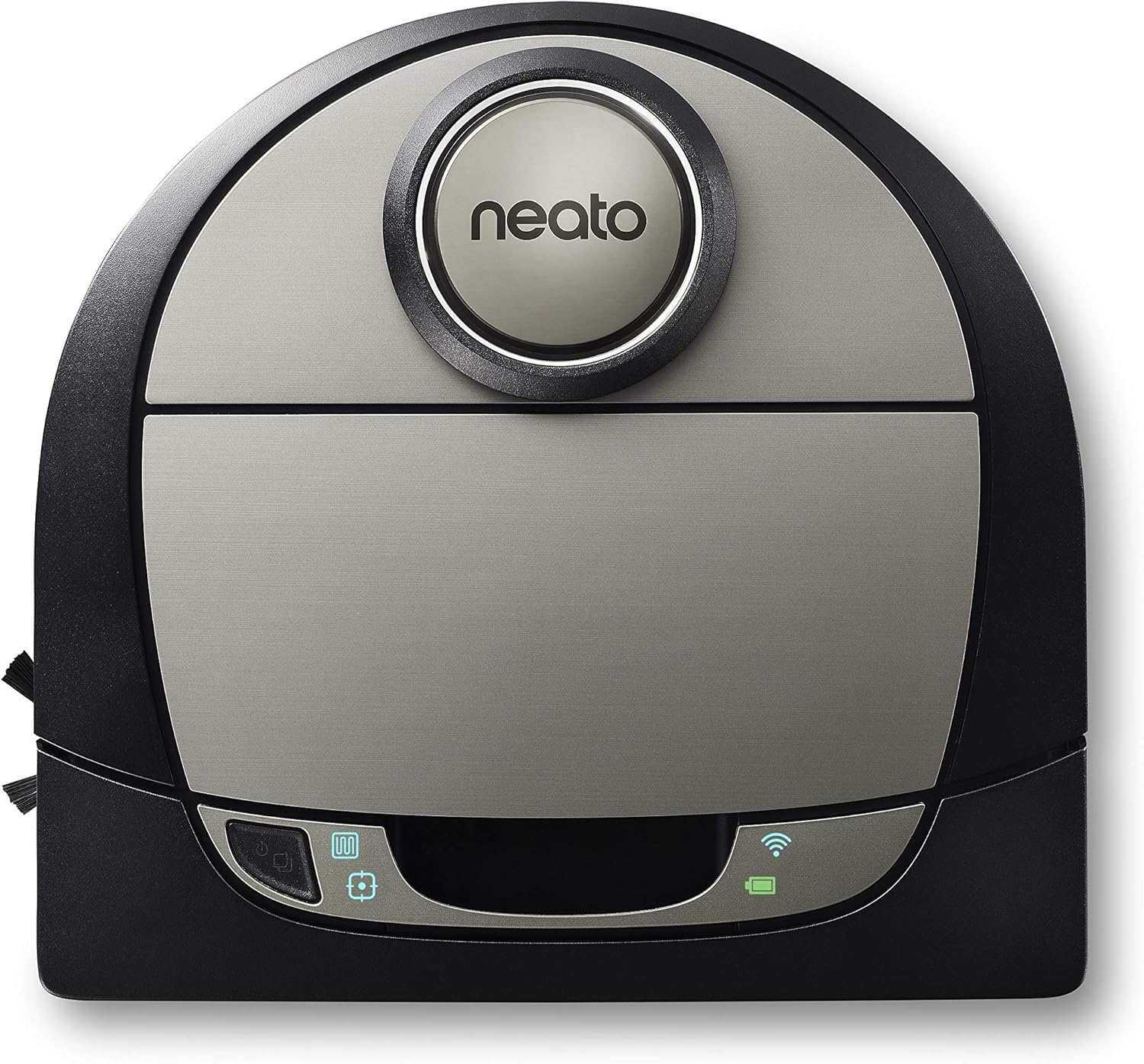
Figure 1: Neato Botvac D7 Connected Robot Vacuum.
Hướng dẫn thiết lập
1. Mở hộp và đặt lần đầu
Carefully remove all components from the packaging. Place the charging base against a wall in an open, clutter-free area with at least 3 feet of clearance on either side and 10 feet in front. Ensure the charging base is plugged into a power outlet.

Figure 2: Robot vacuum docked on its charging base.
2. Lần sạc đầu tiên
Place the Botvac D7 Connected onto the charging base. The battery indicator light will illuminate. Allow the robot to fully charge before its first use, which may take several hours. A full charge is indicated by a solid green light.
3. Tải ứng dụng và kết nối Wi-Fi
Download the Neato app from your device's app store. Follow the in-app instructions to connect your Botvac D7 Connected to your home Wi-Fi network. This enables smart features such as scheduling, zone cleaning, and no-go lines.

Figure 3: Neato app interface for remote control and mapping.
Operating Your Botvac D7 Connected
1. Preparing Your Home
Before starting a cleaning cycle, clear floors of small objects, loose cables, and thick rugs that may obstruct the robot. Open interior doors to allow the robot access to all areas you wish to clean.

Figure 4: Robot vacuum cleaning debris on a hard floor.
2. Bắt đầu chu trình vệ sinh
Bạn có thể bắt đầu chu trình làm sạch theo nhiều cách:
- On-Robot: Press the Start button on the top of the robot.
- Neato App: Use the "Clean" button within the Neato app.
- Lên lịch: Set up recurring cleaning schedules through the Neato app.
3. LaserSmart Mapping and Navigation
The Botvac D7 Connected uses LaserSmart navigation to scan and map your home, creating a detailed floor plan. This allows for efficient, systematic cleaning in straight lines, avoiding obstacles and ensuring thorough coverage.

Figure 5: LaserSmart Mapping in action.
4. Zone Cleaning and No-Go Lines
Utilize the Neato app to define specific cleaning zones for targeted cleaning or to set virtual "No-Go Lines" to prevent the robot from entering certain areas (e.g., pet bowls, delicate furniture).

Figure 6: Custom cleaning features via the app.
5. Chế độ làm sạch
The robot offers various cleaning modes to suit your needs:
- Chế độ tiết kiệm: Quieter cleaning with longer run time.
- Chế độ Turbo: Maximum suction for deep cleaning.
- Extra Care Mode: Gentle navigation around delicate objects.
- Làm sạch tại chỗ: Làm sạch một khu vực nhỏ, tập trung.
- House Clean: Làm sạch toàn bộ khu vực đã được lập bản đồ.

Hình 7: Các chế độ làm sạch khả dụng.
Bảo trì và chăm sóc
Regular maintenance ensures your Botvac D7 Connected continues to perform efficiently.
1. Emptying the Dirt Bin
The dirt bin should be emptied after each cleaning cycle, especially if you have pets. To empty, lift the top cover, remove the dirt bin, open its latch, and discard debris. Reinsert the bin until it clicks into place.
2. Vệ sinh bộ lọc
Tap the filter against a trash can to remove dust. Replace the filter every 1-2 months, or more frequently with heavy use.
3. Cleaning the Brushes
Regularly check and clean the main brush and side brush for tangled hair or debris. Use the cleaning tool provided to cut and remove hair wrapped around the main brush. The side brush can be gently pulled off for cleaning.
4. Vệ sinh cảm biến và tiếp điểm sạc
Wipe the robot's sensors and charging contacts on both the robot and the base with a dry cotton swab or soft cloth to ensure proper function and charging.
Xử lý sự cố thường gặp
| Vấn đề | Nguyên nhân có thể | Giải pháp |
|---|---|---|
| Robot not starting/charging | Charging contacts dirty; power cord unplugged; battery depleted. | Clean charging contacts; ensure base is plugged in; allow robot to charge fully. |
| Robot thường xuyên bị kẹt | Loose cables/objects; thick rugs; narrow spaces. | Clear obstacles; use No-Go Lines in problematic areas. |
| Hiệu suất làm sạch kém | Dirt bin full; brushes tangled; filter clogged. | Empty dirt bin; clean brushes; clean/replace filter. |
| Sự cố kết nối Wi-Fi | Mật khẩu không chính xác; bộ định tuyến quá xa; nhiễu mạng. | Verify password; move robot closer to router; restart router. |
Thông số kỹ thuật sản phẩm
- Thương hiệu: Neato Robotics
- Người mẫu: 945-0292 (Botvac D7 Connected)
- Kích thước: Dài 33" x Rộng 33" x Cao 7"
- Cân nặng: 7.92 pound
- Tuổi thọ pin: Tối đa 120 phút (Chế độ tiết kiệm năng lượng)
- Dung tích: 0.7 Liters (Dirt Bin)
- Loại bộ lọc: hộp mực
- Tính năng đặc biệt: Laser Navigation, Wi-Fi Connectivity, Zone Cleaning, No-Go Lines, Multi-Floor Mapping
- Thiết bị tương thích: Tiếng vọng của Amazon
Bảo hành và Hỗ trợ
Thông tin bảo hành
Your Neato Robotics Botvac D7 Connected comes with a manufacturer's warranty. Please refer to the warranty card included in your product packaging for specific terms and conditions, including coverage duration and limitations.
Hỗ trợ khách hàng
For technical assistance, troubleshooting, or warranty claims, please contact Neato Robotics Customer Care:
- Hỗ trợ trực tuyến: Visit the official Neato Robotics website for FAQs, video tutorials, and support articles.
- Liên hệ: Refer to your product documentation or the Neato Robotics website for the most current contact information (phone, chat, email).
You can also find the official user guide PDF đây.


