1. Giới thiệu
The Snakebyte Gamepad S Pro is a wireless controller designed for use with Nintendo Switch, Switch Lite, and Switch OLED consoles. It offers a console-style gaming experience with features such as dual precision analog sticks, dual rumble motors for immersive feedback, and a dedicated Capture button for recording gameplay moments. The controller connects via Bluetooth 3.0, aiming to provide a low-latency gaming experience. It also includes an assignable turbo feature and charges via an included USB-C cable.

Hình 1: Mặt trước view of the Snakebyte Gamepad S Pro Controller.
2. Thiết lập
2.1 Sạc bộ điều khiển
Before initial use, fully charge the controller. Connect the included 5.9 ft (1.8 m) USB-C cable to the controller's charging port and the other end to a USB power source (e.g., Nintendo Switch dock, USB wall adapter, or computer USB port). The charging indicator lights on the controller will provide status feedback.
2.2 Ghép nối với Nintendo Switch
To pair the Snakebyte Gamepad S Pro with your Nintendo Switch console:
- Đảm bảo máy chơi game Nintendo Switch của bạn được bật nguồn và cập nhật lên phần mềm hệ thống mới nhất.
- Từ Menu HOME, chọn "Bộ điều khiển", sau đó "Thay đổi cách cầm/thứ tự".
- On the Snakebyte Gamepad S Pro, press and hold the Nút trang chủ (house icon) and the Nút Y simultaneously for approximately 5 seconds. The indicator lights on the controller will begin to flash rapidly.
- Once the controller is successfully paired, the player indicator light(s) on the bottom of the controller will illuminate solid.
The controller is compatible with Nintendo Switch, Switch OLED, and Switch Lite models.

Figure 2: The Gamepad S Pro is compatible with Nintendo Switch, Switch OLED, and Switch Lite.
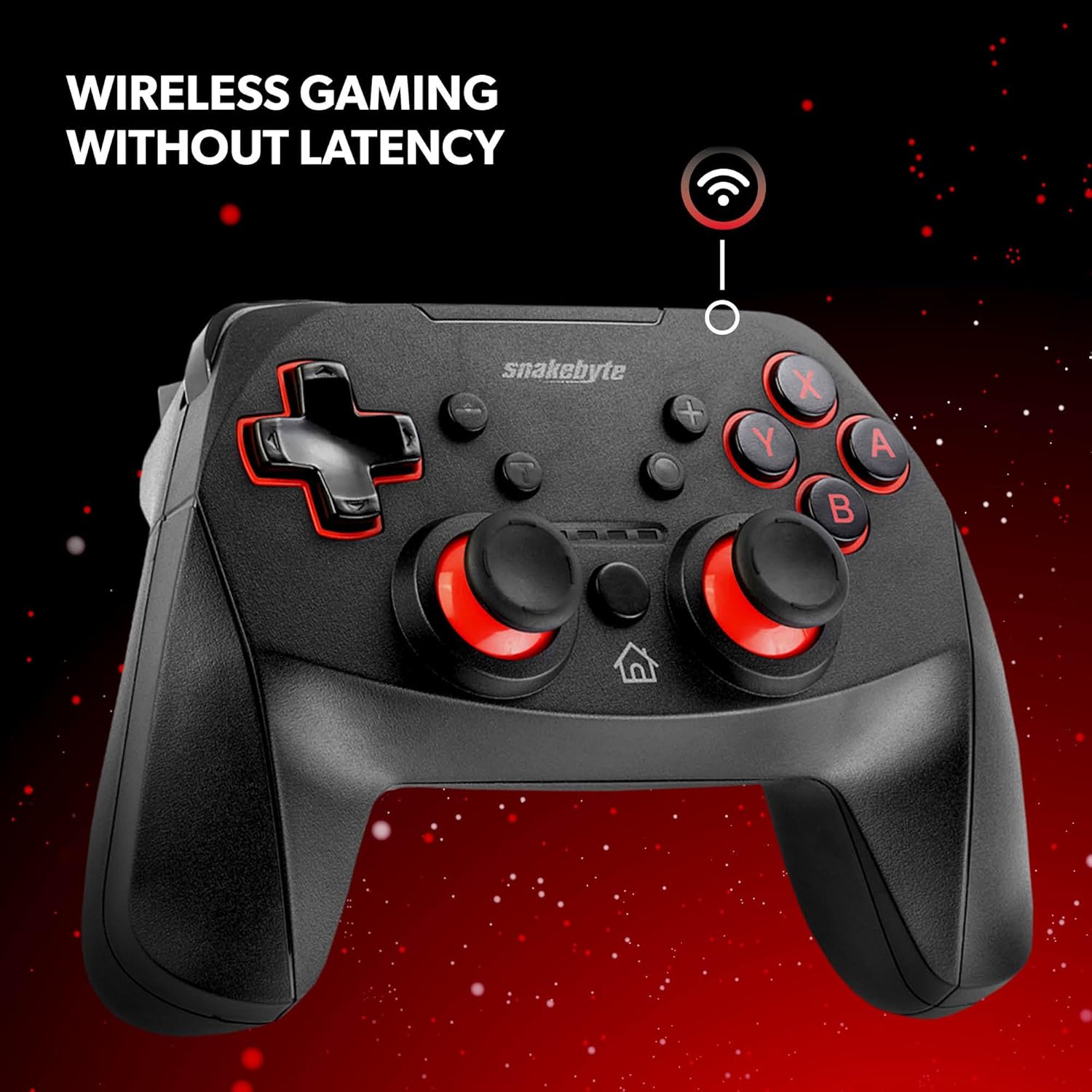
Figure 3: The controller offers wireless connectivity for gaming without latency.
3. Vận hành Bộ điều khiển
3.1 Bố cục nút và chức năng
- Các nút A/B/X/Y: Các nút hành động tiêu chuẩn.
- D-Pad: Đầu vào định hướng.
- Cần điều khiển Analog Trái/Phải: Để di chuyển chính xác và điều khiển máy ảnh.
- Nút Trái/Phải: Nút vai.
- Nút ZL/ZR: Nút kích hoạt.
- Nút Home: Trở lại menu TRANG CHỦ.
- Nút chụp: Saves screenshots or video clips of gameplay.
- Các nút cộng (+) / trừ (-): Equivalent to Start/Select or Menu buttons.
3.2 Dual Rumble Vibration
The controller features dual rumble motors that provide haptic feedback, enhancing immersion during gameplay. The intensity of the vibration is determined by the game.
3.3 Assignable Turbo Feature
The assignable turbo feature allows a button to be pressed repeatedly with a single hold. Consult the controller's specific instructions (often included in the packaging or on the manufacturer's website) for details on how to assign and activate the turbo function for desired buttons.
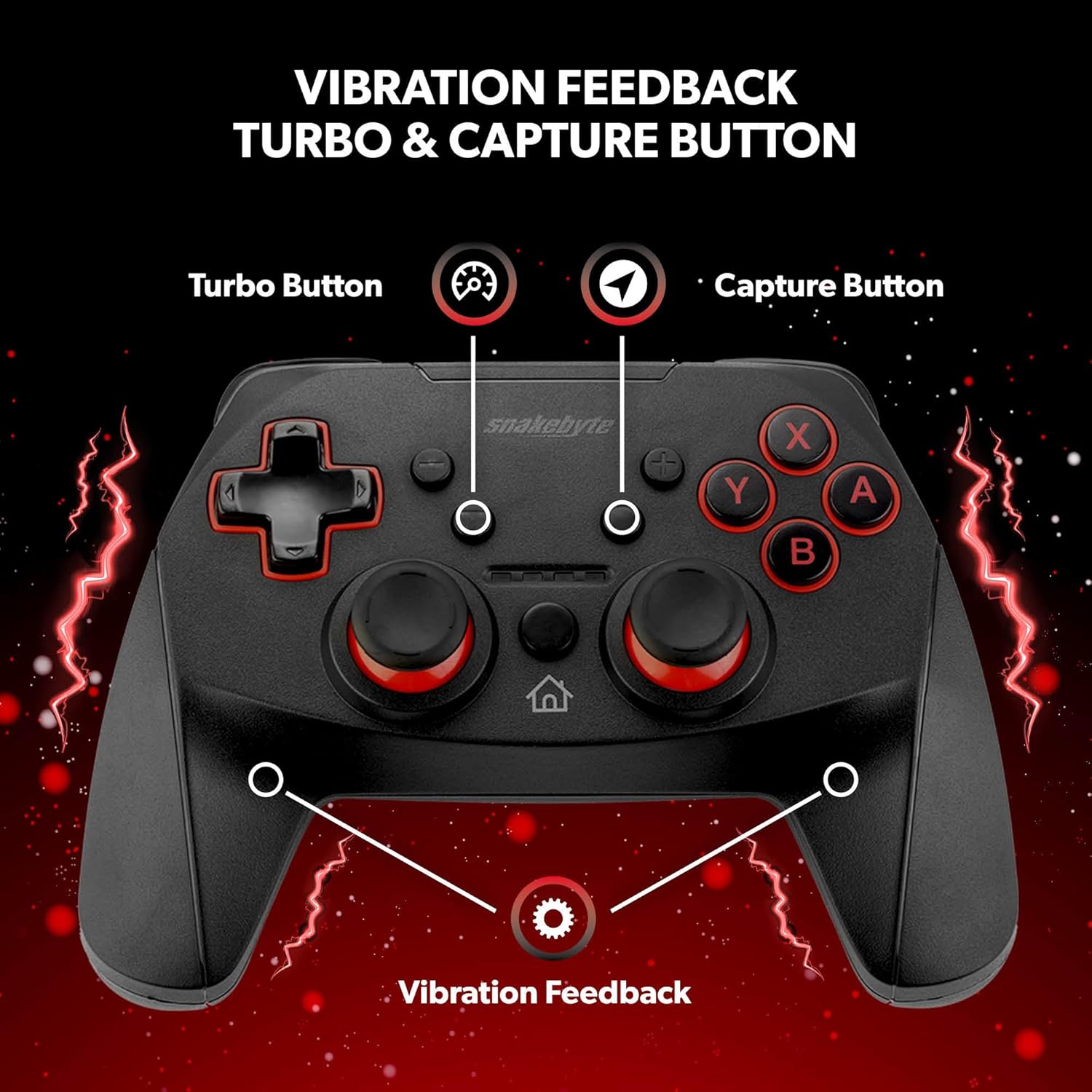
Figure 4: Key features including Turbo Button, Capture Button, and Vibration Feedback.
3.4 Giắc cắm âm thanh
The controller is equipped with an audio jack, allowing you to connect a compatible headset for in-game audio and communication (if supported by the game and console settings).

Figure 5: Detail of the controller's audio jack.
4. Bảo trì
4.1 Vệ sinh
Để vệ sinh bộ điều khiển, hãy sử dụng một miếng vải mềm, khô. Đối với vết bẩn cứng đầu, hãy lau nhẹ nhàng.ampen the cloth with water. Avoid using harsh chemicals, abrasive cleaners, or solvents, as these can damage the controller's surface and internal components.
4.2 Chăm sóc pin
The controller contains a rechargeable Lithium Metal battery. To prolong battery life:
- Tránh xả hết pin thường xuyên.
- Khi không sử dụng trong thời gian dài, hãy bảo quản bộ điều khiển ở nơi khô ráo, thoáng mát.
- Không để bộ điều khiển tiếp xúc với nhiệt độ quá cao hoặc quá thấp.
KHAI THÁC. Xử lý sự cố
- Controller not pairing or disconnecting frequently:
- Đảm bảo bộ điều khiển được sạc đầy.
- Verify the pairing steps (Home + Y buttons) are followed correctly.
- Move closer to the Nintendo Switch console to ensure a strong Bluetooth connection.
- Check for any firmware updates for the controller on the official Snakebyte website, as updates can resolve connectivity issues.
- Restart both the Nintendo Switch console and the controller.
- Buttons or joysticks are unresponsive or sticking:
- Power off the controller and then power it back on.
- Ensure no debris is lodged around the buttons or joysticks. Clean as per maintenance instructions.
- Controller does not wake the Nintendo Switch from standby:
- This controller may not support waking the console from standby mode. Power on the console manually using the power button on the console itself.
- No Gyro Sensor:
- Please note that this controller does not include a gyro sensor. Games requiring motion controls or fine aiming adjustments via tilting will not function as intended with this controller.
6. Thông số kỹ thuật
| Số hiệu mẫu | SB911194 |
| Thương hiệu | Snakebyte |
| Kết nối | Bluetooth 3.0 |
| Khả năng tương thích | Nintendo Switch, Switch Lite, Switch OLED |
| Kích thước (D x R x C) | 3.94 x 2.36 x 5.51 inch |
| Trọng lượng sản phẩm | 8.47 ounce (240 gram) |
| Loại pin | 1 pin Lithium Metal (đi kèm) |
| Chiều dài cáp sạc | 5.9 feet (1.8 mét) |
| Tính năng đặc biệt | Dual Motor Vibration, Assignable Turbo, Capture Button, Audio Jack |

Figure 6: The controller is designed for absolute durability.
7. Bảo hành và Hỗ trợ
For detailed warranty information, please refer to the warranty card included with your product packaging or visit the official Snakebyte website. For technical support, product registration, or further inquiries, please contact Snakebyte customer service through their official channels.
Official Snakebyte Webđịa điểm: www.snakebyte.com


