Giới thiệu
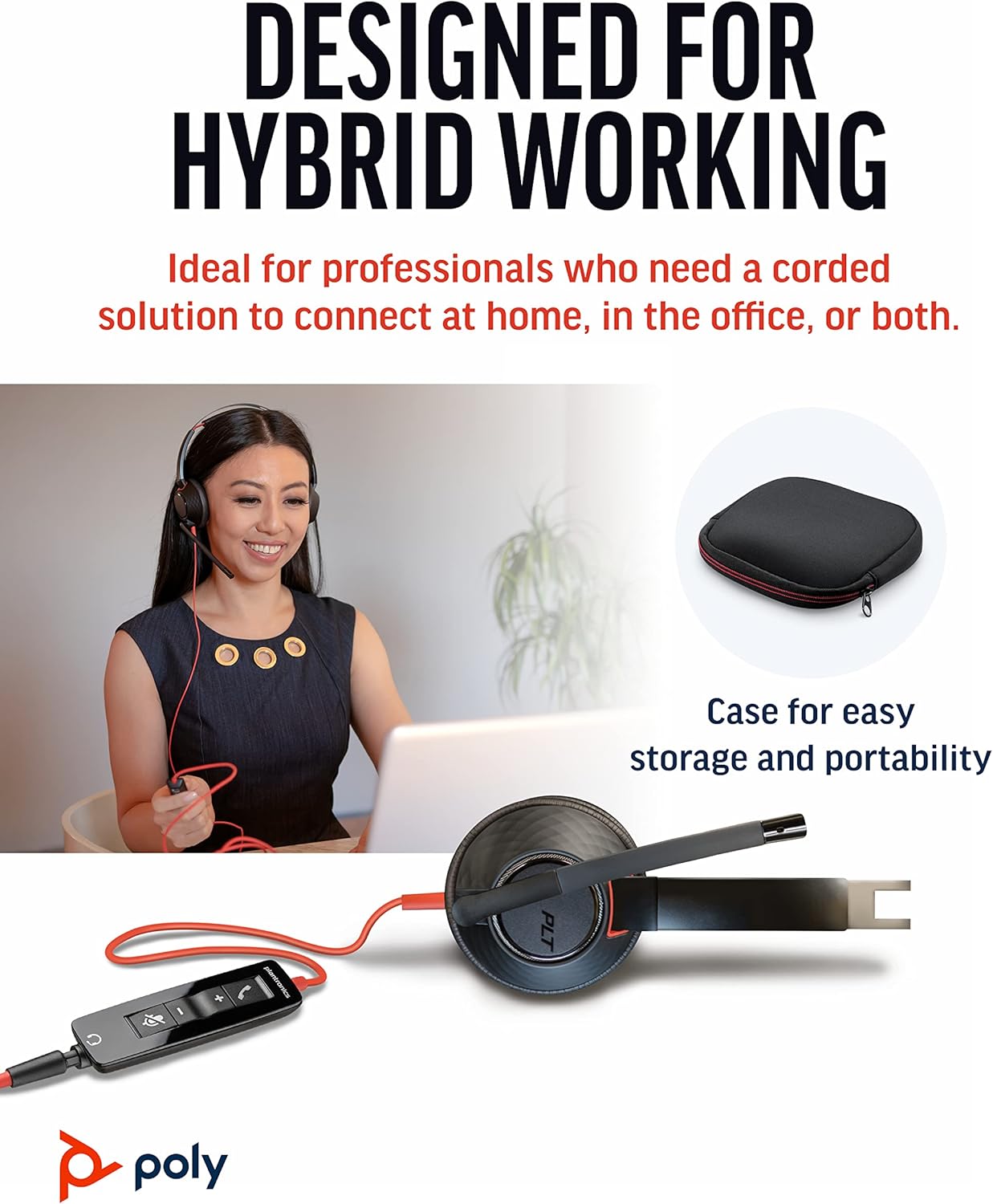
The Poly Blackwire 5220 USB-A Headset is designed for enhanced compatibility, exceptional comfort, and universal connectivity, making it ideal for all-day use in various communication environments. This headset features a noise-canceling microphone with a flexible boom, intuitive inline controls, and soft, conforming ear cushions for passive noise cancellation. It offers flexible connectivity options including USB-A and 3.5 mm, ensuring clear audio and improved productivity for PC, Mac, tablet, and mobile phone users.
Có gì trong hộp
- Poly Blackwire 5220 USB-A Headset
Sản phẩm trênview



Cài đặt
Kết nối tai nghe
- Dành cho PC/Mac: Connect the headset's USB-A connector directly to an available USB-A port on your computer. The headset is plug-and-play, meaning it should be automatically recognized by your operating system.
- For Mobile Phone/Tablet: Connect the headset's 3.5 mm jack to the audio port on your mobile device.
Once connected, your operating system or communication application (e.g., Microsoft Teams, Zoom) should automatically detect the headset as the primary audio input and output device. If not, you may need to select it manually in your device's sound settings or the application's audio preferences.
Hướng dẫn sử dụng
Điều khiển nội tuyến
The Blackwire 5220 features an intuitive inline control unit for easy call management:
- Nút trả lời/kết thúc cuộc gọi: Nhấn để trả lời cuộc gọi đến hoặc kết thúc cuộc gọi đang diễn ra.
- Nút Tăng âm lượng (+): Nhấn để tăng âm lượng nghe.
- Nút Giảm âm lượng (-): Nhấn để giảm âm lượng nghe.
- Nút tắt tiếng: Press to mute or unmute the microphone. A voice alert may indicate the mute status.
Điều chỉnh micrô
Position the flexible boom microphone approximately two finger-widths from the corner of your mouth for optimal voice pickup. The microphone is designed to be noise-canceling, focusing on your voice and minimizing background distractions.
SoundGuard Digital Protection
The headset incorporates SoundGuard Digital technology to protect your hearing. It safeguards against sound levels over 118 dBA, sudden loud sounds, and long-term exposure to noise, ensuring a safe listening experience.
BẢO TRÌ
Vệ sinh
- Wipe the headset, including ear cushions and microphone boom, with a soft, dry cloth.
- Tránh sử dụng hóa chất mạnh hoặc chất tẩy rửa có tính mài mòn.
Kho
- Bảo quản tai nghe ở nơi khô ráo, thoáng mát, tránh nhiệt độ quá cao hoặc quá thấp.
- Utilize the included carrying case for protection during travel or storage.
Xử lý sự cố
No Sound or Microphone Not Working
- Ensure the headset is securely plugged into the correct port (USB-A or 3.5 mm).
- Check your computer's or device's sound settings to ensure the Poly Blackwire 5220 is selected as the default playback and recording device.
- Verify that the microphone is not muted using the inline control.
- Test the headset with another application or device to rule out software-specific issues.
Chất lượng âm thanh kém
- Ensure the microphone boom is properly positioned near your mouth.
- Check for any physical obstructions or damage to the cables.
- If using with a computer, ensure your audio drivers are up to date.
Thông số kỹ thuật
| Tính năng | Chi tiết |
|---|---|
| Tên mẫu | dây đen 5220 |
| Số hiệu mẫu sản phẩm | 207576-01 |
| Công nghệ kết nối | Wired (USB-A, 3.5 mm Jack) |
| Phong cách mặc | Over-the-head, On-ear, Dual Ear (Stereo) |
| Micrô | Micro cần khử tiếng ồn |
| Audio Protection | SoundGuard Digital (protects above 118 dBA) |
| Đáp ứng tần số (Tai nghe) | 20Hz |
| Frequency Range (Microphone) | 100 Hz - 6,800 Hz |
| Chiều dài cáp | 45 inch |
| Vật liệu | Nhựa |
| Màu sắc | Đen |
| Trọng lượng sản phẩm | 0.035 ounce (khoảng 1 gram) |
| Thiết bị tương thích | PC, Cellphones, Tablets, Mac |
Bảo hành và Hỗ trợ
Thông tin bảo hành
The Poly Blackwire 5220 USB-A Headset comes with a Bảo hành toàn cầu 2 năm kể từ ngày mua. Vui lòng giữ lại hóa đơn mua hàng để yêu cầu bảo hành.
Hỗ trợ bổ sung
For detailed information, advanced settings, or further assistance, please refer to the official User Guide (PDF) available online:
Tải xuống Hướng dẫn sử dụng (PDF)
You can also visit the official Poly support webTrang web này cung cấp các câu hỏi thường gặp, tải xuống phần mềm và thông tin liên hệ.


